

XMT Scalper EA V3.24 MT5: How This Tick Scalping Bot Works & Who It’s For
Manual scalping on low timeframes demands constant attention, fast reactions, and tolerance for tight spreads and execution noise. Many traders want the speed of short-term trading without sitting in front of the charts all day. XMT Scalper EA V3.24 MT5 is built to handle that exact problem on the MetaTrader 5 platform.
This guide explains what the EA does, how its logic operates, the practical features that matter, who it suits, and what you should verify before using it. The aim is clear information so you can decide if it fits your setup and expectations.
What Is XMT Scalper EA V3.24 MT5?
XMT Scalper EA V3.24 MT5 is an Expert Advisor for MetaTrader 5 that belongs to the established XMT-Scalper family of robots. The original versions ran on MetaTrader 4 as an enhanced, rewritten evolution of earlier commercial scalping concepts. The V3.24 version is the MT5 adaptation offered through platforms such as Yoforex.
It focuses on tick-based scalping. The EA places pending buy-stop and sell-stop orders when price breakouts occur according to its indicator conditions. The goal is to capture small, quick moves rather than hold positions for long periods. Once configured, it runs with minimal ongoing manual input.
How Does XMT Scalper EA V3.24 MT5 Work?
The trading process follows a clear sequence:
The EA monitors price action and selected indicators on every tick. When a breakout condition is detected, it places a buy-stop or sell-stop order above or below the current price. Once the pending order is triggered, the trade is managed with the set take-profit, stop-loss, and any trailing rules.
Virtual pending orders and virtual stops can keep the actual order details hidden from the broker until needed. Spread, volatility, and execution-time filters help avoid entries when conditions are poor. Because the strategy targets small moves, results depend heavily on low spreads, fast execution, and a broker that allows scalping without limits.
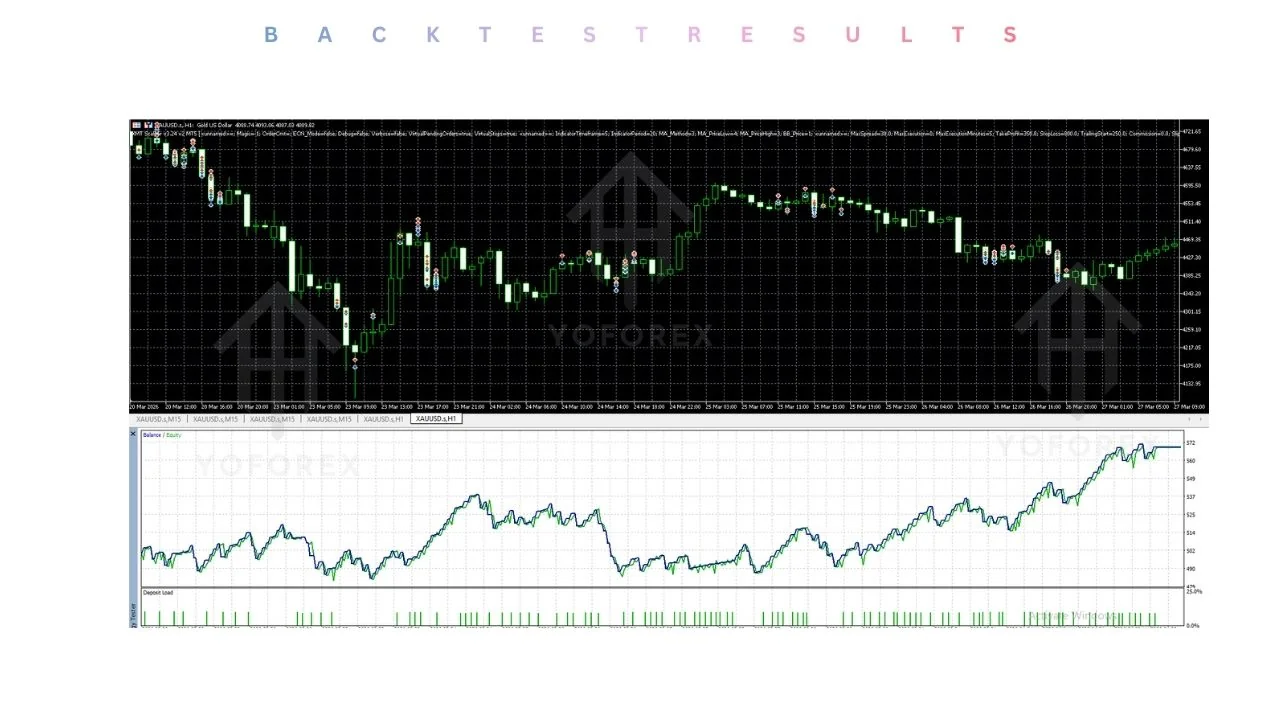
Default settings are rarely optimal. Proper backtesting followed by demo testing under realistic conditions is required before any live use.
Key Features
- Fully automated trading on MetaTrader 5
- Breakout-based pending order entries (buy-stop and sell-stop)
- Configurable take-profit and stop-loss
- Maximum spread filter
- Volatility-based filters and limits
- Optional trailing start
- Virtual pending orders and virtual stops
- ECN-mode support
- Magic number and order comment options
- Adjustable execution time and slippage controls
Quick Features Table
| Feature | Details |
|---|---|
| Platform | MetaTrader 5 |
| Strategy | Tick-based breakout scalping |
| Trading Style | Scalping |
| Pairs | Any (best on high-volatility, low-spread pairs) |
| Timeframe | Any (classically used around M1) |
| Risk Management | Adjustable SL/TP, spread and volatility filters |
| Automation | Full (pending orders plus trade management) |
| Best For | Traders with low-spread ECN or raw accounts and a VPS |
Main Benefits
The EA removes the need for constant chart watching once it is running correctly on a stable connection. It applies the same entry and exit rules every time, which reduces emotional interference common in manual scalping. Built-in filters for spread and volatility provide a basic layer of protection against poor market conditions. Parameters can be adjusted to match different account sizes and risk preferences. The design works with ECN-style accounts and virtual order handling.
These advantages appear only when the broker conditions, risk settings, and testing process are correct. Results change with market regime, spread costs, and slippage.
Who Is XMT Scalper EA V3.24 MT5 For?
- Intermediate and experienced traders who already understand scalping costs and execution quality
- Users comfortable with MetaTrader 5 and Expert Advisors
- Traders who can run a low-latency VPS and an ECN or raw-spread account that permits scalping
- Those willing to optimize settings and complete thorough demo testing
- Algorithmic traders looking for a classic breakout-scalping engine rather than grid or martingale systems
Who Should Avoid It?
- Complete beginners who have never tested an EA or managed spread-sensitive strategies
- Traders on standard accounts with wide spreads or brokers that restrict scalping
- Anyone expecting fully hands-off results without monitoring or re-optimization
- Users who cannot accept periods of drawdown
- Traders seeking long-term swing or position systems
XMT Scalper EA V3.24 MT5 vs Manual Trading
Aspect XMT Scalper EA V3.24 MT5 Manual Scalping Reaction speed Tick-level, automated Limited by human attention Emotional influence None once running High during fast markets Monitoring needed Low after proper setup Continuous Spread sensitivity Critical – filters help but do not remove cost Same plus personal discipline required Customization Parameter-based Fully discretionary Scalability Multiple charts possible with care Difficult to scale across many pairs
What To Check Before Buying
| Aspect | XMT Scalper EA V3.24 MT5 | Manual Scalping |
|---|---|---|
| Reaction speed | Tick-level, automated | Limited by human attention |
| Emotional influence | None once running | High during fast markets |
| Monitoring needed | Low after proper setup | Continuous |
| Spread sensitivity | Critical – filters help but do not remove cost | Same plus personal discipline required |
| Customization | Parameter-based | Fully discretionary |
| Scalability | Multiple charts possible with care | Difficult to scale across many pairs |
- Confirm the breakout pending-order scalping style matches your approach
- Review the risk parameters and ensure stop-loss and take-profit levels suit your account size
- Understand that drawdowns can occur and plan position sizing accordingly
- Verify the file works with your MetaTrader 5 build
- Test on an ECN or raw account that allows scalping, offers tight spreads, and has low stop levels with minimal requotes
- Plan for a reliable low-latency VPS
- Expect to optimize settings rather than rely on defaults
- Check available documentation, set files, and support from the seller
- Always complete extended demo testing under real spread and commission conditions before live trading
How To Get Started
- Obtain the EA from the official source such as Yoforex.
- Place the file in the MetaTrader 5 Experts folder and refresh the Navigator.
- Attach the EA to a chart of the chosen pair and timeframe.
- Set the magic number, risk inputs, spread filter, and volatility parameters.
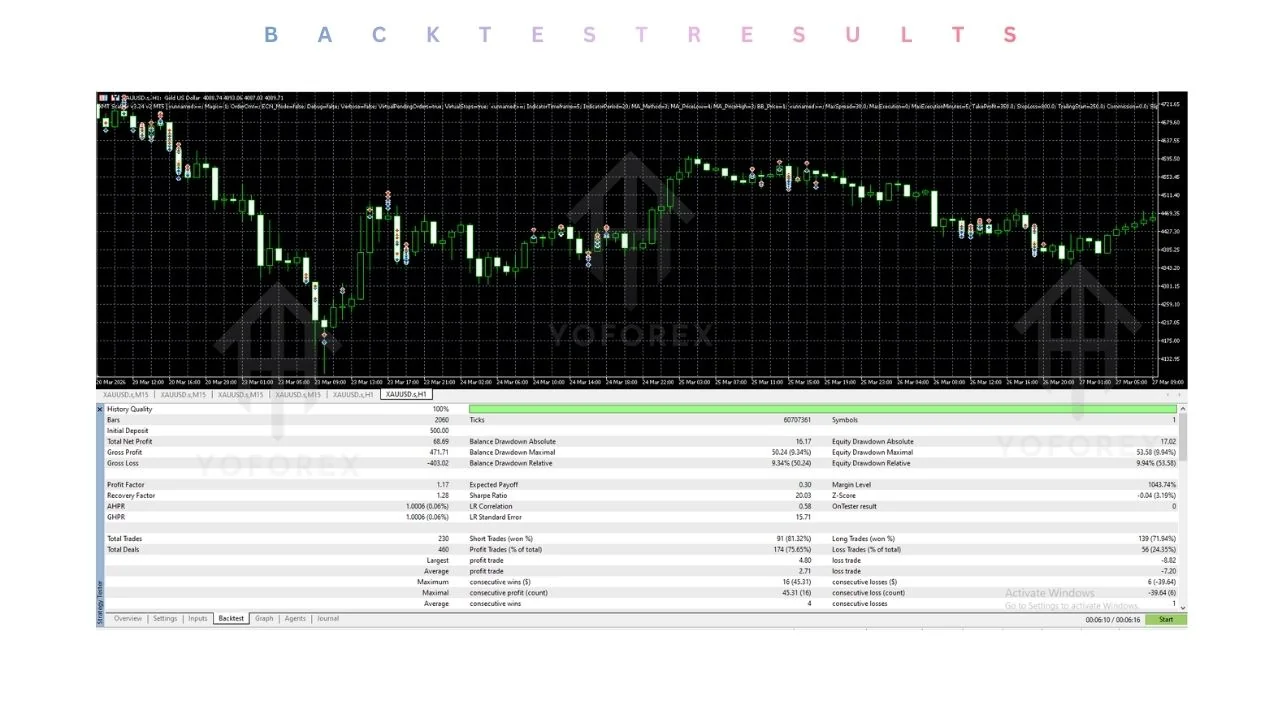
- Run backtests with high-quality data when available.
- Move to a demo account using the same broker and account type intended for live use.
- Monitor results, adjust filters if needed, and keep position sizing conservative.
- Only consider live capital after consistent demo performance under realistic conditions.
FAQs
What pairs work best with XMT Scalper EA V3.24 MT5?
Any pair can be used, but the logic historically performs better on high-volatility, low-spread instruments during active sessions. Specific testing is required.
Does it need a VPS?
Yes. A quality low-latency VPS is strongly recommended for reliable tick processing and continuous operation.
Is this EA suitable for beginners?
It is better suited to traders who already understand scalping costs, execution quality, and the need for testing. Complete beginners should gain experience with simpler systems first.
Are the default settings optimized?
No. Defaults are rarely optimal for current conditions or a specific broker. Optimization and forward testing are necessary.
What account type is recommended?
ECN or raw-spread accounts that allow unrestricted scalping and provide tight spreads with fast execution.
Does the EA use martingale or grid methods?
The classic XMT-Scalper approach focuses on individual breakout trades with fixed or trailing exits. Confirm the exact behavior of the V3.24 version in its documentation.
How important is the spread filter?
Very important. Scalping profits are easily reduced by high spreads or commissions.
CONCLUSION
XMT Scalper EA V3.24 MT5 provides a structured way to automate classic tick-based breakout scalping on MetaTrader 5. It addresses the practical difficulty of needing constant attention for short-term trades, provided the trader supplies the correct infrastructure and maintains realistic expectations.
If the strategy logic, filter options, and testing requirements match your approach, review the full product details, available set files, and installation guidance on the Yoforex site. Complete thorough demo testing before committing any live capital. Proper preparation remains the most important factor in using any scalping Expert Advisor.
REFERRAL
Join the VIP Signals Telegram Channel for real-time expert trading signals and stay ahead in the forex market. Get personalized strategies by becoming a part of our Real Account Management Telegram Channel and optimize your trading experience. If you’re aiming to Pass PropFirm Challenges , join our dedicated channel for tips and proven methods. Start managing your capital effectively with expert advice from our Funded Account Management Telegram Channel. For advanced traders, our HFT EA / Passing Telegram Channel offers high-frequency trading insights and strategies to boost your performance.