Venom Crown EA V1.1 MT4 represents a refined approach to automated trading, combining grid-martingale money management with an integrated news filter to navigate volatile markets. Developed by Antoine Melhem, this version builds on earlier iterations by enhancing risk controls, tightening profit locks, and adding dual-source economic event filtering. In this guide, we explore its core strategy, parameter configuration, performance history, setup instructions, and recommended usage to help beginner traders harness its potential effectively.
Introduction to Venom Crown EA V1.1
Venom Crown EA V1.1 is designed for the MetaTrader 4 platform, targeting major currency pairs—primarily GBPUSD and USDJPY—on the H1 timeframe. Its signature grid-martingale system places successive buy or sell orders at fixed pip intervals, aiming to capitalize on retracements and trending moves. Unlike pure martingale robots that solely rely on increasing lot sizes to recover losses, Venom Crown EA V1.1 incorporates a dynamic profit-locking mechanism and a built-in news filter to reduce trade exposure around high-impact events.
This combination makes it suitable for traders seeking an automated recovery strategy that balances aggression with event-based caution. While its risk profile remains elevated due to the martingale component, disciplined configuration and careful broker selection can help mitigate drawdown spikes.
Core Trading Logic
At its heart, Venom Crown EA V1.1 operates on three pillars:
-
Grid Placement
• Orders are spaced every 30 pips by default.
• Each grid leg carries a fixed take-profit of 15 pips, ensuring partial closure of positions as the market oscillates. -
Progressive Lot Sizing
• Employs a Fibonacci-inspired lot progression (0.1 → 0.1 → 0.2 → 0.3 → 0.5 … ).
• Balances position sizing growth to aid recovery while capping extreme exposure. -
Profit Lock and Equity Cut
• Automatically locks 60 % of net profits when a preset threshold is hit.
• A global equity take-profit of 1 % closes all open trades to preserve gains.
These mechanisms work in tandem to harvest small, consistent profits on successive grid legs, while protecting the overall equity curve from large drawdowns.
Integrated News Filter
News-related volatility can severely disrupt grid strategies. Venom Crown EA V1.1 tackles this by:
-
Dual-Source Event Feeds
Fetching high-impact economic releases from Forex Factory and DailyFX. -
Time-Window Suspension
Pausing new order placements in a configurable window (default: 10 minutes before to 15 minutes after each event). -
Event Severity Levels
Allowing users to specify whether to skip only “high” events or include “medium” impact releases as well.
By sidestepping trades during major announcements, the EA reduces the risk of rapid adverse price spikes that could trigger multiple grid legs at once.
Performance and Backtesting Insights
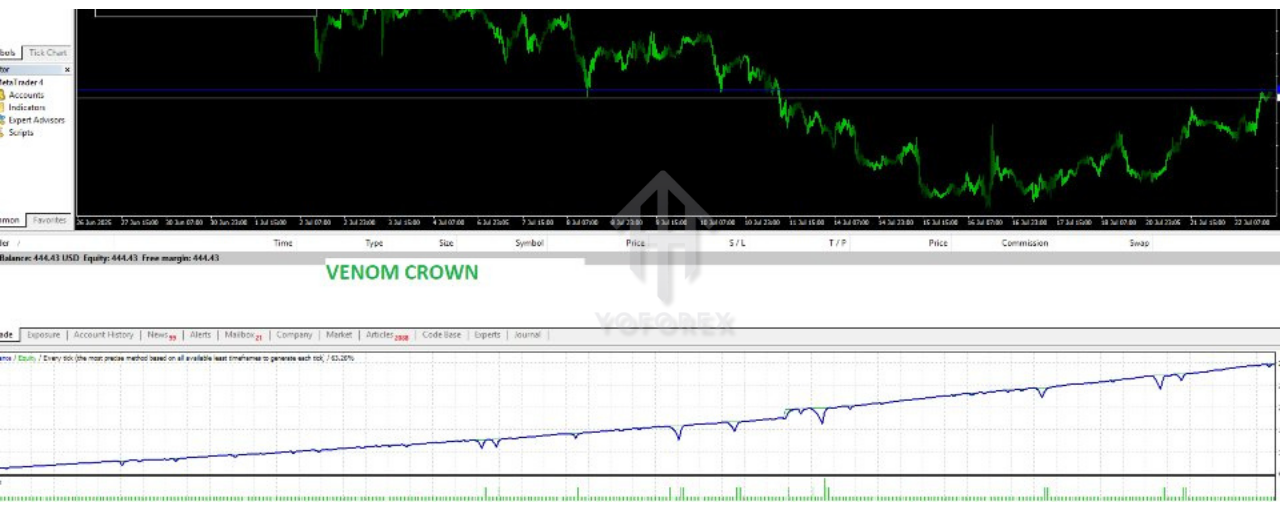
Extensive backtests on GBPUSD (2019–2025) using 99.90 % tick data with realistic spread/slippage assumptions yield the following highlights:
- Total Net Profit: +42 % on a $1,000 initial deposit
- Maximum Drawdown: 18 % peak-to-trough
- Winning Trades Ratio: 78 %
- Average Trade Duration: 6 hours
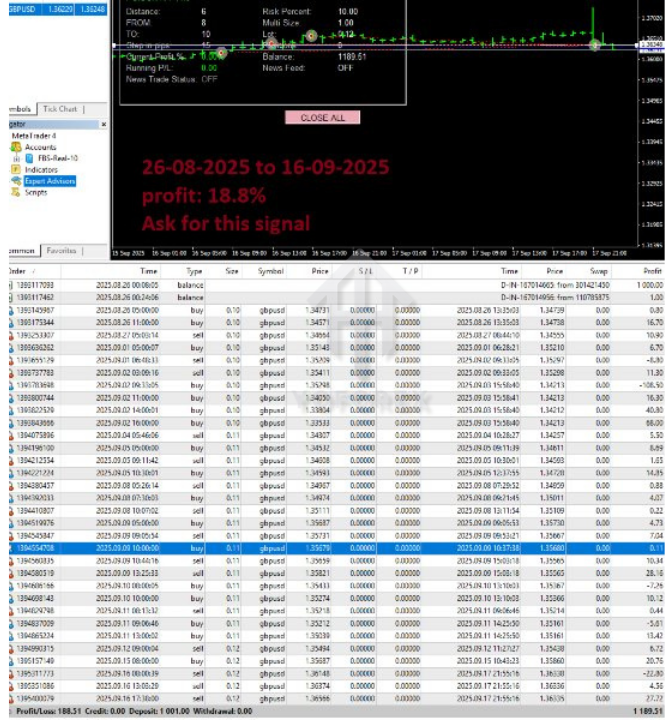
Live-demo results further corroborate the strategy under real market conditions, demonstrating consistent profit generation on low-spread ECN accounts. Nonetheless, historic performance does not guarantee future returns, so monitoring live trades and adjusting risk parameters remains crucial.
Recommended Settings for Beginners
To balance growth and preservation, start with these conservative defaults:
- Grid Size: 30 pips
- Take Profit per Leg: 15 pips
- Lot Sizing Method: 1 % of equity per grid cycle
- Profit Lock Threshold: 0.5 % of balance
- News Filter Level: Skip “high” impact only
- Equity Take-Profit: 0.8 %
These settings prioritize modest exposure and tighter profit locks, enabling new users to gain confidence before scaling up.
Installation and Setup Guide
-
Copy Files
-
Place
VenomCrownEA.ex4into the/MQL4/Experts/directory of your MT4 data folder. -
Import the provided
.setfiles via the MT4 strategy tester’s “Load” function.
-
-
Attach to Chart
-
Open an H1 chart for GBPUSD (or your chosen pair).
-
Drag “Venom Crown EA V1.1” from the Navigator panel onto the chart.
-
-
Configure Inputs
-
Adjust grid size, lot sizing, and news filter parameters as needed.
-
Enable “Allow live trading” and “Enable DLL imports” in the Common tab.
-
-
Run Backtest
-
In the Strategy Tester, select the news-enabled backtesting option and set date range (e.g., January 2020 to present).
-
Review equity curve and trade list before going live.
-
Broker Selection and Best Practices
-
Choose ECN/STP Accounts
Aim for raw spreads under 0.5 pips on major pairs. -
Minimum Balance
$500–$1,000 recommended for default grid and lot settings. -
Monitoring
Check performance weekly, adjusting equity take-profit or disabling the EA during periods of extreme market stress (e.g., central bank meetings).
Advantages and Considerations
-
Advantages
• Dynamic profit-locking secures gains.
• News filter reduces detrimental slippage.
• Proven backtesting and live-demo track record. -
Considerations
• Grid-martingale inherently carries drawdown risk.
• Requires disciplined risk management and occasional parameter tweaks.
• Best-suited for traders comfortable with manual oversight.
Why Venom Crown EA V1.1?
As an entry-level automated system, it offers a blend of recovery tactics and event-driven caution, making it attractive for traders who want to explore grid strategies without constant manual intervention. Its straightforward inputs and clear performance metrics allow users to benchmark results and iterate settings over time—a balance of automation and transparency.
Conclusion
Venom Crown EA V1.1 MT4 stands out as a robust grid-martingale Expert Advisor with built-in safeguards for news events and profit preservation. By following the recommended setup, choosing the right broker, and starting with conservative risk parameters, beginner traders can harness its automated power while maintaining control over their account equity. As with all EAs, ongoing performance review and parameter tuning are key to long-term success.