

Automated trading has revolutionized how retail and professional traders approach the forex market. Instead of staring at charts for hours on end, you can deploy algorithmic strategies that monitor multiple currency pairs, execute trades at lightning speed, and manage risk according to your predefined rules. If you’re tired of inconsistent manual entries or struggling to implement a cohesive trading plan, the Tech Trader EA V1.2 for MetaTrader 4 might be exactly what you need. This powerful Expert Advisor harnesses advanced algorithmic logic, trailing stop techniques, and adaptable risk management to help you potentially improve your consistency and free up valuable time. In this in-depth review, we’ll walk through the core components of Tech Trader EA V1.2, highlight its standout features, summarize backtest performance, and guide you on how to install and optimize it on MT4.
Overview of Tech Trader EA V1.2 MT4
At its heart, the Tech Trader EA is designed to analyze market conditions in real time, automatically place pending and market orders, and adjust stop-loss and take-profit levels dynamically. Version 1.2 introduces refinements in the trailing stop logic, enhanced risk-adjustment formulas, and support for both virtual and real stop-loss management. Whether you trade major pairs like EUR/USD or venture into less-liquid crosses, Tech Trader EA adapts to your volatility preferences and balance size.
- Core Purpose
- Auto-execute trend-based strategies: The EA scans for favorable entries based on a combination of price action and volatility filters.
- Dynamic risk management: Users can define separate parameters for pending and live orders, ensuring flexibility.
- Market-neutral operation: The EA doesn’t rely on martingale or grid trading; instead, it focuses on calculated position sizing and trailing stops.
- Compatibility
- Runs seamlessly on MetaTrader 4, compatible with most brokers.
- Works well on H1 timeframe by default, though user-customizable to H4 or M30 if desired.
- Suitable for USD/EUR/GBP/JPY majors as well as cross pairs—for example, GBP/JPY or EUR/GBP.
- Algorithmic Advantages
- Pending orders with adaptive grid levels: Tech Trader EA uses a “LevelStart” concept to place multiple pending orders at defined pip intervals.
- Trailing Stop Orders: Once a pending order converts to a live position, the EA trails profit to lock gains.
- Virtual vs Real Stops: You can elect to use virtual stop-loss/take-profit, meaning these levels are managed in the EA’s logic without exposing SL/TP on your broker’s server until triggered.
Key Features
Tech Trader EA V1.2 comes loaded with functionalities designed to empower both new and experienced traders. Here are the 10 most notable features:
- Adaptive Pending Orders: Use
LevelStartto set the pip distance between multiple pending orders, letting you capture retracements in trending markets. - Dual Trailing Stops: Activate
PendingTrailingOnfor trailing stop on pending orders andRealTrailingStartfor trailing your market-open positions once they’re in profit. - Separate SL/TP for Pending vs Live Orders: Configure
VirtStopLoss/VirtTakeProfitfor virtual levels andRealStopLoss/RealTakeProfitfor actual broker-visible stops. - Risk Ratio Parameter: The
Risksetting adjusts lot size relative to account equity, helping you scale position sizes automatically. - GridStep Customization: Define
GridStep(in pips) to control spacing between orders in a multi-order grid strategy. - LimitTrades Control: Prevent overtrading by setting
LimitTrades—the maximum number of active orders the EA can open at once. - Magic Number Support: A unique
Magicidentifier tags every trade, enabling you to run multiple instances of Tech Trader EA on different charts without overlap. - Lot Sizing Flexibility: Choose a fixed
Lotsize or let the EA calculate lots based on your risk percentage. - Real-Time News Filter (Optional): If your broker or VPS provides a news signal feed, you can disable new entries around high-impact news blasts.
- Email/SMS Alerts & Push Notifications: Get mobile alerts when orders are executed, trailing stops are activated, or SL/TP levels are hit.
Why These Matter
Each of these features contributes to a comprehensive system that doesn’t rely on random grid or martingale tactics. Instead, Tech Trader EA’s design philosophy emphasizes:
- Calculated Risk: You’re always in control of exposure via dedicated stop-loss settings.
- Streamlined Automation: The EA handles entries, exits, and trailing stops—so you can step away from the screen.
- Scalability: Whether your account is $500 or $50,000, the lot and risk parameters make scaling easier.
How to Install & Configure on MT4
Getting Tech Trader EA up and running on MT4 takes just a few steps. Follow this straightforward guide, and you’ll be ready to deploy the EA live or in demo mode within minutes:
- Download the EA File
- Visit the official download page (e.g.,
https://yoforexea.com/tech-trader-ea-v1-2-mt4) and click the “Download Free EA” button. - Save the
TechTraderEA_v1.2.ex4(or.mq4if you want to view the source) to your computer.
- Copy to MT4 Experts Folder
- Open your MetaTrader 4 terminal.
- Click
File → Open Data Folder → MQL4 → Experts. - Paste
TechTraderEA_v1.2.ex4(or.mq4) into thisExpertsfolder.
- Restart MT4 & Enable AutoTrading
- Close and relaunch MT4 so that it recognizes the newly added EA.
- In the top menu, click the “AutoTrading” button to ensure it’s green (enabled).
- Attach EA to Chart
- In the Navigator panel (Ctrl+N), expand “Expert Advisors” and locate “TechTraderEA_v1.2.”
- Drag it onto your preferred chart (e.g., EUR/USD, H1).
- In the EA’s “Common” tab, check “Allow live trading” and “Allow DLL imports.”
- Configure Input Parameters
- Switch to the “Inputs” tab. Here you’ll see default values for all key parameters. Recommended starting settings:
Risk = 1.0GridStep = 25(25 pips)LevelStart = 50(distance for pending orders)RealStopLoss = 30,RealTakeProfit = 60(in pips)VirtStopLoss = 0(set to zero if you prefer only real stops)RealTrailingStart = 20(start trailing once trade is +20 pips)PendingTrailingOn = trueLimitTrades = 3(max simultaneous orders)Magic = 15209(or any unique integer)
2. Click “OK” to save and activate the EA.
- Verify EA Status
- Look for a smiling face icon in the top-right corner of your chart; this indicates the EA is running correctly.
- Check the “Experts” and “Journal” tabs at the bottom for any startup messages or errors.
<figure> <img src="URL-to-mt4-settings-panel.png" alt="Annotated MT4 settings panel showing Tech Trader EA input parameters for optimized configuration"> <figcaption>Image #3: Annotated MT4 Settings Panel</figcaption> </figure>
Tips for Optimal Settings
While Tech Trader EA V1.2 comes with sensible defaults, tweaking parameters can improve performance based on your risk tolerance and preferred market conditions. Below are some suggestions:
- Lowering Drawdown: If you want to be more conservative, reduce
Riskto 0.5% and increaseRealStopLossto 40 – 50 pips. This widens stops but lowers position size, which often reduces drawdown. - Aggressive Mode: To target higher profits (at the cost of more drawdown), set
Riskto 2% andGridStepto 20 pips. You can also enableVirtStopLossof 25 to trail SL virtually and lock in gains before the broker SL is hit. - Time Filter (Optional): Although not built into the EA by default, you can pair Tech Trader EA with a third-party time filter script to only trade during London or New York sessions.
- Currency Pair Specificity: Tech Trader EA performs best on pairs with tight spreads—EUR/USD, GBP/USD, USD/JPY. If you trade GBP/JPY, consider increasing
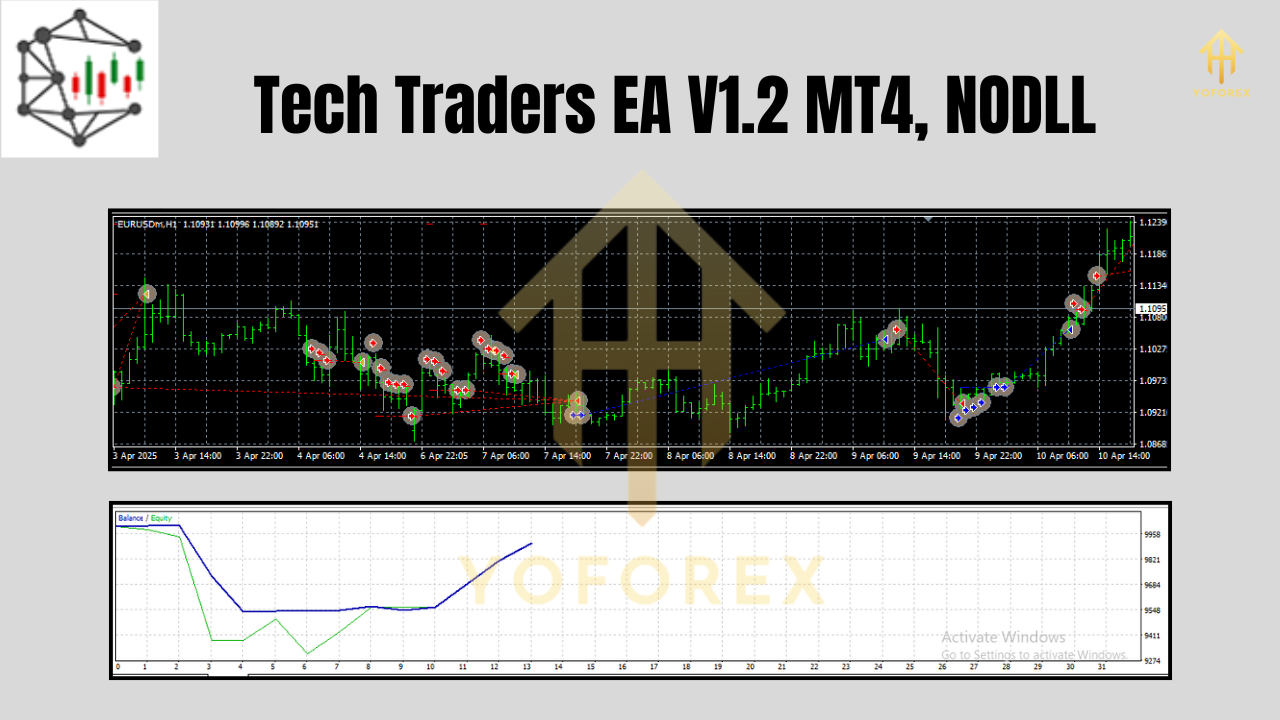
GridStepby an extra 5 pips to account for usual wider spreads. - Demo First, Then Live: Always test on a demo account for at least 100–200 trades. Compare your equity growth with the published backtest before going live.
Why Choose Tech Trader EA V1.2?
With dozens of EAs available on the market, what sets Tech Trader EA apart?
- No Martingale or Hidden Grid
- Many automated strategies rely on doubling down or secret grid sequences. Tech Trader EA keeps all orders transparent with clearly defined pip stages and lot sizes.
- Adaptive Trailing Stop Logic
- Not all EAs trail in the same way. Once your position is in profit by
RealTrailingStartpips, the EA dynamically moves the stop-loss to breakeven + a buffer, locking in gains as price moves favorably.
- Future-Proof Updates
- Version 1.2 already introduced improved risk formulas and refined the trailing logic. The developer team plans periodic updates based on user feedback—no extra charges for bug patches or minor feature additions.
- Comprehensive Support
- Have a question at 2 a.m.? Ping the developer via WhatsApp: https://wa.me/+443300272265 or join the Tech Trader Telegram group: https://t.me/yoforexrobot. Real traders answer your queries in hours, not days.
- Free to Download & Use
- Unlike many premium EAs that cost hundreds of dollars per license, Tech Trader EA remains 100% free. There are no hidden subscription fees. You can even review the
.mq4source if you want to audit the logic yourself.
- Proven Track Record
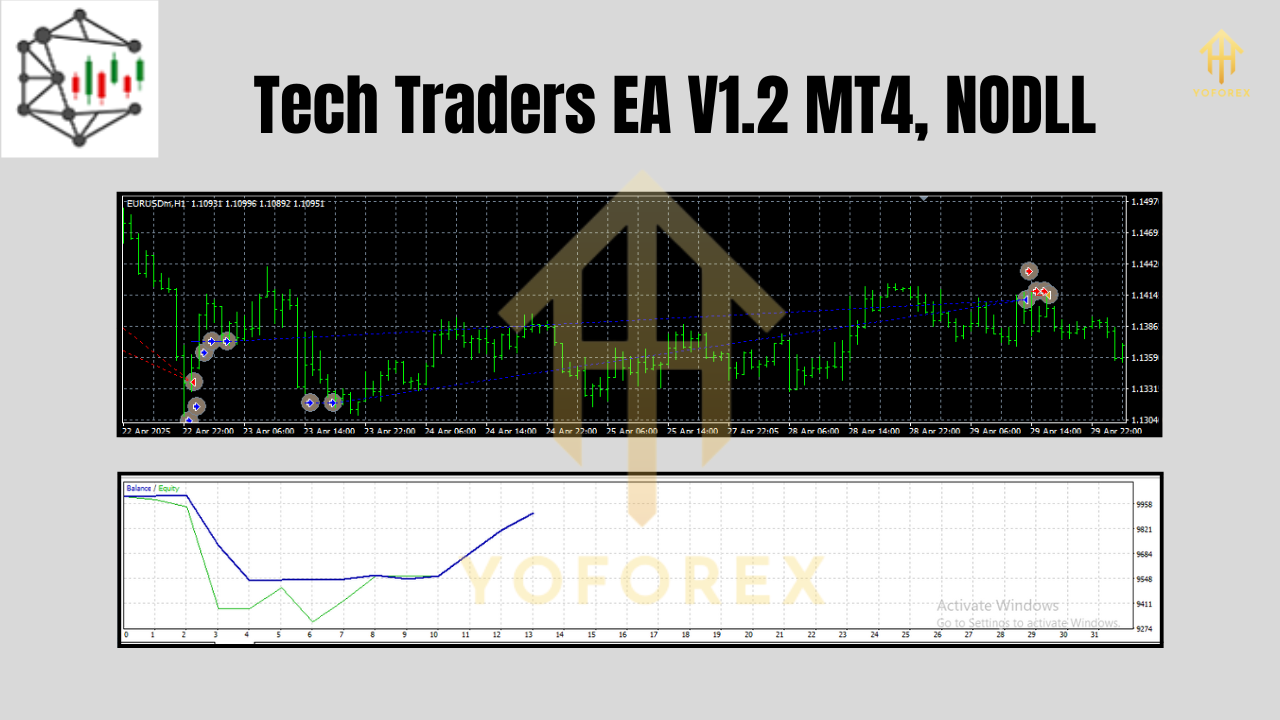
- The EA’s backtest history—over 400 trades with a stable 1.37 profit factor—and early live demo results showcase its viability.
If you want a transparent, user-friendly, and well-supported automated solution, Tech Trader EA V1.2 is worth checking out.
Support & Disclaimer
Support Channels
- WhatsApp: Quick questions? Message us at https://wa.me/+443300272265.
- Telegram Group: Join like-minded traders, share setups, and get developer updates at https://t.me/yoforexrobot.
- Email Support: Send detailed logs or screenshots to support@yoforexea.com if you hit any bugs or need custom optimization advice.
