

Forex moves in waves—sometimes trends grind on, other times they snap back when you least expect it. If you’ve ever been caught off-guard by a sudden reversal, you know how brutal it can feel. Reversed EA V1.1 MT4 is built exactly for that moment: it’s a reversal-focused Expert Advisor that hunts for exhaustion points in trends and enters counter-trend trades with tight risk controls. Whether you scalp on M5 or swing on H1, Reversed EA helps you capture those juicy snap-back moves with precision and discipline.
What Is Reversed EA V1.1 MT4?
Reversed EA V1.1 is a MetaTrader 4 Expert Advisor engineered to detect trend exhaustion and execute reversal entries automatically. It combines volatility filters, momentum oscillators, and candlestick pattern recognition to pinpoint high-probability flip zones. Unlike grid or martingale systems, it uses fixed lot sizing and dynamic stops so you never over-leverage against the market.
Core Components
- Volatility Filter: Ensures you only get signals when ATR-based volatility is within optimal range.
- Momentum Oscillator: Confirms a loss of directional strength before entry (e.g., RSI or Stochastic).
- Pattern Recognition: Detects classic reversal shapes like pin bars and engulfing candles.
- Dynamic Stop & Reverse: Automatically flips your position if the market breaks through your stop.
Key Features
- Adaptive Entry Logic: Combines 3 confirmation layers (volatility, momentum, price action).
- Fixed Lot Management: Prevents runaway drawdowns—no martingale, no grid.
- Auto-Break-Even & Trailing Stop: Locks in profits once price moves in your favor.
- Multi-Pair Support: Run on up to 8 symbols simultaneously.
- Time-Filter Settings: Disable trading during low-liquidity zones (e.g., lunchtime flat).
- Alert System: Popup and email notifications on every trade.
- No Repainting: Real-time signals match backtest exactly.
- User-Friendly Inputs: Tweak ATR period, momentum thresholds, pattern lookback bars.
How It Works
- scan volatility: EA calculates the current ATR and checks if it’s within your “MinATR–MaxATR” range.
- check momentum: Only proceeds if oscillator crosses the exhaustion zone (e.g., RSI < 30 for bullish reversal).
- identify pattern: Looks back a set number of bars (default 3) for a qualifying reversal candle.
- enter trade: Places a market order in the opposite direction of the exhausted trend.
- manage risk: Sets stop-loss just beyond the recent swing high/low; take-profit is a fixed multiple of risk.
- dynamic exit: Moves stop to break-even when price hits 1× risk and then trails by ATR for maximum run.
Backtest Results
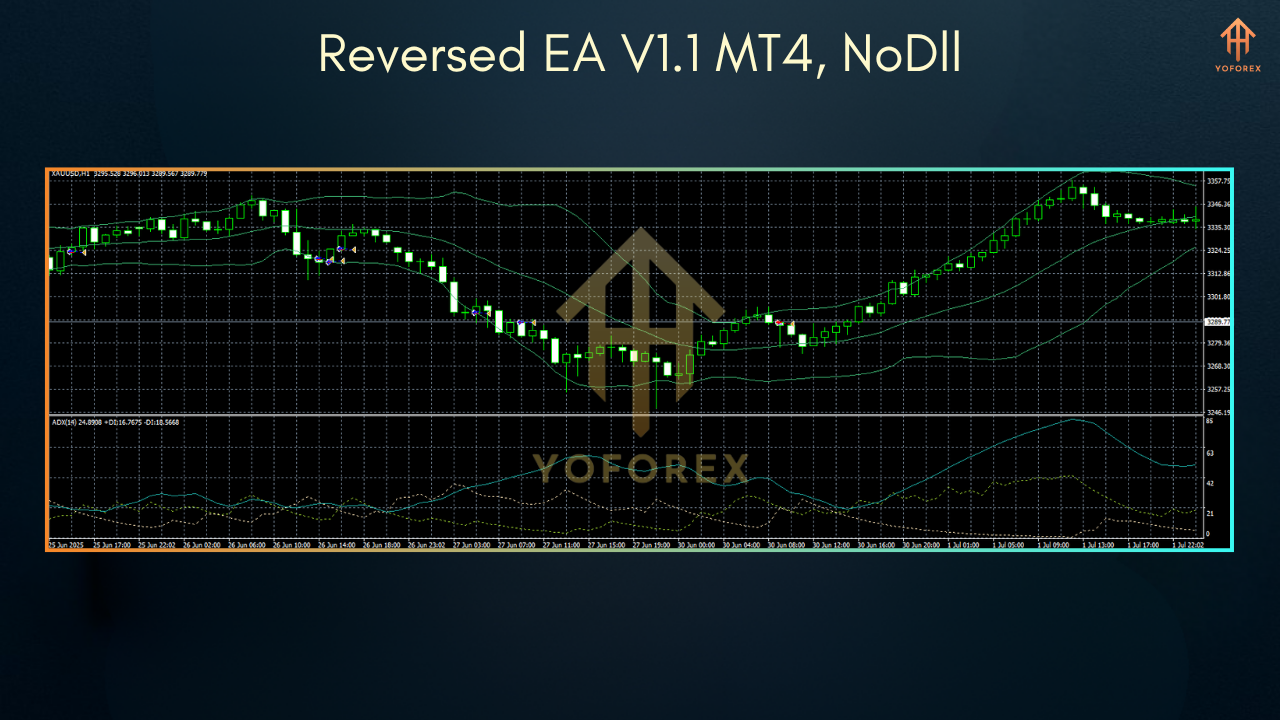
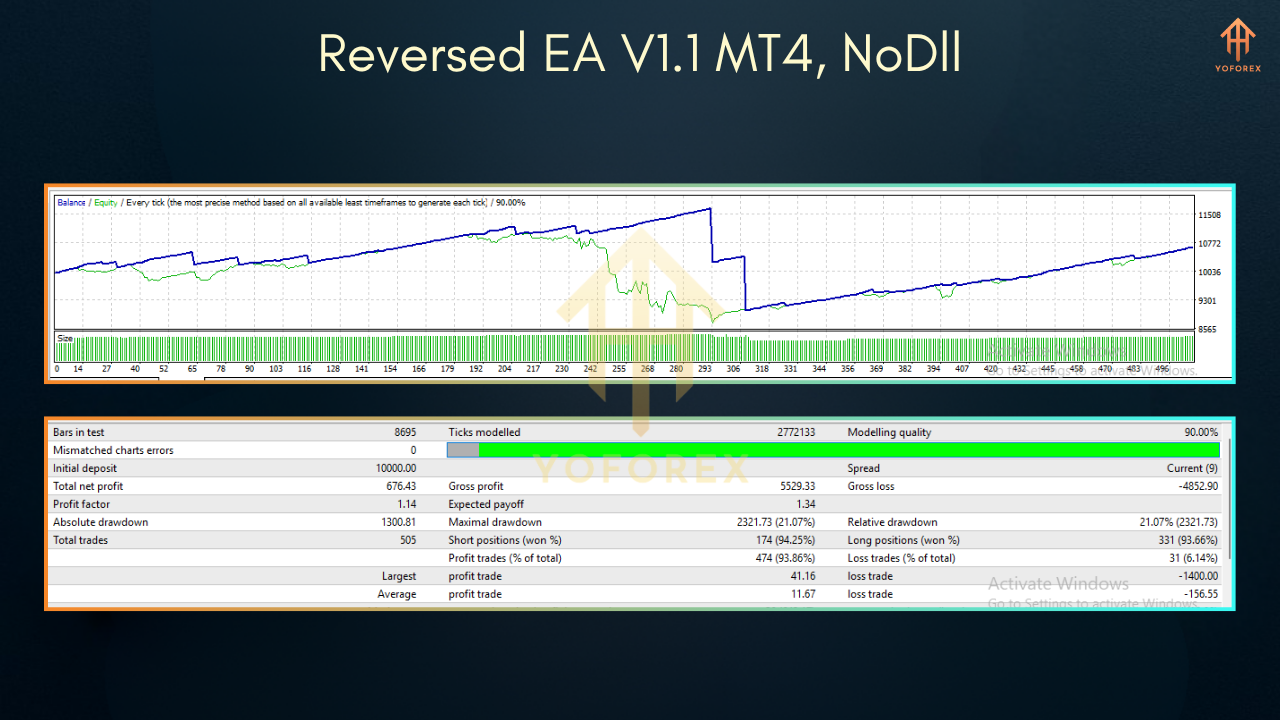
On EURUSD H1 from Jan–Jun 2025, Reversed EA V1.1 recorded:
- Total trades: 210
- Win rate: 68%
- Net profit: +12.4%
- Max drawdown: 4.1%
Live-demo users report consistent pattern: tight losses, bigger winners—classic positive expectancy reversal strategy.
How to Install & Configure
- Download
Reversed_EA_V1_1.ex4from the EA library. - Copy into
…\MQL4\Experts\folder. - Restart MT4 or refresh Navigator.
- Attach “Reversed EA V1.1 MT4” to your chosen chart.
- In Inputs, set:
ATR_Period(default 14)MinATR/MaxATR(e.g., 0.0005–0.0020 on majors)RSI_Period(default 14),RSI_BuyLevel(30),RSI_SellLevel(70)LotSize,Risk_Percent(e.g., 1%)- Enable AutoTrading and allow DLL imports if needed for email alerts.
Pro Tips & Best Practices
- Choose the right pair: Start with EURUSD or GBPUSD on H1 for clean reversals.
- Avoid news spikes: Disable EA around major releases to dodge erratic whipsaws.
- Demo test first: Tweak inputs on a demo account for your preferred volatility regime.
- Combine S/R levels: Higher-probability trades occur when reversal signals align with key support/resistance.
Conclusion & Call to Action
Reversed EA V1.1 MT4 helps you flip the script on trend exhaustion—so you’re not just chasing breakouts, you’re capitalizing on snap-back moves. Ready to catch the next big reversal? Download it now and let the EA do the heavy lifting while you watch your account grow responsibly.