Introduction
In the fast-paced world of forex trading, having an edge over the market is crucial. One of the most effective strategies traders rely on is identifying support and resistance zones. The Rectangle Top Max Indicator for MT4 is specifically designed to help traders pinpoint these zones with exceptional accuracy. Whether you’re a beginner or a seasoned trader, this tool can significantly elevate your trading performance by identifying price consolidations, breakout levels, and potential reversal points.
What is Rectangle Top Max Indicator MT4?
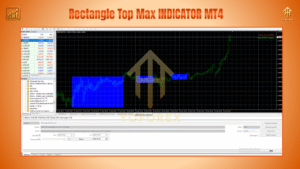
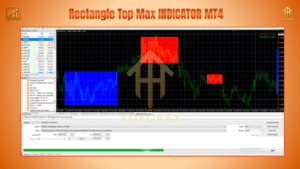
The Rectangle Top Max Indicator is a custom-built MetaTrader 4 indicator that automatically identifies and plots rectangular zones where price has consolidated in the past. These zones often act as strong support or resistance levels, making them valuable reference points for entering or exiting trades.
Unlike standard support/resistance indicators, Rectangle Top Max is dynamic and adaptive, reacting to market behavior in real time. It highlights price congestion zones with high accuracy and eliminates the guesswork when analyzing chart patterns like double tops, double bottoms, and range-bound structures.
Key Features of Rectangle Top Max Indicator
-
Automatic Rectangle Drawing:
The indicator automatically detects zones of price accumulation and marks them with horizontal rectangles, reducing manual analysis. -
Multi-Timeframe Compatibility:
Works flawlessly on all major timeframes (M5 to H4), allowing traders to get a holistic view of both short-term and long-term market behavior. -
Breakout Alerts:
Get notified when price breaks above or below a key rectangle zone, offering prime trade setups for breakout or retest strategies. -
Minimal Repainting:
The zones remain relatively stable once plotted, making them reliable decision points with minimal repainting or re-adjustment. -
Reversal & Range Trading Support:
Use the indicator to spot potential reversal points or trade within established ranges with high confidence. -
Clean Visualization:
The tool is designed to be visually clear without cluttering the chart, ensuring a smooth user experience.
Trading Strategy Using Rectangle Top Max Indicator
1. Breakout Strategy
When price consolidates within a rectangle and then breaks out of the zone, it often leads to a strong directional move. Here's how to use the indicator for breakout trades:
-
Entry: Buy when price closes above the rectangle's top or sell when it closes below the bottom.
-
Stop Loss: Place the stop just inside the opposite side of the rectangle.
-
Take Profit: Use a fixed risk-to-reward ratio (e.g., 1:2) or trail the stop as price moves in your favor.
2. Reversal Strategy
If price approaches a previously drawn rectangle zone and shows signs of exhaustion (e.g., candlestick reversal patterns), traders can consider it a potential reversal setup.
-
Entry: Enter a reversal trade at the rectangle zone if there’s confirmation via RSI divergence or candlestick reversal.
-
Stop Loss: Just beyond the rectangle zone.
-
Take Profit: Nearest resistance or support zone, or dynamic levels like moving averages.
3. Range Trading
When the market is moving sideways, the indicator can help identify range highs and lows.
-
Entry: Buy at the lower rectangle and sell at the upper rectangle.
-
Stop Loss: 5-10 pips beyond the rectangle border.
-
Take Profit: Mid-range or opposite rectangle boundary.
Why Choose Rectangle Top Max Indicator?
-
Built for Scalping & Swing Trading: Whether you're trading M15 or H1 charts, the indicator adapts to your style.
-
Reduces Emotional Bias: Automated zone plotting takes the subjectivity out of identifying key levels.
-
Great for Manual & Semi-Automated Systems: Perfect addition to EAs or discretionary trading systems.
Installation Guide
-
Download the Rectangle Top Max Indicator
.ex4or.mq4file. -
Open your MetaTrader 4 platform.
-
Go to
File > Open Data Folder > MQL4 > Indicators. -
Paste the indicator file into the folder.
-
Restart MT4 or refresh the Navigator window.
-
Drag and drop the indicator onto your desired chart.
Final Thoughts
Rectangle Top Max Indicator MT4 simplifies technical analysis by clearly marking the most critical price levels on your chart. It’s a must-have for traders looking to improve precision, enhance decision-making, and take advantage of high-probability setups. Integrating this tool into your daily routine could be the game changer your strategy needs.
Thanks for the visit ...
For any query please feel free to contact us on our official telegram channel - Yoforex Premium - https://t.me/+V6Nr5sRZVr4xYzdl