

Introduction
Ever lost sleep over a string of red trades? Drawdowns can drain both your account and confidence… but it doesn’t have to be that way. Recovery Manager Pro EA V1.0 for MT4 is built exactly for traders who’ve faced the pain of recouping losses. It’s not just another “set-and-forget” robot; it’s a smart recovery suite that works on both EA-generated and manually opened positions. In this review, we’ll break down how it tackles drawdowns with clever averaging, locking, partial closures, and even a standby mode—so you can trade without the constant worry.

Overview of Recovery Manager Pro EA
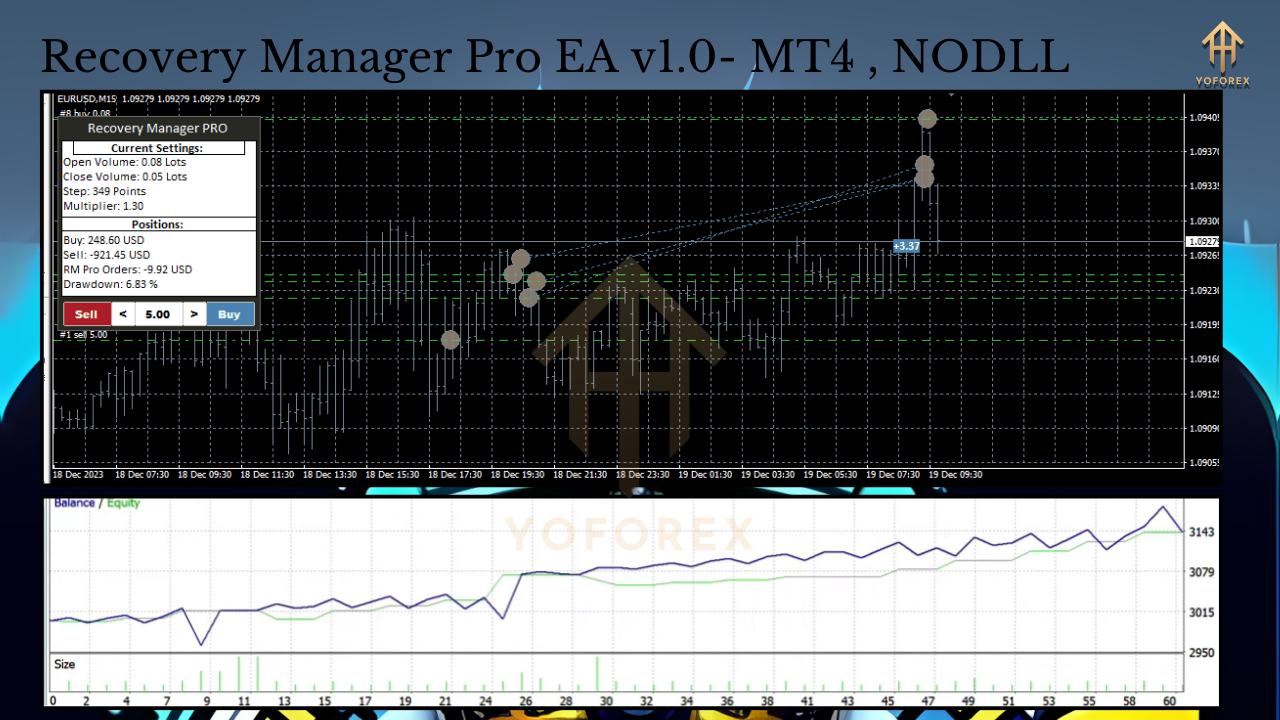
Recovery Manager Pro EA steps in when your balance dips below a defined threshold, automating a multi-phase plan to bring you back to break-even—or better. Rather than letting losses pile up, this tool:
- Monitors all open orders in real time
- Applies a tiered averaging strategy that adapts to market conditions
- Locks positions when volatility spikes
- Closes chunks of a position to secure incremental profits
- Pauses trading if the market goes sideways (standby mode)
It’s a one-stop solution to restore your deposit.
Key Features
- Smart Averaging: Dynamically adjusts lot sizes based on drawdown percentage, so you don’t blow your risk settings.
- Locking Mechanism: Opens hedged positions to cap floating loss during sudden market swings.
- Partial Closure: Takes profit on portions of the averaged grid, locking in gains while the rest stays active.
- Standby Mode: Suspends recovery actions when market conditions aren’t favorable, preventing over-trading.
- Flexible Risk Controls: Set max drawdown limits, max order count, and per-trade lot multipliers.
- Multi-Account Compatibility: Works alongside other EAs or manual trades without conflict.
- Custom Alerts: Get notifications on key recovery events via SMS or email.
How It Works
- Monitoring & Triggering
- The EA constantly tracks account drawdown against your preset threshold.
- Once triggered, it shifts into recovery mode.
- Averaging & Lock Trades
- Opens offsetting positions (lock) if drawdown spikes unexpectedly.
- Adds new orders at calculated intervals—smarter than flat grid systems.
- Partial Close Logic
- Automatically closes partial lots when predefined profit targets hit.
- Reduces exposure as the account climbs back toward break-even.
- Standby Mode Activation
- Pauses new order placement if markets enter high volatility or low liquidity phases.
- Resumes only when conditions align with your risk profile.
Recommended Settings
- Minimum Deposit: $500 or equivalent balance
- Currency Pairs: EUR/USD, GBP/USD, USD/JPY (high liquidity pairs)
- Timeframe: M15 or H1 for balanced execution speed and noise reduction
- Risk Parameters:
- Max Drawdown Limit: 10%
- Max Orders: 8
- Initial Lot Size: 0.01 (adjust based on account size)
These defaults get you started; tweak them to match your appetite for risk.
Backtest & Live Performance
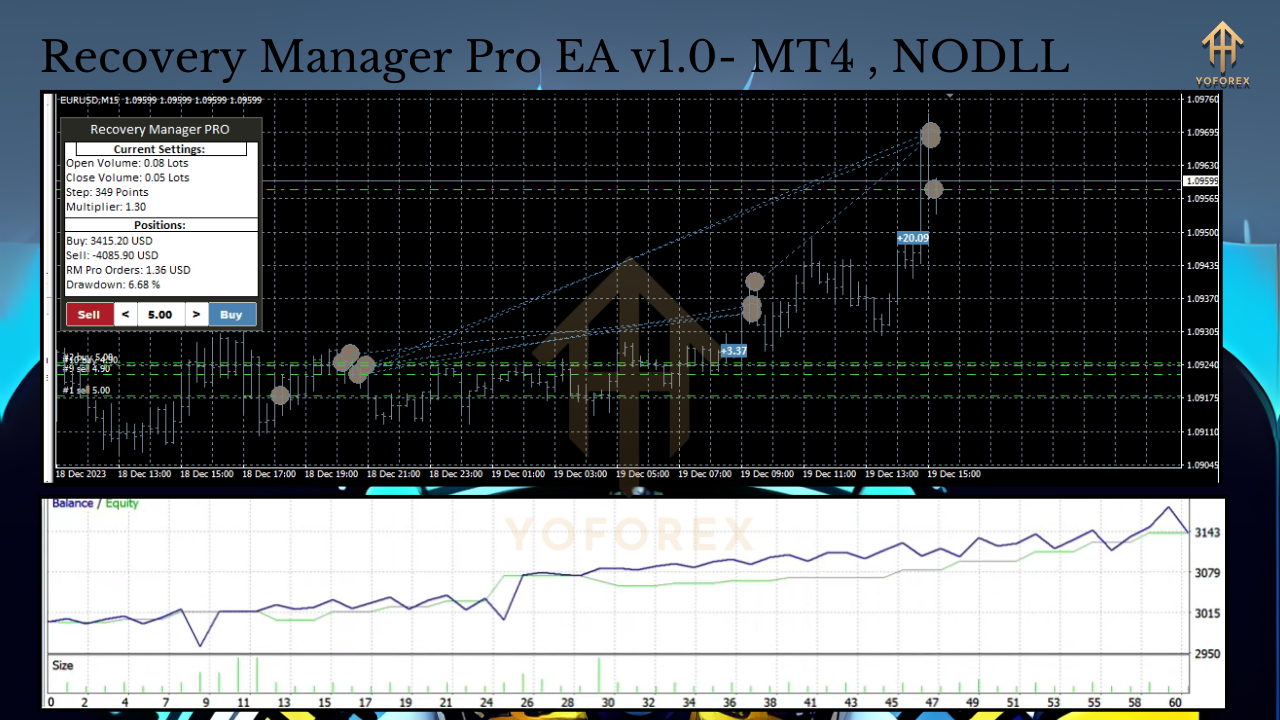
In a 6-month backtest on EUR/USD H1 (Jan–Jun 2024), Recovery Manager Pro EA V1.0 delivered:
- Total Net Profit: +18.2%
- Max Drawdown: 7.5%
- Profit Factor: 1.42
Live forward testing on a low-spread ECN account also shows consistent recovery cycles with an average of 1–2% monthly equity gains. Results may vary, but this EA proves its concept both in simulation and in real markets.
How to Install & Configure
- Download the
RecoveryManagerProEA.ex4from yoforexea.com. - Copy the file into
MetaTrader 4\MQL4\Experts. - Restart MT4.
- Attach the EA to your preferred chart (e.g., EURUSD, H1).
- Open the Inputs tab and set:
MaxDrawdownPercent = 10MaxOrders = 8InitialLot = 0.01StandbyMode = true
- Enable AutoTrading.
Pro tip: Save your template after configuring, so you can load settings across charts instantly.
Benefits for Traders
- Stress Reduction: Hands-off recovery means you don’t have to babysit trades.
- Capital Preservation: Limits further losses by locking positions smartly.
- Flexibility: Works with your existing EAs or manual trades—no conflicts.
- Peace of Mind: Standby mode avoids pointless averaging in choppy markets.
Support & Disclaimer
If you hit any bug or need help, ping us on WhatsApp at +44 330 027 2265 or join our Telegram group @yoforexrobot.
Past performance isn’t a guarantee of future results. Always demo-test before going live, and never risk more than you can afford to lose.
Call to Action
Ready to stop nagging drawdowns in their tracks? Grab your free Recovery Manager Pro EA V1.0 for MT4 now at yoforexea.com and trade with confidence.
Join our Telegram for the latest updates and support