

NanoScalp AI EA V1.0 MT5: Lightning-Fast AI Scalping for EURUSD, GBPUSD & Gold
If you’ve been hunting for a nimble scalper that doesn’t blow up your account the first time spreads widen… breathe easy. NanoScalp AI EA V1.0 (MT5) was built for speed and sanity—snappy entries, clear exits, and risk logic that tries to keep your equity curve looking less like a rollercoaster and more like a steady climb. It’s flexible too: whether you prefer M1/M5 fast action or H1/H4 swing legs, NanoScalp adapts to your tempo and your pairs—GBPUSD, EURUSD, XAUUSD.
Below, you’ll find a practical, no-fluff review that covers how it works, ideal settings, and risk tips you can actually use. Let’s dive in.
What Is NanoScalp AI EA?
NanoScalp AI EA is an MT5 expert advisor that blends lightweight AI filters with classic micro-structure reading (think: short-term momentum bursts, micro pullbacks, liquidity taps) to find high-probability scalps and short intraday swings. The idea is simple: let the AI do the heavy lifting on pattern recognition while you define the guardrails—max risk, session windows, slippage limits, and spread filters.
Supported Timeframes: H1, H4, M1, M5, M15, M30
Pairs: GBPUSD, EURUSD, XAUUSD
Why these symbols? They’re liquid, widely traded, and offer frequent micro-moves—perfect for scalping logic without needing massive stops. Gold (XAUUSD) adds a volatility kicker for traders who like sharper pushes (use stricter risk on gold, tho).
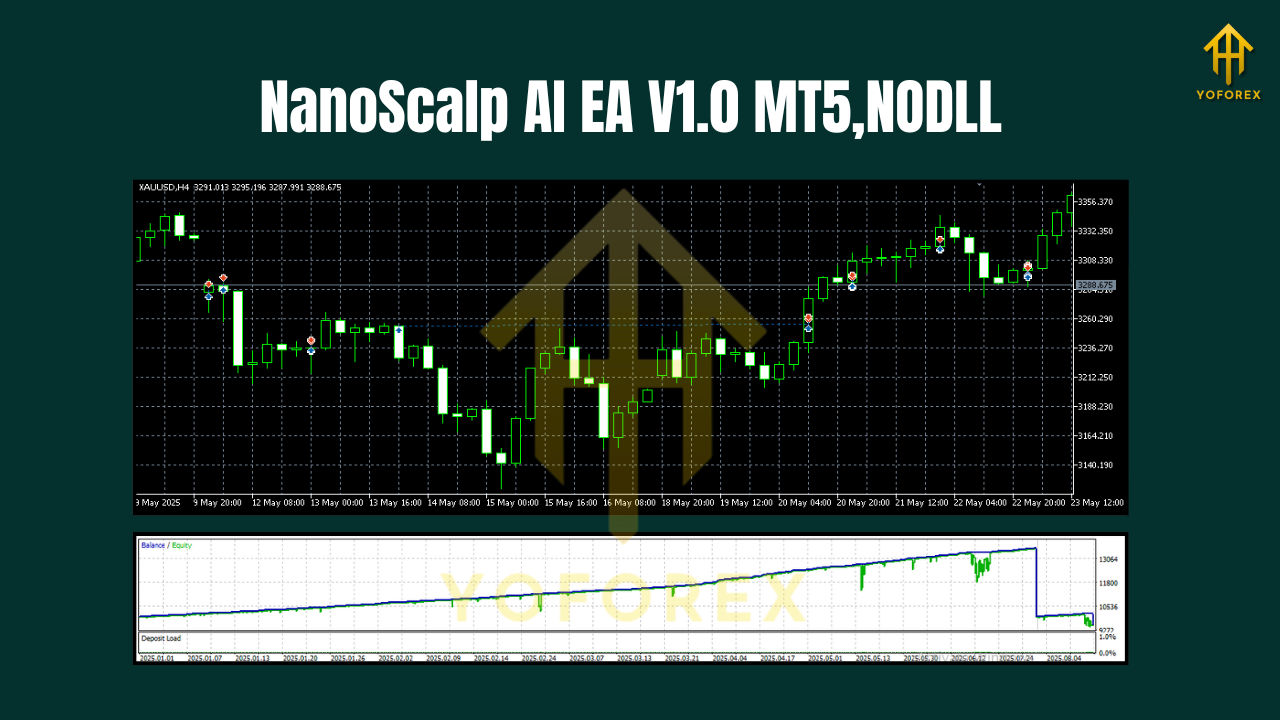
How NanoScalp’s Logic Works (In Plain English)
- Market Scan: The EA checks session context, recent volatility, and spread. If spreads are nasty, it sits out—no FOMO.
- Pattern + AI Filter: A fast pattern detector flags potential entries (break-retest, momentum ignition, or mean-reversion snaps). An AI filter scores the setup quality to avoid chasing noise.
- Execution: Orders are placed with pre-defined SL/TP and optional trailing. It can scale out partials or go single-shot—your call.
- Risk Governor: Daily loss cap, per-trade risk, and max simultaneous trades keep things tidy. Once a limit is hit, it stops trading for the day.
No magic… just rules that avoid the most common ways scalpers get wrecked.
Key Features You’ll Actually Use
- AI-assisted entries: Confirms signals to reduce false positives on choppy sessions.
- Multi-timeframe flexibility: M1/M5 for scalps, M15–H4 for intraday/swing.
- Symbol-aware tuning: Presets behave differently on EURUSD/GBPUSD vs XAUUSD.
- Strict spread & slippage filters: Skips unfavorable micro-conditions.
- Drawdown guardrails: Daily equity stop, per-trade risk %, and trade-count caps.
- Session filters: Focus on London/NY overlap or your preferred window.
- No mandatory martingale: Runs fine with fixed or % risk—martingale stays off by default.
- Partial-take-profit + trailing: Lock gains while leaving room for runners.
- News pause option: Avoids trading into major high-impact events.
- Prop-firm friendly mode: Daily loss cap + consistency rules in mind (you still set them).
Recommended Timeframes & Pairs
- EURUSD & GBPUSD
- Best: M1/M5 for clean micro-bursts; M15 for calmer intraday swings.
- Stops: 6–15 pips on lower TFs; 15–30 pips on M15/M30.
- XAUUSD (Gold)
- Best: M1/M5 during London/NY; M15–H1 for smoother legs.
- Stops: 100–300 points (10–30 pips) depending on volatility.
Pro tip: Start with EURUSD on M5 to get a feel for the bot. Add gold only once you’re comfortable with its speed.
Risk Settings That Make Sense
- Per-trade risk: 0.5%–1.0% (gold at the lower end).
- Daily loss cap: 2%–3%; the EA stops for the day if hit.
- Max trades open: 1–3 (keep it lean on M1/M5).
- Lot sizing: For fixed lots, 0.01 per $300–$500 equity is a conservative start.
- Trailing/partials: Take 50% at 1R, trail the rest behind structure or a smart ATR trail.
Remember: tighter spreads and fast execution matter more than fancy indicators. An ECN account + VPS can materially improve fills.
Installation & Quick Setup (MT5)
- Copy the EA:
File → Open Data Folder → MQL5 → Expertsthen paste the EA file. - Restart MT5: Or right-click “Experts” and hit Refresh.
- Attach to Chart: Choose your symbol/timeframe (e.g., EURUSD M5), drag NanoScalp AI EA onto the chart.
- Enable Algo Trading: Check the “Allow live trading” box and the main toolbar button.
- Set Inputs:
- Risk % per trade
- Spread limit (e.g., 1.2–1.5 pips on EURUSD)
- Session start/end
- News filter toggle
6. Run on Demo: Trade at least a full news cycle + 1–2 weeks to understand behavior before going live.
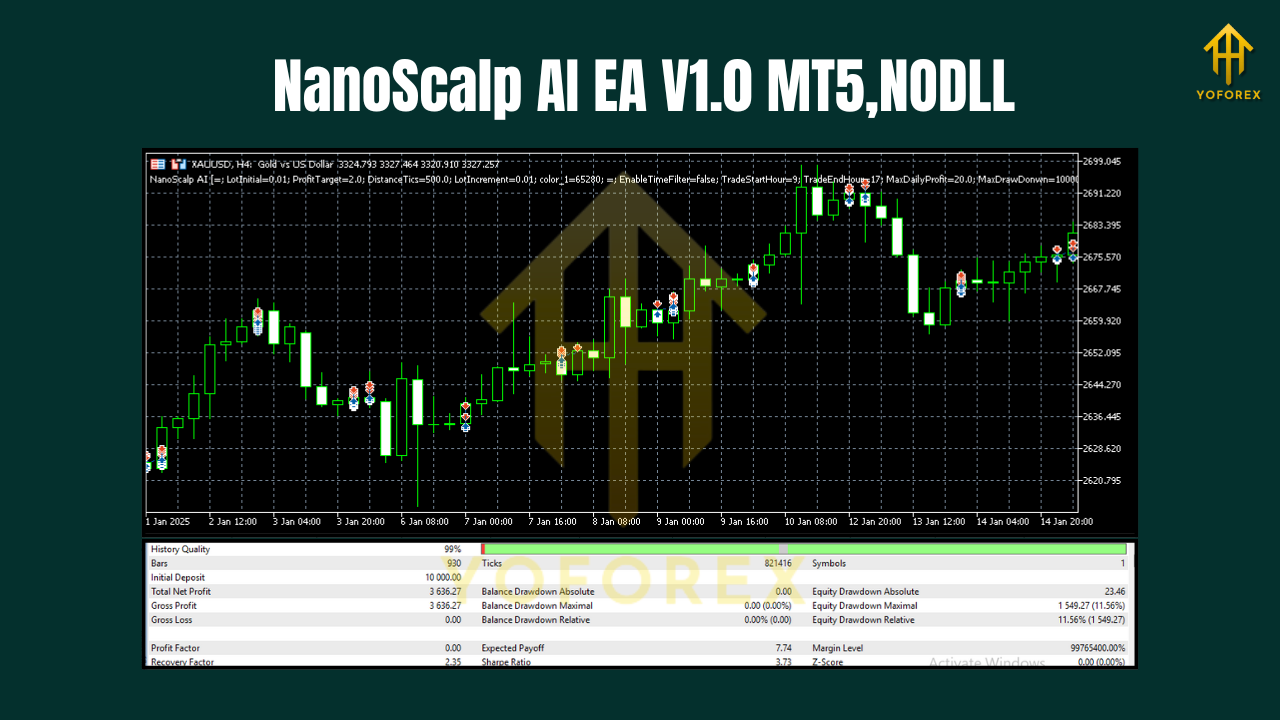
Backtesting & Forward Expectations
Backtests are great for checking logic under varied volatility, but they can be misleading if your tick data or modeling quality is off. Use high-quality tick data and realistic slippage. What to look for:
- Equity curve: Steady, with shallow pullbacks—clusters of small losses are normal for scalpers.
- Win/loss streaks: Expect short streaks. The goal isn’t 90% wins; it’s positive R-multiple over time.
- Drawdown pockets: You’ll often see DD during macro news or off-hours liquidity. That’s where spread filters and news pause save you.
- Symbol differences: EURUSD tends to be smoother; GBPUSD is punchier; Gold magnifies both wins and mistakes—use smaller risk there.
Reality check: Past performance ≠ future results. Treat backtests as directional confidence, not a guarantee.
Prop Firm Tips (If That’s Your Game)
- Keep risk tight (≤0.5% per trade on M1/M5).
- Trade session windows only; pause during rollover/news.
- Daily loss cap at 2% (the EA can enforce it).
- Fewer trades, cleaner setups. Quality over quantity is what passes challenges.
- Withdraw the ego. If you hit the daily target early, consider calling it a day.
Troubleshooting Cheatsheet
- Trades not opening: Check spread filter, session times, “Allow Algo Trading,” and account hedge/netting type.
- High slippage: Use a VPS near your broker. Avoid news spikes.
- Too many micro losses: Widen the setup quality threshold; trade only London/NY overlap.
- Big swings on gold: Cut risk to 0.25–0.5% and use a wider SL that reflects current ATR.
Final Thoughts
NanoScalp AI EA V1.0 MT5 hits a sweet spot: quick pattern detection, AI-aided filters, and sensible risk controls you can tailor to your style. It won’t turn every blip into a jackpot (nothing does), but it’s built to avoid the obvious landmines—wild spreads, bad fills, and over-trading in dead hours. Start small, respect your risk, and let consistency do the heavy lifting.