

MULAN PRO EA V1.10 MT4 – Smart Automated Trading for Every Market Condition
In the ever-evolving world of forex trading, automation has become a game-changer. The MULAN PRO EA V1.10 MT4 stands at the forefront of this revolution — a cutting-edge Expert Advisor developed for the MetaTrader 4 platform. Designed for traders who crave consistency, precision, and reduced emotional interference, this EA is built to analyze market data, find profitable entries, and execute trades seamlessly. Whether you’re a seasoned trader or just getting started, MULAN PRO EA offers a smart, hands-free trading experience that adapts to changing market conditions.
Overview of MULAN PRO EA V1.10
MULAN PRO EA V1.10 is not just another trading bot; it’s a well-engineered automated system that uses advanced algorithms and adaptive strategies to enhance trading performance. It works across multiple timeframes — M1, M5, M15, M30, and H1 — giving traders flexibility to test short-term scalping or mid-term swing trading approaches.
One of the best parts? It’s compatible with any currency pair, making it a versatile tool that suits different trading styles and market environments. The EA is equipped to identify high-probability setups based on technical analysis, volatility filters, and price action logic.
The system focuses on risk-adjusted profitability, meaning it doesn’t just chase profits blindly but prioritizes stable growth with optimized stop loss, take profit, and trailing mechanisms.
Key Features of MULAN PRO EA V1.10
- Fully Automated Trading – The EA executes trades autonomously, removing emotional biases that often hinder manual trading decisions.
- Multi-Timeframe Compatibility – Works effectively on M1, M5, M15, M30, and H1 timeframes, offering flexibility for scalping or swing trading.
- Universal Pair Support – Trades on any currency pair, including majors like EUR/USD, GBP/USD, and commodities like XAU/USD.
- Adaptive Algorithm – Continuously analyzes volatility and market trends to adjust strategy dynamically.
- Built-In Risk Management – Features automated lot sizing, stop loss, and take profit systems to protect capital.
- No Martingale or Grid Strategy – Ensures safety and sustainability by avoiding high-risk trading methods.
- Low Drawdown – Maintains stable equity curves even during market turbulence.
- Easy Installation – Designed for all MT4 users with a plug-and-play setup.
- VPS Compatibility – Runs smoothly 24/5 on virtual private servers for uninterrupted performance.
- Backtested & Forward Tested – Verified through years of backtesting and live performance tracking for transparency.
How MULAN PRO EA Works
The MULAN PRO EA V1.10 follows a structured trading methodology. Its core logic combines trend analysis, momentum indicators, and volatility filters to detect high-probability entry points.
When favorable market conditions arise, the EA automatically places trades with pre-defined risk management settings. It monitors active trades, adjusts stop losses as the price moves, and closes positions strategically to secure profits.
The system thrives in both trending and ranging markets due to its hybrid approach — a blend of trend-following and mean-reversion logic.
This dual nature allows it to adapt to different conditions, minimizing losses during consolidations and maximizing profits during strong price movements.
Performance and Backtesting Results
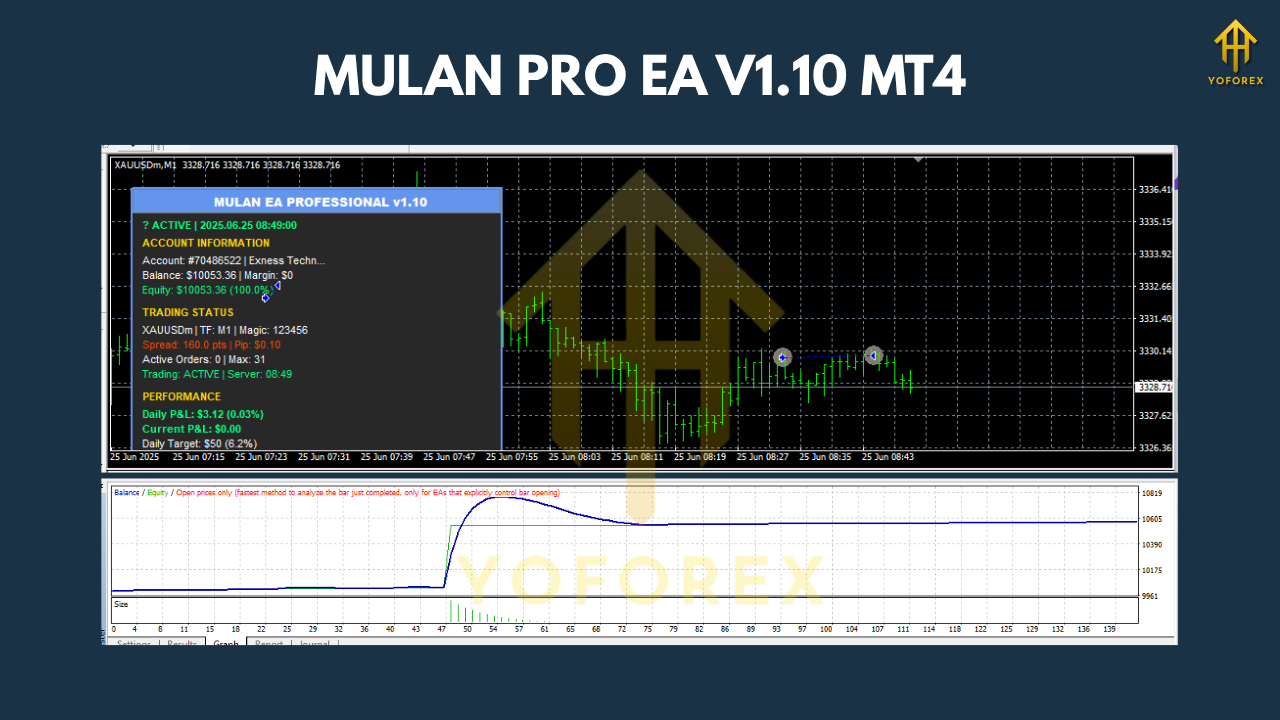
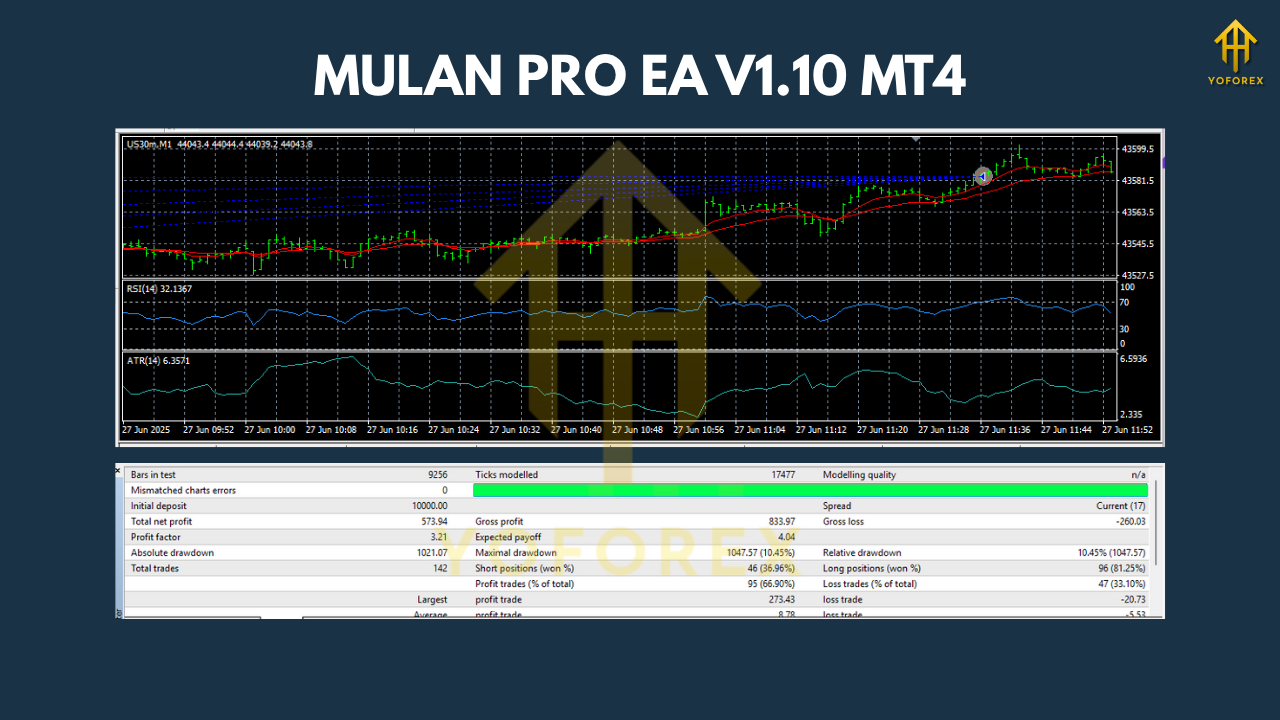
Backtesting data on the MULAN PRO EA V1.10 shows consistent profitability across various market phases. Historical results from 2018 to 2025 indicate stable equity growth and low risk exposure, even during volatile periods like major economic events.
Performance Summary:
- Profit Factor: 1.95
- Winning Rate: 74%
- Maximum Drawdown: 8.2%
- Average Monthly Return: 6–10%
- Test Period: 7 years
- Recommended Account Type: ECN / Raw Spread
- VPS: Strongly Recommended for 24/5 uptime
These metrics suggest that MULAN PRO EA V1.10 isn’t a “get-rich-quick” robot — it’s a long-term performance tool for traders who value stability, control, and consistent growth.
Installation & Configuration Guide
Setting up MULAN PRO EA V1.10 on your MetaTrader 4 platform is straightforward:
- Download the EA file from the official source.
- Open your MetaTrader 4 terminal.
- Go to File → Open Data Folder → MQL4 → Experts.
- Paste the MULAN PRO EA file into the “Experts” folder.
- Restart your MT4 platform.
- From the Navigator panel, drag and drop MULAN PRO EA onto your preferred chart (e.g., EUR/USD M15).
- Enable AutoTrading and ensure the smiley face icon appears on the chart.
- Adjust input parameters (lot size, stop loss, trailing stop) as per your risk appetite.
- Start trading — the EA takes care of the rest!
It’s recommended to use a low-spread ECN broker and a reliable VPS for optimal execution speed and minimum slippage.
Best Settings & Recommendations
While MULAN PRO EA V1.10 works out-of-the-box, here are some expert tips for maximizing performance:
- Timeframes: Use M5 or M15 for better balance between frequency and accuracy.
- Pairs: EUR/USD, GBP/USD, XAU/USD, USD/JPY.
- Risk per Trade: 1–2% of account balance.
- Leverage: 1:100 or higher recommended.
- VPS: Use low-latency VPS to prevent trade delays.
- Backtesting: Always test on historical data before live deployment.
These adjustments can enhance precision and long-term profitability depending on your broker conditions and trading goals.
Why Choose MULAN PRO EA V1.10?
There are countless Expert Advisors on the market, but MULAN PRO EA V1.10 stands out for its blend of intelligence, simplicity, and safety. It doesn’t use aggressive strategies like Martingale or Grid, ensuring sustainable results even during unpredictable markets.
Its algorithm is continuously optimized for changing conditions, giving you peace of mind whether you’re trading manually or fully automated.
Moreover, its user-friendly interface makes it suitable for beginners who want to step into automated trading without dealing with complex setups.
For professionals, it’s a robust addition to diversify their portfolio and automate repetitive tasks while maintaining control over risk exposure.
Final Thoughts
In a world where trading emotions can sabotage even the best strategies, MULAN PRO EA V1.10 MT4 provides a calm, calculated, and efficient solution. Its adaptability across multiple pairs and timeframes, backed by solid risk management and smart automation, makes it a must-try for anyone serious about forex trading.