

The I-Chop Zone Indicator V0.3 MT5 is presented as an MT5 market-condition tool that uses a colored histogram to distinguish directional movement from neutral phases. Green, red, and gray bars are described as bullish, bearish, and ranging signals. That makes it a context aid, not proof that a trade or EA will succeed.
I-Chop Zone INDICATOR V0.3 MT5: definition and decision context?
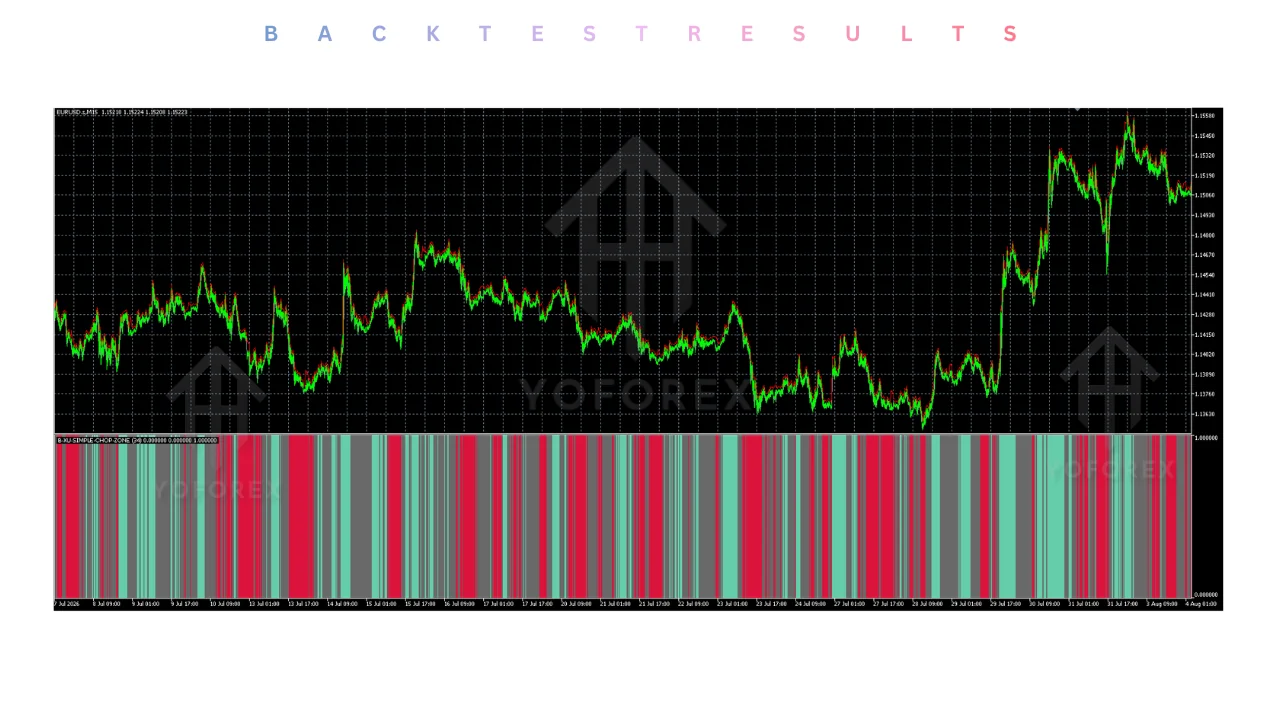
The I-Chop Zone INDICATOR V0.3 MT5 should be understood as a market-context indicator rather than an Expert Advisor that independently places trades. The approved description says the Chop Zone Indicator is designed for MetaTrader 5 and to distinguish active trends from neutral phases. the TradingFinder description That distinction matters because a visual condition label does not, by itself, define entry size, stop placement, exit logic, or account suitability.
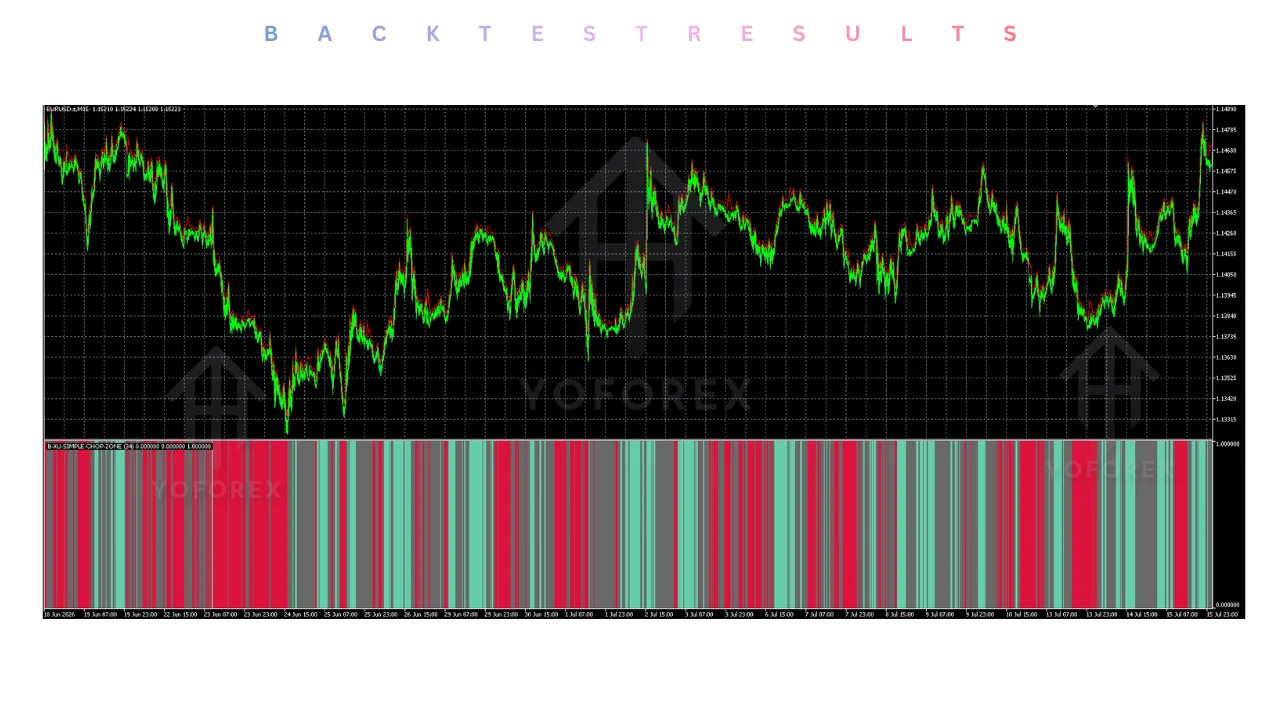
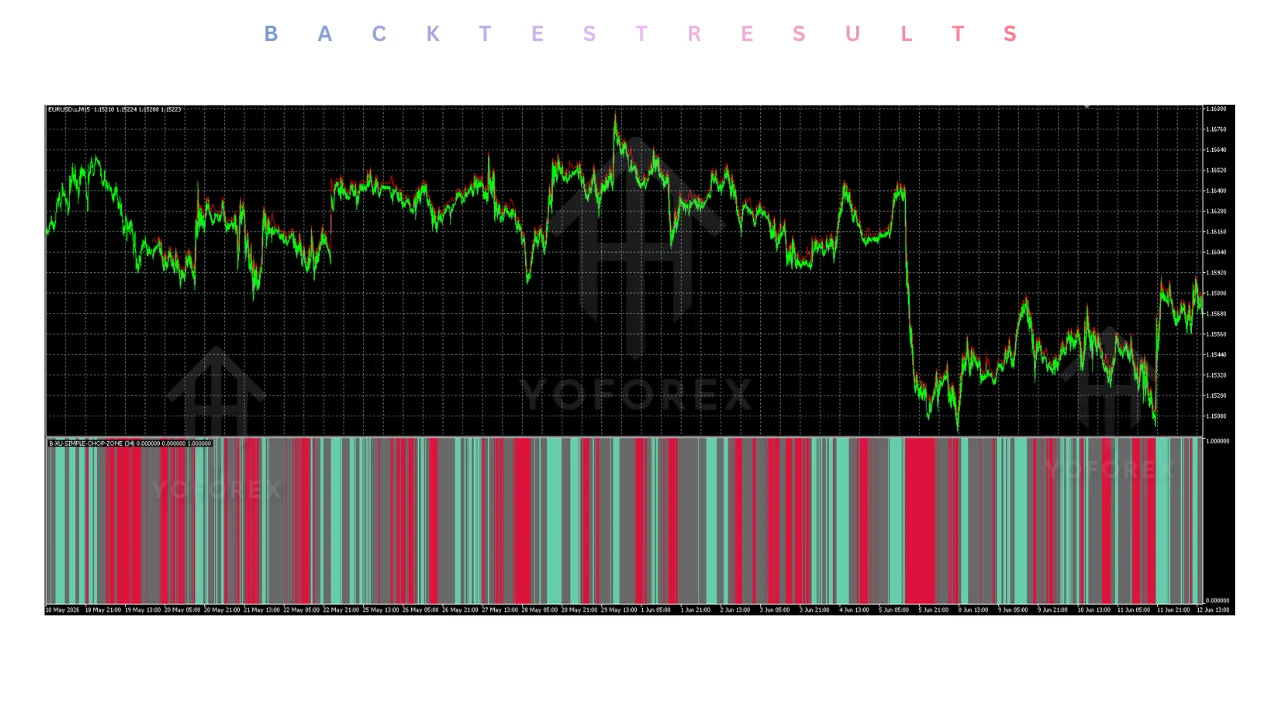
The available material describes a separate-window histogram. It says the display reflects the strength or weakness of price movement and uses changing colors to communicate the current market condition. the histogram explanation A reader can therefore use the tool as one layer in a decision process: first identify the displayed condition, then check price structure, exposure, trading costs, and the rules of the account being used.
The evidence is narrow. It describes the indicator’s stated purpose and visual interpretation, but it does not establish a verified live record, a backtest, or a reliable outcome for XAUUSD, a prop-firm challenge, scalping, or any particular broker. Those gaps should remain visible when comparing it with MT5 expert advisors or an automated trading setup.
For a practical starting point, keep the research task separate from the download task. Readers can review the site’s Blog for related education, then inspect the Downloads area only after checking the file description, platform compatibility, and available setup information.
Who should consider I-Chop Zone INDICATOR V0.3 MT5?
This tool may suit a trader who wants a compact visual aid for market context and is prepared to make the final trading decision independently. It is less suitable for someone looking for a complete automated system, a ready-made risk model, or a substitute for learning how an MT5 chart and order process work.
That distinction is useful for readers who arrive through searches for an EA MT5 free download or MT5 expert advisors. An indicator and an EA serve different jobs. One can organize visual information; the other may be designed to automate rules. Treating them as interchangeable can lead to an unclear workflow, especially when a trader has not documented entry, invalidation, position sizing, and shutdown conditions.
It may also be relevant to a discretionary trader who wants to compare a directional reading with other chart information. That comparison should be a testable process, not an assumption that a color change predicts the next candle. Begin with a written question: what decision will the histogram change alter, and what evidence would make you ignore it?
Readers focused on gold, prop-firm rules, or automated systems should add their own compatibility checks. A visual indicator does not establish that a method is appropriate for a particular symbol, challenge rule, spread environment, or holding period. Those details must be tested separately before any live use.
Benefits and practical limitations
The main practical benefit is simplification. A color-coded display can give a trader a quick way to organize a chart review, particularly when the alternative is relying on several overlapping panels. The usefulness depends on whether the display improves a defined decision rather than encouraging a trader to act whenever a color changes.
Another potential benefit is disciplined observation. A trader can record the displayed condition, the planned entry, the reason for the trade, and the point at which the original idea is invalidated. That creates a review trail without claiming that the indicator predicts outcomes. The record should include skipped trades as well as executed trades.
The limitations are equally important. The approved research does not provide a performance study, independently audited live results, or a tested risk model for this specific version. It also does not establish that the indicator works equally across symbols, sessions, brokers, or account conditions. Avoid turning a descriptive product page into an expectation about future returns.
There is also an interpretation risk. A green or red bar can be treated as a command when it is only a market-state label. Gray conditions can be ignored when a trader is eager to enter. A safer workflow is to define in advance what each color means for observation, what other confirmation is required, and when no trade is allowed.
For traders comparing this with a gold EA or a grid bot, keep the comparison honest. The indicator’s role is informational in the supplied material. An automated strategy has additional concerns, such as execution behavior, position management, and failure handling. Those are not supported claims about this product and should not be inferred from its histogram.
Use the site’s Risk management guide as a planning destination, not as evidence that this indicator has a particular risk profile. For signal-oriented research, the Signals page is a separate navigation path and should not be treated as proof of this indicator’s performance.
EA MT5 Free download and the reader decision
An EA MT5 free download search can create the wrong expectation for this topic. The supplied product material describes a color-coded histogram that shows whether momentum is bullish, bearish, or flat, rather than documenting a complete automated trading system. the IntradaySoft description Readers should therefore identify whether they need a visual filter or an EA with execution rules before downloading anything.
The same description presents the indicator as a way to keep the chart focused on market state instead of adding unnecessary overlays. the color-coded histogram claim That can be a useful design preference, but it is not evidence of accuracy or profitability. A clean display can still be interpreted incorrectly, and a simple tool can still be used with excessive risk.
Use a decision checklist before installing a file. Confirm that the file is intended for MT5, identify whether it is an indicator or an EA, read the available inputs, and note whether the source explains installation or configuration. Do not assume that a download label answers questions about data quality, updates, permissions, or compatibility.
Next, decide what will be measured during testing. The test can focus on whether the display is understandable, whether signals arrive when expected, and whether the workflow prevents impulsive entries. It should not be described as proof of future returns unless a properly documented and independently supported study exists.
For related navigation, readers comparing chart tools with productized robots can browse Gold EAs. That category is a route to related material, not a claim that this indicator is a gold strategy or that it is ready for a prop-firm challenge.
MT5 scalping EA Free download and the reader decision
A search for an MT5 scalping EA free download should not be used as a shortcut to classify this indicator as a scalping robot. The available evidence describes a visual market-state display, while scalping requires a separate plan for timing, execution, costs, exposure, and trade management. None of those performance or suitability details are established for this product.
If a trader wants to explore the indicator in a short-term workflow, begin with observation rather than live orders. Watch how the histogram changes around the trader’s chosen market and session, record the interpretation, and note situations in which the color appears unclear. This keeps the first question practical: can the trader use the display consistently?
Do not fill missing settings with assumptions. The approved material does not provide a complete installation guide, set-file specification, or validated parameter set for this exact version. If the download page does not answer a setup question, pause and seek documentation rather than copying settings from an unrelated EA or indicator.
Prop-firm users should apply the same caution. A visual signal does not demonstrate compliance with a challenge’s loss limits, news restrictions, holding rules, or execution requirements. Those rules vary by program and are not supplied in the research bundle. A trader must read the applicable terms independently and test the full workflow on a demo account.
For platform support, readers can review the site’s VPS resources when their broader setup involves continuous access. That link does not establish that this indicator needs a VPS. Traders looking for a different product type can also use the site’s Scalpers category without treating related listings as evidence about this indicator.
Conclusion
The supported conclusion is limited but useful: this MT5 indicator is presented as a color-based way to distinguish directional and neutral market conditions. The source material does not provide a verified performance record or enough setup detail to justify claims about profitability, scalping, gold trading, or prop-firm readiness.
Use it, if at all, as one part of a documented review process. Verify the file type and platform, define what each color changes in your plan, and test the workflow on a demo account before considering live exposure. Keep the indicator separate from any claim about an EA, signal service, or trading outcome.
That approach preserves the practical value of a simple chart display while respecting the evidence limits. If the tool cannot answer the decision you need to make, do not force it into the workflow. Choose documentation, testing, and risk controls before convenience.
Support & Disclaimer
Support
If you need help installing or configuring your EA, or face any kind of bug, feel free to reach out on:
WhatsApp: Click here
Telegram Group: Join our community
Disclaimer:
Forex and gold trading involve risk. Past performance doesn’t guarantee future results. Always test robots on demo before live trading and use proper risk management.
REFERRAL
Join the VIP Signals Telegram Channel for real-time expert trading signals and stay ahead in the forex market. Get personalized strategies by becoming a part of our Real Account Management Telegram Channel and optimize your trading experience. If you’re aiming to Pass PropFirm Challenges , join our dedicated channel for tips and proven methods. Start managing your capital effectively with expert advice from our Funded Account Management Telegram Channel. For advanced traders, our HFT EA / Passing Telegram Channel offers high-frequency trading insights and strategies to boost your performance.
Sources
- Chop Zone Indicator for MT5 free Download — yoforex.net
- Chop Zone Indicator - review — yoforexorg