

If you’re hunting for an MT4 robot that behaves more like a calm, patient trader (and less like a slot machine), Gecko EA v1.2 is right up your alley. It’s built around a simple idea: trade only when structure, direction, and volatility cooperate—skip everything else. No chasing. No panic entries. And definitely no martingale. Below you’ll find a clear, trader-first breakdown of how Gecko thinks, what’s new in v1.2, the best-fit markets/timeframes, installation steps, suggested settings, and a realistic risk plan you can actually stick with.
What Is Gecko EA v1.2?
Gecko EA v1.2 is a MetaTrader 4 Expert Advisor tuned for EURUSD, GBPUSD, USDJPY and (optionally) XAUUSD (Gold). It’s designed to capture trend-continuation after sensible pullbacks, with built-in volatility guards so your stops aren’t wild. Think fewer but cleaner trades and a strict emphasis on risk first.
- Style: Confluence-based entries (trend + volatility + micro-structure)
- Timeframes: M15–H1 for majors; M30–H1 for Gold (to balance cost vs. quality)
- Account type: ECN/Raw spread recommended
- Infrastructure: VPS strongly suggested for stable, low-latency execution
Who is it for?
Traders who want disciplined automation, prefer non-martingale risk, and are cool with periods of quiet when the market’s messy. If you like a bot you can actually explain—this is it.
What’s New in v1.2
- Sharper trend baseline so counter-trend chops are filtered more aggressively
- Improved ATR gating to skip entries when implied stops are impractically wide
- Refined confirmation logic (break–retest, decisive close, or clean engulf)
- Tidier partial-TP & trailing activation after +1R
- Equity guard polish for smooth auto-pause/resume behavior
- Clearer logs so you can audit why trades were taken or skipped
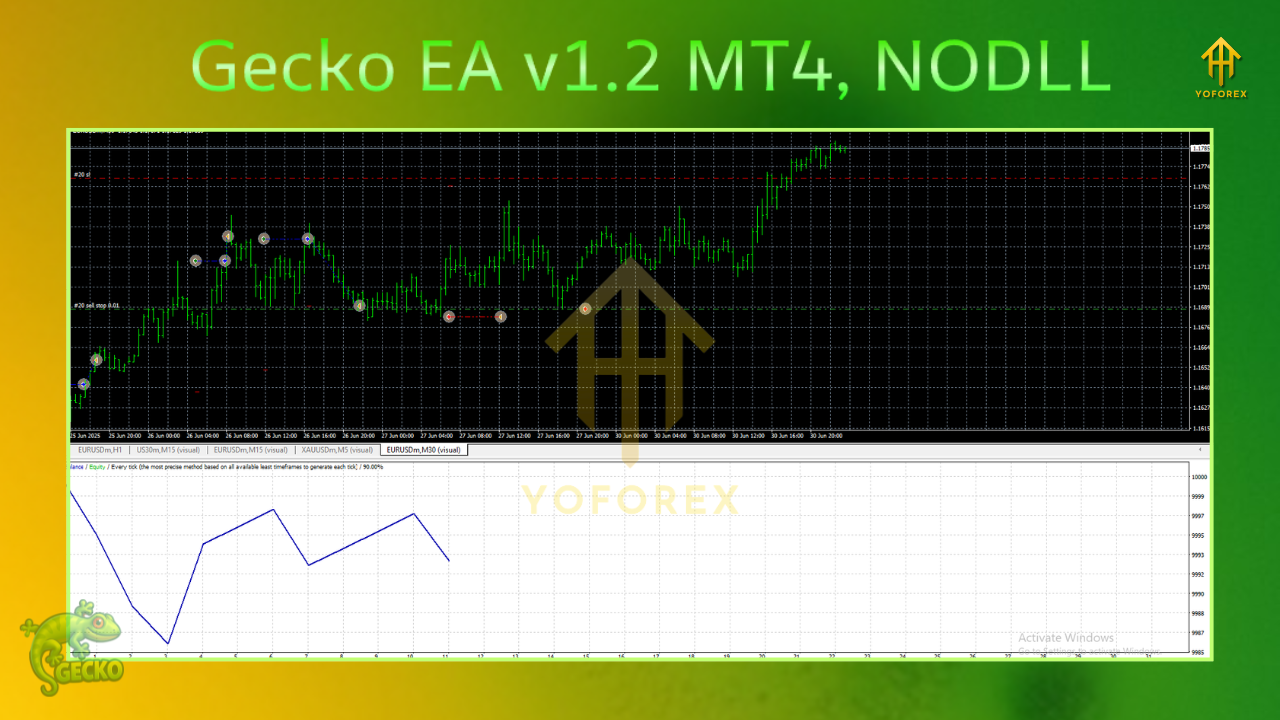
Key Features (At a Glance)
- No martingale, no grid — optional light scale-ins only on new confirmation
- ATR-aware SL/TP — stops sized to current conditions, not guesswork
- Spread/slippage caps — entries vetoed when execution turns hostile
- Session/news windows — focus on liquid hours; optionally block red-flag minutes
- Equity guard & daily loss stop — automatic brake if things go offside
- Readable diagnostics — transparent reasons for entries, exits, vetoes
Strategy Logic — Under the Hood
1) Directional Bias
A dual-MA baseline (e.g., medium + slow) and a nudge from momentum define whether long or short setups are even allowed. Above the baseline with bullish momentum? Longs permitted. Below with bearish momentum? Shorts permitted.
2) Volatility Gate (ATR)
Gecko checks whether a practical stop (typically 1.5×–2.5× ATR) fits your risk per trade. If ATR is too high (stop too wide) or too tiny (fake, illiquid chop), entries are skipped.
3) Price-Action Confirmation
No confirmation, no trade. The EA looks for one of:
- Break–retest into the direction of trend
- Strong close beyond a minor level
- Engulfing that clears prior indecision
4) Risk Lifecycle
Position size comes from % of equity. After entry, Gecko can partial-close at +1R (configurable), then trail behind ATR or last swing. If a fresh confirmation prints (and exposure caps allow), it may add a light scale-in—never average down.
Recommended Settings (Starter Template)
Environment
- Broker: ECN/Raw spread with consistent liquidity
- VPS: Yes (stability + lower latency)
- Leverage: 1:200–1:500 (leverage isn’t an edge—risk sizing is)
Symbols & Timeframes
- EURUSD, GBPUSD, USDJPY: M15–H1 (H1 is calmer; M15 is more active)
- XAUUSD (optional): M30–H1 (spreads can be chunky; timeframes help)
Risk Controls
- Risk per trade: 0.5%–1.0% (beginners: 0.5%)
- Max open positions (all charts): 3–5
- Daily loss stop: 2%–3% (auto-pause for the day)
- Equity guard (floating DD): 5%–8% (auto-pause until recovery rule)
Execution Filters
- Max spread: tune per symbol (e.g., EURUSD ≤ 15–20 points; XAUUSD ≤ 35–60 points depending on quoting)
- Max slippage: 1–3 points (adjust to your feed)
- Sessions: Focus London/NY overlap; avoid rollover
- News block (optional): 10–15 min before/after CPI, NFP, FOMC, etc.
Stops & Targets
- SL: 1.5×–2.5× ATR or just beyond last clean swing
- TP: 1.5R–2.0R baseline; partial at +1R then trail
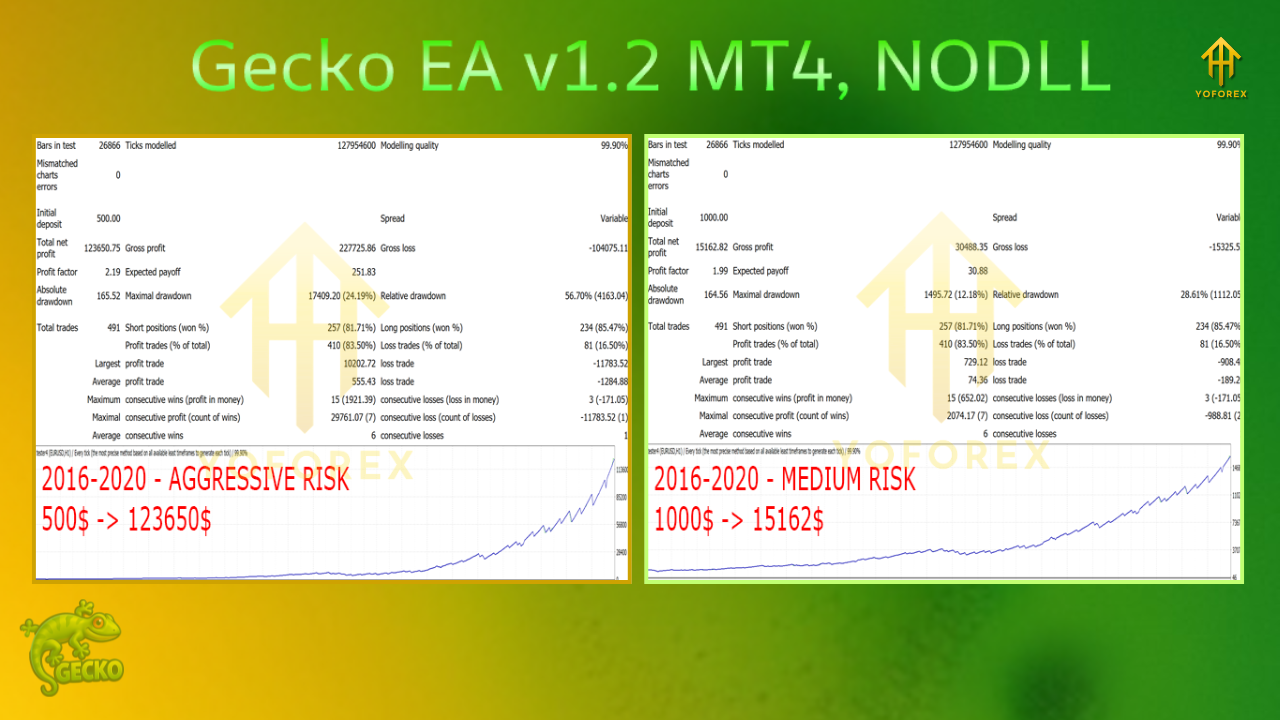
Installation & Setup (MT4)
- Copy
Gecko_EA_v1_2.ex4intoMQL4/Experts/(MT4 Data Folder). - Restart MT4 → confirm under Navigator → Experts.
- Enable AutoTrading (toolbar).
- Attach Gecko EA to the chart (one symbol per chart).
- Inputs: Load your preset or apply the starter template.
- Permissions: Allow DLL imports only if you use a calendar/news module.
- Demo forward-test for 1–2 weeks to validate spreads, slippage, and broker quirks.
Performance Expectations (Real Talk)
Expect clusters of trades when trends are clean and quiet stretches when the market chops. That restraint is a feature, not a bug. Evaluate in R-multiples and over weeks/months—not by a single afternoon. If spreads widen (especially on Gold), reduce risk or pause. Gecko’s edge is selection + discipline, not constant participation.
Backtesting & Forward-Testing Tips
- Use tick-quality data with variable spread; fixed-spread BTs look prettier than reality.
- Mark event timestamps (CPI, NFP, Fed) to understand slip risk even if you don’t block them.
- Test across multiple months and regimes (trend, range, high vol).
- Forward test on a VPS—latency and fill quality matter more than you think.
Risk Playbook (Pin This)
- Small, steady risk (0.5%–1.0%) beats yolo sizing—every time.
- Respect circuit breakers (daily stop, equity guard); they exist to save you from tail events.
- Cost-aware mindset: high spreads = lower signal quality. Pause if conditions degrade.
- Avoid over-optimization; those “perfect params” often fail out of sample.
- Withdraw profits periodically (if live) to keep effective risk in line.
FAQs
Does Gecko EA v1.2 martingale or grid?
No. It may lightly scale in on fresh confirmation within your exposure cap—never averages down.
Will it trade every day?
No guarantees. Skipping low-quality conditions is part of the edge.
What account size should I start with?
Demo first. For live, many start $500–$1,000 with 0.5% risk and a VPS, then scale slowly.
Best timeframe?
H1 is calmer (cleaner signals, lower frequency). M15 is more active but cost-sensitive. For Gold, M30/H1 is often the sweet spot.
Disclaimer
Trading Forex/CFDs involves risk. Past performance is not indicative of future results. Always forward-test on demo, size conservatively, and never trade money you can’t afford to lose.
Call to Action
Want automation that acts only when trend, volatility, and structure line up? Install Gecko EA v1.2 on MT4, run the starter template on demo, and audit the logs for a week or two. When execution looks solid and you’re comfy with the behavior, go live gradually—risk tight, rules tighter.