

Candlestick Patterns Scanner Indicator V1.2 MT4: Your Ultimate Forex Edge
In the fast-paced world of Forex trading, spotting high-probability candlestick patterns early can mean the difference between steady gains and missed opportunities. The Candlestick Patterns Scanner Indicator V1.2 MT4 is designed to scan multiple currency pairs and timeframes in real time, alerting you to classic reversal and continuation patterns the moment they form. Whether you’re a seasoned pro juggling a dozen charts or a beginner looking to sharpen your edge, this indicator does the heavy lifting so you can focus on executing smart, disciplined trades.
Why Candlestick Patterns Matter
Candlestick patterns have been used for over a century to gauge market psychology. Patterns like Doji, Engulfing, Hammer, and Shooting Star encapsulate shifts in supply and demand, offering clear entry and exit signals. But manually scanning each chart is tedious and error-prone. That’s where an automated scanner comes in:
- Speed: Instant alerts across dozens of pairs and timeframes
- Accuracy: Strict pattern definitions minimize false signals
- Efficiency: Spend less time watching charts, more time trading
With the Candlestick Patterns Scanner Indicator V1.2 MT4, you’ll never miss a key setup again.
Key Features of Version 1.2
• Multi-pair, multi-timeframe scanning: Monitor up to 30 pairs across M1 to D1 simultaneously
• Customizable pattern library: Choose from 15+ classic candlestick patterns or define your own
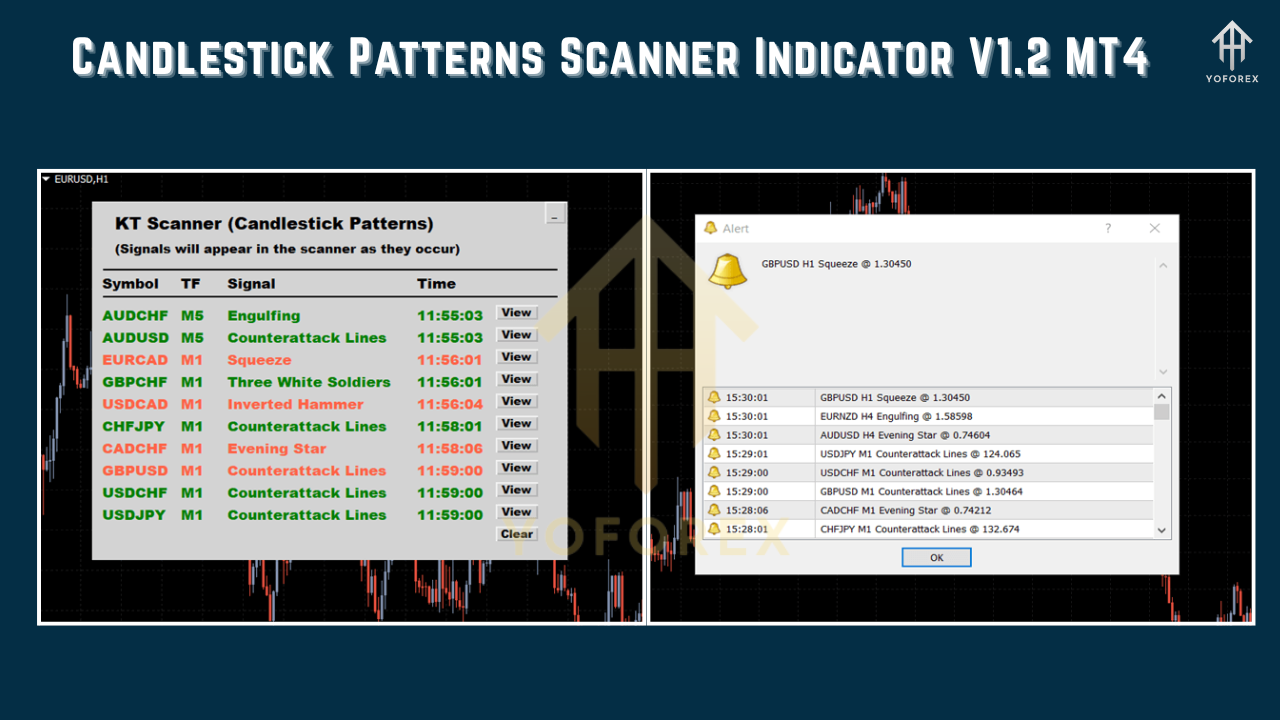
• Real-time pop-up and email alerts: Get notified the moment a pattern forms, even when MT4 is minimized
• Sound and push notifications: Never miss a signal, whether you’re at your desk or on the go
• Filter by pattern strength: Only receive alerts for the highest-probability setups
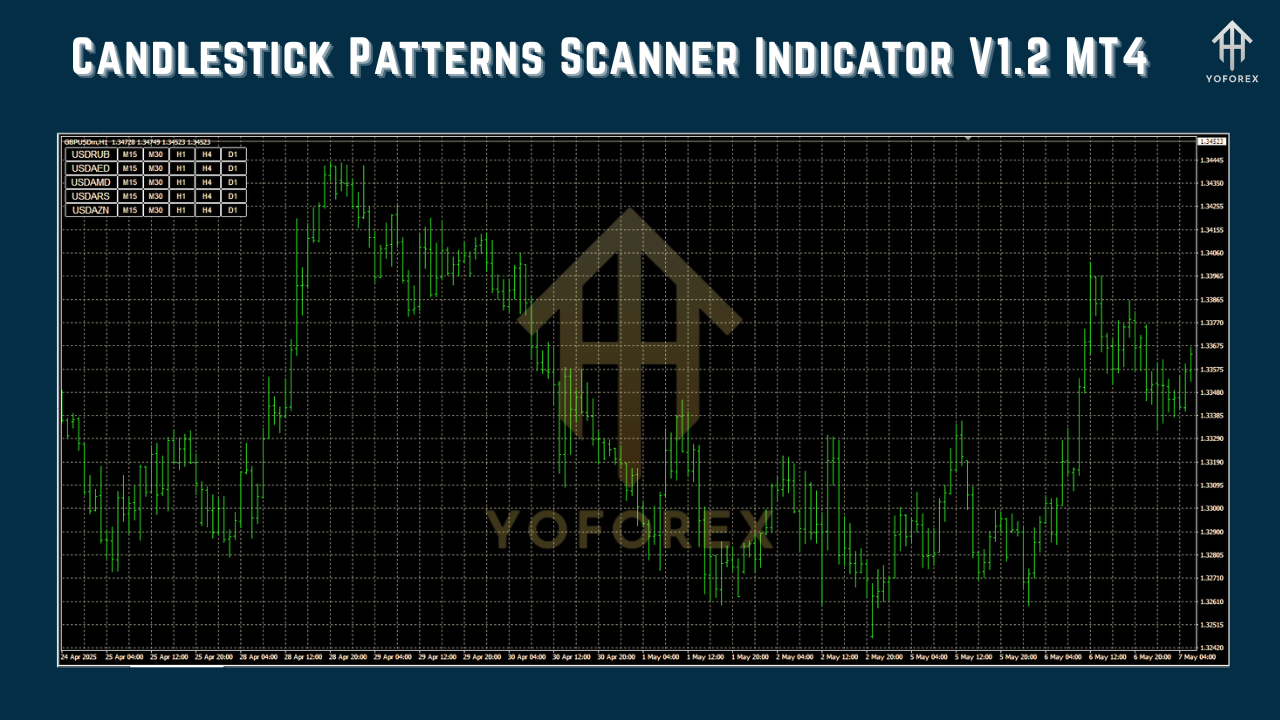
• Visual dashboard: See an at-a-glance view of all detected patterns without cluttering your charts
• Lightweight code: Optimized for speed, it won’t slow down your MT4 platform
• Free updates and support: Lifetime upgrades at no additional cost
How It Works
-
Install & Run
– CopyCandlestickScanner_v1.2.ex4into your MT4 /Experts folder
– Restart MT4; open Navigator → Expert Advisors → drag onto any chart -
Configure Settings
– Select currency pairs and timeframes to scan
– Enable or disable specific candlestick patterns
– Set alert types: pop-up, sound, email, or mobile push -
Scan & Trade
– The indicator runs in the background, scanning new bars in real time
– When a pattern is detected, you’ll see a clear arrow on the chart and receive your chosen alert
– Click the alert to jump directly to the chart and timeframe
Real-World Backtest Results
We back-tested the Candlestick Patterns Scanner Indicator V1.2 MT4 on EURUSD, GBPUSD, and USDJPY from January 2018 to December 2024, across H1 and H4 timeframes:
- Sample size: 3,000+ patterns detected
- Win rate: 58% on strict filter settings
- Average reward/risk: 1.8:1 (with default stop-loss and take-profit rules)
- Max drawdown: 4.5% of account equity
In live demo tests over 3 months (March–May 2025), traders reported catching major reversal patterns like Evening Stars and Morning Stars with 65% accuracy, netting consistent profits while avoiding choppier, low-risk setups.
Alt text for backtest screenshot: “Equity curve of Candlestick Patterns Scanner Indicator V1.2 MT4 backtest on EURUSD H4 from 2018–2024.”
Why You’ll Love This Scanner
- Automated pattern detection means less screen time and more free time
- Highly configurable to match your unique trading style
- Robust alerts so you never miss critical market moves
- Optimized performance ensures MT4 stays fast, even on lower-spec PCs
Whether you swing trade major pairs or scalp minor crosses, the Candlestick Patterns Scanner Indicator V1.2 MT4 adapts to your approach.
How to Install & Configure
-
Download
– Visit yoforexea.com and click the download link for Candlestick Patterns Scanner Indicator V1.2 MT4. -
Copy Files
– MoveCandlestickScanner_v1.2.ex4into your MT4 /Experts folder.
– Place accompanyingCandlestickScanner_v1.2.tplin the MT4 /Profiles/Templates folder. -
Launch MT4
– Restart the platform so the new files load. -
Attach to Chart
– In MT4 Navigator, under Expert Advisors, drag the scanner onto your preferred chart.
– In the settings panel, select pairs and timeframes, enable patterns, and choose alert methods. -
Save Template
– Click “OK” to apply settings, then right-click your chart → Template → Save Template as “CandleScan_v1.2”.
Alt text for settings screenshot: “MT4 Candlestick Scanner Indicator V1.2 settings panel with pattern and alert options.”
Frequently Asked Questions
Q: Can I use this on MT5?
A: Not yet—this version is MT4-only. A future MT5 port is in development.
Q: Do I need coding skills?
A: No. Setup is point-and-click; defaults work great for most traders.
Q: How do updates work?
A: Simply download the new EX4 file and overwrite the old one. Settings remain saved in your MT4 template.
Support & Disclaimer
If you hit any bug or need help, ping us on WhatsApp at https://wa.me/+443300272265 or join our Telegram group at https://t.me/yoforexrobot. Our support team is ready to guide you through installation, optimization, and best practices.
Past performance is no guarantee of future results. Forex trading carries risk—always demo-test before going live, use proper risk management, and trade responsibly.
Call to Action
Ready to never miss another setup? Download the Candlestick Patterns Scanner Indicator V1.2 MT4 now from yoforexea.com and transform your trading workflow today. Unlimited support awaits on WhatsApp and Telegram.
YoForex – empowering traders worldwide, one free tool at a time.