
Bandwagon EA V2.8 MT4 is a fully automated Expert Advisor for MetaTrader 4 that mixes swing trading, grid logic and hedging. It runs without DLLs, auto-sizes lots by risk settings and works on major pairs. Demo test first. Past results never indicate future outcomes and capital remains at risk.
Bandwagon EA V2.8 MT4: definition and decision context?
Bandwagon EA MT4 refers to version 2.8 of an automated trading robot built for the MetaTrader 4 platform. Materials published on August 19, 2026 describe it as a fully automated Expert Advisor that combines multiple approaches rather than a single entry style.
According to the yoforex.org overview, the system mixes swing trading for medium-term moves, grid logic for short-term volatility with layered positions, and hedging to balance exposure on reversals. It calculates lot size automatically from a user-set risk percentage or maximum drawdown preference and manages trades from entry to exit once attached to a chart with AutoTrading enabled.
The same overview states the EA runs without DLL files, which can improve broker compatibility and reduce external dependency risks. Supported pairs mentioned include major and minor currency pairs such as EUR/USD, GBP/USD and EURGBP. Distribution pages also reference set files and compatibility with later MT4 platform builds.
For decision context, traders comparing productized downloads should confirm the exact version, build requirement and whether the supplied presets match their account type and risk tolerance. Link to our Blog for related setup discussions and treat every feature list as a starting point for your own verification rather than a finished recommendation.
Who should consider Bandwagon EA V2.8 MT4?
Traders who want an automated multi-strategy approach on MetaTrader 4 and are prepared to verify settings themselves may find Bandwagon EA V2.8 MT4 relevant to evaluate. The source overview explains what the bot actually does, how it operates, who it fits, and what you should check before deciding to use it.
It suits users comfortable with swing plus grid plus hedging combinations who can keep a terminal or VPS running continuously. Prop-firm challenge traders or retail users seeking set-file guidance may look at it when comparing grid-style robots, but only after confirming the logic does not conflict with firm rules on hedging or martingale-style layering.
Those who prefer pure trend-following or who cannot monitor drawdowns closely should approach with extra caution. Always start on a demo account. Visit our Downloads section for general EA resources and review the Risk management guide before any attachment to a live chart.
The decision ultimately rests on matching the described multi-strategy behavior to your own risk limits, available capital and time for ongoing monitoring. No EA removes the need for personal oversight.
Benefits and practical limitations
Supported descriptions highlight automatic lot sizing, full automation and multi-currency coverage as practical benefits, while customer-service feedback on distributor sites points to responsive setup help. One TrustPilot-style comment on a reseller page notes appreciation for the owner’s approach and overall service quality.
From the cheaperforex.com product page, packages are said to include a step-by-step installation PDF with screenshots, optimized presets, lifetime updates and email support together with a seven-day money-back policy. Separate store pages list set files for platform builds 1471+ or 1431+.
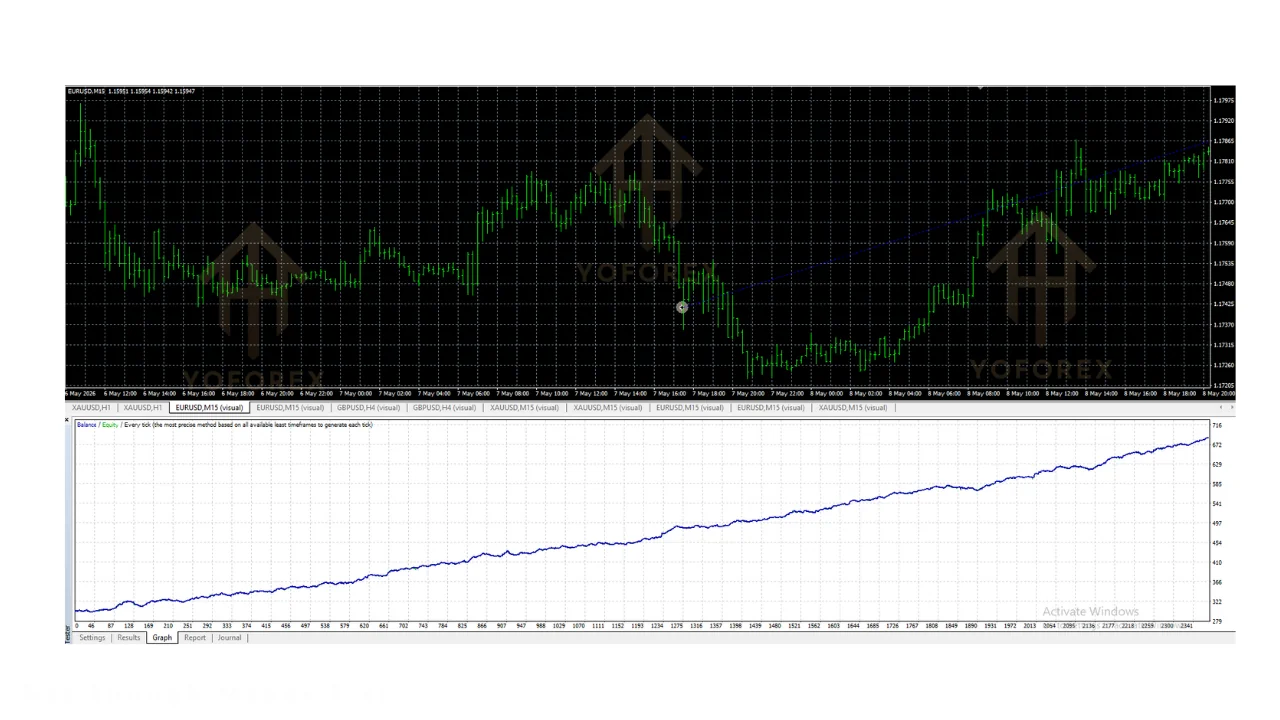
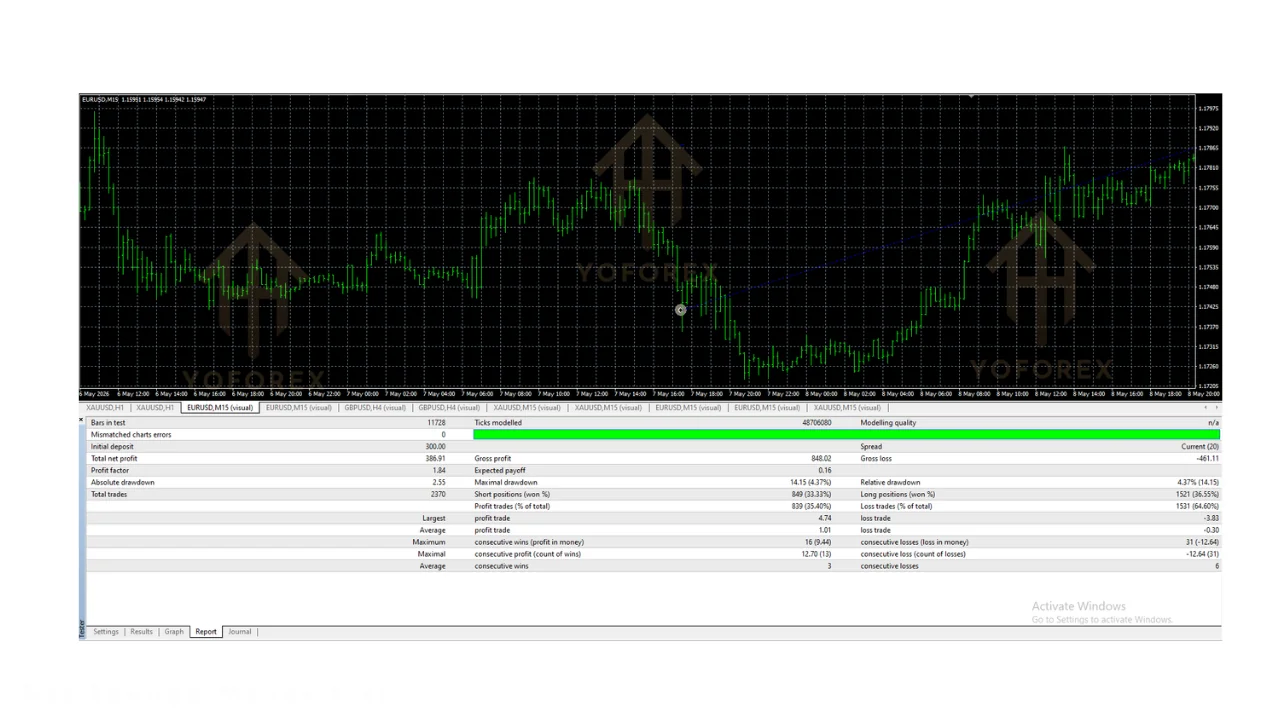
Practical limitations remain significant. Claims of profit performance verified by a real trading account for two years appear on reseller materials and must be treated as vendor-reported rather than independently audited. Grid and hedging components can produce rapid exposure growth in trending markets if risk parameters are set too high. Continuous terminal or VPS uptime is required; any disconnection stops the EA.
- Multi-strategy mix of swing, grid and hedging described in available overviews
- Automatic lot sizing based on user risk settings
- No DLL dependency noted for broader broker compatibility
- Set files and installation guides commonly supplied with downloads
- Email support and update policies listed by several distributors
- Vendor performance claims lack independent audit and cannot be treated as verified live results
- Grid and hedging logic can increase drawdown risk if parameters are aggressive
- Requires reliable 24/5 terminal or VPS connectivity
- Broker and prop-firm rule compatibility for hedging must be checked individually
- No authoritative regulator or academic validation of the strategy appears in the research pack
Readers evaluating benefits against limitations should also consult our Signals page and VPS resources for infrastructure considerations. Keep risk settings conservative and never rely solely on reseller marketing language.
Automatic tp and sl MT4 EA free download and the reader decision
Many traders searching for automatic take-profit and stop-loss Expert Advisors on MetaTrader 4 also encounter multi-strategy robots such as Bandwagon EA MT4. The reader decision here is whether a dedicated TP/SL automation tool or a broader swing-grid-hedging system better matches their workflow.
A pure automatic TP and SL EA typically focuses on order management after a manual or signal-based entry. In contrast, Bandwagon-style systems attempt to generate the entries themselves. Choosing free download options requires verifying file integrity, matching the exact MT4 build, and confirming that the logic does not override your own risk rules.
When the goal is simply tighter exit control rather than full automation, a lighter TP/SL helper may introduce fewer moving parts. Conversely, if the preference is hands-off multi-condition trading, the more complex EA becomes the comparison point. Either path still demands demo verification and clear understanding of how stops interact with grid layers.
Link to Gold EAs and Scalpers for adjacent product categories while deciding. Keep the decision framed around your personal time available for monitoring and the specific risk controls your account or prop firm requires.
For the latest pricing, licence terms, or to download , visit yoforex.net — the official YoForex platform where their Expert Advisors and related trading tools are listed.
aw recovery EA MT4 and the reader decision
Recovery-style Expert Advisors such as those in the AW Recovery family address drawdown situations differently from a primary trading robot like Bandwagon EA MT4. The reader decision is whether to evaluate a recovery tool as a separate safety layer or to rely on the built-in money-management and hedging features of the main EA.
Recovery EAs typically activate after losses to attempt average-down or martingale-style repair. Bandwagon materials emphasize its own hedging component for reversals and automatic lot sizing based on risk tolerance. Mixing both without careful parameter isolation can compound exposure rapidly.
Qualitatively, traders who already operate a recovery EA should examine whether adding another multi-strategy system creates overlapping positions or conflicting exit logic. Those seeking a single automated solution may prefer to test Bandwagon’s native risk controls first on demo before introducing recovery layers.
Consult our Grid bots and Prop firm EAs categories for related decision frameworks. The safest next step remains isolated demo testing of each tool before any combination is considered on a funded or personal account.
Conclusion
Bandwagon EA V2.8 MT4 is presented across available pages as a MetaTrader 4 Expert Advisor that combines swing, grid and hedging approaches with automatic lot sizing and no DLL requirement. The supported descriptions give a clear picture of intended operation and distribution extras such as set files and installation guides.
Limitations include the absence of independently audited performance data and the inherent risks of grid-plus-hedging logic under adverse conditions. Readers should treat every reseller claim as unverified until personally tested.
The practical next step is to obtain the exact version matching your MT4 build, load it on a demo account with conservative risk settings, and monitor behavior across different market regimes. Review our Guides and FAQ for additional setup checklists. Never move to live capital until you fully understand the drawdown profile and confirm suitability for your own situation.
Support & Disclaimer
Support
If you need help installing or configuring your EA, or face any kind of bug, feel free to reach out on:
WhatsApp: Click here
Telegram Group: Join our community
Disclaimer:
Forex and gold trading involve risk. Past performance doesn’t guarantee future results. Always test robots on demo before live trading and use proper risk management.
REFERRAL
Join the VIP Signals Telegram Channel for real-time expert trading signals and stay ahead in the forex market. Get personalized strategies by becoming a part of our Real Account Management Telegram Channel and optimize your trading experience. If you’re aiming to Pass PropFirm Challenges , join our dedicated channel for tips and proven methods. Start managing your capital effectively with expert advice from our Funded Account Management Telegram Channel. For advanced traders, our HFT EA / Passing Telegram Channel offers high-frequency trading insights and strategies to boost your performance.
Sources
- Bandwagon EA V2.8 MT4 - FREE DOWNLOAD — yoforex.org
- Bandwagon EA V2.8 MT4 - REVIEW — yoforexea
- Bandwagon EA MT4 v2.8 + SetFiles (Platform build 1471+) — yoforex.net