

If you’re bored of bots that guess, fire, and pray… meet AGI X2 EA V1.0 for MT4. It’s a dual-signal engine—two independent entry models (trend-pullback and breakout) that must agree before a trade gets the green light. Layer on AI-style filters (regime, volatility sanity, micro-structure confirmation), and you’ve got a robot that’s happy to sit out the chop and only act when the tape looks clean. No martingale, no grid, no “hope & hold.” Just rules, confluence, and calm risk.
Below is your trader-first guide: what AGI X2 does, how it thinks, suggested settings, install steps, testing tips, a risk playbook, FAQs, and copy-paste meta data for your CMS.
What Is AGI X2 EA V1.0?
AGI X2 is a MetaTrader 4 Expert Advisor built around two complementary entry models:
- X-Trend: rides trend continuation after a pullback into a dynamic zone
- X-Break: joins fresh breakouts only when follow-through looks real
A trade is allowed when both models align and the risk filters say the environment is tradable (ATR, spread, slippage, session). Think “two keys turn at once” to avoid random pokes.
Who it’s for
- Traders who want fewer, cleaner signals with explainable logic
- Intraday & swing traders comfortable with M15–H1 flows
- Anyone who insists on no martingale, sensible stops, and auditable logs
Best-fit symbols & TFs
- EURUSD, GBPUSD, USDJPY → M15–H1
- XAUUSD (gold) optional → M30–H1 (go up a TF if costs are chunky)
- Account type: ECN/Raw spread; VPS recommended
Why “X2” Matters (Dual Confirmation, Fewer Regrets)
- Model agreement (X-Trend + X-Break both point the same way)
- ATR sanity (stop distance not silly-wide or micro-tight)
- Price-action proof (break-retest or decisive close)
- Execution OK (spread/slippage caps, session fit)
Key Features (V1.0)
- Dual engine entries — X-Trend + X-Break vote before execution
- Regime detector — trend vs range bias to avoid counter-trend nibbles
- ATR-aware stops/targets — dynamic 1.5×–2.5× ATR baseline
- Structure confirmation — break-retest or decisive close in trade direction
- No martingale, no grid — optional light add-to-winners only on fresh confirmation
- Equity guard & daily stop — auto-pause new entries past your limits
- Spread/slippage veto — instant “nope” when conditions turn hostile
- Session & news windows — prefer London/NY; option to block high-impact releases
- Transparent logs — human-readable “why” for entries, exits, vetoes
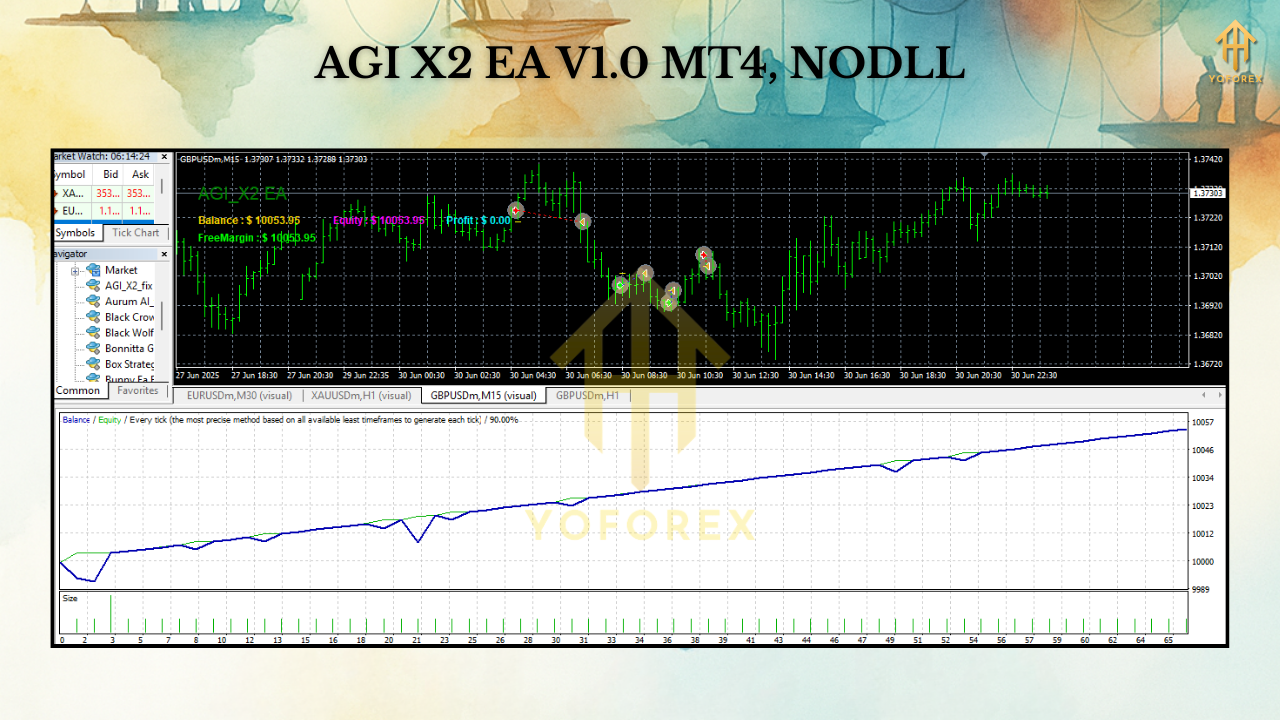
How the Strategy Works (Under the Hood)
1) Regime & Directional Bias
A dual-MA baseline + momentum read classifies trend vs range and allows longs or shorts only if you’re with the flow. Optional MTF: e.g., M15 entries in the direction of H1.
2) Dual Model Check (X-Trend & X-Break)
- X-Trend wants a pullback into a dynamic zone with a strong re-engagement candle.
- X-Break wants a decisive close through a micro-level with immediate follow-through.
If both agree, the setup is tentative—pending risk filters.
3) Volatility Gate (ATR)
The bot estimates a practical stop (typically 1.5×–2.5× ATR). If ATR implies SL is absurdly wide (edge diluted) or ultra-tight (likely noise), the trade is skipped.
4) Execution Gate
Spread ≤ cap, slippage ≤ cap, and session/news windows must be friendly. Otherwise: veto.
5) Lifecycle Management
Risk sized as % of equity. Partial close around +1R, then ATR/swing trail. On new confirmation and within exposure caps, AGI X2 may lightly scale into winners—never to rescue losers.
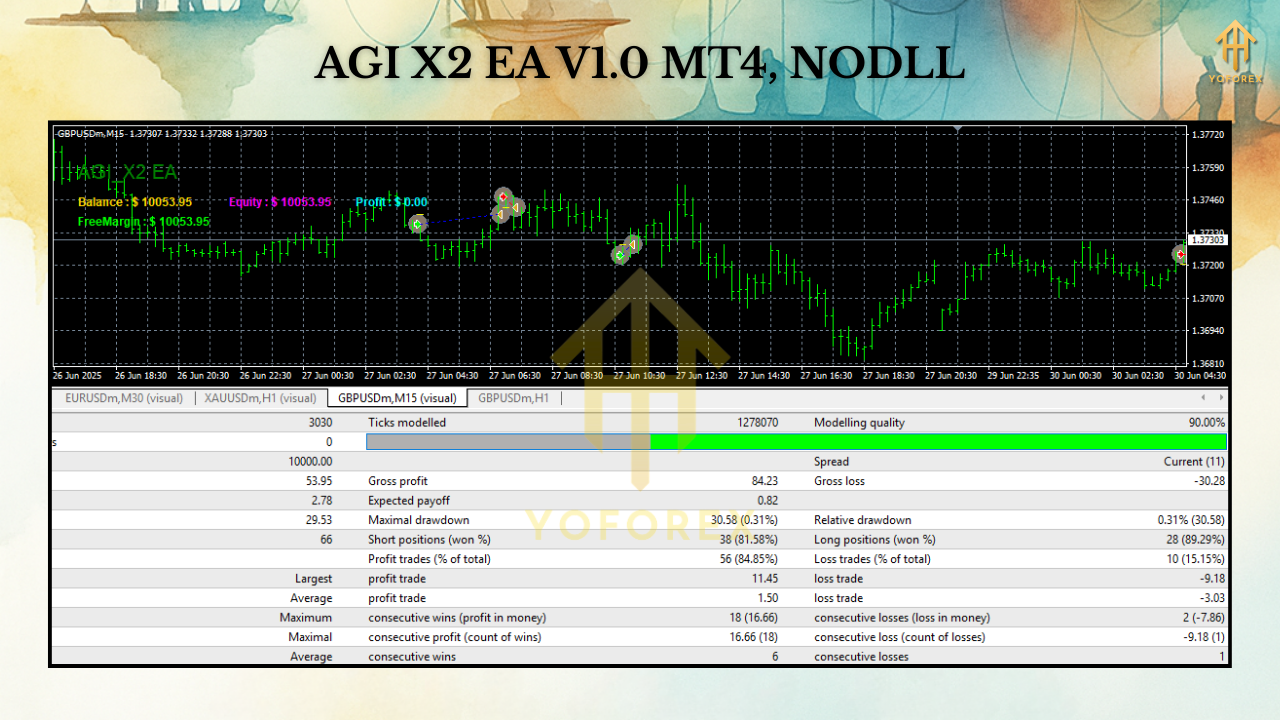
Recommended Settings (Starter Template)
Environment
- Broker: ECN/Raw with consistent liquidity
- VPS: Yes (uptime + low latency)
- Leverage: 1:200–1:500 (leverage ≠ edge; sizing is)
Symbols & Timeframes
- EURUSD / GBPUSD / USDJPY: M15–H1 (H1 calmer; M15 more signals)
- XAUUSD (optional): M30–H1 to offset cost spikes
Risk Controls
- Risk per trade: 0.5%–1.0% (new users: 0.5%)
- Max concurrent positions: 3–5 (all charts)
- Max add-ons per symbol: 1–2 (winners only)
- Daily loss stop: 2%–3% (auto-pause)
- Equity guard (floating DD): 5%–8% (pause new entries until recovery criteria)
Execution Filters (typical caps)
- EURUSD: spread ≤ 15–20 pts; slippage ≤ 1–2
- GBPUSD: spread ≤ 20–25 pts; slippage ≤ 1–2
- USDJPY: spread ≤ 15–20 pts; slippage ≤ 1–2
- XAUUSD: spread ≤ 35–60 pts; slippage ≤ 1–3
- News block: 10–15 min around CPI, NFP, FOMC, etc.
- Sessions: Favor London/NY overlap; avoid rollover
Stops & Targets
- SL: 1.5×–2.5× ATR or beyond the last clean swing
- TP: 1.5R–2.0R baseline; partial at +1R, then trail remainder
Quick-Start Profiles
A) H1 Conservative (majors)
- Risk 0.5% | SL 2.2× ATR | TP 1.6R | partial at +1R | ATR trail
- Session: London/NY | News: ON | Add-ons: OFF first week
B) M15 Standard (majors)
- Risk 0.6% | SL 2.0× ATR | TP 1.5R | partial at +1R | ATR trail
- Spread/slippage caps a tad tighter; both X-Trend & X-Break ON
C) XAUUSD H1 (cost-aware)
- Risk 0.5% | SL 2.3× ATR | TP 1.6R | partial at +1R | swing trail
- Higher spread veto; extend news block to 20 min
Installation & Setup (MT4)
- Copy
AGI_X2_EA_V1_0.ex4toMQL4/Experts/(File → Open Data Folder). - Restart MT4, then check Navigator → Experts.
- Enable AutoTrading on the toolbar.
- Attach AGI X2 to each symbol chart (one symbol per chart).
- Inputs: Choose a Quick-Start profile or the Starter Template above.
- Permissions: Allow DLL imports only if you use a calendar/news module.
- Forward-test on demo for 1–2 weeks to validate spreads, slippage, fills, and session behavior.
Backtesting & Forward-Testing Tips
- Use tick-quality data with variable spread; fixed spreads make results look too pretty.
- Include event windows (CPI/NFP/Fed) in your review—even if you block them live—to gauge slip risk.
- Optimize lightly (ATR multipliers, model strictness, session windows), then walk-forward (optimize A, test B).
- Track net edge after costs (spread + commission + average slippage). If costs eat >35–45% of gross R, step up a timeframe or tighten filters.
- Forward test on a VPS to mirror real latency and broker behavior.
Risk Management Playbook (Pin This)
- Small, constant risk (0.5%–1.0%) beats hot-and-cold sizing—always.
- Respect circuit breakers: daily stop + equity guard protect the month.
- Cost discipline: if spreads/slippage creep up, pause or move up a TF.
- No curve-fit fever: pretty backtests often fail out-of-sample—tune lightly.
- Withdraw periodically (if live) so effective risk stays sane as equity grows.
FAQs
Does AGI X2 use martingale or a recovery grid?
No. It may lightly add to winners on fresh confirmation within exposure caps. It never averages down losers.
Will it trade every day?
Not guaranteed. AGI X2 skips poor windows (range sludge, news whipsaw). That patience is part of the edge.
Minimum deposit?
Demo any size. For live, many start $500–$1,000 with 0.5% risk and a VPS, then scale slowly.
Best timeframe to begin?
H1 is calmer and cost-tolerant. M15 is more active but more spread-sensitive. For gold, start H1 unless your costs are stellar.
Call to Action
Ready for a robot that waits for two models + risk filters to agree before it acts? Install AGI X2 EA V1.0 on MT4, run the H1 Conservative profile on demo, and watch it across a couple sessions. When fills and behavior look steady, go live gradually—tight risk, clear rules, and let the confluence carry the weight.