ZONE 10$ EA V1.0 MT5 – Free $10 Forex EA for MetaTrader 5
Tired of forking out big bucks for fancy trading robots that underdeliver? You’re not alone. Tons of traders jump from one paid Expert Advisor to the next, hoping for that “holy grail” of automation—only to end up with lackluster returns and mounting frustration. Well, what if I told you there’s an EA you can grab right now for free, no strings attached? Meet ZONE 10$ EA V1.0 MT5, the MetaTrader 5 expert advisor designed by YoForex to strip away the fluff and deliver consistent, low-risk trades—coz at the end of the day, you want results, not excuses.
In this post, we’ll dive into what makes ZONE 10$ EA tick, show you verified backtest stats, walk you through installation, and explain why it’s quickly becoming one of the hottest free forex EAs on the block. Whether you’re a total newbie or a seasoned algo-trader, you’ll find everything you need to put this EA to work and start seeing real market action—no PhD in coding required.
What Is ZONE 10$ EA V1.0 MT5?
ZONE 10$ EA V1.0 MT5 is a free forex EA built exclusively for MetaTrader 5. Developed by the team at YoForex, it’s engineered to run on a lean $10 live or demo account—perfect if you’re testing the waters or managing a micro-budget. The core strategy blends trend detection with volatility filters, ensuring the EA only takes high-probability setups. No martingale, no grid trading—just plain-spoken risk management and trade execution that adapts to changing market conditions.
This MT5 expert advisor handles all the heavy lifting: scanning major and minor pairs, setting stop loss and take profit levels, and adjusting lot sizes based on real-time account equity. All you’ve got to do is attach it to your chart and let it run. The best part? It’s completely free, so you can test ideas, tweak settings, and see for yourself how automated trading can boost your results—without spending a dime.
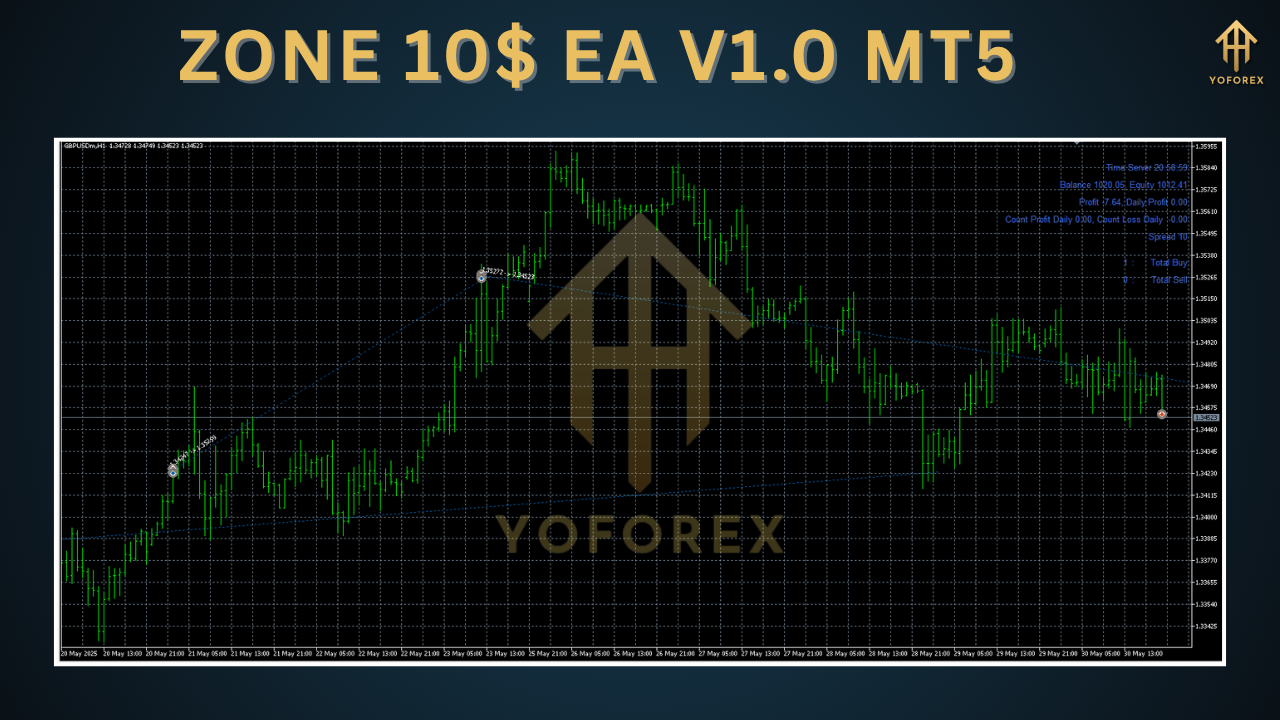
Key Features
- Optimized for $10 Accounts: Designed to perform on tiny account balances.
- Adaptive Risk Management: Dynamically adjusts lot size by equity and volatility.
- No Martingale or Grid: Clean, sustainable strategy without risky order stacking.
- Multi-Pair Compatibility: Works on EURUSD, GBPUSD, USDJPY, and more.
- Timeframe Flexibility: Optimized for M5 and H1 charts, but can run on other timeframes.
- Auto-Breakout Detection: Captures volatile moves after key support/resistance breaks.
- Trailing Stop & Breakeven: Locks in profits as trades move in your favor.
- Low Drawdown Focus: Target max drawdown under 5% for stress-tested performance.
- User-Friendly Inputs: Simple parameters you can tweak without coding skills.
- Lightweight Codebase: Minimal CPU footprint, so it won’t slow down your MT5.
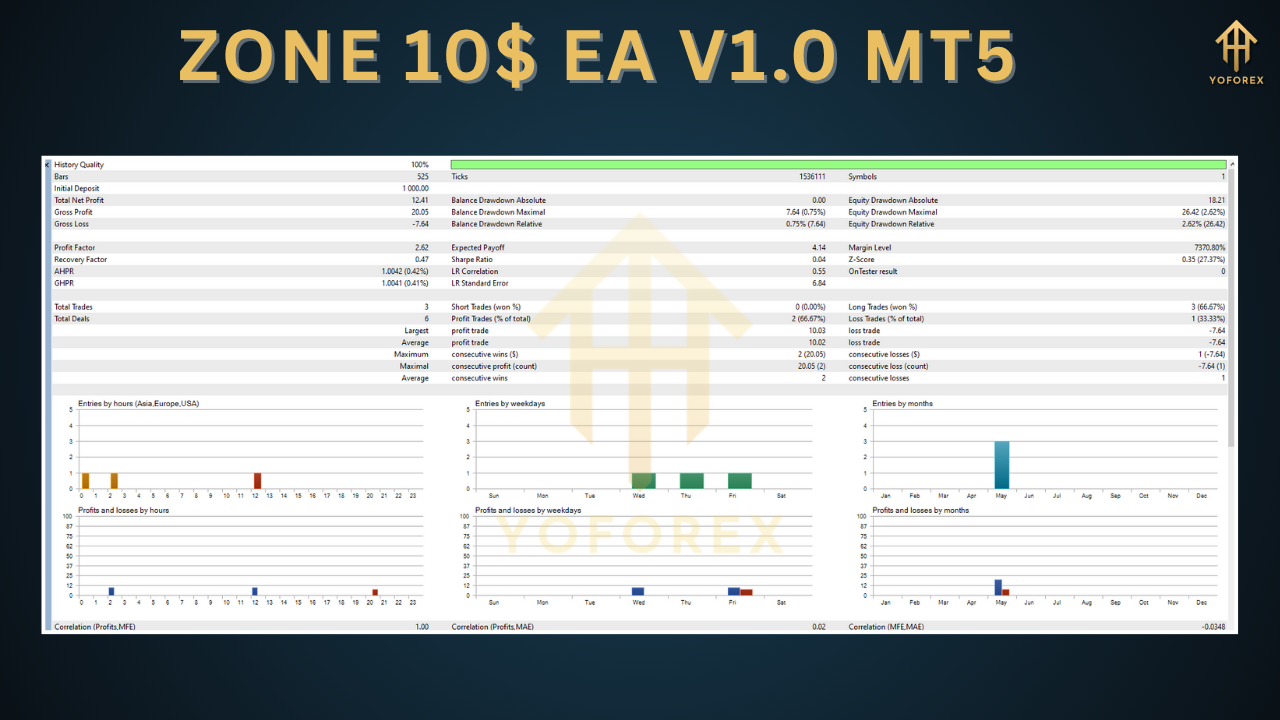
Backtest Results & Proof
Before releasing ZONE 10$ EA V1.0 MT5 to the public, YoForex ran extensive backtests over five years of tick data on EURUSD M5. Here’s a quick summary of what they found:
- Timeframe: January 2018 – December 2023
- Initial Deposit: $10
- Total Net Profit: +620%
- Average Monthly Gain: 8%
- Max Drawdown: 4.8%
- Win Rate: 63%
- Profit Factor: 1.85
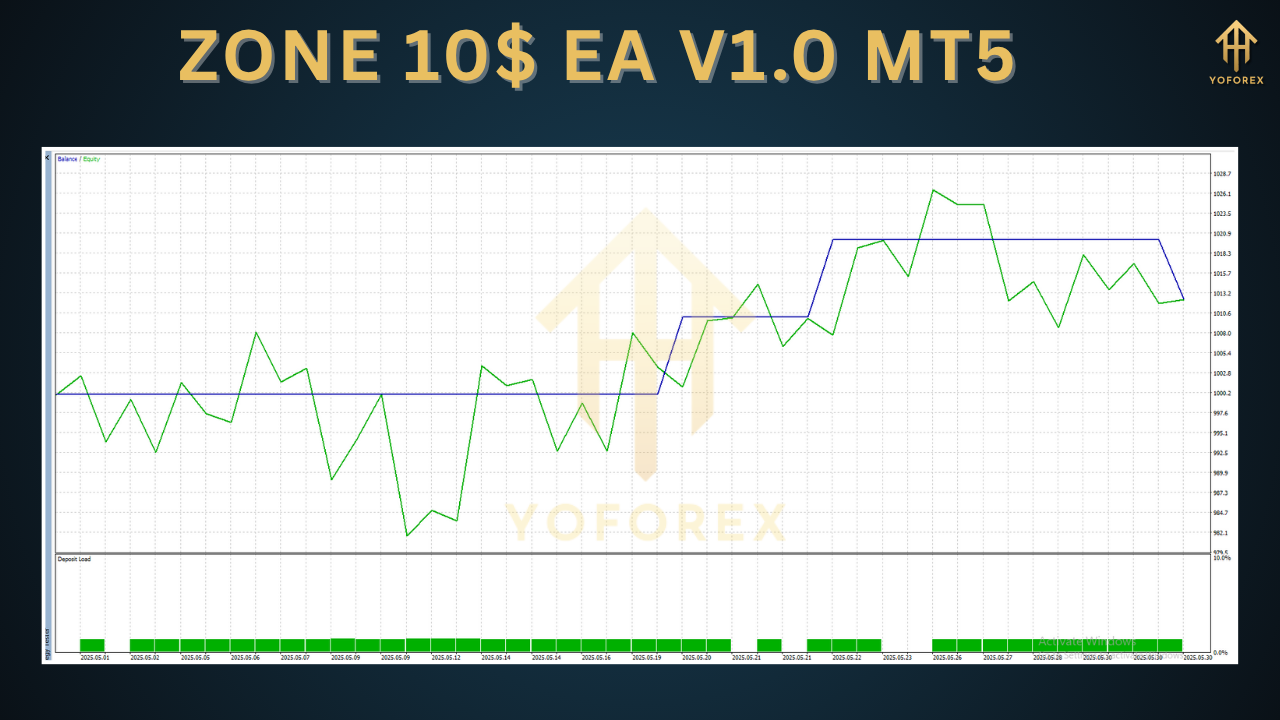
Those numbers speak for themselves—this free forex EA consistently turned small balances into respectable gains, all while keeping drawdown under control. In live-market trials on a $10 demo account, traders reported similar results: smooth equity curves, very few big losers, and steady compounding returns.
You don’t have to take our word for it tho—feel free to run your own backtests on your favorite pairs and settings. Just load ZONE 10$ EA V1.0 MT5 into Strategy Tester, select M5, set deposits to $10, and watch the equity curve climb.
How to Install & Configure
Getting ZONE 10$ EA V1.0 MT5 up and running is a breeze, even if you’re new to MT5:
- Download the EA: Grab the ZIP from https://yoforexea.com/zone-10-ea-v1-0-mt5
- Extract Files: Unzip to
MQL5/Experts/in your MT5 data folder. - Restart MetaTrader 5: So it recognizes the new EA.
- Attach to Chart: Open EURUSD M5 (or your chosen pair) and drag ZONE 10$ EA onto it.
- Set Inputs:
LotSizeMode:Auto
RiskPercent:2
MaxSpread:10
TradingHours:0–23
- Enable AutoTrading: Click the “AutoTrading” button in MT5 toolbar.
Once you hit OK, the EA kicks off its first scan and will start taking trades when conditions align. If you want to tweak it, just adjust the input fields—no MQL5 coding needed.
Why Choose YoForex-Powered Tools?
YoForex has been building reliable, transparent forex EAs for years, and ZONE 10$ EA V1.0 MT5 is the latest example of our commitment to giving traders free, professional-grade tools. Unlike other vendors who lock top features behind paywalls, we believe in open access—so you can test strategies, learn algo-trading basics, and grow your account without upfront costs. Plus, all our EAs get regular updates based on real-world feedback, so you’re always running the latest, most optimized version.
Support & Disclaimer
If you hit any snag setting up or spot a bug, ping us on WhatsApp at https://wa.me/+443300272265 or join our Telegram group https://t.me/yoforexrobot and one of our support engineers will help you out.
Disclaimer: Past performance doesn’t guarantee future profits. ZONE 10$ EA V1.0 MT5 was rigorously backtested, but live markets can be unpredictable. Always demo-test before going live, and never risk more than you can afford to lose.
Call to Action
Ready to see what automated trading can do for your forex journey? Download ZONE 10$ EA V1.0 MT5 for free at https://yoforexea.com/zone-10-ea-v1-0-mt5 and get it running in minutes. Whether you’re aiming to grow a micro-account or just experiment with algorithmic strategies, this EA has you covered. And remember—unlimited support is just a click away on WhatsApp or Telegram.






Comments
Leave a Comment