ZigZag Indicator by ChatGPT BT V1.0 (MQ4): A Clean Way To See Swings, Breakouts & Structure
If you’ve ever stared at a chart feeling like the highs and lows are just… everywhere, the ZigZag Indicator is your friend. ZigZag Indicator by ChatGPT BT V1.0 (MQ4) is a lightweight, no-nonsense add-on for MetaTrader 4 that helps you filter market noise and focus on the actual swing structure. It doesn’t try to predict the future or shoot thousands of signals at you. Instead, it draws clear swing points so you can do what good traders do—map structure, mark breakouts, draw Fibs, spot divergences, and plan entries with more confidence. Simple, tidy, and honestly quite underrated.
Below you’ll find a full overview, who it’s for, how it works, a couple of practical strategies, and the recommended way to set it up on MT4. I’ll also be blunt about the one thing ZigZag does that catches newbies off guard (spoiler: the latest leg can shift as new price data comes in). Let’s dive in.
Quick Specs
- Platform: MetaTrader 4 (MQ4)
- Version: ChatGPT BT V1.0
- Time Frames: M5, M15, M30, H1, H4 (works on M1 too, but use with care)
- Currency Pairs: Majors and gold preferred (EURUSD, GBPUSD, USDJPY, XAUUSD, etc.)
- Minimum / Recommended Deposit: $100 (for live testing with micro-lots; always start on demo)
- Core Use: Swing structure visualization, breakout mapping, Fibonacci anchoring, divergence spotting
- Repainting Note: By design, ZigZag can update the current swing until a new pivot is confirmed
What The ZigZag Indicator Actually Does
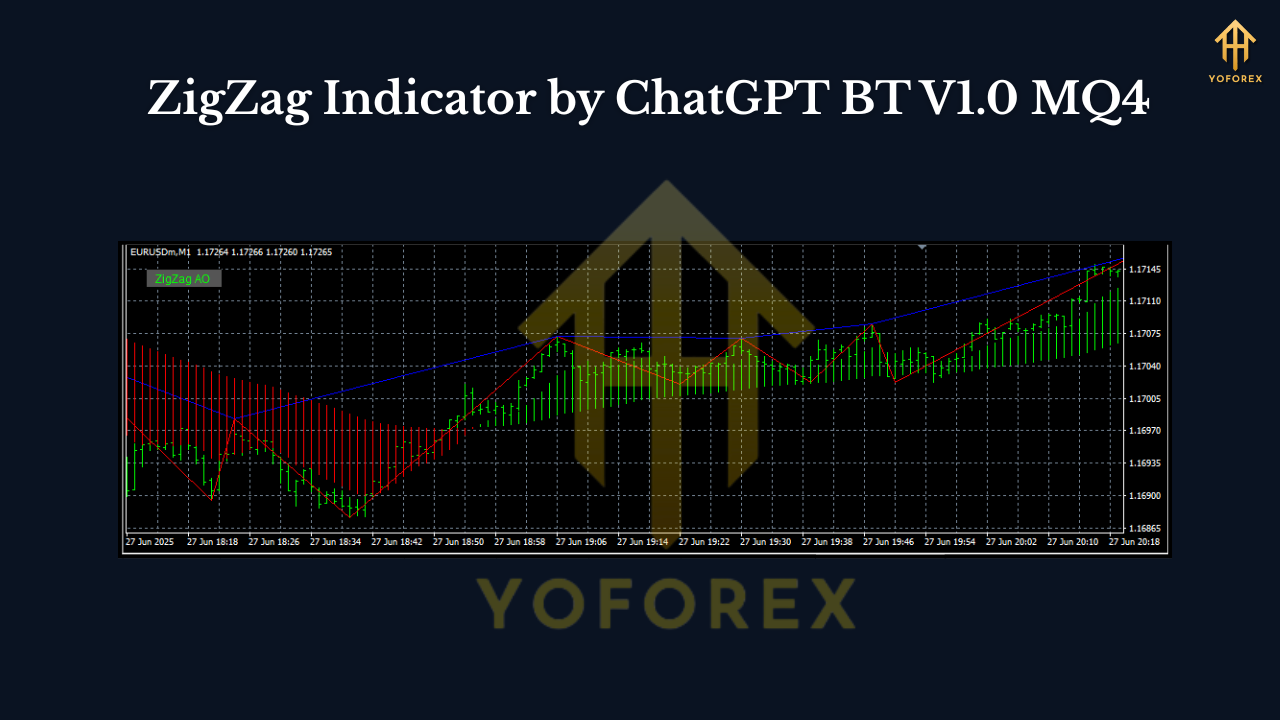
Most retail traders clutter charts with oscillators and bands, then wonder why everything looks contradictory. ZigZag strips the chart to its skeleton. It connects meaningful swing highs and lows and ignores tiny fluctuations that aren’t relevant for your plan. In practice, that means:
- You see market structure—higher highs, higher lows in uptrends; lower highs, lower lows in downtrends.
- You get clean anchor points for Fibonacci retracements/extensions.
- You can draw trendlines and supply/demand zones with more discipline.
- You’ll spot breakout areas (when price closes beyond a prior swing).
- Divergences with RSI/MACD are easier to validate because the swing points are clear.
The key: ZigZag is not a buy/sell arrow generator. It’s a clarity tool. It makes your chart readable, so your strategy has a solid foundation.
How ChatGPT BT V1.0 Approaches ZigZag
This version sticks to the classic, proven idea: filter noise by requiring a certain price change before a new swing is confirmed. Typical parameters (which you’ll find in many ZigZag implementations) include:
- Depth: Minimum bars between swings. Larger Depth = fewer, cleaner swings.
- Deviation: The minimum price change required (often in points) to form a pivot.
- Backstep: The minimum distance (in bars) between consecutive highs/lows to avoid clustering.
Pro move: Start with moderately conservative settings on H1 or H4 to feel the rhythm of the tool. Once you understand how often swings confirm, scale down to M15 or M5 and tighten parameters if you’re a short-term trader.
Time Frames & Currency Pairs (What Works Best)
- Intraday (M5–M15): Great for identifying intraday structure and breakout zones, especially on EURUSD and GBPUSD. Just remember that lower time frames confirm swings faster—but also “recalculate” faster.
- Swing (M30–H4): Ideal for cleaner, more reliable structure that’s less prone to whipsaw. XAUUSD (Gold) on H1/H4 is a favorite for many.
- Pairs: Start with majors (EURUSD, GBPUSD, USDJPY) and XAUUSD. These instruments have deep liquidity and steadier behavior, which suits ZigZag structure mapping. You can absolutely apply it to crosses and indices—just tailor your parameters.
The “Repainting” Truth (And Why It’s Not A Deal-Breaker)
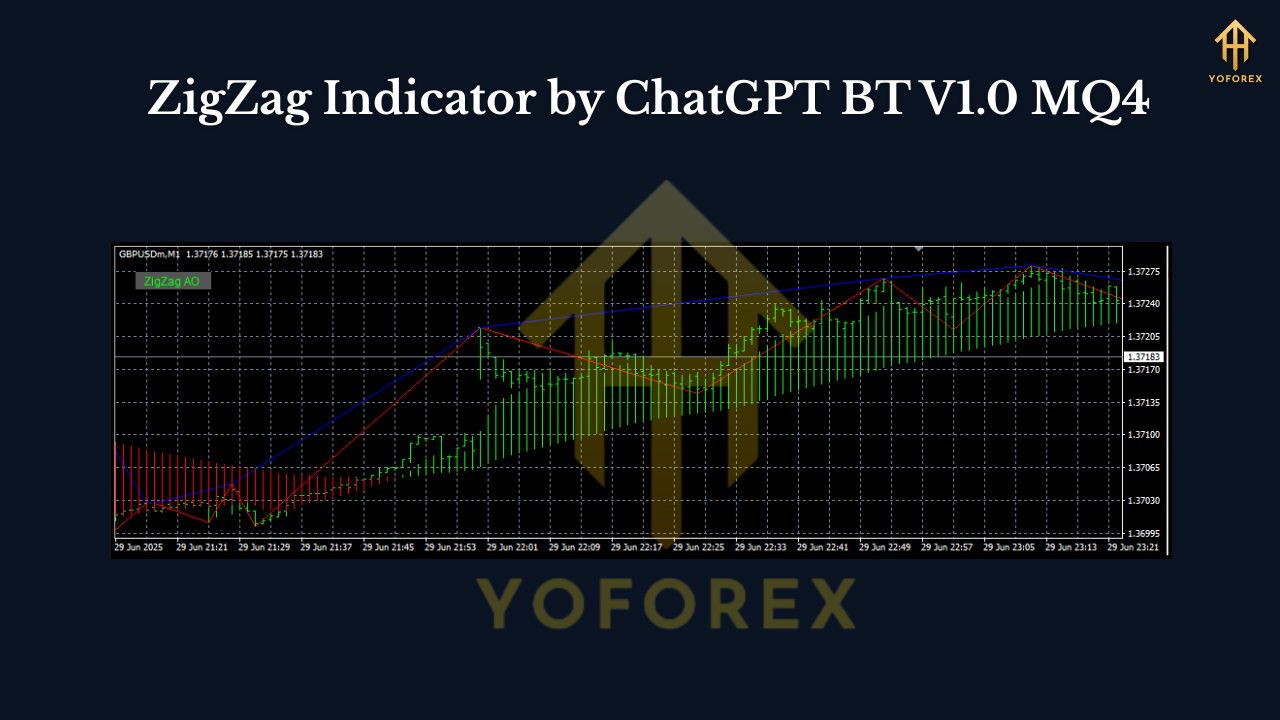
New traders sometimes panic: “The last line moved after a new candle formed!” That’s normal. ZigZag’s current leg is provisional until a pivot confirms. Once confirmed, prior swings don’t change. The trick is to build your plan around confirmed swings, not provisional ones. If you base entries on confirmed breaks of previous swing highs/lows, you’ll sidestep the repaint issue entirely.
Practical Strategies You Can Run Today
1) Structure Breakout Plan
- Mark the last confirmed swing high/low with a horizontal line.
- Trade the break and close beyond that line in the direction of the move.
- Stop-loss typically goes beyond the opposite swing.
- Target can be a measured move (distance of last swing) or a Fib extension (127.2%/161.8%).
This keeps things rule-based and avoids chasing provisional legs.
2) Fibonacci Pullback Plan
- Identify an impulsive ZigZag leg in trend direction.
- Pull a Fibonacci retracement from swing low to swing high (uptrend) or high to low (downtrend).
- Look for reaction around 38.2%–61.8% with a confirming candle.
- Stop beyond the swing; target recent high/low or 161.8% extension.
ZigZag makes these anchors effortless because your pivots are clean.
3) Divergence Confirmation
- Add RSI or MACD.
- Use ZigZag swing highs/lows to define exact points for divergence checks.
- If price makes a new high but RSI doesn’t (bearish divergence), prepare for a pullback or reversal setup.
- Combine with a trendline break for entry.
This avoids the “I think that’s a divergence?” guesswork.
Risk Management & Deposit Guidance
- Minimum / Recommended Deposit: $100 if you’re testing on a live micro account, but always begin on demo to avoid tuition fees to the market.
- Lot Sizing: Keep risk per trade under 1% (0.5% is even better while you learn).
- Drawdown Controls: If you take two losses in a row, step back. Review screenshots, journal your entries, and make sure you used confirmed swings.
- Broker & Costs: Favor low-spread accounts for intraday. On higher time frames, spread matters less, but precision still pays.
Installation (MT4) & First-Run Setup
- Download the MQ4 file for ZigZag Indicator by ChatGPT BT V1.0.
- Open MT4 → File → Open Data Folder → MQL4 → Indicators.
- Paste the MQ4 file into the Indicators folder.
- Restart MT4 or refresh the Navigator panel.
- Drag ZigZag by ChatGPT BT V1.0 onto your chart.
- In Inputs, start with balanced values (e.g., moderate Depth/Deviation).
- Save a template so you can apply the setup in one click next time.
Tip: Keep your chart clean. Add only what you actively use (one oscillator, one MA, etc.). Clutter kills clarity.
Parameter Tips (Dial In Your Edge)
- Depth: Begin mid-range. If swings feel too frequent, increase Depth.
- Deviation: Higher Deviation filters more noise. Intraday traders can start small; swing traders go larger.
- Backstep: Prevents back-to-back pivots forming too close together. Increase slightly if you see “stuttered” swings.
Remember: there’s no perfect setting for all pairs and time frames. The idea is to align ZigZag sensitivity with your holding period.
Who This Indicator Is (And Isn’t) For
Perfect for:
- Price-action traders who want a clean structure map.
- Fibonacci users seeking crisp anchor points.
- Breakout traders who rely on prior swing validation.
- Divergence traders who need exact swing references.
Not ideal for:
- Anyone wanting “set-and-forget” arrows.
- Traders who won’t accept that the current leg can shift before confirmation.
- Over-optimized “curve-fit every tick” mindsets.
Best Practices Checklist
- Use confirmed swing highs/lows for decisions.
- Mark breakout levels and wait for candle closes, not intra-bar impulses.
- Anchor Fibs only on confirmed pivots.
- Keep risk small; journal screenshots of every trade.
- Test on H1/H4 first; drop to M15/M5 once you’re fluent.
Final Thoughts
ZigZag Indicator by ChatGPT BT V1.0 (MQ4) won’t promise the moon—and that’s the point. It brings clarity to chaos, so you can execute a simple, rules-driven playbook: breakouts beyond confirmed swings, measured pullbacks to quality Fib zones, or divergence-backed rotations. Start on demo, keep risk tight, and let the market show you where the real structure lives. Trading gets easier when the chart finally makes sense.






Comments
Leave a Comment