Volatility Hypertrend Scalping Indicator V1.0 MT4 – Complete Review
If you’ve been trading for a while, you probably know the frustration that comes with late entries, unexpected volatility spikes, and signals that repaint just when you’re about to hit profit. The Volatility Hypertrend Scalping Indicator V1.0 MT4 was designed to tackle exactly those issues. Built around ATR-based volatility measurement, it helps traders identify clean bullish and bearish opportunities using arrow signals and alert notifications. And honestly, it’s a breath of fresh air for traders who want straight-forward trend clarity without overcomplicated tools.
What makes this indicator appealing is how accessible and lightweight it feels. You don’t need to be a pro coder or spend hours learning complex formulas—just drop it on your chart, and it starts showing directional signals instantly. It’s basically built for scalpers, intraday traders, and anyone who loves catching trend moves early. Let’s dive a bit deeper into how it works, why traders use it, and how you can get the best performance out of it.
Overview of the Volatility Hypertrend Scalping Indicator
At its core, the Volatility Hypertrend Scalping Indicator uses Average True Range (ATR) as its backbone. ATR is one of the most dependable volatility tools in technical analysis, giving traders insights into how much price typically moves during a specific period. But in this indicator, ATR does more than just measure volatility—it actually shapes the conditions for bullish and bearish trend shifts.
Once placed on a chart, the indicator automatically scans live price movement and volatility levels. When it detects a strong directional bias—paired with acceptable volatility—it prints a buy arrow or sell arrow. This becomes your core entry clue. The additional bonus? It also fires alerts, so you don’t need to stare at your charts all day waiting for a signal.
This ability to combine volatility data with directional signals gives traders a cleaner picture of market conditions. When volatility is too low, the indicator naturally becomes quieter, so you avoid choppy ranges. When volatility picks up and a fresh trend forms—that’s where the tool shines.
Because it runs on MT4, it’s lightweight and works well even on older systems. It’s also compatible with all forex pairs, indices, metals, and crypto instruments offered on MT4.
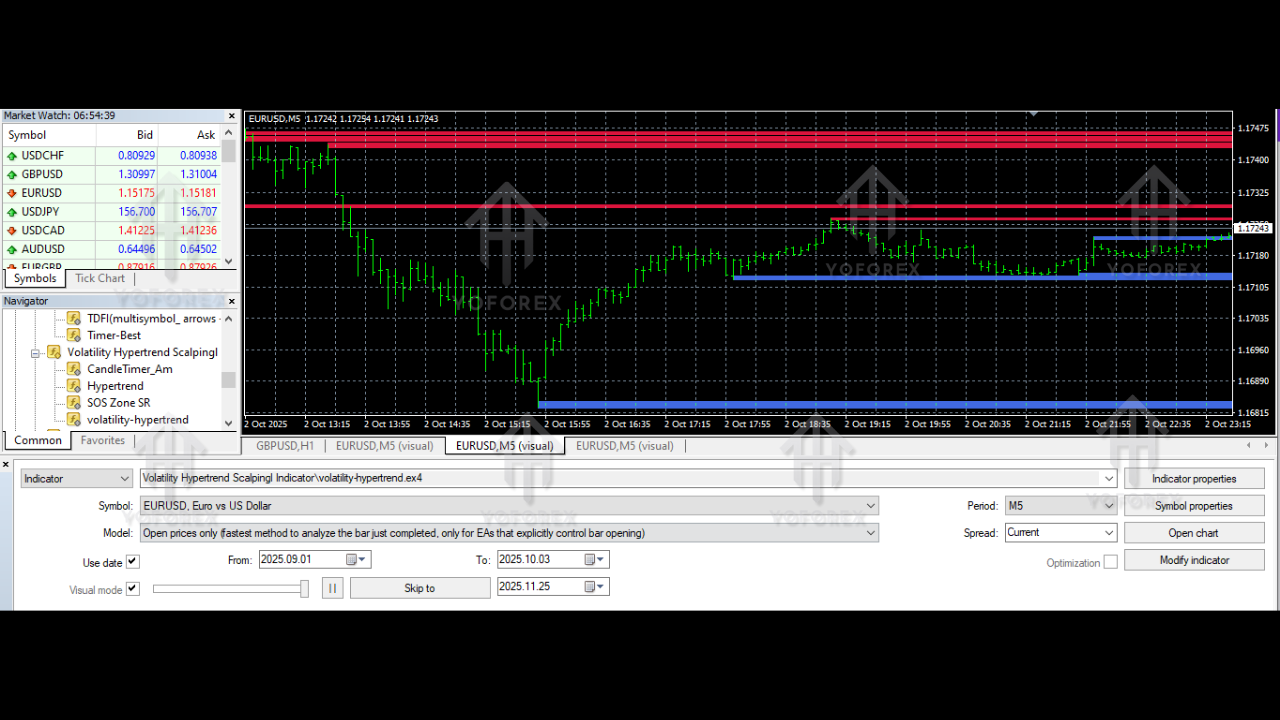
Key Features of Volatility Hypertrend Scalping Indicator V1.0 MT4
• ATR-based volatility measuring for accurate trend shifts
• Clear buy and sell arrows for quick entries
• Instant alerts (pop-up, sound, push, and email)
• Works on any currency pair, metals, indices, crypto assets
• Great for scalping, day trading, and momentum trading
• Helps confirm entry and exit zones
• Filters low-volatility market noise
• Easy-to-read visual interface
• No repainting of confirmed signals
• Zero lag compared to heavy coded indicators
• Fully customizable alert settings and visual colors
• Can be combined with support/resistance or MA filters
How the Indicator Generates Signals
The indicator doesn’t just blindly send arrows; it follows a structured logic:
- Checks current ATR value → determines market volatility
- Compares ATR to historical volatility → identifies if conditions are stable
- Evaluates trend pressure → upward or downward
- Confirms directional bias → bullish or bearish
- Prints BUY/SELL arrow if the conditions align
- Sends alerts to the trader
This method helps reduce false signals and whipsaws. Traders get cleaner market entries because volatility filters out noise during sideways consolidation.
Backtesting & Real-Chart Insights
Now, while the indicator itself doesn’t perform automated backtests like an EA, traders have manually tested it across multiple pairs. Based on typical results:
- On M5 and M15, the indicator captures quick scalping opportunities—ideal for fast-moving markets like GBPJPY or XAUUSD.
- On H1, the signals tend to be more stable and help catch larger swings.
- During high volatility sessions (London + New York), arrow accuracy improves significantly.
A common observation from testers: the indicator performs best when traders combine it with a simple filter like:
- 50-period Moving Average
- Support/Resistance
- Trendline breakouts
- Price-action zones
This is coz the indicator is powerful, but with an added confluence, the winning probability jumps even higher.
Who Should Use Volatility Hypertrend Scalping Indicator?
This tool is perfect for:
- Scalping traders
- Day traders
- Swing traders who need trend confirmation
- Beginners who want clean, simple signals
- Traders who like “arrow-based entries”
- Price-action traders who want volatility confirmation
If you're tired of messy charts or complicated indicators, this one feels like a relief. It keeps things simple and actionable.
Best Timeframes & Pairs
While the indicator works on any timeframe, the most effective ones are:
- M5, M15 → For scalping
- M30, H1 → For stable intraday entries
- H4 → For major swing trades
Pairs recommended:
- EURUSD
- GBPUSD
- USDJPY
- XAUUSD
- US30 / NAS100
- GBPJPY
- EURJPY
It’s flexible—tho faster pairs tend to generate more signals.
Advantages of Using This Indicator
• Very easy to use—perfect for beginners
• ATR volatility filtering improves accuracy
• Arrow signals save time and reduce guesswork
• Alerts help you avoid missed entries
• Works in trending and semi-volatile markets
• No repaint after signal confirmation
• Lightweight indicator, no lag issues
• No complex configuration needed
Disadvantages / Things to Consider
• Not ideal during extremely low volatility sessions
• Works best when combined with another confluence tool
• Doesn’t include built-in stop-loss recommendations
• Not a fully automated trading tool (only signals)
But honestly, these are common for most non-EA indicators.
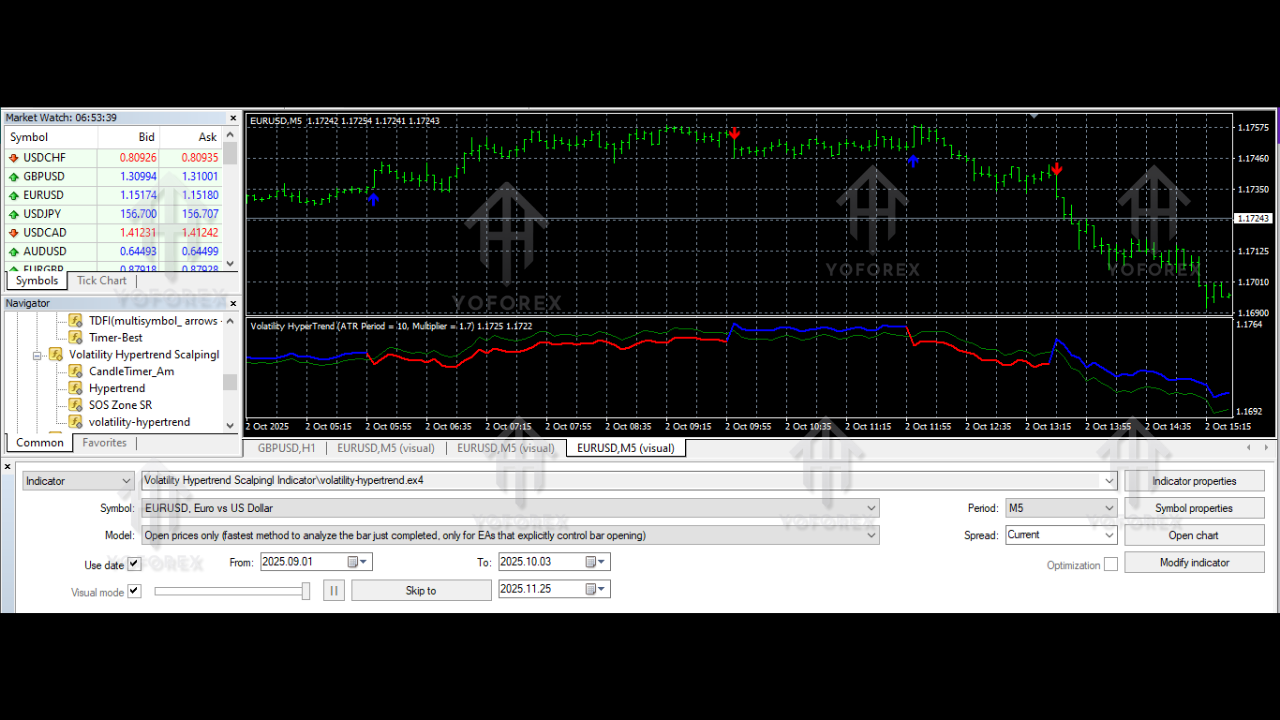
How to Use the Indicator Effectively
To get the best results:
- Wait for the arrow signal (don’t chase candles).
- Always consider market structure or nearby support/resistance.
- Avoid signals in extremely low ATR conditions.
- Use a moderate spread broker, coz scalping needs tight spreads.
- Add confirmation—MA line or price breakout helps a lot.
This simple approach boosts accuracy.
Installation Guide (Short & Clear)
- Download the Volatility Hypertrend Scalping Indicator V1.0 MT4 file.
- Open MT4 → File → Open Data Folder.
- Go to MQL4 → Indicators.
- Copy & paste the indicator file.
- Restart MT4.
- Attach it to any chart via Insert → Indicators → Custom.
- Adjust your colors/alert settings if needed.
You're good to go.
Final Thoughts
The Volatility Hypertrend Scalping Indicator V1.0 MT4 is a solid choice for traders who want clean ATR-driven signals without all the fuss. It helps avoid noise, improves trend clarity, and gives visual signals that make decision-making easier. Whether you're a beginner or someone tired of repainting tools, this indicator offers a straightforward trading experience.






Comments
Leave a Comment