
Vigorous EA V3.40 MT4 — Lightning-Fast M1 Scalper for FX, Gold & BTC
If you’ve been hunting for a fast, disciplined scalper that can actually work across majors, yen crosses, gold, and even crypto, Vigorous EA V3.40 MT4 is squarely in that lane. It’s built for the M1 timeframe—where speed, spreads, and execution quality decide whether you collect a handful of small wins… or death-by-a-thousand-paper-cuts. Vigorous EA takes a rules-first approach: a trend+momentum bias to avoid random noise, precise pullback entries to “buy the dip/sell the pop,” and strict risk control to keep losses small. The result is a compact, no-nonsense robot you can run on popular FX pairs (EURUSD, GBPUSD, USDJPY, etc.), metals like XAUUSD, and BTCUSD on brokers offering crypto symbols in MT4.
This guide breaks down how Vigorous EA V3.40 operates, its key features, recommended settings, and best-practice steps for installation, testing, and live go-live. No hype, no fuzzy promises—just a practical workflow for traders who want a clean M1 execution machine.
What Vigorous EA Is Designed To Do (Overview)
Vigorous EA V3.40 is a short-term scalping expert advisor for MetaTrader 4. On the M1 chart, it looks for micro-pullbacks in the direction of intraday momentum. The idea is to aim for frequent, smaller trades rather than occasional home runs. For this to work, the EA leans on:
- A trend filter (e.g., moving average bias) so you’re not trading against the higher-probability side of the tape.
- A momentum confirmation (e.g., a fast oscillator or candle-structure impulse) to ensure the market is actually moving, not sleepwalking.
- Pullback entry rules to avoid chasing and to buy/sell closer to value, improving average R:R on M1.
It’s deliberately lightweight, so it can hop between CADJPY, EURUSD, GBPUSD, GBPCHF, USDCAD, USDJPY, then extend to XAUUSD and BTCUSD where the tick flow is different but the principles still hold. Because it’s running on M1, execution and spreads matter—an ECN-style account and VPS with <10–20 ms latency will usually make the difference between average and excellent fills.
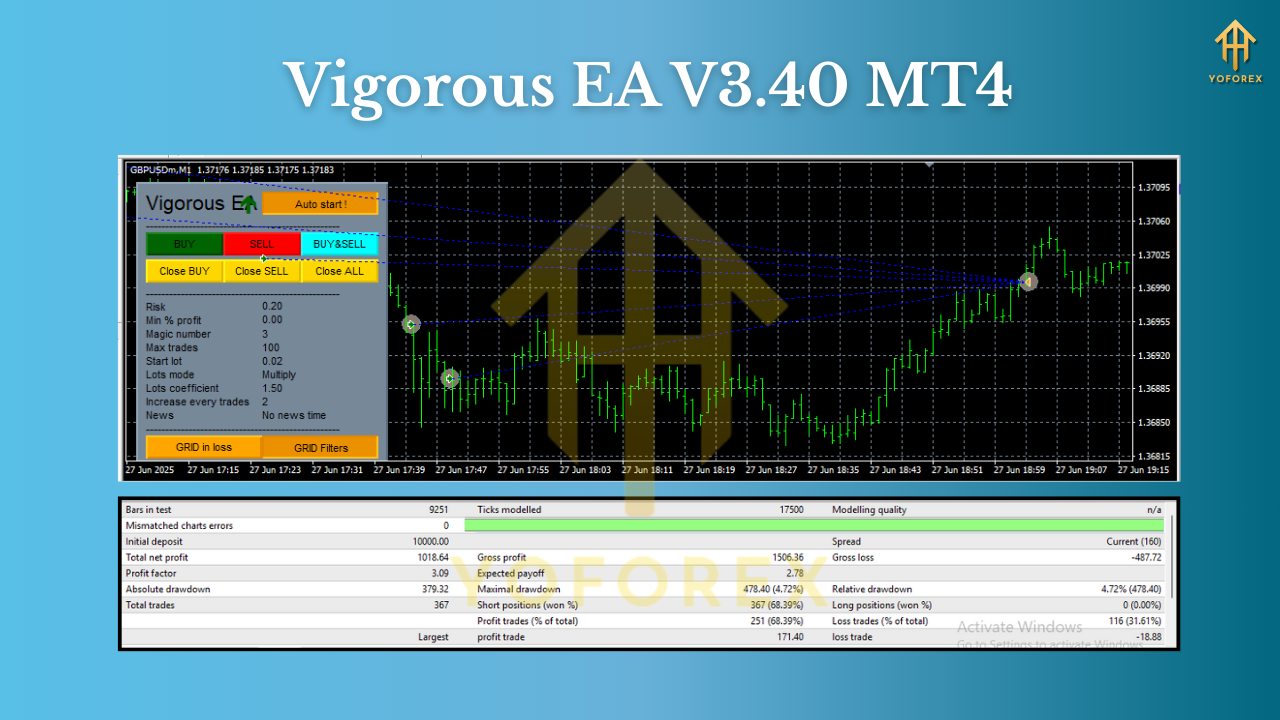
Why M1?
M1 gives abundant opportunities in London and New York sessions when spreads are tight and liquidity is strong. The trade-off is that noise is brutal; the EA’s filters exist specifically to avoid “random clicks” in chop. Expect lots of small trades, tight stops, and quick exits.
Key Features
- M1-optimized scalper with trend+momentum bias and precise pullback logic.
- Multi-asset coverage: majors and crosses (EURUSD, GBPUSD, USDJPY, CADJPY, GBPCHF, USDCAD), Gold (XAUUSD), and BTCUSD on supported MT4 brokers.
- Strict risk controls: ATR-aware stop placement, optional equity protector, and max spread filter to avoid trading when costs spike.
- No martingale, no grid by default: focus stays on single-shot entries with risk defined upfront.
- Session filter: prioritize London and New York sessions; avoid rollover and low-liquidity gaps.
- News-aware option: pause around high-impact releases if your setup includes a news filter (recommended on M1).
- Slippage control: ignore signals if slippage exceeds a threshold, protecting entries during spikes.
- Order management: break-even shift and optional trailing stop after a defined partial profit.
- Broker-agnostic configuration: works with 4/5-digit FX quotes and common symbol suffixes/prefixes.
- Prop-firm friendly guidelines: equity protection and max daily loss gates can be configured to align with common prop rules.
How It Trades (Under the Hood)
- Trend Filter: A short/medium moving-average slope defines bias. Only longs when price is above and slope up; only shorts when below and slope down.
- Momentum Check: A fast impulse or candle-range expansion confirms there’s actual flow (not random chops).
- Pullback Entry: The EA waits for a small counter-move into a micro demand/supply pocket, then triggers with tight initial stops.
- Risk & Exit: Stop is ATR-scaled (pair-aware), targets are modest (scalper-style), and a trailing- or break-even shift locks gains if momentum continues.
For Gold & BTC: Volatility is larger; the EA uses a volatility factor so stops aren’t comically tight. You’ll typically run a slightly lower risk per trade and a stricter max spread.
Recommended Settings & Environment
- Account Type: ECN/RAW spread preferred.
- Leverage: Use what your broker provides, but size risk by % (not by leverage).
- Risk Per Trade: 0.25%–1.0% per position is a reasonable starting band on M1. For XAUUSD and BTCUSD, skew to the lower end.
- VPS: Yes. Target <20 ms to your broker’s server.
- Max Spread Filter: Turn it on. Tune per symbol (e.g., <1.0–1.5 pips on EURUSD during London/NY; pair-dependent).
- Trading Hours: London+NY sessions; block rollover (typically 23:55–00:10 broker time) to avoid spread spikes.
- News Filter: If available in your bundle, pause 5–10 minutes before/after high-impact events on related currencies.
- Symbols:
- FX: CADJPY, EURUSD, GBPUSD, GBPCHF, USDCAD, USDJPY (M1)
- Metals: XAUUSD (M1; reduce risk)
- Crypto: BTCUSD (M1; consider weekend liquidity and broker policies)
- Lot Sizing: Use percent-risk or a conservative fixed lot. Avoid aggressive scaling while you’re learning the EA’s rhythm.
Backtesting & Forward-Testing Tips
Backtests on M1 are only as good as the data. For realistic results:
- Use high-quality tick data (99% modeling quality), include variable spreads, and slippage simulation.
- Test London and New York hours separately—many scalpers do most of their edge there.
- Run multi-symbol portfolios (e.g., EURUSD + USDJPY + XAUUSD) and cap overall risk per time block.
- Validate in forward demo first, then go small-live. It’s not just about P/L; you’re checking execution, VPS, and broker behavior.
Remember: Even good scalpers have flat or choppy weeks when ranges compress or news whipsaws price. Edge shows up over a sequence of trades, not a day.
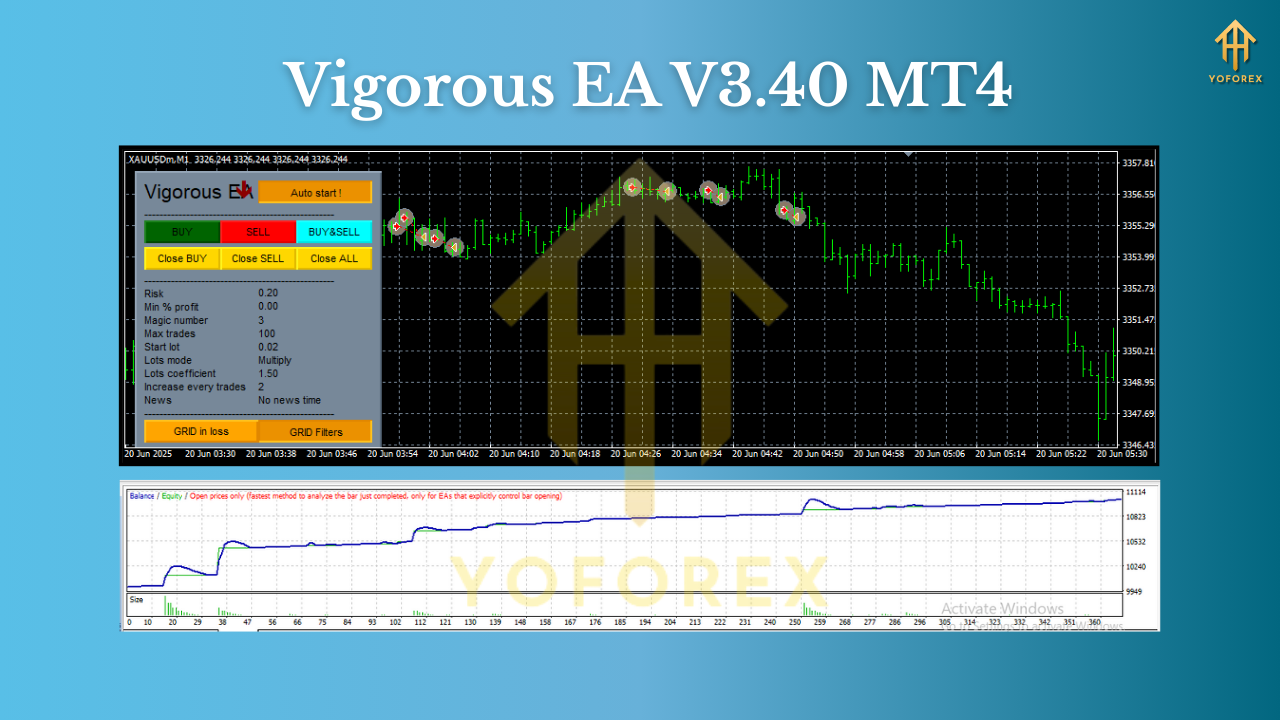
Installation & Setup (MT4)
- Add the EA: Open MT4 →
File→Open Data Folder→MQL4→Experts→ copyVigorous_EA_V3.40.ex4here. - Restart MT4 and ensure AutoTrading is enabled (green).
- Open charts for your chosen pairs on M1.
- Attach the EA to each chart; in the Inputs tab, set risk percent, max spread, session filter, and news pause (if available).
- Allow DLL imports if required by your news/spread components.
- Journal/Experts tabs: Check for any errors (symbol suffix, lotsize, or permission issues).
- Run on Demo first to confirm entries/exits, then roll to small live if satisfied.
Risk Management & Portfolio Building
On M1, the edge is consistency plus discipline:
- Cap total exposure. If you’re trading multiple pairs, set a max concurrent trades limit or a max total risk across symbols.
- Daily loss stop. When hit, the EA stops trading until the next session; this protects you from tilt and from outlier days.
- Symbol-specific rules. For XAUUSD and BTCUSD, use stricter spread/volatility filters; reduce risk per trade.
- Keep it boring. Consistent small wins > occasional big hits. Let compounding do the heavy lifting.
Who Is Vigorous EA For?
- Intraday scalpers wanting disciplined M1 entries with defined risk.
- Portfolio EA users who combine multiple low-correlated symbols with conservative sizing.
- Prop-firm aspirants who need equity protection and session discipline.
- Traders with good infrastructure (low spreads, fast VPS) who know execution is half the game.
Final Notes & Disclaimer
Vigorous EA V3.40 MT4 is a tool, not a magic wand. Results vary by broker, latency, symbol, hours, and how you size risk. Always forward-test in demo, then start small in live. No EA wins every day; the goal is repeatable, controlled decision-making that lets you compound without blowing up.
Join our Telegram for the latest updates and support






Comments
Leave a Comment