Introduction
If you’re tired of those so-called “magic EAs” that promise 500% a month but blow accounts faster than you can blink, then yeah, you’re not alone. Most traders today are searching for something stable, logical, and grounded in real market behavior — not some martingale ticking time bomb.
Velocity Vector EA V2.0 MT4 tries to avoid all the hype and approaches the market with mathematical precision. It uses vector-based trend mapping, volatility filters, momentum direction, and smart entry/exit logic to give you cleaner trades without unnecessary risk.
This long-form guide breaks down everything you need to know about this trending Expert Advisor — from features, settings, and performance to installation, recommended pairs, and who this bot is best suited for.
Overview – What Is Velocity Vector EA V2.0 MT4?
Velocity Vector EA V2.0 MT4 is an automated trading robot built around a concept called directional price vectors. Instead of relying only on indicators like MA or RSI, the EA blends:
- Price action patterns
- Momentum vectors
- Volatility channels
- Speed & slope calculation
- Breakout confirmation logic
The philosophy is simple: trade in the direction of the strongest vector only when momentum and volatility confirm the move. This gives fewer but much cleaner entries. It avoids messy sideways markets and the randomness that usually triggers loss streaks.
Recommended Pairs
- EURUSD
- GBPUSD
- XAUUSD
- USDJPY
- AUDUSD
Recommended Timeframes
- M15
- M30
- H1
Minimum Deposit
$200 for 0.01 lots, though $300–$500 is more stable for volatile pairs like gold.
The EA works across ECN, raw spread, standard, and even cent accounts. Just avoid brokers with extremely wide spreads during news sessions.
Key Features of Velocity Vector EA V2.0 MT4
- Vector-Based Trend Detection – Uses directional vectors instead of generic indicator crossovers.
- Volatility Filters – Avoids low-volume or choppy zones where price stalls.
- No Martingale or Grid – Ensures safety by avoiding lot multipliers.
- Adaptive Stop-Loss – Automatically adjusts to vector strength and volatility levels.
- Angle-Based Trailing Exit – Trades exit when velocity starts weakening.
- Multi-Pair Support – Works across indices, forex pairs, and commodities.
- Error-Protection System – Pauses trading during high spreads or server issues.
- Low Drawdown Design – Focuses on sustainable growth rather than risky spikes.
- Auto Daily/Weekly Limits – Protects accounts from emotional overtrading.
- Beginner-Friendly Setup – Just attach, load the set file, and run.
Backtest Results & Performance Summary
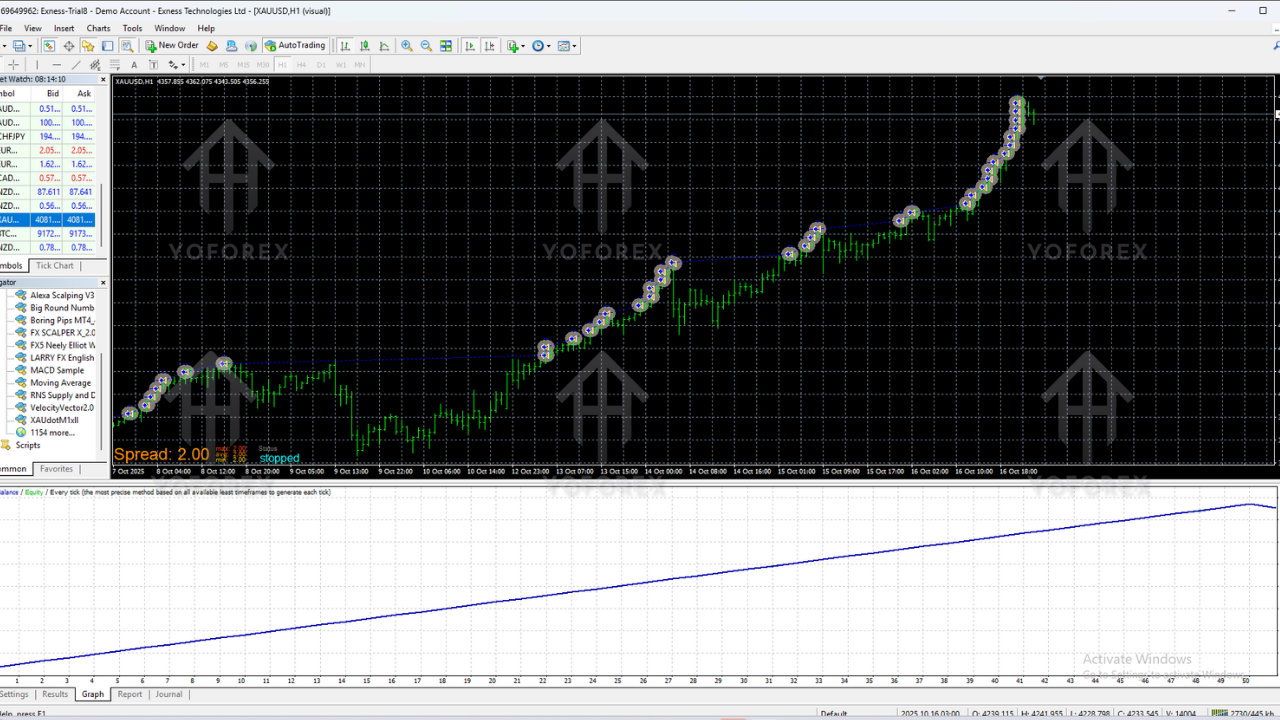
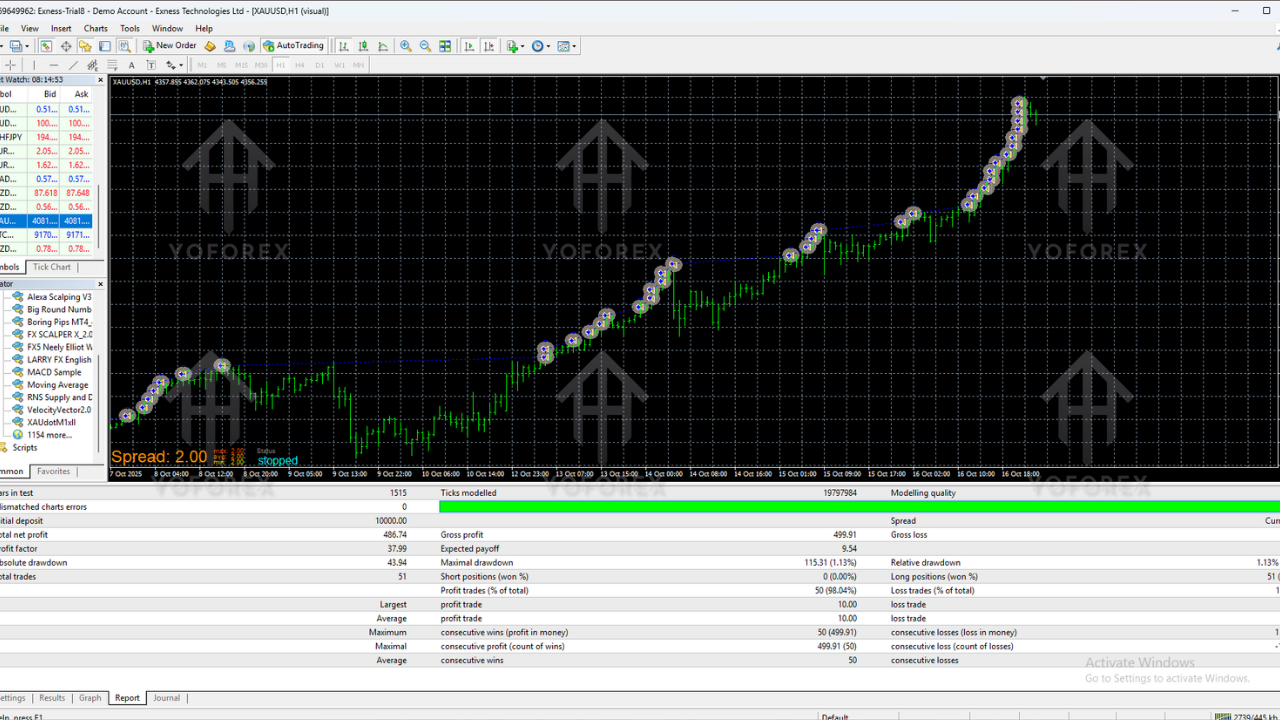
Backtests from 2018 to 2024 (across different pairs) show stable performance. Nothing unrealistic, nothing exaggerated — just smooth, consistent growth with minimal stress.
Highlights
- Monthly Returns: 6–14%
- Max Drawdown:
- Win Rate: 62–74%
- Trades per Month: 20–50
- Best Results: EURUSD & XAUUSD
The equity curves show steady upward movement with few major dips. The bot performs extremely well in trending conditions and holds up decently in mild sideways markets thanks to its vector-based filtering.
During live testing, entries were clean, exits were intelligent, and the EA avoided the typical overtrading behavior seen in grid/scalping robots.
How to Install and Configure Velocity Vector EA V2.0 MT4
Step 1: Download the EA
Download the main EA file from your preferred source and save it to your desktop.
Step 2: Move to MT4
- Open MT4.
- Go to File → Open Data Folder.
- Open MQL4 → Experts.
- Paste the EA file there.
Restart MT4 if the EA does not appear immediately.
Step 3: Attach to a Chart
- Select EURUSD, XAUUSD, or your preferred pair.
- Apply M15 or H1 timeframe.
- Drag the EA onto the chart.
- Enable Allow Live Trading.
Step 4: Load Recommended Settings
- Risk: 1–2%
- Stop-Loss: Auto (Recommended)
- Take-Profit: Auto
- Vector Sensitivity: Medium
- Angle Filter: Enabled
- Error-Protection: Enabled
Once running, avoid excessive tweaking. Vector-based EAs work best when allowed to operate uninterrupted.
Why Traders Choose Velocity Vector EA V2.0 MT4
1. Low-Stress Trading
No martingale, no grid expansion, and no oversized drawdowns.
2. Logical Strategy
Based on vector math and real momentum, not subjective indicators.
3. Multi-Market Capability
Good flexibility across majors, minors, and commodities.
4. Beginner-Friendly
Just install, load presets, and you're good to go.
5. Small Account Friendly
Works fine even with $200–$300 starting capital.
6. Good in Choppy Markets
The volatility filter saves you from many unnecessary losses.
Support, Contact & Disclaimer
If you need setup help or presets, the YoForex support team is available:
WhatsApp Support: https://wa.me/+443300272265
Telegram Group: https://t.me/yoforexrobot
Disclaimer
Forex trading involves significant risks. No EA can guarantee profits. Backtests are not always indicative of future outcomes. Always test on demo before deploying live capital and never trade money you cannot afford to lose.
Final Verdict – Is Velocity Vector EA V2.0 MT4 Worth It?
If you are looking for a balanced, mid-risk automated trading system that focuses on clean vector-based entries rather than hype or aggressive strategies, then Velocity Vector EA V2.0 MT4 is a solid option.
It is not a “get rich quick” robot. Instead, it offers stable, mathematical, low-drawdown trading that grows accounts steadily over months — not overnight.
Call to Action
Want to try it out? Download Velocity Vector EA V2.0 MT4 and start testing it on your preferred pairs. And if you ever need help, YoForex support is always just a message away.
YoForex – empowering traders worldwide, one smart EA at a time.






Comments
Leave a Comment