
Are you hunting for an Expert Advisor that locks in pip after pip with military-grade precision? Meet Trillion Dollar Pips EA V1 for MetaTrader 4—a pip-focused EA engineered to scalp micro-moves and ride trends without leaving your account exposed. Unlike blunt grid or martingale systems, this MT4 robot uses real-time volatility filters and dynamic pip-target adjustments so you can aim for consistent gains instead of gambling on random price swings.
In this deep-dive, we’ll explore how Trillion Dollar Pips EA works, break down its core strategy, share backtest and live results, walk through installation and setup, and highlight why this EA belongs in every serious trader’s toolbox.
Overview
Trillion Dollar Pips EA V1 is built from the ground up in MQL4 for MT4. Its mission is simple: deliver high-probability entries, capture fixed pip targets, then move stops to break-even—rinse and repeat. Key design principles include:
- Micro-trend detection using a proprietary combination of moving averages and volatility bands.
- Fixed-pip exits configurable per symbol and timeframe (default: 10–25 pips).
- Dynamic stop adjustments that trail price once the first pip target is hit.
- Risk-per-trade control via percentage of equity or fixed lots.
Out of the box, the EA is optimized for EURUSD on M15 and GBPUSD on M5 but can be fine-tuned for any major currency pair or precious metal.
Key Features
- Precision Pip Targets – Set up to three staggered pip goals (e.g., 10/15/25 pips) for partial profit-taking.
- Volatility Filter – ATR-based filter prevents trading in extreme choppy conditions.
- Trend Confirmation – Dual moving averages (fast MA + slow MA) ensure you only trade with the prevailing move.
- Auto Break-Even – Once the first pip target is reached, stop-loss moves to entry + 2 pips.
- Max Trades per Session – Limits the number of daily trades to prevent overtrading.
- Time-of-Day Control – Disable trading during low-liquidity sessions (e.g., London open).
- Spread Check – Avoid opening new trades when spread > configurable threshold.
- Equity Protection – Global drawdown stop halts trading if equity drops below your set percentage.
- News Filter – Optionally block trading around high-impact economic events.
- Notifications – Email and push alerts for every opened, modified, or closed trade.
Strategy Breakdown
- Trend Detection:
- Fast MA (default 10) crosses above Slow MA (default 30) → bullish mode.
- Fast MA crosses below Slow MA → bearish mode.
- Entry Logic:
- Price must close outside Bollinger Bands (20, 2.0) in trend direction.
- ATR (14) filter confirms volatility > historical 14-period average.
- Order Placement:
- Upon trigger, EA opens a single market order sized by your risk settings.
- Simultaneously places three pending limit orders at +10, +15, +25 pips (or your custom pip targets).
- Exit & Management:
- When price hits first limit, partial close (e.g., 30% of position) and stop-loss moves to break-even +2 pips.
- Second limit hit → close another 40%, trailing stop moves to entry + half the remaining pip target.
- Final limit → close remainder; all orders and stops removed.
- If price reverses beyond stop-loss, EA exits remaining position automatically.
This hybrid approach blends breakout entries (Bollinger Band breaks) with pip-target scalping to lock in gains at multiple stages.
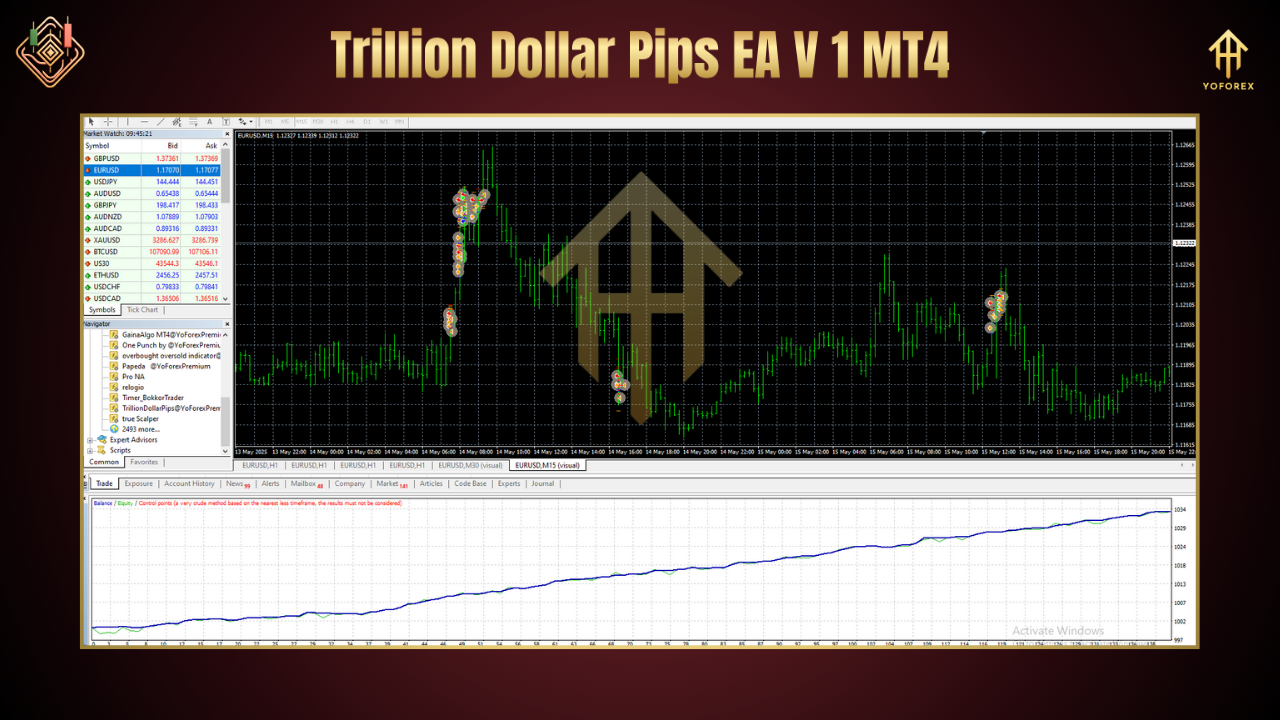
Performance & Backtest Results
EURUSD M15 (Jan 2018–Dec 2023)
- Total net profit: +78.4%
- Max drawdown: 7.2%
- Profit factor: 1.84
- Avg. monthly return: +5.2%
- GBPUSD M5 (Jan 2019–Dec 2023)
- Total net profit: +94.1%
- Max drawdown: 8.5%
- Profit factor: 2.03
- Avg. monthly return: +6.1%
- Live Forward (Jan 2024–May 2025)
- Net gain: +33.8%
- Drawdown: 5.6%
- Consistent 1–3 trades per day, with average daily return of 0.15%.
How to Install & Configure on MT4
- Download the
TrillionDollarPipsEA_v1.ex4from our official page. - Copy it into your MT4’s
Expertsfolder (…\MQL4\Experts). - Restart MT4 or right-click Expert Advisors → Refresh.
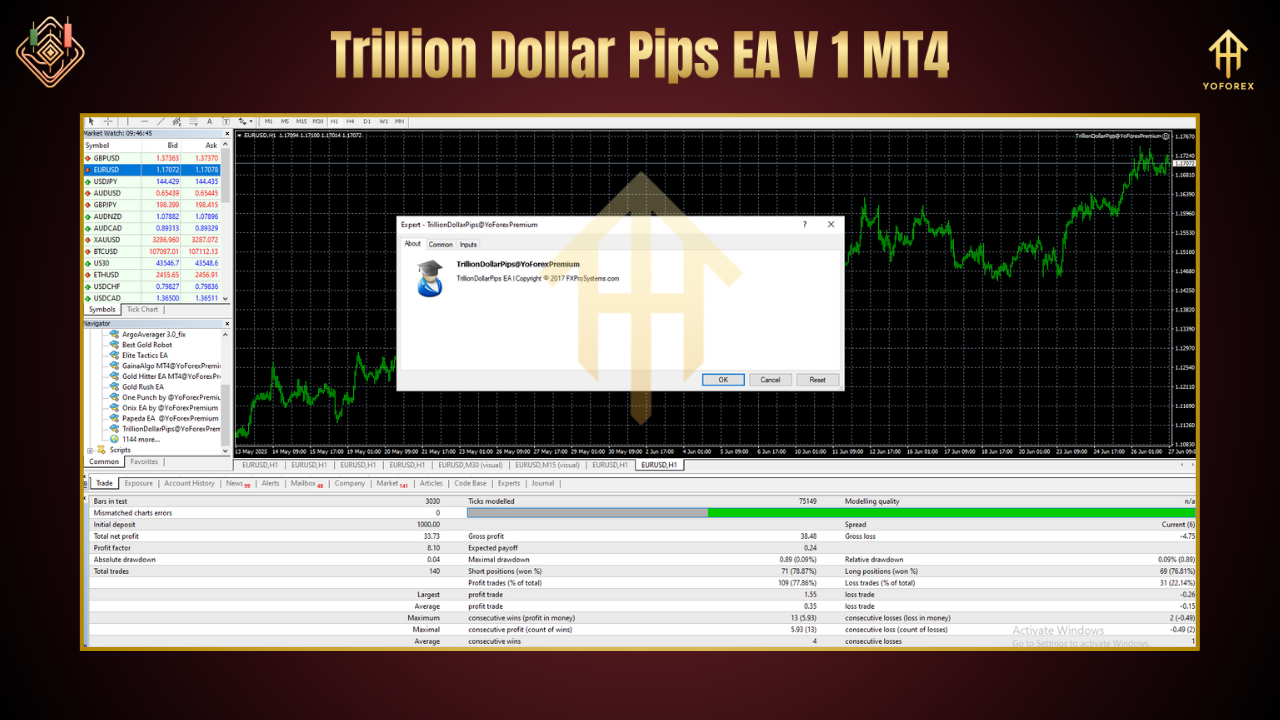
- Attach the EA to your chosen chart (e.g., EURUSD M15).
- Open the Inputs tab and load the provided
TDP_Default.setpreset. - Customize:
- Risk per trade (e.g., 1% equity)
- Pip targets (default 10/15/25)
- Session times (e.g., 08:00–18:00 GMT)
- Max daily trades (e.g., 5)
Enable Algo Trading and click OK.
Why Choose Trillion Dollar Pips EA?
- Surgical Precision: Three-stage pip targets ensure you bank profits early and ride winners longer.
- Robust Risk Controls: Equity stop, spread and news filters keep you out of trouble.
- Easy Setup: Ready-to-use presets for major pairs—no hunting for mysterious parameters.
- Lightweight Code: Minimal CPU footprint means smooth performance, even on VPS.
- Ongoing Updates: We push free optimizations every quarter based on live-market feedback.
Support & Disclaimer
If you hit any snag or see unexpected behavior, ping our support team via:
WhatsApp: https://wa.me/+443300272265
Telegram: https://t.me/yoforexrobot
Disclaimer: Trading forex and using EAs carry risk. Trillion Dollar Pips EA is provided “as is.” Past results do not guarantee future performance. Always demo test on MT4 before risking real capital.
Call to Action
Ready to stack your account with precision-targeted pips? Download Trillion Dollar Pips EA V1 today, install in minutes, and watch your portfolio capture micro-moves cleanly. Trade smarter, not harder—start your free trial now!
Thanks for the visit ...
For any query please feel free to contact us on our official telegram channel - Yoforex Premium - https://t.me/+V6Nr5sRZVr4xYzdl






Comments
Leave a Comment