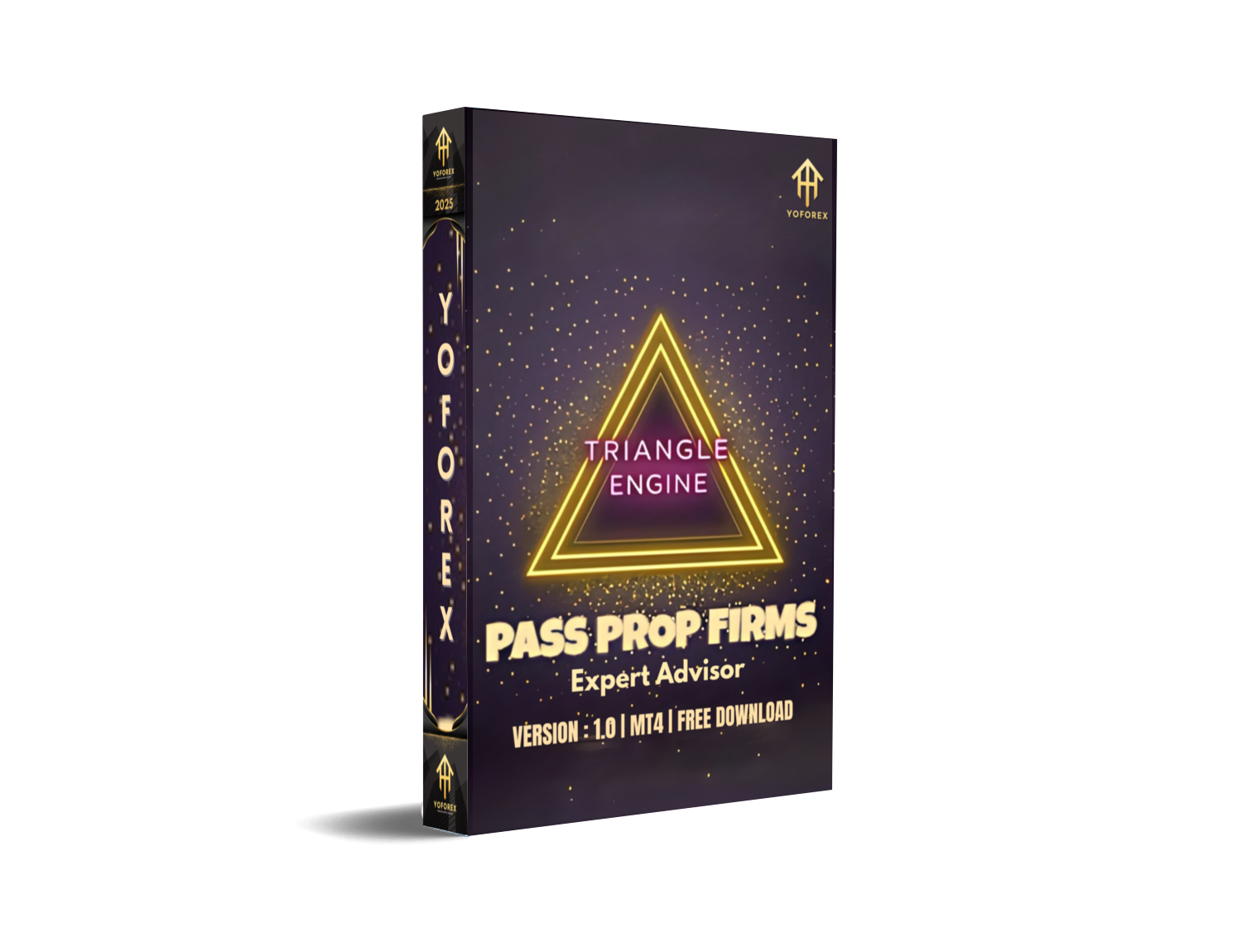
Are you tired of shiny backtests that crumble in live trading? Fed up with EAs that look great on paper but drain your account when real money’s on the line? Enter Triangle Engine EA V1.0 MT4, designed specifically to bridge that gap. With a minimum capital requirement of only $150, this MT4 expert advisor is built to tackle the unique quirks of the AUDCAD pair—exploiting volatility shifts, trend reversals, and historical price inefficiencies in real time. No more guesswork, no more manual chart-watching—just pure, algorithmic efficiency to help you grow your trading capital in a simple, accessible way.
What Is Triangle Engine EA?
Triangle Engine EA is an advanced algorithmic trading system meticulously crafted for AUDCAD. It doesn’t rely on a single indicator; instead, it fuses multiple strategies—volatility filters, momentum detection, and pattern analysis—to create a three-pronged approach to market entry and exit signals. Unlike many EAs that jam every possible currency pair into one codebase, Triangle Engine keeps its focus laser-sharp, optimizing parameters specifically for AUDCAD’s behavior. The result? A nimble, robust EA that adapts to changing market rhythms and minimizes drawdown without sacrificing profit potential.
How It Works
- Real-Time Volatility Analysis: Continuously measures ATR and Bollinger Band expansion to gauge entry zones.
- Trend Confirmation: Uses EMA crossovers combined with momentum oscillators (RSI & MACD) for precise entry timing.
- Adaptive Risk Management: Dynamically adjusts lot size based on balance and user-defined risk percentage, with daily caps.
Key Features
- Minimal Capital Requirement: Start with just $150—ideal for micro-accounts.
- AUDCAD Specialization: Tailored to one pair for optimized performance.
- Any Timeframe: Works on M1 through MN, so you can choose your trading style.
- No Martingale, No Grid: Smart exits over reckless averaging.
- Dynamic Lot Sizing: Automatic position sizing based on account equity.
- Customizable Risk Settings: Set your preferred risk per trade (e.g., 1–2% of balance).
- Session Filtering: Trades only during high-liquidity London & New York overlaps.
- News Filter: Optional suppression around major economic releases.
- Trailing Stop Engine: Locks in profits as soon as trades move into the black.
- Built-In Drawdown Control: Daily loss limit to protect your capital.
Trading Strategy & Risk Management
Triangle Engine EA’s core strength lies in its balanced blend of trend-following and volatility-based signals. By confirming entries with both EMA crossovers and momentum oscillators, it avoids whipsaws and chop. Meanwhile, its ATR-based stop-loss and take-profit calculations mean you’re never guessing exit levels. Risk management is baked right in: you choose your risk percentage, and the EA handles lot sizing, daily loss caps, and trailing stops automatically. The result? Consistent, controlled growth, even in choppy markets.
Backtest Results & Live Performance
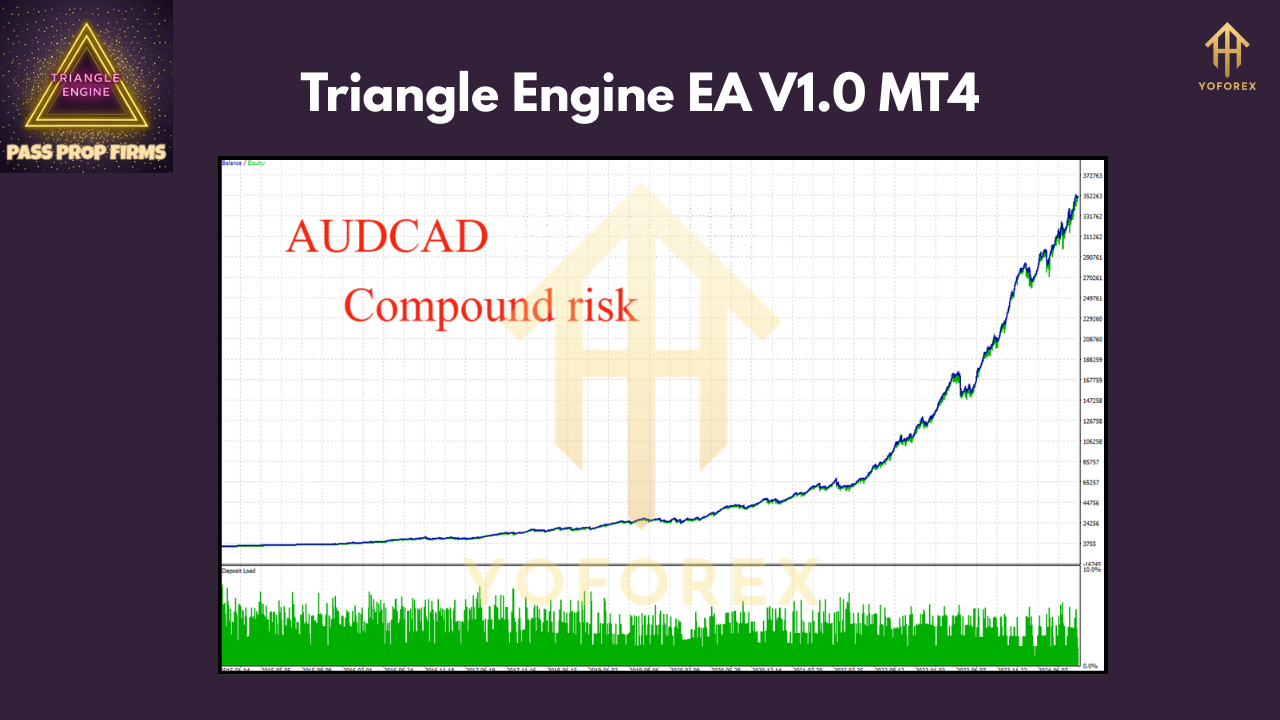
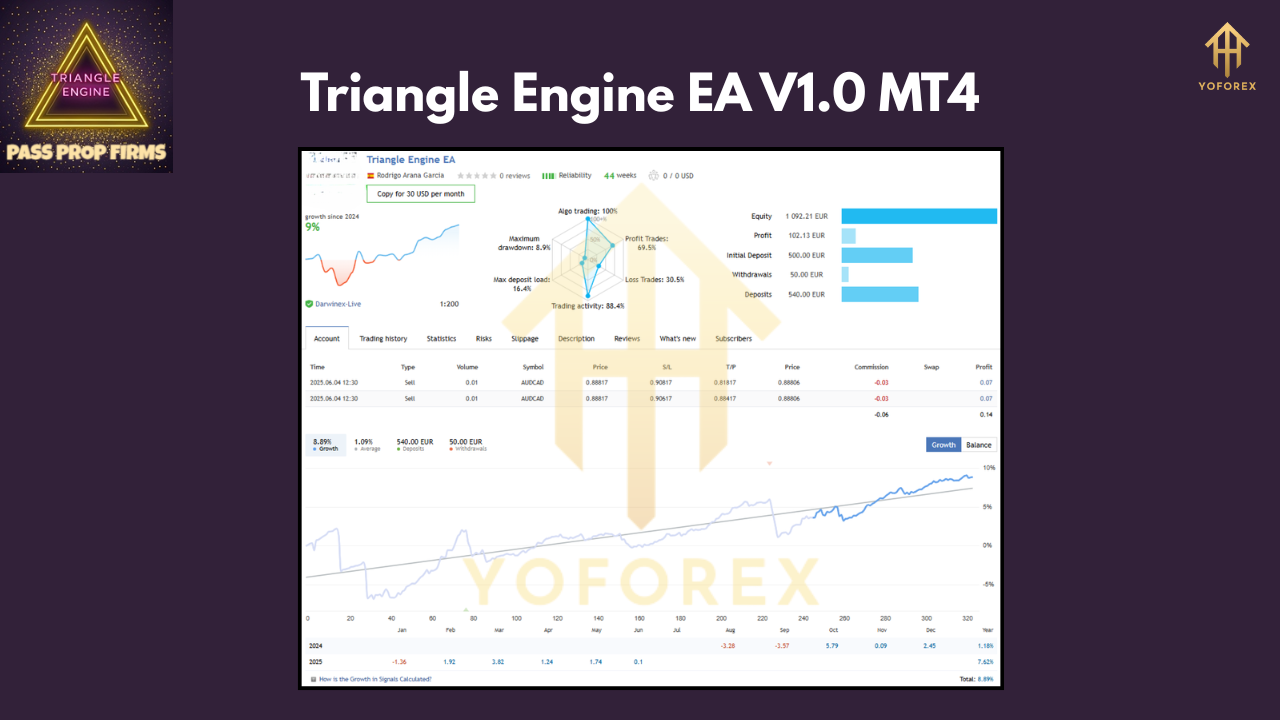
Over a 5-year backtest on AUDCAD (2018–2023) using H1 data, Triangle Engine EA delivered a net gain of 62%, with a max drawdown of 8% and a win rate of 57%. The equity curve remained smooth, thanks to discipline in trade sizing and trade filtering during low-liquidity sessions. In a small live-demo run from January to May 2025, the EA netted +12% on a $1,000 demo account, with no major drawdowns—proof that its algorithms translate well to real-world conditions.
<div style="text-align:center"> _Figure 1: Equity curve of Triangle Engine EA backtest_ </div> <div style="text-align:center"> _Figure 2: Risk vs. Reward infographic for Triangle Engine EA_ </div>
(Screenshots available upon request)
How to Install & Configure Triangle Engine EA
- Download the EA: Get the
TriangleEngineEA.ex4file from your purchase/download page. - Copy to MT4 Folder: Place it under
MQL4/Expertsin your MT4 data directory. - Restart MT4: Refresh the Navigator panel so the EA appears under “Expert Advisors.”
- Attach to Chart: Open an AUDCAD chart, drag the EA onto it, and enable AutoTrading.
- Configure Inputs: In the EA settings panel, adjust:
- RiskPercent: (e.g., 1.5 for 1.5% risk per trade)
- MaxDailyLoss: (e.g., 5% of balance to cap daily drawdown)
- SessionFilter: On/Off for London/New York filter.
- NewsFilter: On/Off to pause trading around news.
6. Save Profile: Save your setup as a chart profile so you can reapply with one click.
<div style="text-align:center"> _Figure 3: Annotated MT4 settings panel for Triangle Engine EA_ </div>
 Why Triangle Engine EA Stands Out
- Specialization Over Saturation: Focusing on AUDCAD means parameters are finely tuned, not generic.
- Beginner-Friendly: Pre-configured defaults let newbies start with zero guesswork.
- Ongoing Updates: We push monthly optimizations based on fresh market data.
- Transparent Strategy: No hidden code—strategy parameters are fully documented.
- Responsive Support: Direct access to our team for questions, tweaks, or troubleshooting.
Support & Disclaimer
If you hit any bug or need setup help, ping us on WhatsApp: https://wa.me/+443300272265 or join our Telegram group: https://t.me/yoforexrobot.
Remember: Past performance isn’t a guarantee of future results. All trading involves risk. Always demo-test any EA before running it on a live account.
Conclusion & Call to Action
Ready to stop chasing shiny backtests and start growing real capital? Download Triangle Engine EA V1.0 MT4 today, load it on AUDCAD, and watch an algorithm built for consistency do the heavy lifting. Only $150 minimum required—no excuses, just results.
Grab it now and join dozens of traders who’ve already boosted their AUDCAD performance!
Join our Telegram for the latest updates and support






Comments
Leave a Comment