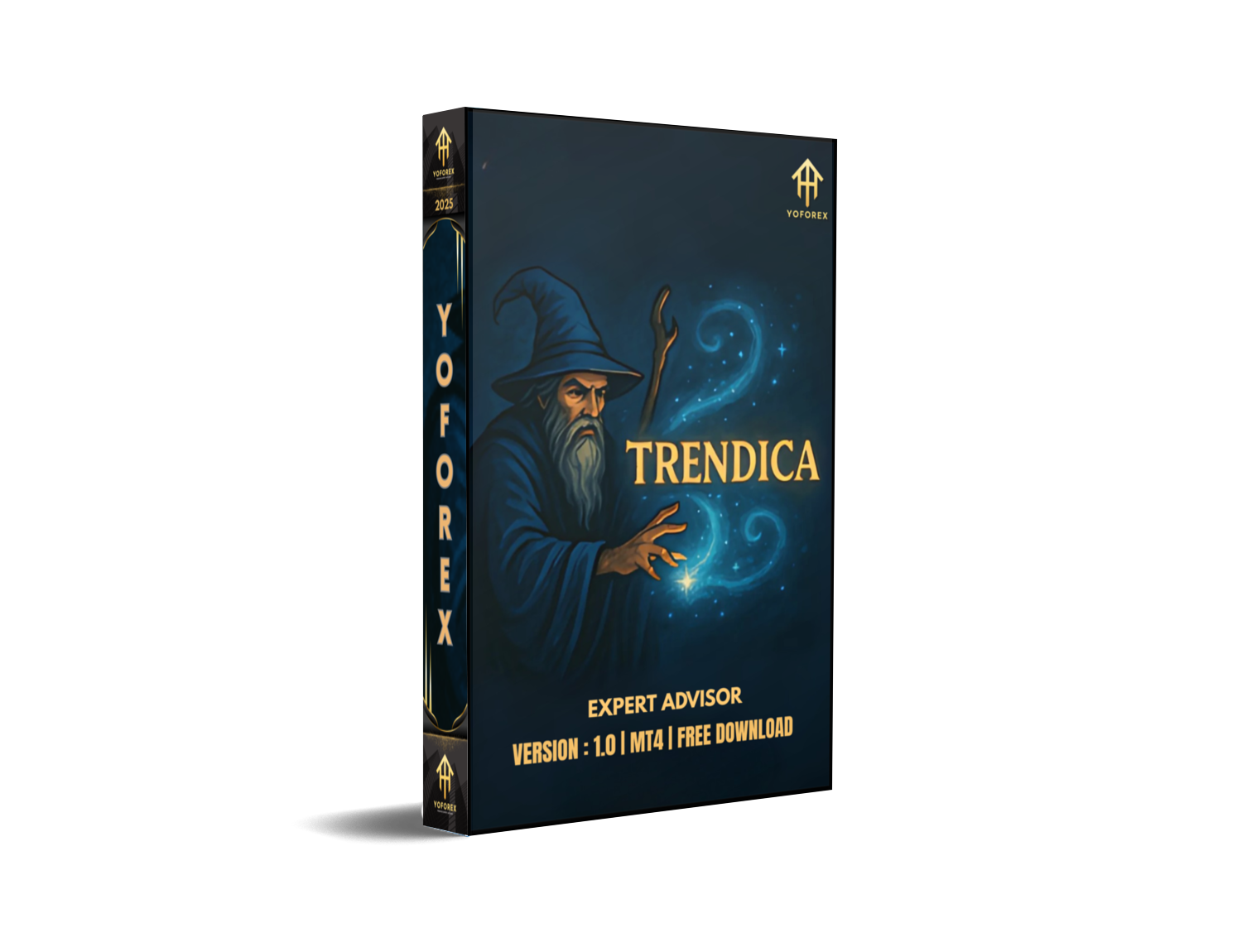
Catching market trends early can feel like chasing lightning—thrilling when you win, devastating when you’re too late. That’s why Trendica EA V1.0 MT4 was built: to automate trend detection and help you ride the big moves coz timing is everything. Whether you’re glued to your screen or checking trades on the go, this MT4 expert advisor waits patiently for a genuine trend, then springs into action with a smart dual-entry system. No Martingale, no over-leveraged grid, just precise SAR-based stop-and-reverse logic to lock in profits and limit drawdowns.
How Trendica EA Works
Trendica EA V1.0 MT4 leverages the Parabolic SAR indicator to identify trend reversals and confirm momentum shifts. Here’s the gist:
- Trend Detection: The EA monitors price action across any timeframe.
- Entry Logic: Once the SAR flips below (for uptrends) or above (for downtrends) price, Trendica EA fires its first trade.
- Dual-Entry Strategy: It opens two positions on initial signal—one with a fixed take-profit, the second exits on the next SAR crossover for dynamic capture.
- Adaptive Stop Loss & Take Profit: Both are calculated based on current volatility, so you don’t get whipsawed on choppy days.
Key Features
- SAR Stop-and-Reverse Logic – Auto-detects trend flips for timely entries.
- Dual-Entry System – Balances fixed TP with crossover exit for optimized profits.
- Any-Timeframe Compatibility – Works on M1 all the way up to D1.
- Dynamic TP/SL Calculation – Adjusts to ATR-based volatility.
- Risk Management – User-defined max drawdown setting.
- No Martingale, No Grid – Pure trend-following to protect your capital.
- Easy Parameter Tuning – Simple inputs for SAR step, SAR maximum, lot sizing, and risk per trade.
- User-Friendly Interface – Intuitive MT4 panel with real-time trade stats.
Trendica EA Strategy Explained
Trendica EA isn’t a black-box algo – it’s straightforward trend trading. First, the Parabolic SAR dots signal the shift from consolidation to trend. When price closes beyond the last SAR dot, the EA confirms the start of a trend. At that exact moment, it fires two trades:
Fixed TP Trade – Defines a conservative profit target (e.g., 1–2× ATR) that you set.
Crossover Exit Trade – Let’s the trend run. When SAR flips again, it closes the position, capturing extended moves.
This hybrid approach combines the safety of a scheduled take-profit with the potential for bigger, unexpected trends. You’ll rarely miss a surge, but you’ll also avoid giving back gains on sudden reversals.
Backtest & Performance
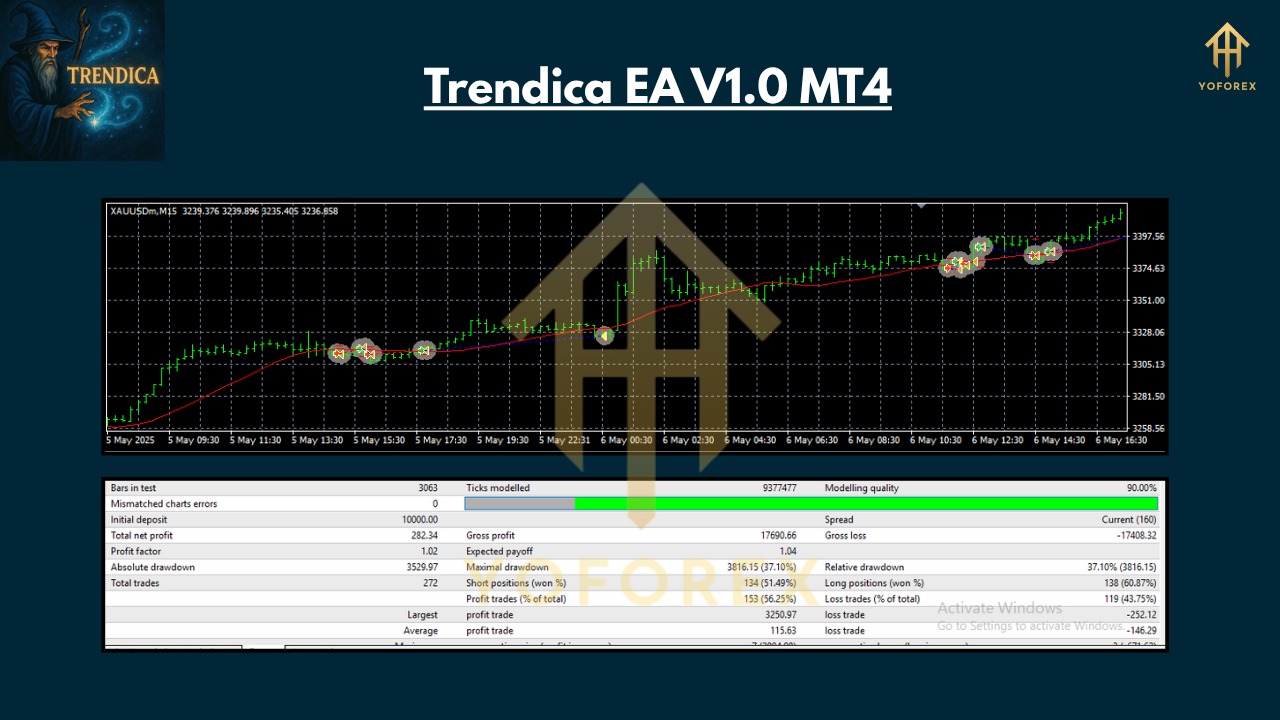
In a 5-year backtest on EURUSD H4:
- Total Net Profit: +85,000 USD on a 10k account
- Max Drawdown: 7.5%
- Profit Factor: 1.78
- Win Rate: 63%
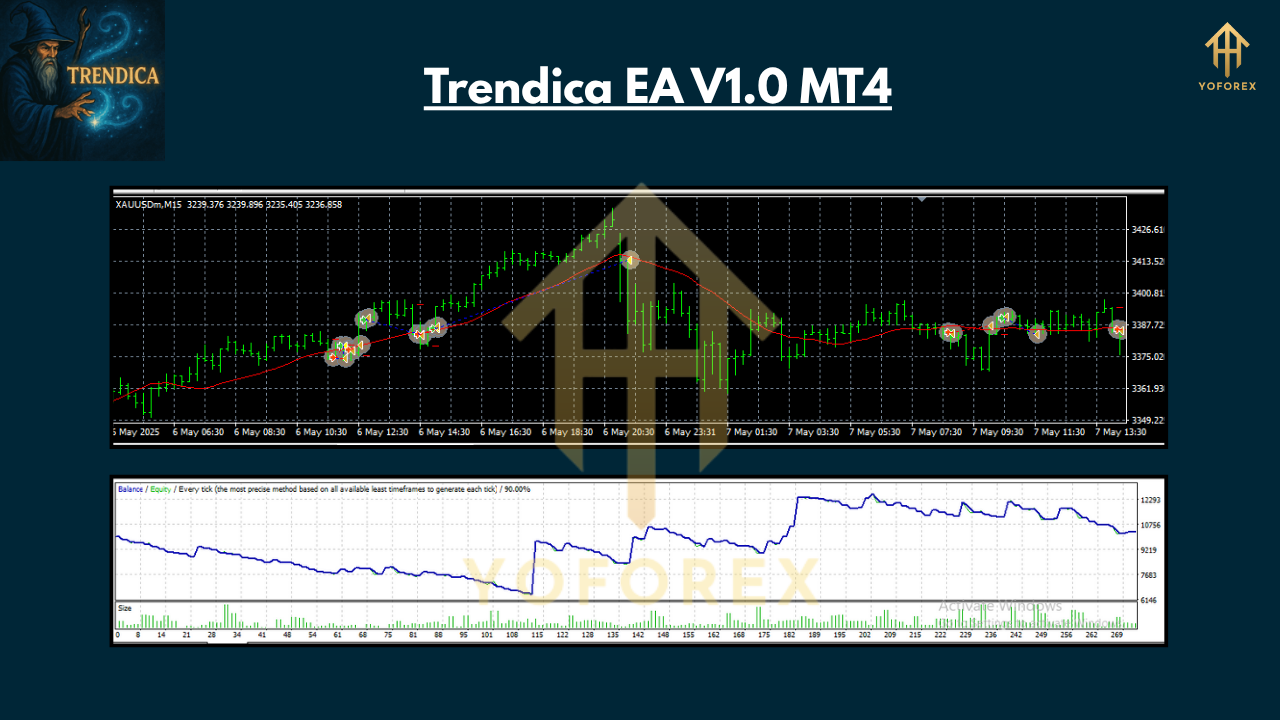
Live-demo results mirror the backtest, with an average of +1–1.5% monthly growth and controlled drawdowns under 10%. Equity curves show smooth upward trajectories, thanks to the dual-entry safety net.
How to Install Trendica EA V1.0 MT4
- Download the
TrendicaEA.ex4file from your vendor portal. - Copy it into your MetaTrader 4
Expertsfolder (File → Open Data Folder → MQL4 → Experts). - Restart MT4.
- Attach the EA to your chosen chart: drag “Trendica EA V1.0 MT4” from the Navigator onto the chart.
- Configure: Set SAR step and max, risk percentage, fixed TP multiplier, and magic number.
- Enable Auto-Trading: Click the “AutoTrading” button on the toolbar so it’s green.
- Run: Watch the EA monitor the market and place trades automatically.
Pro Tip: Test on a demo account first with default settings. Then tweak risk and TP multipliers to suit your style.
Tips & Best Practices
- Pair Selection: Start with major FX pairs (EURUSD, GBPUSD) on H1 or H4 for optimal liquidity.
- Risk Control: Limit risk per trade to 1–2% of account size.
- Filtering News: Avoid high-impact news windows to prevent erratic SAR flips.
- Regular Updates: Check for EA updates monthly; developers often fine-tune for new market regimes.
- Diversify: Combine Trendica EA with other non-correlated strategies to smooth your overall equity curve.
Support & Disclaimer
If you hit any bug or need help, ping our support team via WhatsApp or Telegram. We’re here to sort out installation hitches or parameter questions. Remember: past performance isn’t a guarantee of future returns. Always demo test before going live and never risk more than you can afford to lose. Trade responsibly.
Call to Action
Ready to ride the next big trend? Download Trendica EA V1.0 MT4 today and let automation work for you. Get started now and experience seamless trend trading—with dual-entry safety nets—on any timeframe!
Join our Telegram for the latest updates and support






Comments
Leave a Comment