If you’ve ever stared at a chart thinking “is this trend real or just noise?”, the TREND SIGNAL Indicator V2.0 for MT4 is built to calm that second-guessing. It focuses on one job—help you ride clean, directional moves with clearer entries and exits—without drowning you in 100 settings. V2.0 adds smarter filtering, optional multi-timeframe confirmation, and fast alerts so you don’t miss the candle that matters. Whether you scalp M5 or swing H4, it’s designed to keep you on the right side of momentum and out of chop as much as possible.
What is the TREND SIGNAL Indicator V2.0?
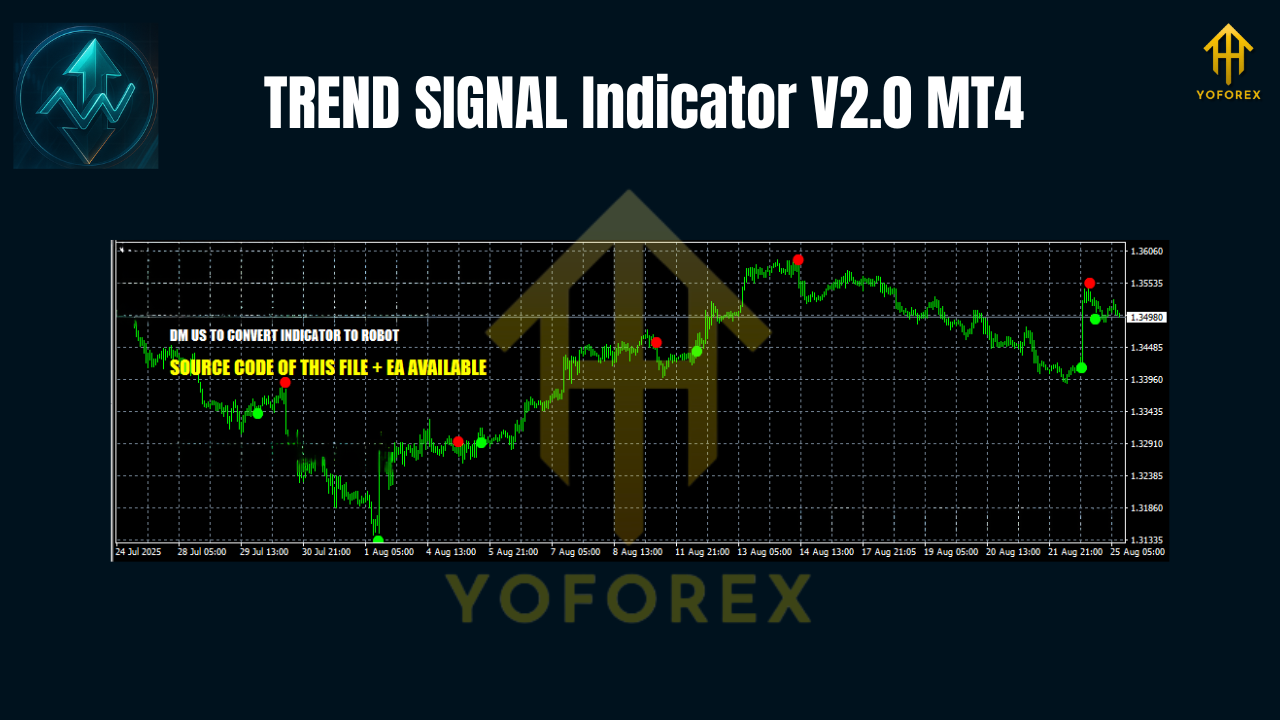
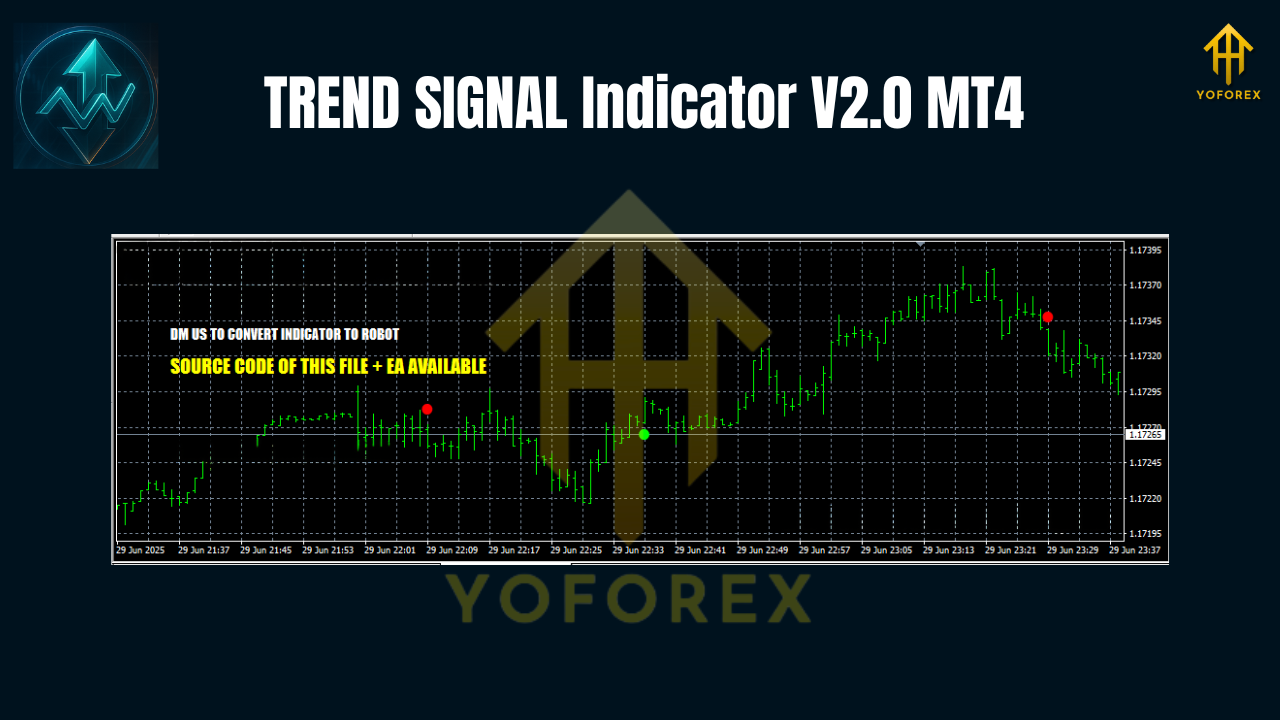
TREND SIGNAL V2.0 is a trend-following MT4 indicator that plots buy/sell arrows and optional confirmation labels when price aligns with the prevailing direction. Under the hood, it blends a smoothed trend core with a volatility/strength filter. In plain English: it tries to trigger only when (a) direction is clear and (b) momentum is strong enough to justify a trade. Signals are generated on candle close to reduce false positives and to avoid the dreaded repainting on closed bars. On lower timeframes you’ll still see intrabar recalculation (that’s normal for any indicator), but once the candle closes, the arrow stays put.
Why traders like it
- Keeps your chart clean—no spaghetti mess.
- Arrows + alerts on bar close so you can act, not overthink.
- MTF (multi-timeframe) check helps you align lower-TF entries with higher-TF trend.
- Works across majors, crosses, and even gold—tweak filters and you’re good.
Key Features (V2.0)
- Buy/Sell Arrows on Close: Signals print after candle close to reduce whipsaws.
- Multi-Timeframe Confirmation: Optional H1/H4 filter so your M15 entry aligns with the bigger move.
- Trend Strength Filter: Built-in momentum gate (e.g., ADX-style logic) to skip weak trends.
- Volatility-Aware: Adjusts sensitivity so you don’t get spammed during tight ranges.
- Smart Alerts: Popup, push, and email alerts the moment a bar closes with a valid arrow.
- Flexible Sensitivity: Fine-tune “Trend Period” and “Filter Strength” to match scalping or swing.
- Non-Repaint on Closed Bars: Once a bar closes, the signal doesn’t flip-flop.
- Strict Entry Mode: Optional “bar-close only” confirmation to ban intrabar FOMO.
- Minimal Footprint: Lightweight code for smooth charting across multiple symbols.
- Works With Any Broker Feed: ECN or standard; just keep spreads reasonable on low TFs.
Best Timeframes, Pairs, and Conditions
- Timeframes:
- Scalping: M5–M15 (expect more frequent signals, slightly noisier)
- Intra-day: M15–H1 (balanced)
- Swing: H4 (fewer but cleaner signals)
- Pairs: EURUSD, GBPUSD, USDJPY, USDCAD, AUDUSD; also popular on XAUUSD (Gold).
- Market Conditions: Works best in trending markets. If ADX (or your chosen strength gauge) is under ~18–20, consider standing aside or switching to higher timeframes.
Recommended Settings (Starter Presets)
Use these as a baseline; then adapt to your style and broker conditions.
- Trend Period: 14–20 (shorter = more signals; longer = smoother)
- Filter Strength: 20 (raise to 22–25 if you want only the strongest trends)
- Signal Smoothing: 3
- MTF Filter: Enable and set to H1 when trading M15; set to H4 if you’re trading H1.
- Alerts: On; bar-close only = true
- Risk Management (manual):
- Stop-Loss: 1.5–2.0 × ATR(14) or just below last swing low (for longs) / above last swing high (for shorts)
- Take-Profit: Aim for ≥1:1.5 R:R; trail with a structure-based or ATR stop if trend extends
How to Trade with TREND SIGNAL V2.0 (Practical Workflow)
- Top-Down Check: On H4/H1, mark the dominant trend and key levels (S/R, supply/demand).
- Enable MTF Filter: If you’ll trade M15/H1, let H1/H4 act as your anchor.
- Wait for Arrow on Close: No early entries—avoid intrabar temptation.
- Confirm With Structure:
- For longs: seek higher highs/higher lows, break of minor structure, or a clean trendline break + retest.
- For shorts: lower highs/lower lows, or failed retests after a breakdown.
5. Place SL and TP as per the ATR/structure guidelines above.
6. News Awareness: Avoid entries minutes before top-tier news (NFP, CPI, central banks).
7. Manage the Trade: If price moves 1R in your favor, consider moving SL to breakeven or scaling partials.
Pro tip: When ADX (or your chosen strength filter) dips below 18, skip new entries or step up to a higher timeframe. The goal is to avoid chop, not fight it.
Backtesting & Forward Testing Tips
Indicators don’t “trade” by themselves, so MT4’s Strategy Tester won’t show P/L unless you wrap signals inside an EA. Still, you can quickly manual backtest:
- Load your pair/timeframe, attach the indicator, press F12 to step forward candle by candle.
- Record entries only on bar close when an arrow appears and the MTF filter (if used) agrees.
- Stick to one risk model (e.g., fixed 1% risk/trade) for consistency.
- Track win rate, average R, and max consecutive losses to estimate realistic expectancy.
Then run a short forward test on demo for 1–2 weeks to confirm execution and alerts in live conditions. The point isn’t perfection; it’s confidence that your rules hold up when spreads/latency vary.
Installation & Setup (MT4)
- Copy File: Put the “TREND SIGNAL V2.0.ex4” into MQL4 → Indicators.
- Restart MT4: Or right-click Indicators in Navigator → Refresh.
- Attach to Chart: Double-click the indicator, choose your timeframe/pair.
- Inputs: Start with the recommended presets above.
- Enable Alerts: Turn on push/email if you want mobile or inbox pings.
- Save Template: Right-click chart → Template → Save so you can load it fast on other symbols.
Who Will Benefit Most
- Beginners who need a simple, rule-based way to identify trend entries.
- Intra-day traders who want clean signals with MTF alignment.
- Swing traders who prefer fewer but higher-quality setups on H4.
- Anyone prone to overtrading—the filters help you wait for stronger moves.
Pros & Cons
Pros
- Clear arrows on bar close
- Optional higher-TF confirmation
- Skips many low-quality, low-momentum signals
- Lightweight and easy to read
Cons
- Still needs human context (structure/SR) to avoid range traps
- Lower TFs can be noisy if you set sensitivity too high
- Not a magic button—discipline and risk control matter more than any arrow
Best Practices & Risk Notes
- Batch your sessions: Trade during high-liquidity sessions (London/NY) for tighter spreads and more decisive moves.
- One change at a time: When tuning inputs, tweak just one parameter and re-observe.
- Journal everything: Screenshot entries/exits; write why you took them. Patterns emerge.
- Capital protection first: Small, consistent risk per trade beats yolo’ing—always.
Disclaimer: Trading involves risk. Past performance doesn’t guarantee future results. Test on a demo before going live.
Final Word
The TREND SIGNAL Indicator V2.0 won’t turn every chart into a straight line (if only!), but it will help you see trend entries faster, align with higher-timeframe direction, and keep your rules tight. Start with the baseline settings, add your favorite structure checks, and let the alerts do the heavy lifting while you keep risk in check.
Join our Telegram for the latest updates and support






Comments
Leave a Comment