Trend Marti EA V1.0 MT4 — Ride the Trend, Scale In Smartly
If you’ve ever tried to catch a strong market move only to exit too early—or watched a clean trend keep running while your position sits tiny—Trend Marti EA V1.0 MT4 is built for you. It blends classic trend-following logic with a controlled scaling (marti-style, but not reckless) approach, so you can add intelligently into momentum while guarding your downside with strict limits. The EA is designed for EURUSD, GBPUSD, and XAUUSD on M5, M15, H1, and H4. Whether you like fast scalps on M5/M15 or swing-style trend runs on H1/H4, the engine adapts.
Quick specs (at a glance)
- Platform: MetaTrader 4 (MT4)
- Pairs: EURUSD, GBPUSD, XAUUSD
- Timeframes: M5, M15, H1, H4
- Method: Trend-following entries + controlled step scaling
- Focus: Clean trend confirmation, measured add-ons, robust equity protection
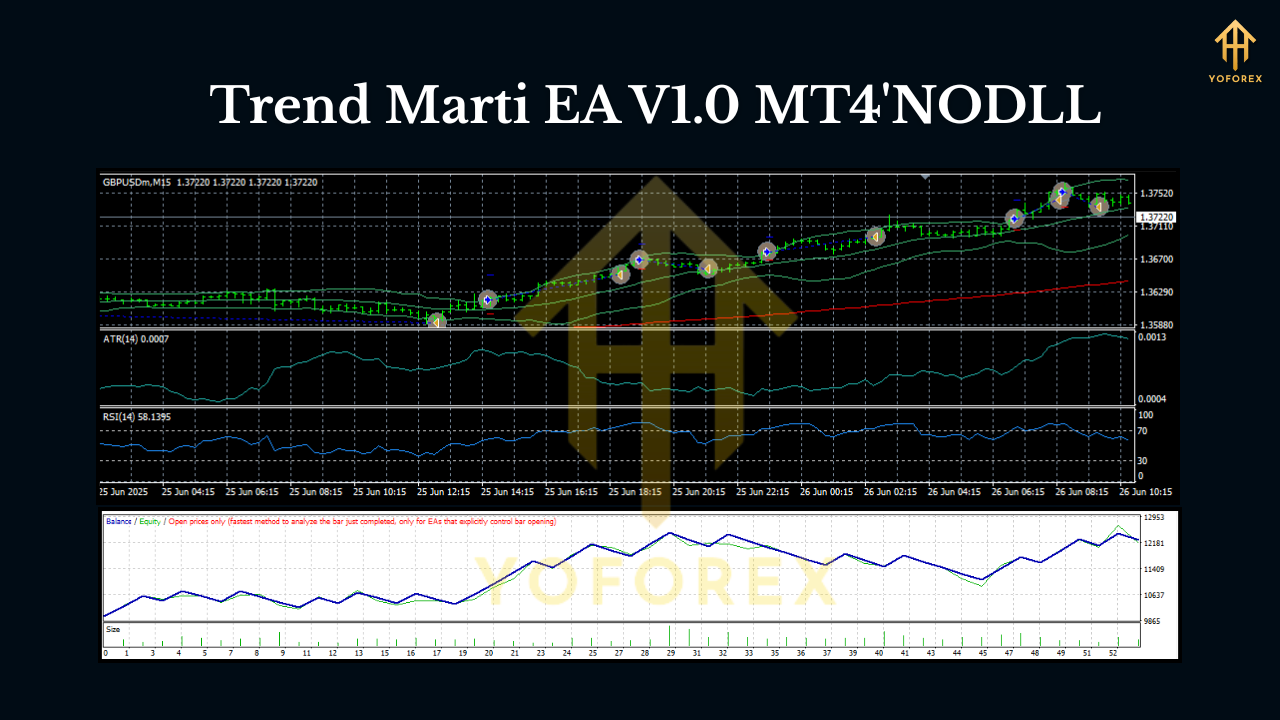
What makes “Trend Marti” different?
“Marti” has a reputation. We get it. But Trend Marti EA doesn’t blindly double lots or run wild grids. It uses trend confirmation first, then—only when the bias is aligned—adds positions with a fixed, pre-capped step plan. That means:
- No unlimited averaging down.
- No runaway exposure.
- No random scaling in chop.
Instead, the EA waits for a clear directional signal (think moving average structure, swing breaks, momentum filters). When price pulls back inside that trend, the EA adds a small position at a defined step distance. Each additional position is protected by global equity limits, max layers, and per-trade stops—so your risk is planned, not “hoped for.”
How the core logic flows
- Trend detection
The EA maps higher-timeframe bias (configurable via inputs) and confirms on the trading timeframe (M5–H4). If the higher-timeframe and trading timeframe disagree, the EA sits out—because not trading is also a strategy. - Precision entry
Entries trigger on pullbacks to dynamic structure levels (e.g., MA bands, recent swing zones). This stacks the odds that you’re buying value in an uptrend or selling premium in a downtrend, not chasing candles. - Controlled scaling (the “smart marti”)
If the first entry is slightly early (happens to all of us), the EA can add pre-capped layers at a fixed step distance. You control max layers, step size, and lot progression (linear or mildly progressive). No infinite grids. No chaos. - Risk, always first
A global equity protector, daily loss cap, and per-trade SL keep risk bounded. If conditions deteriorate (high spread spike, news volatility, or equity draw triggers), the EA reduces exposure or pauses.
Why these pairs and timeframes?
- EURUSD & GBPUSD offer deep liquidity and cleaner trend behavior during London/NY sessions.
- XAUUSD (Gold) brings bigger intraday swings—great for pullback-adds—so long as your risk caps are tight.
- M5/M15 suit active traders wanting more signals. H1/H4 fit swing traders who prefer fewer, higher-quality moves. The logic scales to all four, with inputs letting you tune sensitivity.
Key features you’ll actually use
- Trend-first logic: Only scales when the higher-timeframe bias agrees.
- Capped scaling: Define max layers, fixed step (in pips/points), and gentle lot progression.
- Flexible money management: Fixed lot or balance-based risk; optional equity-to-risk mapping.
- Equity guardrails: Global equity stop, daily loss stop, and halt-after-loss options.
- Spread & session filters: Skip bad liquidity and off-hours noise.
- News-aware pause (optional): Choose to halt around high-impact events.
- Broker-friendly execution: Market/limit style entries, slippage control, retry logic.
- Audit-ready logs: Every entry, add-on, and exit is logged so you can learn and iterate.
- One-chart simplicity: Run per pair/timeframe with clean presets; VPS-friendly.
- Prop-firm-aware settings: Daily stop and max exposure caps to align with typical rules (always verify your firm’s policy).
Recommended starting profiles (not financial advice)
These are conservative baselines to help you get going on demo; adjust to taste after you see behavior.
EURUSD (M15/H1)
- Risk per initial trade: 0.25–0.5%
- Max layers: 2–3
- Step distance: 15–25 pips (M15), 25–40 pips (H1)
- Lot progression: Linear (e.g., 1x, 1x, 1x) or mild progressive (1x, 1.2x, 1.2x)
- Global daily loss cap: 2–3%
GBPUSD (M15/H1)
- Risk per initial trade: 0.25%
- Max layers: 2
- Step distance: 20–30 pips (M15), 30–45 pips (H1)
- Lot progression: Linear
- Spread filter: slightly stricter than EURUSD
XAUUSD (M5/H1)
- Risk per initial trade: 0.2–0.3%
- Max layers: 2
- Step distance: 300–600 points (M5), 800–1200 points (H1)
- Lot progression: Linear
- Strongly recommended: VPS and tighter equity guardrails
Tip: On H4, reduce signals but increase average quality. Use wider steps and keep layers at 2 max.
Installation & setup (MT4, step-by-step)
- Copy the EA into MQL4/Experts and restart MT4.
- Attach to chart for EURUSD, GBPUSD, or XAUUSD on your chosen timeframe (M5/M15/H1/H4).
- Enable Algo Trading (AutoTrading ON) and allow DLL if needed.
- Inputs to check first:
- Risk Mode (Fixed lot vs. % risk)
- Max Layers (start small: 2–3)
- Step Distance (per the profiles above)
- Equity/Daily Loss Caps (don’t skip!)
- Spread Filter and Trading Sessions
5. Run on demo for a week; review logs and equity curve. Tweak step and max layers based on volatility.
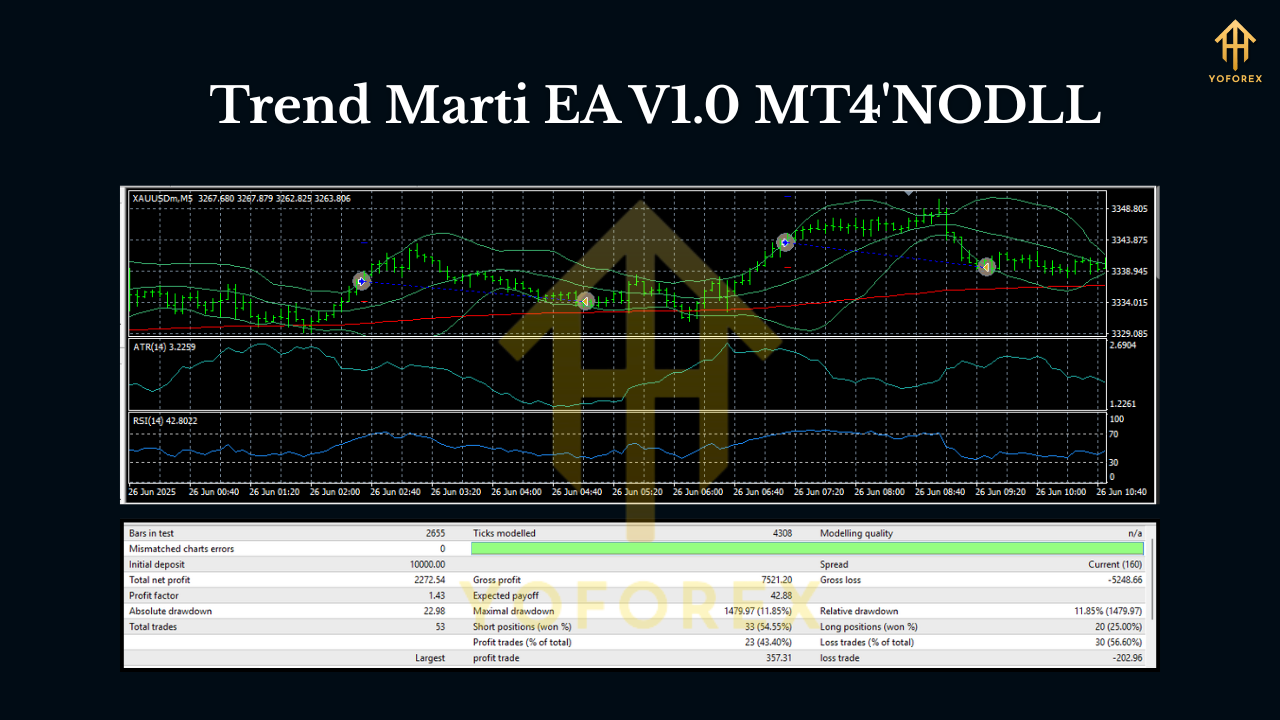
Backtesting & forward testing (how to evaluate)
- Use real-tick data (or as close as you can get) with variable spreads and slippage.
- Test per pair/timeframe—don’t mix results. A month on M15 ≠ a month on H1.
- Focus on risk curves, not just profit: Check max drawdown under different max layers and step distances.
- Forward test on a demo VPS during London/NY to see live fills and spreads.
- Iterate settings every 1–2 weeks until your exposure profile matches your comfort.
VPS, broker, and practical notes
- VPS recommended: Especially for XAUUSD and M5/M15 runs; it improves stability and reduces slippage.
- Tight spreads & fast execution: Keep costs low; it matters a lot for scaled entries.
- One EA per chart: Keep it clean—don’t overload a single terminal with 20 charts on a basic computer.
Risk disclosure (read this, seriously)
Scaling is powerful only when capped and paired with a clear trend edge. If you lift the guardrails (high layers, aggressive steps), drawdowns can spike—fast. Always test on demo, keep layers low, and cap daily loss. There’s no guaranteed profit; markets can whipsaw. Trade responsibly.
Who is Trend Marti EA for?
- Traders who believe in trend-following but want a smarter way to add on pullbacks.
- Users who prefer rule-based risk over impulsive manual averaging.
- Builders who like iterating: backtest → forward test → tweak → repeat.
If you’re looking for a disciplined, configurable tool that respects risk and lets you press winners carefully, Trend Marti EA V1.0 MT4 hits that sweet spot.
Final thoughts
In trading, the edge often comes from doing simple things consistently: follow the trend, enter on value pullbacks, size responsibly, and protect your equity. Trend Marti EA packages those habits into a practical workflow you can test, measure, and refine on EURUSD, GBPUSD, and XAUUSD across M5 to H4. Start conservative, get comfortable with the scaling rules, and let the data guide your adjustments.
Join our Telegram for the latest updates and support






Comments
Leave a Comment