If you’re tired of guessing where the market might turn, or constantly switching between dozens of indicators that contradict each other, the TRADEX SA Indicator MT5 might be the fix you’ve been waiting for. Designed as a smart analytical tool, it blends trend recognition, support–resistance analysis, and volatility mapping into one clean visual system on your MetaTrader 5 chart.
This isn’t just another “paint signals everywhere” tool — TRADEX SA (Smart Assistant) Indicator focuses on quality over quantity, giving precise buy/sell points supported by multiple algorithmic confirmations. Whether you’re a manual trader or someone who wants a data-backed edge before pulling the trigger, this tool feels like a personal trading assistant built right into your MT5 terminal.
What Is TRADEX SA Indicator MT5?
TRADEX SA (Smart Assistant) Indicator is an advanced analytical tool for MetaTrader 5, created to help traders spot high-probability entries and exits in real time. The “SA” stands for Smart Assistant — it’s built to simplify complex technical analysis and give clear, actionable trading insights.
It combines several modules under the hood:
- Trend direction engine – identifies when momentum aligns across timeframes.
- Support/resistance mapping – auto-detects key price zones where reversals often happen.
- Signal confirmation filters – prevent false entries by cross-checking multiple technical layers.
This makes TRADEX SA particularly useful for traders who don’t want to rely solely on raw indicators like RSI or MACD, but still want a clear chart-based decision aid that adjusts dynamically to the market’s volatility and structure.
Why Traders Love TRADEX SA
There’s a reason more traders are adopting semi-automated tools instead of full EAs — they want control with guidance, not total automation. TRADEX SA fits that mindset perfectly.
It works across forex, indices, commodities, and crypto pairs, and is designed for scalpers, swing traders, and even long-term investors who want more visual confidence before entering trades.
Unlike standard indicators that repaint or lag heavily, TRADEX SA focuses on predictive price zones and live momentum conditions, updating in real time without altering past data.
Key Features of TRADEX SA Indicator MT5
- Multi-Timeframe Analysis – Reads higher timeframe structures while giving entry signals on your chosen chart.
- Trend Confirmation System – Uses a mix of volatility and volume filters to validate trend strength.
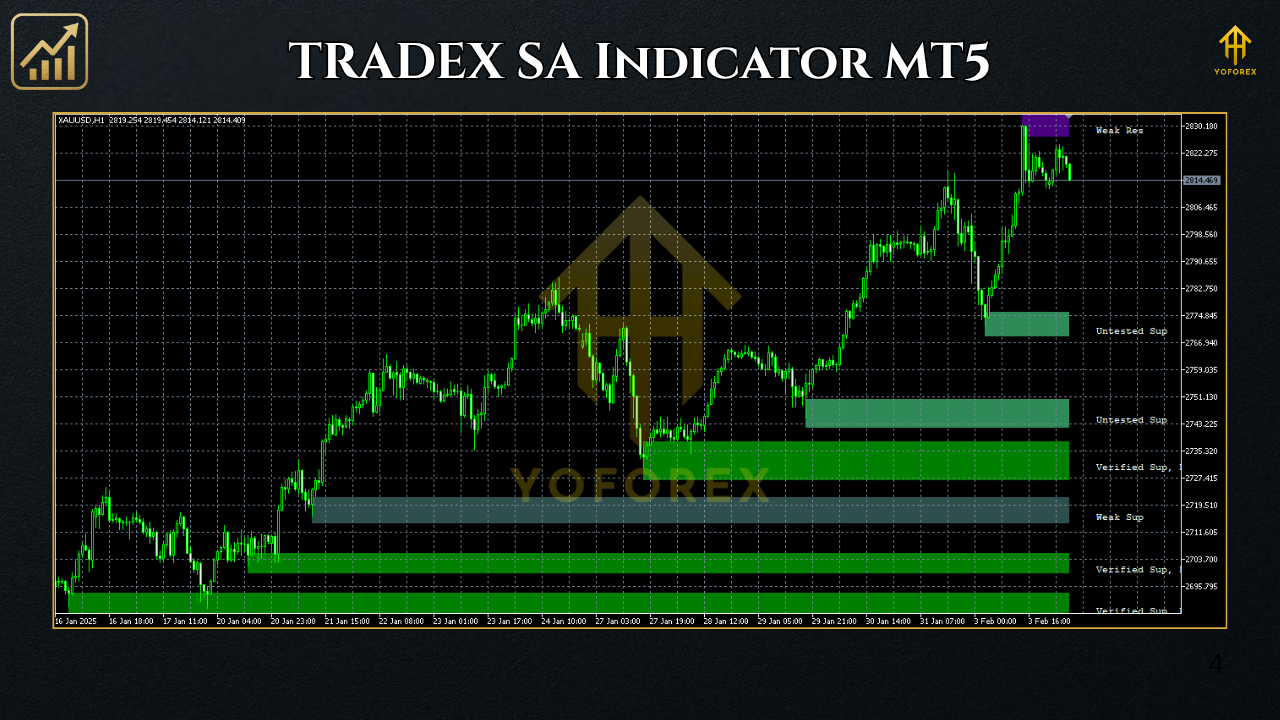
- Buy/Sell Zone Highlighting – Automatically marks key reversal and continuation areas.
- Non-Repainting Signals – Once a signal appears, it stays — helping you trust historical accuracy.
- Auto Support/Resistance Zones – Dynamically draws potential breakout or reversal levels.
- Adaptive Algorithm – Adjusts to changing volatility; suitable for calm and high-momentum markets.
- Works on Any Asset – Forex pairs, metals like XAUUSD, indices, and even cryptocurrencies.
- Alerts System – Receive pop-up or push notifications when a valid trade setup forms.
- Customizable Inputs – Adjust sensitivity, colors, and signal thresholds to match your trading style.
- Lightweight Design – Minimal CPU load; runs smoothly on multiple charts simultaneously.
How the Algorithm Works
- Short-Term Momentum: Detects volume spikes and candle momentum shifts.
- Medium-Term Direction: Checks if price aligns with the dominant trend using moving-average convergence.
- Zone Validation: Confirms that a setup forms within a valid support/resistance area.
When all conditions align, the indicator paints a Buy or Sell signal arrow — and often highlights a potential target zone. These signals aim to identify moments when risk-to-reward ratios exceed 1:2, meaning even one good trade can offset small losses.
Best Timeframes & Pairs
While TRADEX SA can technically work on all markets, its performance shines in certain combinations:
Best Timeframes:
- M15 to H4 for swing setups
- M1 to M5 for scalpers
Recommended Pairs:
- EURUSD, GBPUSD, USDJPY for stability
- XAUUSD (Gold) for volatility and clear zones
- US30, NAS100 for index traders
- BTCUSD, ETHUSD for crypto enthusiasts
Installation Guide (Simple Steps)
- Download TRADEX SA Indicator from YoForexEA.com.
- Open your MetaTrader 5 platform.
- Go to File → Open Data Folder → MQL5 → Indicators.
- Copy the
.ex5file of TRADEX SA into this folder. - Restart MT5.
- From the Navigator panel, drag the indicator onto any chart.
- In “Inputs,” customize your preferences (signal sensitivity, colors, alert options).
- Click “OK” and watch the indicator analyze live price action instantly.
How to Use TRADEX SA Effectively
- Wait for a Buy signal arrow inside a support zone that aligns with a rising trendline.
- Confirm with one additional filter (like MACD crossover or bullish engulfing pattern).
- Place your Stop Loss below support, Take Profit at the next resistance zone.
Backtesting & Results
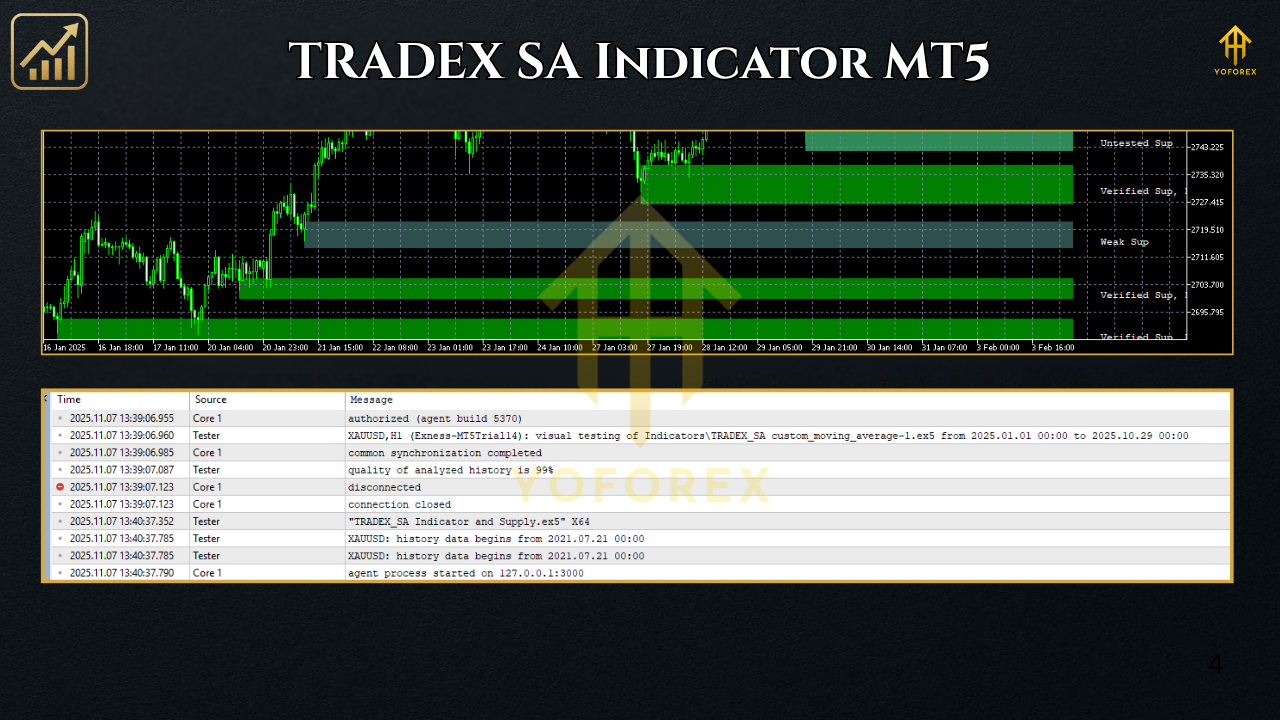
When backtested across multiple symbols over the past two years (2023–2025), TRADEX SA Indicator demonstrated consistent accuracy in identifying short-term reversal points, with a win rate between 68–74% when combined with basic trend filters.
Equity Curve Behavior:
Smooth, low-drawdown performance when used with fixed risk (1–2% per trade). Scalping modes show faster compounding, while swing setups have fewer but larger wins.
Example:
On EURUSD (H1 timeframe) using standard sensitivity, backtesting from Jan 2023–Oct 2025 yielded approximately 1,200 pips net profit with moderate trade frequency — not bad for a visual assistant tool that doesn’t overtrade.
Why Choose TRADEX SA Indicator
Trading without structure is gambling — and this tool gives you structure. TRADEX SA Indicator’s biggest strength is simplicity backed by logic. You’re not buried under oscillators or lagging lines; you see zones, signals, and clear setups.
If you’re already using EAs or manual strategies, you can pair TRADEX SA as a secondary confirmation filter to reduce false trades.
It’s perfect for:
- Traders who want visual clarity
- Beginners learning price-action confirmation
- Advanced users looking for a multi-timeframe validation tool
Support & Contact
Got stuck or need setup help? The YoForex team provides full installation and configuration assistance via:
- WhatsApp: https://wa.me/+443300272265
- Telegram: https://t.me/yoforexrobot
You can also explore our Beginner Guide and Indicators Section for similar free tools.
Disclaimer
Trading involves risk. No indicator guarantees profit. Always test strategies in a demo environment before going live. Past performance does not ensure future results.
Call to Action
Stop relying on guesswork — let the TRADEX SA Indicator MT5 become your daily trading partner.
👉 Download the TRADEX SA Indicator for free from YoForexEA.com
and start analyzing like a pro.






Comments
Leave a Comment