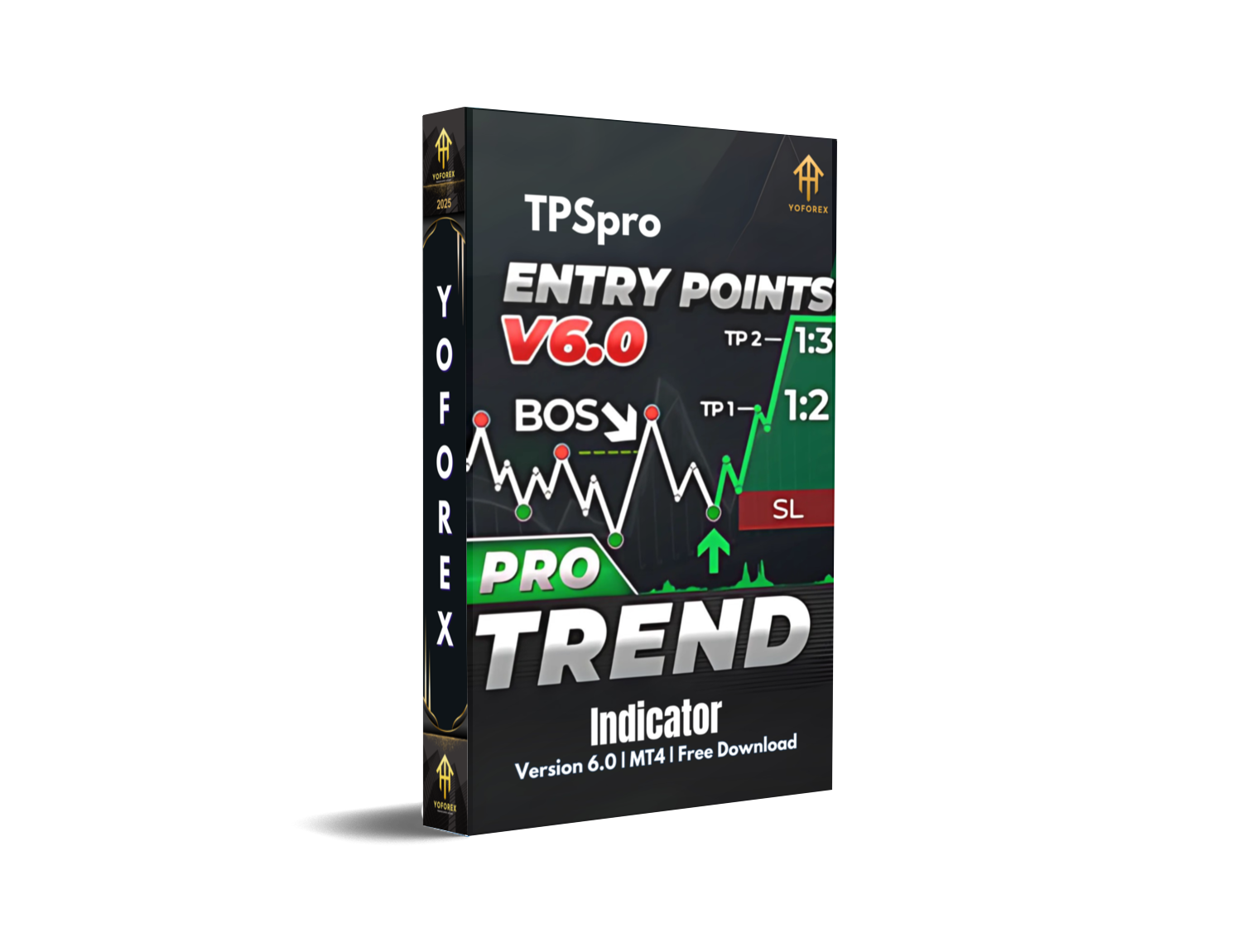
TPSproTREND PrO Indicator V6.0 MT4 – Full Review & Complete User Guide
If you’ve been around the forex market long enough, you probably know how frustrating repainting indicators can be—they show a perfect entry, only to shift or disappear after the candle closes, causing wrong decisions and unnecessary losses. That’s exactly the problem the TPSproTREND PrO Indicator V6.0 MT4 aims to solve. Designed for traders who want clean, accurate, and stable signals, this tool comes packed with features that eliminate guesswork and bring clarity to market structure, trends, stop loss placement, and take-profit accuracy.
The TPSproTREND PrO Indicator V6.0 MT4 has quickly gained popularity among both beginners and advanced traders because of its reliability and non-repainting entry system. If you’ve ever wished for a trend indicator that “just works,” gives proper RR-based entries, highlights your BUY/SELL zones, sends alerts to your phone, and even colors candles until TP or reversal—then this might just be what you were looking for.
In this detailed review, we’ll break down how the indicator works, its core features, why it's becoming so popular, and how traders use it across different timeframes—from scalping on M1 to swing trading on the daily chart.
What is TPSproTREND PrO Indicator V6.0 MT4?
The TPSproTREND PrO Indicator V6.0 MT4 is a professional, non-repainting trading indicator for MetaTrader 4 (MT4). It provides highly accurate BUY/SELL signals using advanced trend-tracking technology, multi-timeframe MIN/MAX zones, risk-to-reward visualization, and real-time stop loss/take-profit zones. Unlike ordinary indicators, once the TPSpro signal appears, it does not repaint or disappear—ensuring traders always act on reliable, final signals.
It’s built for traders of all levels and includes:
- Automated alerts
- Candle coloring after signals
- Trend continuation zones
- Dynamic stop loss optimization
- Statistics and win-rate reporting
- A compact trend scanner
- MTF support
- Push notifications to mobile
All these features work together to help traders enter trades confidently and manage risk with precision.
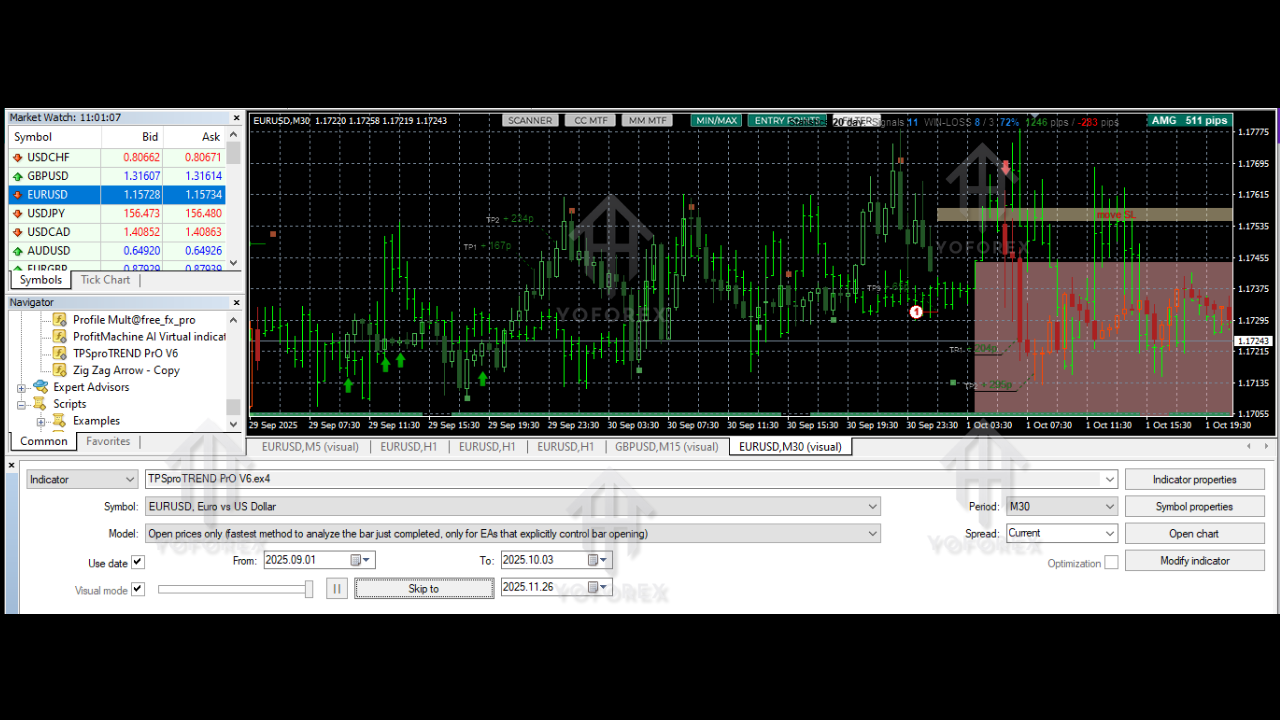
Key Features of TPSproTREND PrO Indicator V6.0 MT4
1. Accurate Non-Repainting Entry Signals
One of the biggest selling points is that the signals never repaint. Once an arrow appears, it stays fixed—making it trustworthy for both live trading and backtesting.
2. Candle Coloring After Signal
After a BUY or SELL arrow appears, candles automatically change color until the take-profit zone is hit or a reversal signal forms. This helps traders visually track the trade without getting confused in live markets.
3. Automatic Stop Loss & Take Profit Zones
The indicator displays custom-calculated BUY/SELL zones showing optimal entry and TP/SL placement. This helps new traders avoid wrong SL placement and reduces emotional decision-making.
4. Dynamic Stop Loss Adjustment (Move SL Logic)
TPSproTREND PrO reduces SL size over time by applying intelligent trailing logic, helping minimize losses while protecting capital during volatile market moves.
5. Higher-Timeframe MIN/MAX Structure Zones
This feature marks MIN and MAX correction areas from a higher timeframe—helping you identify trend strength, market shifts, and key reversal areas.
Zones are even numbered, showing the sequence and depth of corrections.
6. Built-In Risk-to-Reward Ratio Projection
One of the rare features…
The indicator visually outlines the RR (risk-to-reward) potential for every entry—typically over 1:2. This helps traders pick only quality setups instead of taking random entries.
7. Signals in All Market Conditions
Unlike many trend systems that freeze in consolidation, TPSproTREND PrO works in trending, ranging, or sideways markets—making it dependable in all market states.
8. Historical Win-Rate Data Display
It displays how many previous trades hit TP or SL, giving traders a statistical advantage and helping them understand overall performance.
9. Works on Any Timeframe
You can use it for:
- M1/M5 scalping
- M15/M30 day trading
- H1/H4 swing trading
- D1 position trading
10. Alerts & Notifications
The indicator supports:
- Sound alerts
- Chart pop-ups
- Email alerts
- Phone push notifications
This helps you never miss a trade even if you’re away from the chart.
11. Compact Trend Scanner
A small panel that shows trend direction on multiple timeframes simultaneously. When all timeframes align, you get a high-probability trend opportunity.
12. Suitable for all Trader Levels
You get complete video tutorials and guides—even a beginner can follow it step by step without confusion.
How TPSproTREND PrO Indicator V6.0 MT4 Works in Real Trading
When an entry signal appears, traders immediately see:
- BUY or SELL arrow
- Trend direction confirmation
- Stop loss zone
- Take-profit projection
- Candle coloring
- Historical win/loss pattern
- RR projection
- HTF MIN/MAX levels
This creates a clear environment where traders can analyze setups without cluttered charts or conflicting indicators.
Example: How a BUY Trade Works
- BUY arrow appears (non-repainting)
- Candles turn green
- BUY zone marked
- SL zone shown
- RR displayed, e.g., 1:2.5
- Price moves in trend
- Candles stay colored
- TP hit or reversal signal shown
Example: SELL trade flow is similar, just with reversed logic.
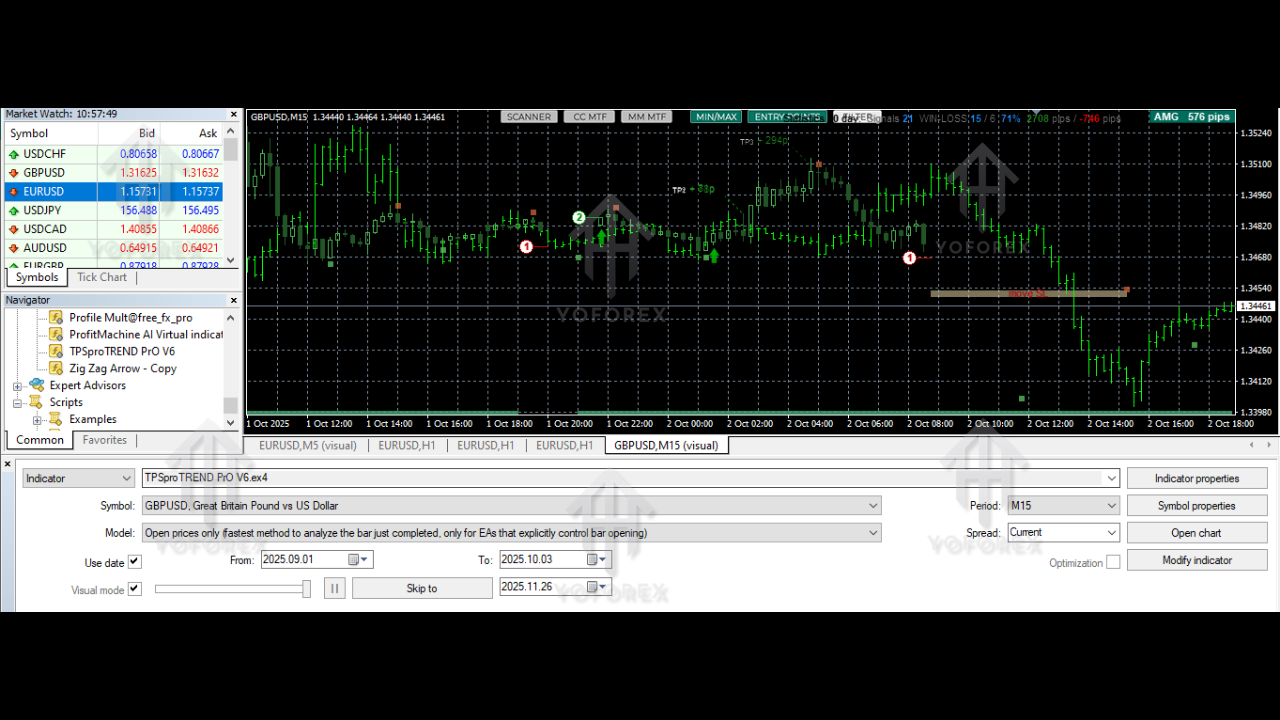
Why Traders Are Loving TPSproTREND PrO Indicator V6.0 MT4
Here’s why it’s getting so much hype:
- Super accurate entries
- Very easy for beginners
- Clean charts
- No repaint
- High win-rate with proper RR
- Works with all pairs & timeframes
- Perfect for scalping, intraday & swing trading
- Professional-grade signals
- Great for risk-managed trading
Unlike cheap indicators with fake promises, TPSproTREND PrO has a genuine, structured technical foundation.
How to Use the Indicator (Simple Guide)
Step 1: Install the Indicator
- Copy TPSproTREND PrO.ex4 to MT4 → MQL4 → Indicators folder
- Restart MT4
- Attach the indicator to any chart
Step 2: Select Timeframe
Choose a timeframe based on your strategy:
- M5/M15 for day trading
- H1/H4 for swing
- D1 for long-term trading
Step 3: Wait for Entry Arrow
Once the non-repainting arrow appears, check:
- Trend direction
- RR projection
- MIN/MAX zones
- BUY/SELL zone
Step 4: Enter Trade
Use the defined SL & TP zones.
Step 5: Manage Trade
Follow candle colors and move SL logic if enabled.
Best Settings for TPSproTREND PrO Indicator V6.0 MT4
Recommended settings:
- Alert: ON
- Candle Color: Enabled
- MTF MIN/MAX: Enabled
- RR display: ON
- Trend Scanner: ON
- Push Notification: Enabled
- S/R Zones: ON
These settings give traders the best clarity and comfort.
Final Verdict: Is TPSproTREND PrO Indicator V6.0 MT4 Worth It?
Absolutely—if you want a stable, non-repainting trend indicator with high accuracy and proper risk-reward tracking.
It eliminates confusion, simplifies analysis, reduces emotional trading, and gives actionable entries across all timeframes. Beginners love the clarity, while advanced traders appreciate the precision and statistical support.
Whether you scalp, day trade, or swing trade, the TPSproTREND PrO Indicator V6.0 MT4 fits perfectly into almost any trading system.






Comments
Leave a Comment