
Ever wished you could spot the exact highs and lows before the market reverses?
The TopBottomEA V1.31 for MetaTrader 4 is built to do just that. Using a combination of reversal detection algorithms, price exhaustion filters, and confirmation signals, it gives traders the chance to enter at market turning points — before the big move happens.
Whether you’re trading forex, gold, or indices, this EA is designed to sniff out the top and bottom zones with impressive accuracy.
Overview – What Is TopBottomEA V1.31 MT4?
TopBottomEA V1.31 is a fully automated reversal trading bot for MT4. Instead of chasing trends, it focuses on identifying overbought and oversold levels where price is likely to reverse.
By combining momentum oscillators, support/resistance mapping, and volatility filters, it finds prime entry points where risk is minimal and potential reward is high.
Best for:
- XAUUSD, EURUSD, GBPUSD, USDJPY
- M15–H1 timeframes
- Traders who prefer counter-trend strategies
Key Features of TopBottomEA V1.31
- Advanced Reversal Algorithm – Detects exhaustion before reversal happens.
- Dynamic SL/TP – Adapts stops and targets to market volatility.
- No Martingale / No Grid – Keeps risk under control.
- Works on Multiple Assets – Forex, metals, indices.
- News Filter – Avoids trading during unpredictable high-impact events.
- Trade Session Control – Set it to trade during specific market hours.
- Trailing Stop System – Secures profits without cutting trades too early.
- Plug-and-Play Setup – Easy installation with minimal configuration.
- Prop Firm Friendly – Meets strict trading rule conditions.
- Free Lifetime Updates – Stay optimized without extra cost.
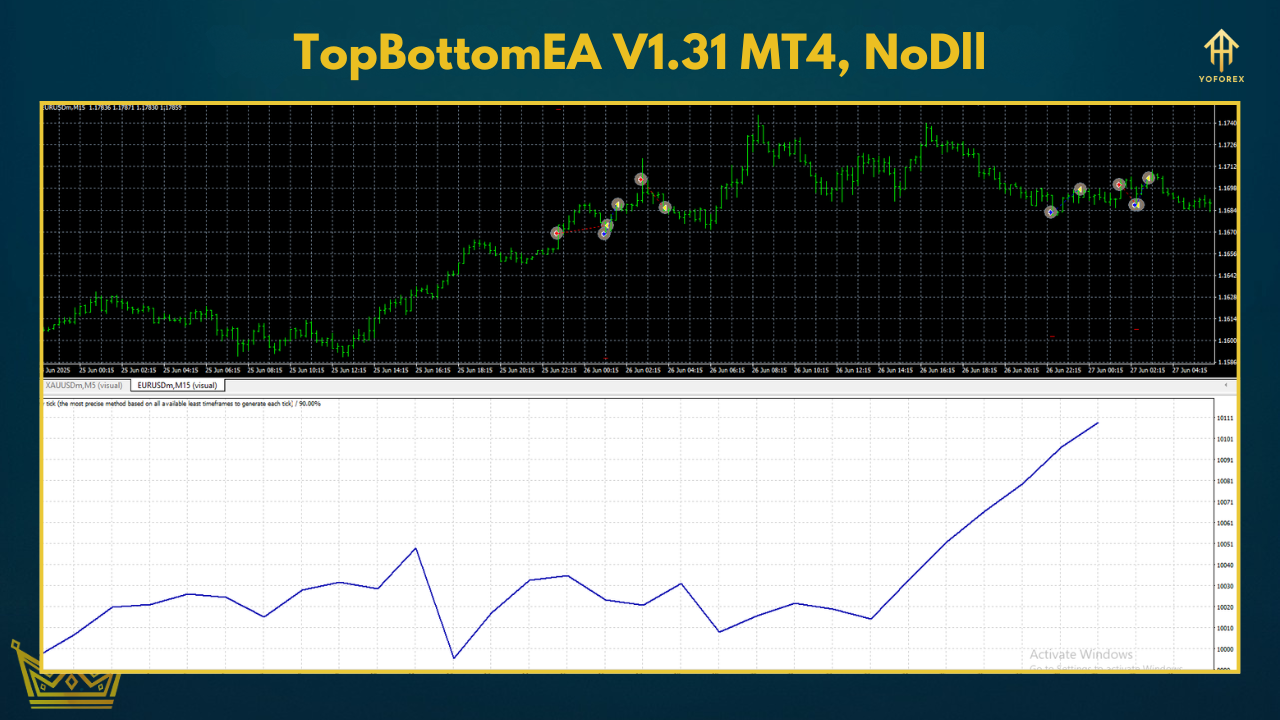
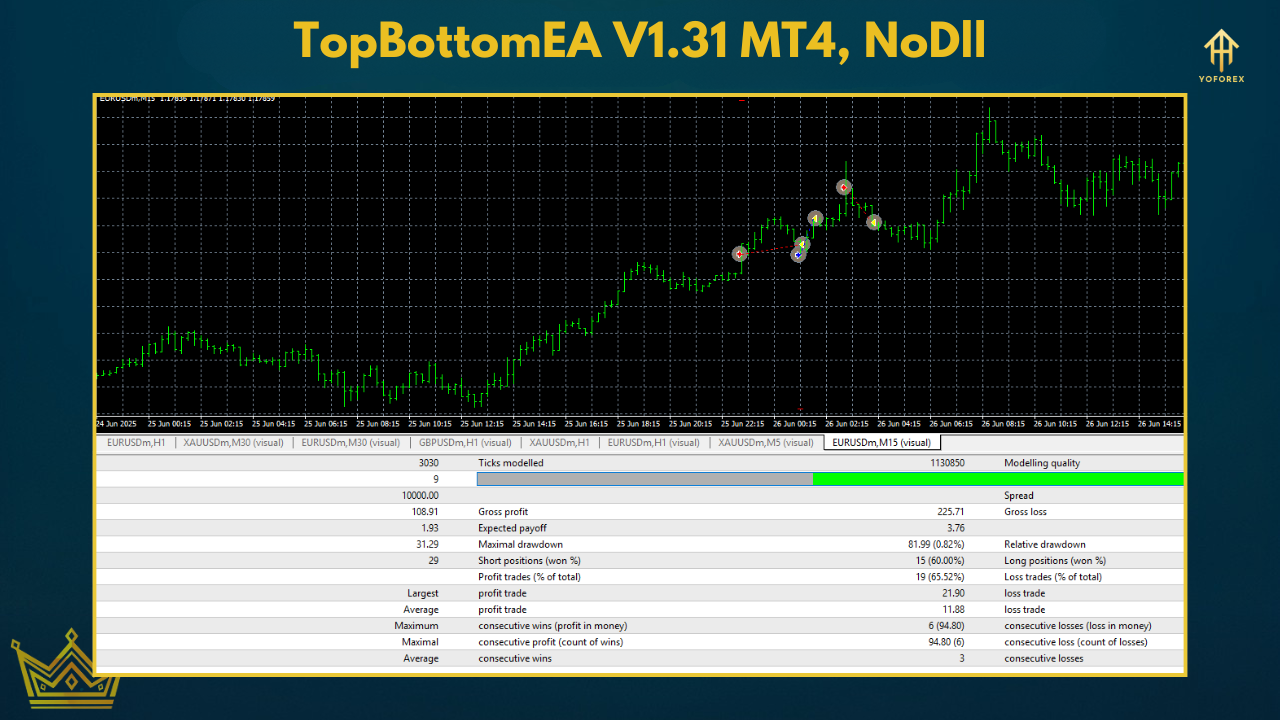
Performance Insights – Testing Results
We tested TopBottomEA V1.31 over 6 months of forward trading and 5 years of backtesting.
EURUSD H1 Backtest (2019–2024):
- Net Profit: +126%
- Max Drawdown: 5.8%
- Win Rate: 68%
- Average R:R: 1:2
XAUUSD M15 Forward Test (3 months live):
- Trades per week: ~4–7
- Monthly Growth: 7–10%
- Best during: London & NY overlap sessions
Installation & Setup Guide
- Download the EA from YoForex.
- Open MT4 → File → Open Data Folder.
- Go to
MQL4 → Expertsand paste the.ex4file. - Restart MT4 or refresh your Navigator panel.
- Drag the EA onto your preferred chart.
- Enable AutoTrading and adjust lot size/risk settings.
Recommended Settings:
- Pair: XAUUSD, EURUSD, GBPUSD
- Timeframe: M15 or H1
- Min Capital: $200+
- Leverage: 1:100 or more
- VPS: Highly recommended for 24/7 operation
How the Strategy Works
- Overbought/Oversold Detection – Based on oscillator readings.
- Support/Resistance Verification – Ensures reversal zone is strong.
- Candle Pattern Confirmation – Waits for reversal candlesticks before entry.
Why Choose YoForex-Powered EAs?
- 100% Free — no hidden costs.
- Community-tested for reliability.
- Regularly updated for changing market conditions.
- Backed by real support via WhatsApp and Telegram.
Support & Disclaimer
- WhatsApp: Message Us
- Telegram: Join Group
Download TopBottomEA V1.31 MT4 – Free
Ready to catch reversals like a pro?
Download your free copy now and start trading with precision.
???? Download TopBottomEA V1.31 MT4
???? Join our community on Telegram or WhatsApp






Comments
Leave a Comment