Thanos EA V1.0 MT5 — a calm, rules-first EURUSD H1 swing trader you can actually live with
If you’ve bounced between flashy robots that spike your heart rate and your drawdown, you’re not alone. Most “plug-and-pray” EAs overfit, martingale, or both… and then blow up right when you start to trust them. Thanos EA V1.0 for MT5 takes a simpler, steadier path: one major pair (EURUSD), one clear timeframe (H1), and a disciplined swing-trading framework that prioritizes risk control over fireworks. No gimmicks, no grid layers piling up. Just a clean ruleset that waits for alignment, steps in with predefined risk, and steps out when the edge fades. That’s it—coz trading doesn’t have to be loud to be effective.
What is Thanos EA, in plain English?
Thanos EA V1.0 MT5 is an Expert Advisor that hunts for medium-term swings on EURUSD using trend + momentum confirmation. The engine looks for structure (directional bias via moving-average slope and market regime filters), then momentum triggers (breaks from compression or pullback continuation), and finally volatility-scaled risk (ATR logic for SL/TP and trailing). On the M5 chart, that usually means trades last hours to a couple of days, giving enough “room” for meaningful moves without needing ultra-tight spreads or HFT latency.
Core philosophy:
- Stick to one instrument and timeframe to reduce noise.
- Enter when trend and momentum “say the same thing.”
- Scale risk by current volatility so position sizing and stops make sense.
- Never average down. Ever.
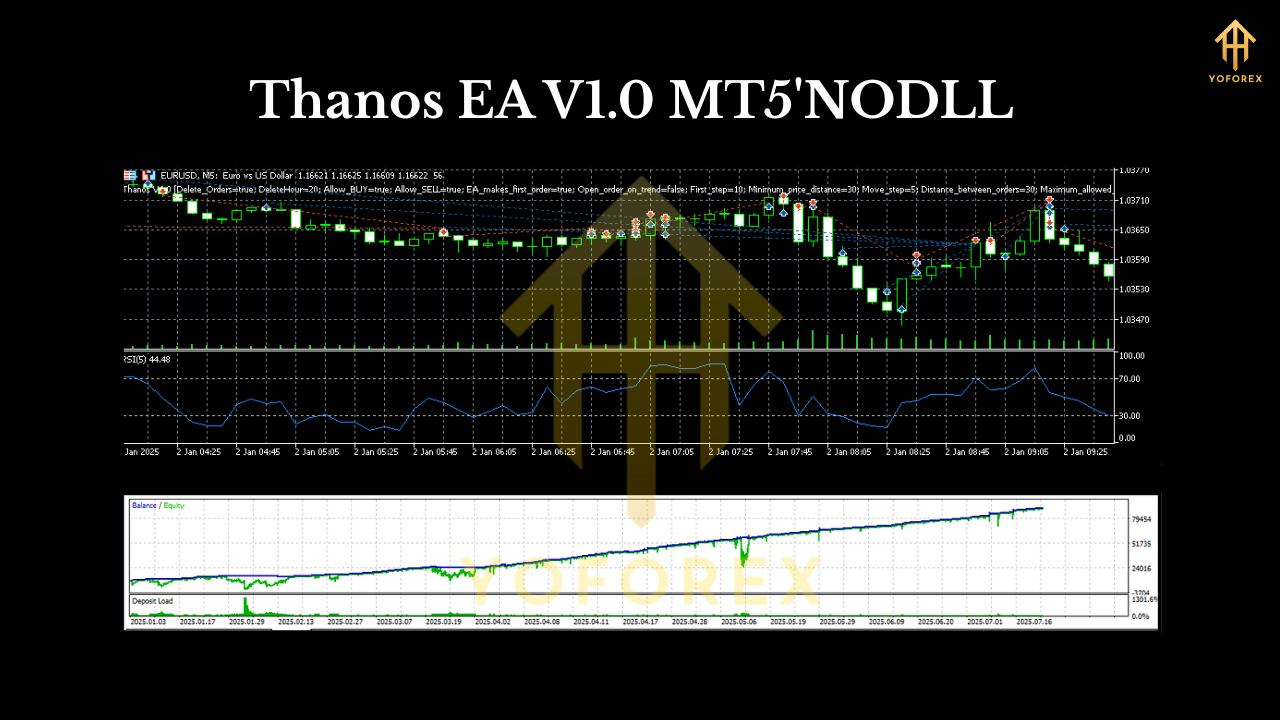
Why EURUSD on M5?
EURUSD is liquid, spreads are typically tight, and slippage is manageable with most decent brokers. The M5 timeframe filters out a lot of chop you’ll see on M1/M5 while still being active enough to catch 2–5 trades per week (varies with market conditions). It’s the “Goldilocks” window: not too fast, not too slow.
How the strategy thinks (without the fluff)
- Bias filter: A longer-term moving average (e.g., 200-period EMA) defines the primary trend. We only look long above it and short below it; this avoids fighting the tape.
- Regime check: A basic volatility and structure scan (e.g., ATR + swing highs/lows) tells the EA whether the market is trending or ranging. Trend signals are favored; range signals are either ignored or sized lighter.
- Trigger logic: Breakout or pullback-continuation triggers confirm with a momentum read (e.g., RSI/ADX combination). No indicator worship—signals must align.
- Risk template: ATR-anchored stop loss, dynamic take profit, optional partials, and a trailing stop that tightens only after price has proven itself.
- Position sizing: Percent-of-equity or fixed lots; percent-risk is recommended for consistency.
Key features you’ll actually care about
- • Single-pair focus (EURUSD): Deep liquidity, reliable spread, straightforward execution.
- • M5 timeframe discipline: Fewer false signals than lower timeframes; less screen stress.
- • No martingale, no grid: Clean entries, single positions, clear exits—period.
- • ATR-based risk: Stops and targets adapt to current volatility, not guesswork.
- • Trend + momentum confirmation: Stacks the odds by aligning multiple simple edges.
- • Partial take-profits (optional): Lock something in on first objective, let a runner try for more.
- • Breakeven & trailing logic: Only tightens once price moves—so you don’t strangle good trades.
- • News filter (optional): Pause during high-impact events to reduce random slippage risk.
- • Broker-agnostic: Works with most MT5 ECN/Raw accounts; low spreads help.
- • Risk-first defaults: Factory settings lean conservative; you can tune, but don’t go wild.
Recommended environment & settings (start here)
- Chart: EURUSD, M5 (one chart, one EA instance).
- Account type: ECN/Raw or equivalent with low spreads.
- Leverage: 1:100 or above is fine (your risk % matters more than leverage).
- VPS: Strongly recommended for 24/5 uptime and stable latency.
- Risk per trade: 0.5%–1.0% to start; increase only after months of consistency.
- Stop loss: ATR-scaled (built-in).
- Take profit: Multi-target or single TP with trailing—use defaults first.
- News filter: On for red-flag events if you’re cautious; off if you accept event risk.
Setup: from download to first trade (quick and simple)
- Download & copy: Place the Thanos EA
.ex5file intoMQL5/Experts/inside your MT5 data folder. - Restart MT5: Or right-click Expert Advisors and hit Refresh.
- Open EURUSD M5 chart: Clean template is fine.
- Attach EA: Drag Thanos EA V1.0 onto the chart; allow algo trading.
- Load defaults: Start with the default preset; they’re conservative on purpose.
- Enable algo trading: Make sure the “Algo Trading” button in MT5 is green.
- Run it on demo first: Let it run at least 2–4 weeks in live market conditions before going real.
- Go live slowly: When you’re convinced the execution and behavior match your expectations, start small on real and scale gradually.
Backtesting & forward-testing tips (don’t skip this)
- Model quality matters: Use high-quality tick data if you can. Test at least 2–3 years of EURUSD M5 to see different regimes.
- Test default first: Get a baseline before you touch parameters.
- Vary regimes: Include calm periods and volatile stretches (e.g., summer lulls, post-news spikes).
- Enable spread variations: Simulate realistic slippage and spreads, not idealized lab conditions.
- Walk-forward logic: If you optimize anything, validate on out-of-sample periods and forward test in demo.
- Journal everything: Note which settings felt robust vs. “too perfect.” Robust wins long-term, always.
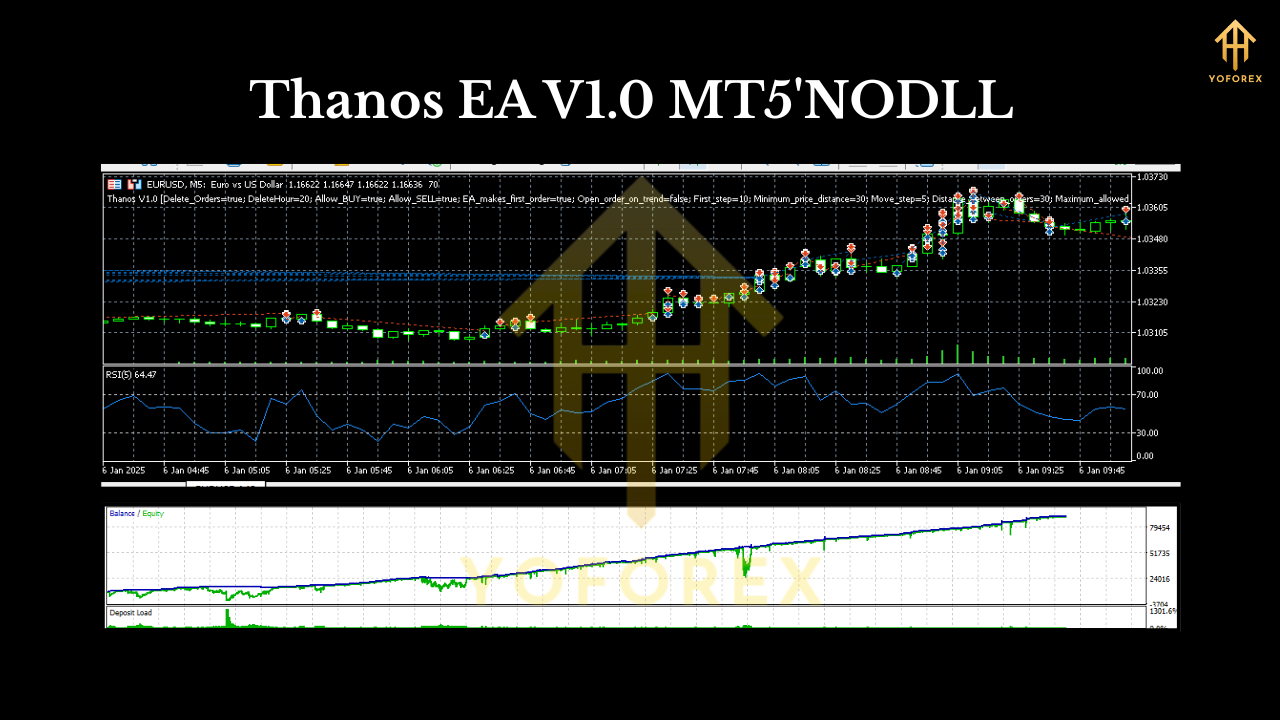
Risk & money management (the boring part that saves accounts)
- Position sizing: Keep it small enough that a losing streak is emotionally and mathematically tolerable.
- Daily loss cap: Consider pausing the EA for the day after a loss cap (e.g., 2%) is hit.
- No stacking: Don’t manually open extra positions in the same direction. Let the EA work.
- Withdraw to win: If you grow the account, occasionally withdraw profits. It makes the math—and your mindset—healthier.
- Accept variance: Even good edges have cold streaks. Judge by months, not days.
Who is Thanos EA best for?
- Traders who want one focused setup (EURUSD M5) rather than juggling five bots on eight pairs.
- People who value risk control and clean charts over flashy equity curves.
- Anyone who can let an EA run with minimal tinkering, reviewing weekly rather than every five minutes.
- Newer algo users who prefer an approachable, rules-first path with clear documentation.
Common questions (super quick)
- Can I use it on other pairs? V1.0 is built and validated around EURUSD M5. You can experiment, but it’s on you—results may vary.
- Does it martingale? No. Never.
- How many trades per week? It depends on volatility and structure. Some weeks may be quiet; others busier.
- Will it pass prop firm challenges? It’s not built for challenges, but disciplined risk rules help. Always read your firm’s rules and test on a demo first.
Final word
Thanos EA V1.0 MT5 won’t promise you the moon. It won’t stack ten positions, double lots after losses, or chase every wiggle. Instead, it shows up, reads the tape, risks small, and lets the market decide. If that sounds a bit… boring—good. Boring is often what longevity looks like in trading. Set it up right, test it thoroughly, keep risk tight, and give it time to do its thing. That’s how you build something that lasts.
Join our Telegram for the latest updates and support






Comments
Leave a Comment