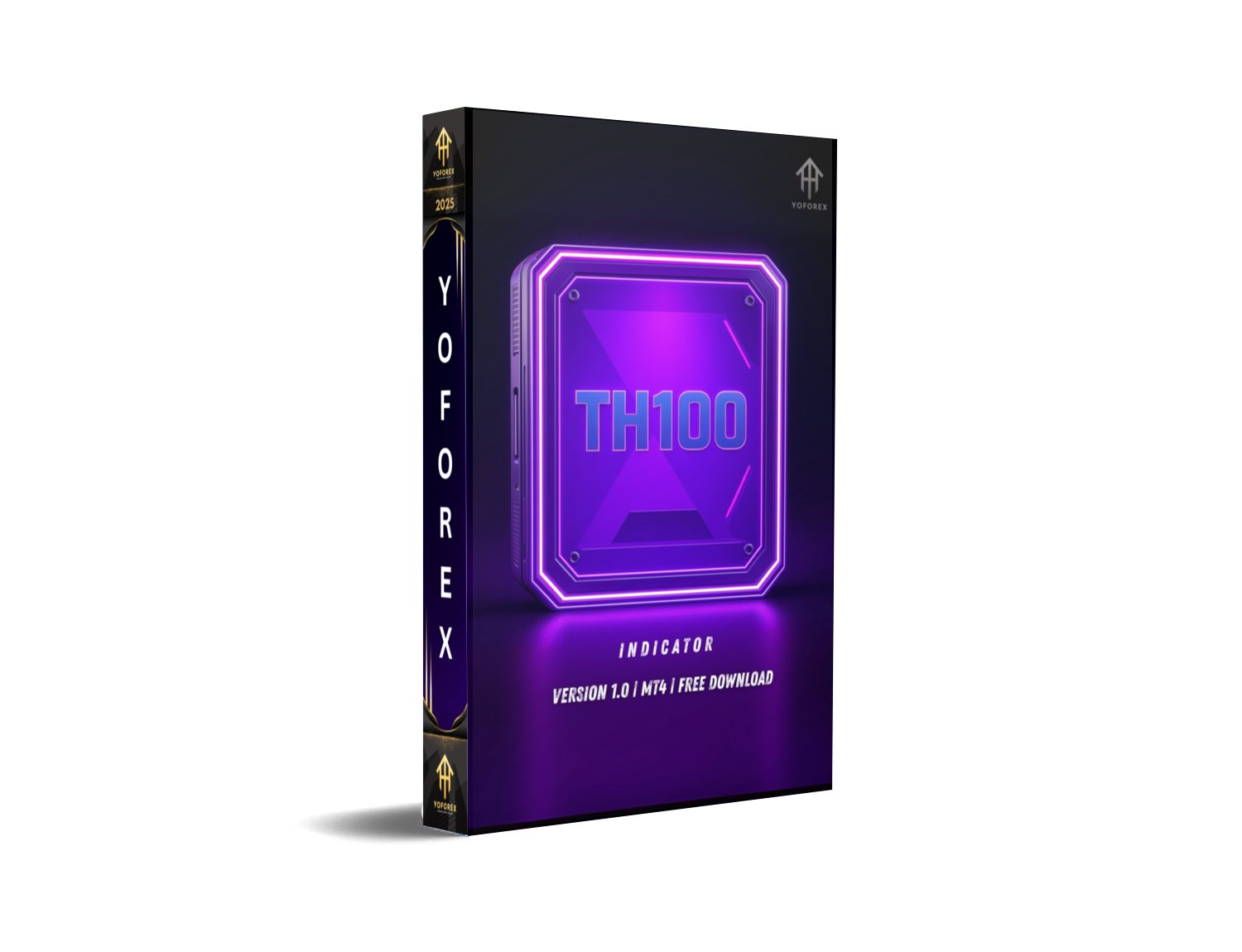
TH100 Trading System Indicator MT4: A Professional Toolkit for Serious Traders
Succeeding in the forex markets demands more than just basic technical understanding. It requires a trustworthy system that combines precision, flexibility, and automation. The TH100 Trading System Indicator for MT4 has been developed to provide exactly that—a well-rounded solution for traders aiming to execute trades with confidence and discipline.
This multifunctional trading tool is designed for traders who want to filter out the noise, follow smart signals, and manage risk with accuracy. Whether you are a beginner, an intermediate trader, or an aspiring prop firm trader, TH100 offers the framework and logic needed to trade efficiently across all market situations.
What is the TH100 Trading System Indicator MT4?
The TH100 Trading System is a comprehensive MetaTrader 4 package offering non-repainting buy/sell signals, risk management automation, multi-strategy presets, and an integrated news event overlay. It's not merely an indicator; it's an entire trading environment created for short-term scalping, intraday trading, and long-term swing setups.
With TH100, you gain access to clear, confirmed signals and the ability to manage trades using a smart EA assistant, which handles everything from stop loss to breakeven logic. This combination gives traders more control, enhanced entry precision, and consistent trading routines.
Key Features of the TH100 Trading System
Non-Repainting Signals
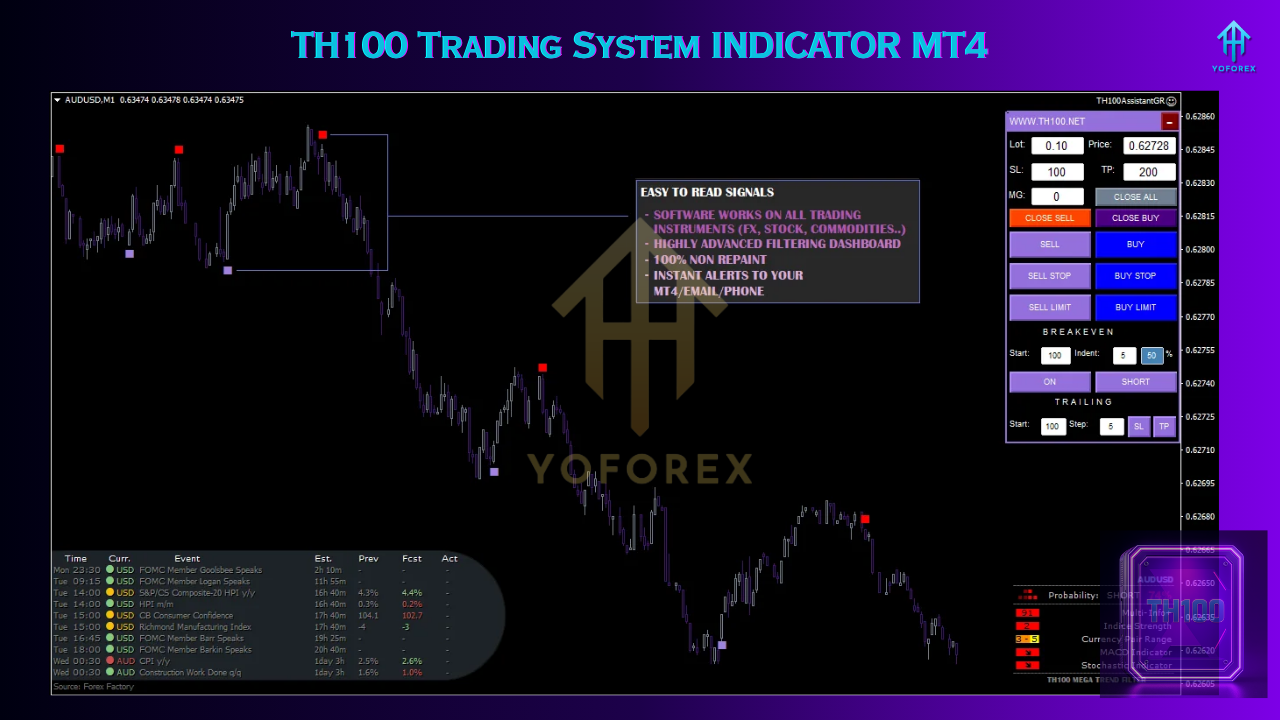
Unlike many free indicators that shift or disappear when price action changes, TH100 produces non-repainting signals. Once a trade signal appears, it remains fixed on the chart, guaranteeing consistency during both backtesting and live trading.
Multi-Strategy Trading Modes
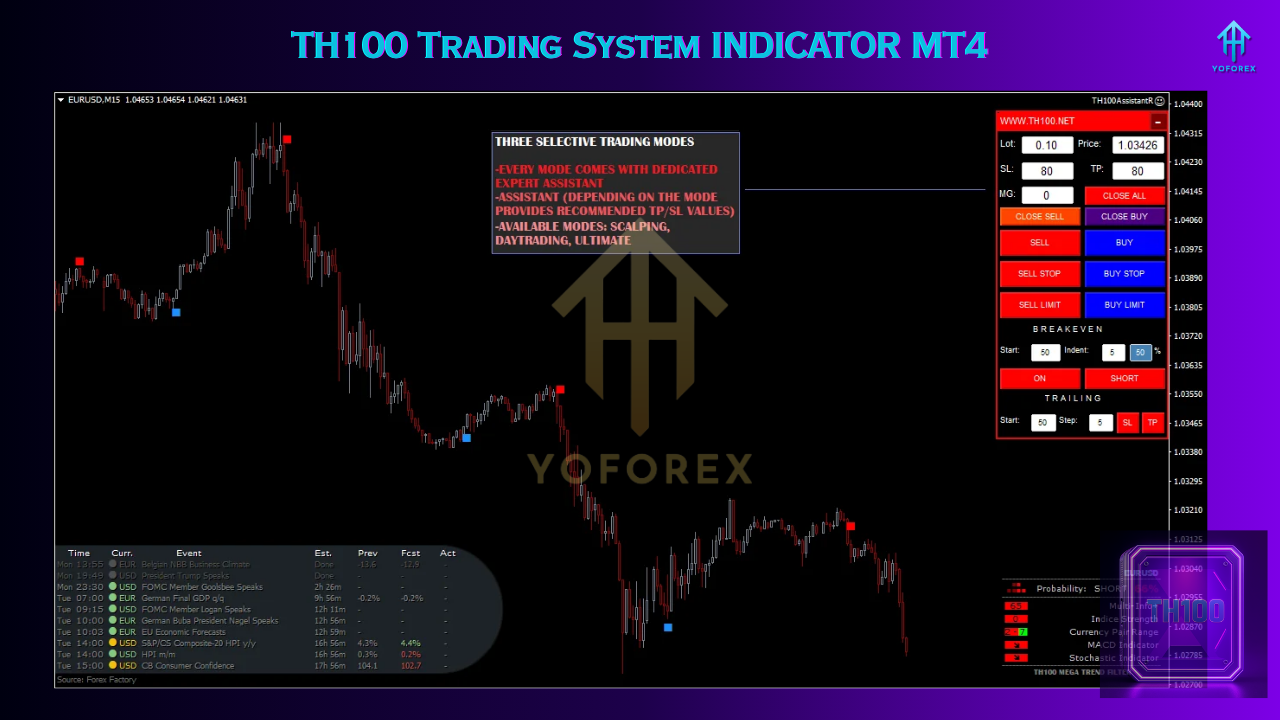
The indicator is designed to suit all types of traders with three unique strategy templates:
- Scalping Mode (M1–M5) for quick trades and rapid profits
- Day Trading Mode (M15–H1) for intraday setups
- Swing Trading Mode (H4–D1) for larger market movements
This adaptability makes it possible to trade any market condition with tailored settings.
Expert Advisor (EA) Assistant
The included EA automates vital trade functions such as:
- Risk-based lot sizing
- Automated stop loss and take profit
- Trailing stop logic
- Breakeven functionality
It is ideal for traders who want to remain disciplined and manage risk without manual effort.
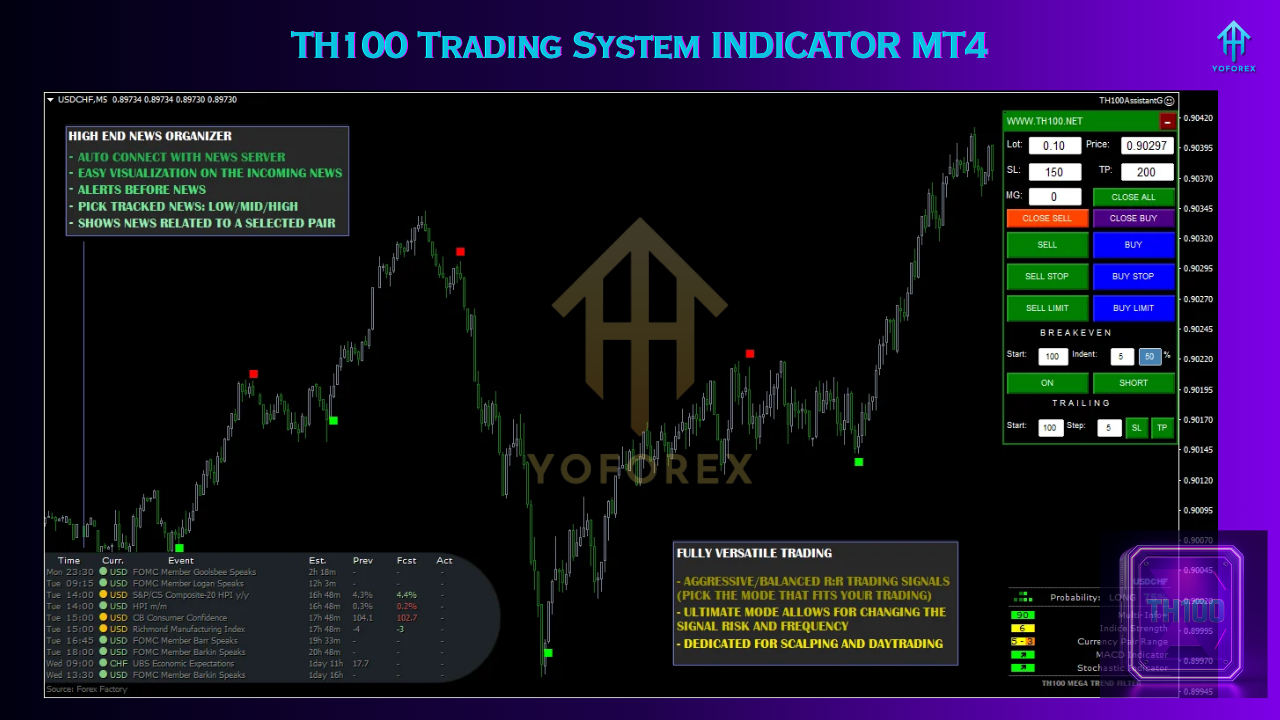
Live News Integration
The system incorporates a built-in economic calendar that displays upcoming events directly on the MT4 chart. Events are categorized by importance, allowing traders to plan their trades around potential volatility.
Real-Time Alerts
Traders receive instant alerts via MT4, email, or mobile notifications whenever a trade opportunity is detected. This feature helps traders stay informed, even when away from the charts.
Installation Guide
- Download the TH100 package and extract all files.
- Open MT4 and go to File > Open Data Folder > MQL4.
- Copy the
.ex4indicator files into the Indicators folder. - Copy the EA files into the Experts folder and DLLs into the Libraries folder (if any).
- Restart MT4.
- Load any of the provided TH100
.tpltemplates onto your charts. - Enable AutoTrading and allow DLL imports.
- Choose your preferred strategy mode and start trading.
Best Timeframes and Asset Suggestions
For the best results, align your asset and timeframe based on your selected mode:
- Scalping: EURUSD, GBPUSD, USDJPY on M1–M5
- Day Trading: XAUUSD, US30, EURUSD on M15–H1
- Swing Trading: BTCUSD, GBPJPY, AUDUSD on H4–D1
The indicator can be used across forex pairs, indices, gold, and even cryptocurrencies. Its flexibility makes it suitable for high-volatility and low-spread instruments.
Who Can Use TH100?
This system is built for:
- Beginners looking for an easy-to-understand trading system with clear signals
- Intermediate traders seeking risk-managed trade setups and alerts
- Advanced traders wanting to add structure and automation to their discretionary trading
- Prop firm traders preparing for funded challenges and needing precise entries and low drawdowns
Whether you trade manually or semi-automatically, TH100 integrates smoothly into most trading workflows.
Advantages of TH100 Over Other MT4 Tools
The key strength of TH100 lies in its accuracy, ease of use, and automation. Unlike generic indicators, TH100 provides:
- Clear chart visuals with distinct, permanent trade signals
- Risk control and execution management with the bundled EA
- Real-time economic data to avoid high-risk periods
- Adaptability through multiple strategy templates
- Instant alerts so you never miss trading opportunities
These features make it more than just another indicator—it’s a trading system designed for everyday use and real results.
Tips for Better Performance with TH100
- Use demo testing first to understand how each mode works in different market conditions
- Avoid trading during high-impact news events, even with the news overlay enabled
- Use VPS hosting for scalping or if you want uninterrupted trade automation
- Stick to trending pairs and avoid flat markets that might trigger false signals
- Combine with basic price action tools like support and resistance for added signal confirmation
Performance Expectations
TH100 is built for consistency rather than excessively aggressive trades. When used with proper risk management, users report:
- High accuracy on trend-following setups
- Increased confidence in their entries
- Low drawdown exits, especially on scalping mode
Traders using the swing mode especially appreciate the fewer signals with a higher win probability, while scalpers benefit from timely alerts and rapid execution.
Conclusion
The TH100 Trading System Indicator MT4 is a comprehensive toolkit for the serious trader. It is not just about signals—it’s about improving discipline, managing risk, and automating essential elements of trade execution. Whether your goal is to enhance your trading outcomes, reduce emotional trading, or prepare for prop firm accounts, TH100 offers a reliable structure to trade smarter and more effectively.
Download the TH100 system today and experience the benefits of structured, professional trading tools inside your MetaTrader 4 terminal.






Comments
Leave a Comment