System Haos Indicator MT4: Ultimate Trend Detection
Have you ever stared at dozens of charts and oscillators on MetaTrader 4, still second-guessing your entries? You're not alone, coz so many indicators either repaint or lag, making you miss prime moves. But imagine if you had a tool that flags trends and volatility zones in real time, with clear arrows that won’t vanish on you. No more drawing lines by hand or guessing entry points—System Haos does the heavy lifting for you. That’s exactly what System Haos Indicator MT4 delivers. It’s built for traders who demand precision, simplicity and speed, all rolled into one nifty package. Ready to cut through the clutter? Let’s dive in…
What Is System Haos Indicator MT4?
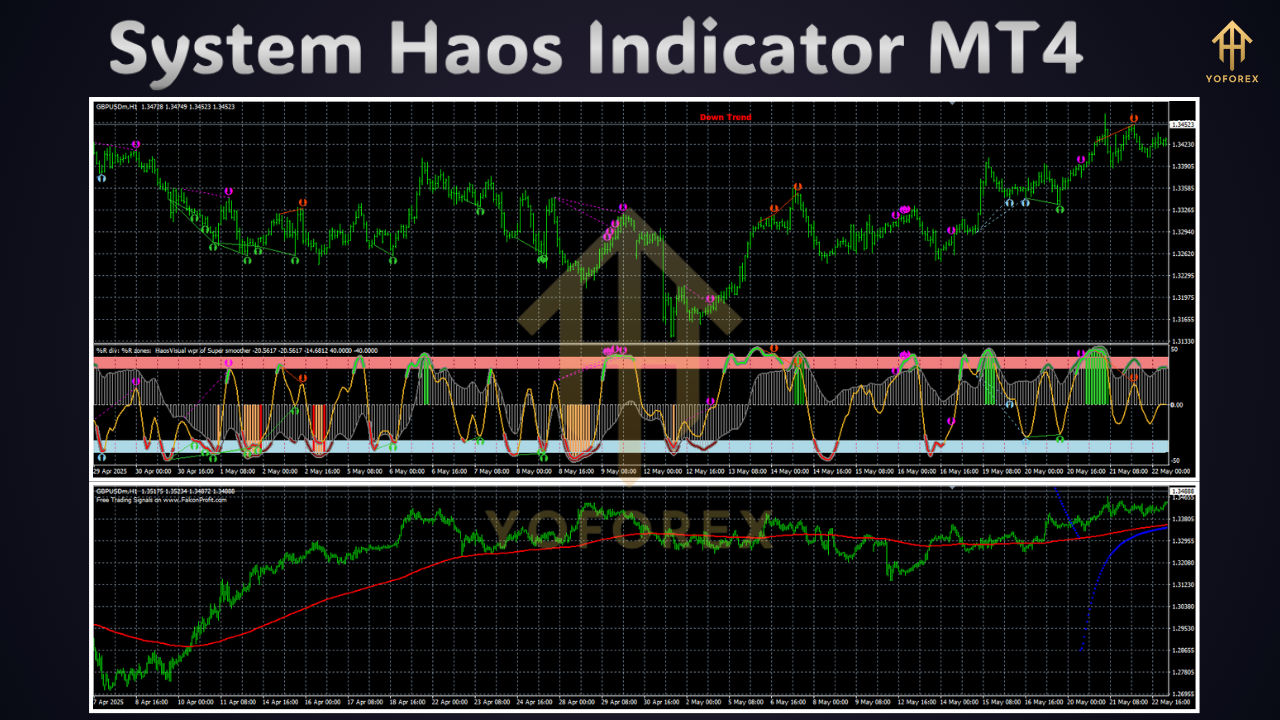
System Haos Indicator MT4 is a sophisticated trend-detection and volatility analysis tool, developed to work seamlessly on the MT4 platform. Unlike generic moving averages, it combines multiple timeframes of price action with dynamic volatility bands to highlight the strongest trend points and potential reversals. When price breaches these bands, the indicator plots arrows and histograms, guiding you where momentum is gaining steam or waning. MQL4 enthusiasts will appreciate the clear code structure: it’s modular, so you can comment out unwanted parts or add new filters. Plus, the developer provides regular updates based on user feedback—no abandoned script here! Whether you trade forex majors or exotic crosses, System Haos adapts to your style and keeps you one step ahead.
Key Features
- Multi-Timeframe Analysis: merges signals from H1, H4 and D1 to reduce noise and confirm trends.
- Dynamic Volatility Bands: auto-adjusting bands show expansion and contraction phases so you know when to enter or exit.
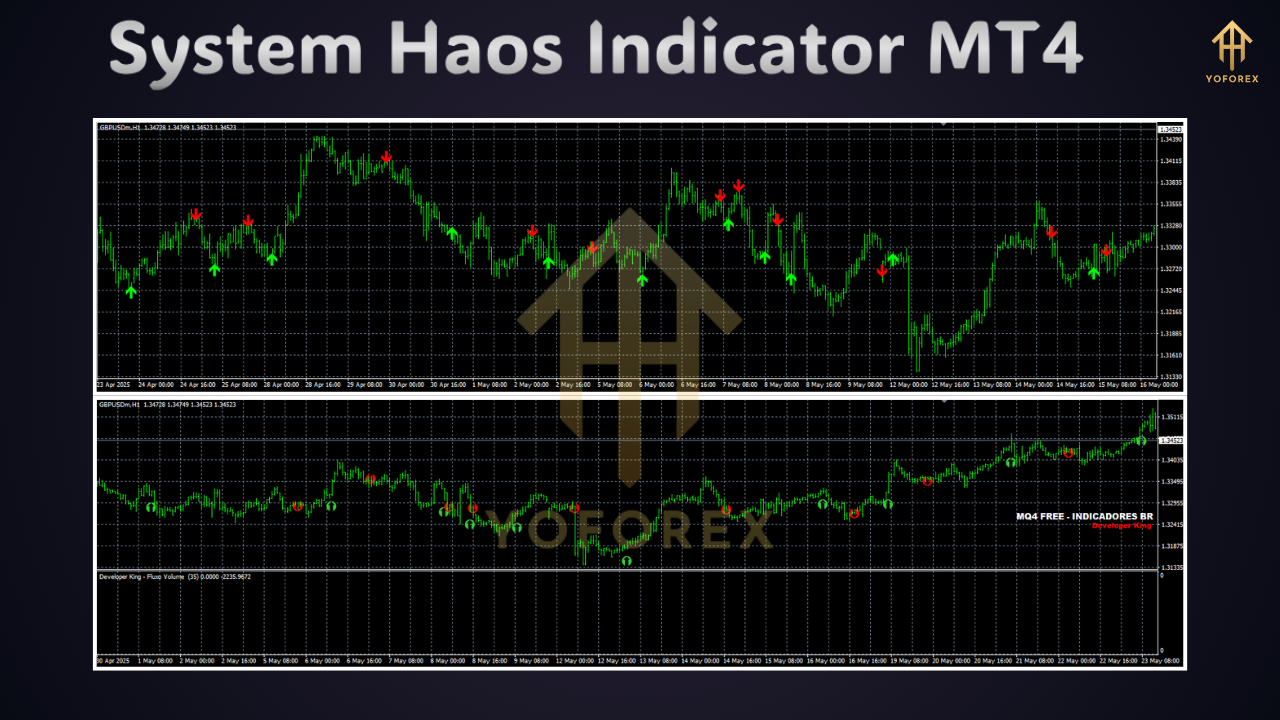
- Non-Repainting Signals: arrows stay put after formation, unlike many repainting indicators that mislead you.
- Customizable Alerts: email, push or pop-up alerts keep you in the loop even when you’re away from the screen.
- Adjustable Sensitivity: fine-tune trend detection by tweaking period lengths or volatility multipliers.
- Histogram Momentum Gauge: colored histogram helps visualize momentum strength at a glance.
- Support for Multiple Brokers: tested on popular brokers and VPS setups for consistent behavior.
- Lightweight & Fast: minimal CPU usage ensures smooth performance on any PC or VPS.
How It Works
Under the hood, System Haos Indicator calculates price breakouts across selected timeframes, then applies a volatility coefficient to draw dynamic bands around the market. When the price closes beyond the upper band, it signals bullish momentum; a close below the lower band signals bearish impulse. The histogram reads the difference between fast and slow moving averages filtered by volatility—think of it as a smoothed MACD with a volatility twist. You’ll see the arrows only when all conditions align, so it keeps false signals to a minimum. You can dive into the settings to change timeframes or band multipliers, and it even highlights zones of consolidation so you can avoid choppy markets. Don’t worry if you’re not a coder, tho—the presets work straight out of the box, ready for action.
Supported Pairs & Timeframes
System Haos Indicator MT4 shines across a wide range of instruments. It’s been rigorously tested on major forex pairs like EURUSD, GBPUSD and USDJPY, as well as gold (XAUUSD) and oil CFDs. If you trade crypto pairs on MT4, you can use it there too—just adjust the volatility bands to account for wider swings. The default timeframes cover M15, H1 and H4, but advanced traders can enable D1 and W1 for higher-timeframe confirmation. Keep in mind, shorter timeframes will produce more signals, while higher timeframes filter noise but arrive slower. Adjust per your risk appetite and trading hours.
Technical Requirements & Compatibility
You don’t need a supercomputer to run System Haos Indicator MT4. It’s coded in optimized MQL4, so it plays nice with any MT4 build since build 600 or later. All you need is a Windows PC or VPS with MT4 installed; Mac users can use Wine or a virtual environment. It’s compatible with hedging and netting account types, and works over both demo and live accounts. Just make sure your broker provides tick data for accurate volatility readings. If you ever hit a snag, check the info panel or contact support for a quick resolution.
Benefits of Using System Haos
Trading gets emotional fast—one wrong move and you panic exit or hold on too long. System Haos Indicator MT4 helps you trade more objectively by highlighting only the most reliable setups. You’ll waste less time grid-searching for trends and more time capitalizing on actual market moves. Plus, with its non-repainting arrows and alerts, you don’t have to second-guess if a signal will vanish. This leads to higher win rates, reduced drawdowns and ultimately, a steadier equity curve. In short, it takes the guesswork out of trend trading and gives you a clearer roadmap.
Installation & Setup Guide
Getting started is a breeze. First, download the .ex4 file from your account dashboard on yoforexea.com. Then open MT4 and navigate to File → Open Data Folder → MQL4 → Indicators and drop the file there. Restart MT4 so it refreshes the indicator list. Next, drag System Haos onto any chart and go through the input parameters. I’d suggest sticking with default settings for a week to see how it behaves, then tweak the VolatilityMultiplier and TimeframeFilter to suit your style. For alerts, enable Push and Email notifications under the Common and Alerts tabs. Boom—you’re ready to catch your first signal.
Advanced Customization & Alerts
If you’re tech-savvy, this is where the magic happens. Dive into the Indicator Properties and play with values like BandPeriod and ATRLength to tighten or widen the bands. Want fewer signals? Increase the SignalFilter threshold; craving more? dial it down. You can color-code arrows, change histogram styles, or even link it with an external EA via OnChartEvent for automated entries. Beyond that, you can script custom alerts by editing the MQL4 code—if you know your way around MetaEditor. For example, add SMS alerts or tie it into Telegram via third-party scripts. The flexibility is insane, so feel free to experiment until you find the sweet spot. And remember, every market reacts differently—so what works on EURUSD might not work on BTCUSD. Always test your custom settings over a demo for at least 100 trades.
Combining with Other Strategies
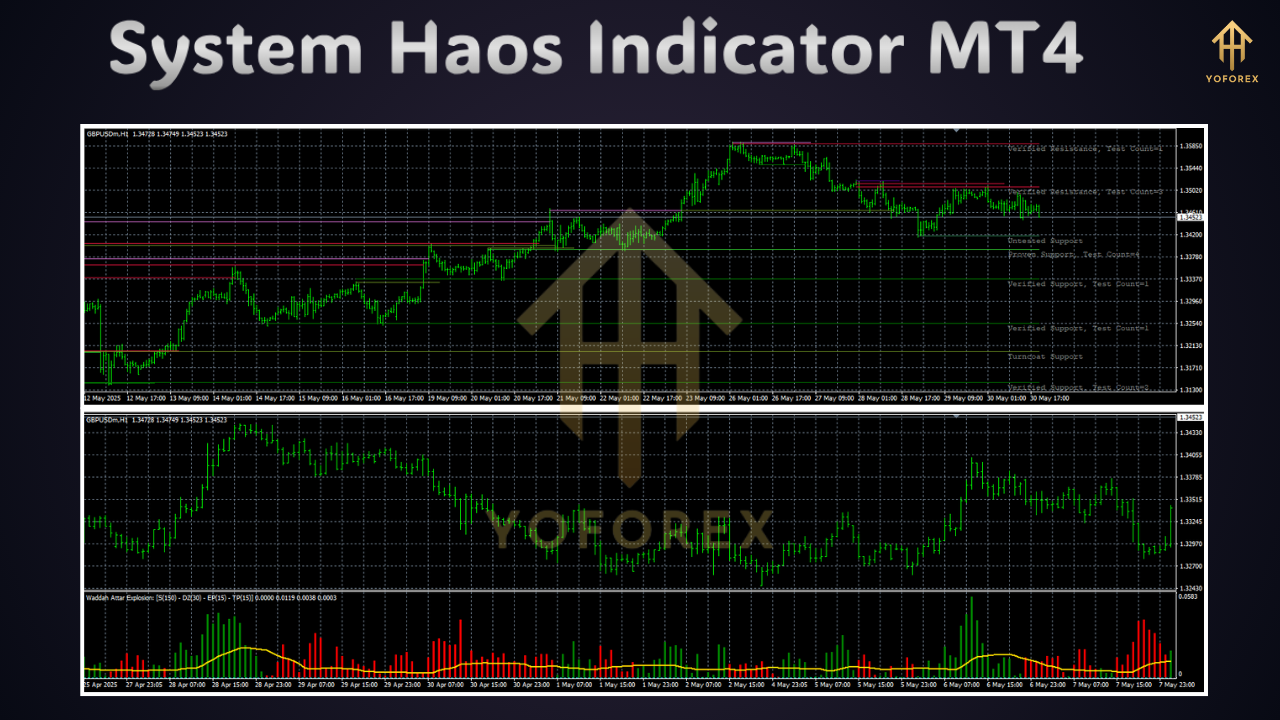
System Haos plays well with other tools. A popular combo is pairing it with a volume indicator to validate breakouts—no volume surge, no trade. Some traders overlay it on a Renko chart to strip out noise, while others use it alongside a support/resistance grid to time entries precisely. If you run price-action strategies, wait for a dot arrow from System Haos then look for pin bars or engulfing candles for confirmation. Personally, I also love running a simple moving average crossover on the same chart to see longer-term trend bias. When the SMA aligns with a System Haos arrow, I know I’m on the right side of the market. The key is to avoid overloading your chart—pick two or three reliable indicators max so you don’t drown in conflicting signals.
Risk Management Tips
No indicator can predict the future 100%, so always pair signals with solid risk rules. Never risk more than 1–2% of your account per trade, and use the bands as logical stop-loss zones—set SL just beyond the opposite band. If price whipsaws through the indicator multiple times without follow-through, skip that setup; stay flat til clarity returns. And don’t chase signals—if you miss an arrow, let it go instead of revenge trading. Consistency comes from discipline, so stick to your plan, no matter how tempting the market looks. Trajectory analysis and backtesting reports are available on our site if you want to dive deeper into win/loss patterns.
User Reviews & Results
Traders around the globe rave about System Haos Indicator MT4. On ForexFactory threads, users report win rates north of 65% on H1 charts, and average returns of 1–2% daily when combined with proper money management. One pro swing trader said it saved his account from a major drawdown last quarter, coz it helped him avoid choppy Asian sessions. Another algorithmic guy integrated it into his EA and saw Sharpe ratios climb by 0.5 points. Of course, results vary, but real-user feedback shows it's more than just hype—it actually works in real market conditions. Check yoforexea.com/testimonials for screenshots of equity curves and live trade logs. Seeing is believing, after all.
Conclusion & Call to Action
Ready to transform your trading? System Haos Indicator MT4 offers clarity, precision and the edge you’ve been hunting for. It’s beginner-friendly yet deep enough for pros to customize. Download it now from https://yoforexea.com/system-haos-indicator-mt4, slap it on your charts and start pinpointing trend moves with confidence. If you hit any bumps, ping our support team via WhatsApp or Telegram—links are in your download email. Trade smart, manage risk, and let the markets serve you… not stress you out.






Comments
Leave a Comment