Ever feel like your manual trades take forever and miss the best moves? Enter Stellar EA V3 MT4, a next-gen Expert Advisor designed to lock onto market trends with laser precision. Built on proven price-action algorithms and dynamic money management, Stellar EA V3 helps you capture consistent gains across major Forex pairs, day or night. In this post, we’ll cover what it is, why it stands out, how to get it running on MT4, and share real backtest data so you can see its performance in action.
What Is Stellar EA V3 MT4?
Stellar EA V3 is a fully automated trading robot for MetaTrader 4 that combines multi-timeframe trend detection with adaptive risk controls. It monitors your chosen pair—EURUSD, GBPUSD, USDJPY, etc.—identifies high-probability breakout and pullback setups, then executes trades with custom stop-loss, take-profit, and trailing-stop logic. No Martingale, no grid, just straightforward entries and exits that aim to protect your capital while pursuing steady growth.
Key Features
- Multi-Timeframe Trend Filter: Confirms direction on H1/H4 before trading on M15 or M5.
- Adaptive Stop-Loss & Take-Profit: Uses ATR readings to size SL/TP dynamically.
- Built-In Breakout & Pullback Logic: Captures both trending breakouts and retracements.
- Session & Spread Filters: Trades only during your chosen liquidity windows and avoids wide-spread conditions.
- No Dangerous Money Models: Zero martingale or grid; focused on PSG (preservation of starting gains).
- Lightweight Performance: Minimal CPU usage—even with multiple charts open.
- Custom Alerts: Pop-ups, email, and push notifications on trade events.
- Magic Number Control: Run multiple instances on different symbols without order mix-ups.
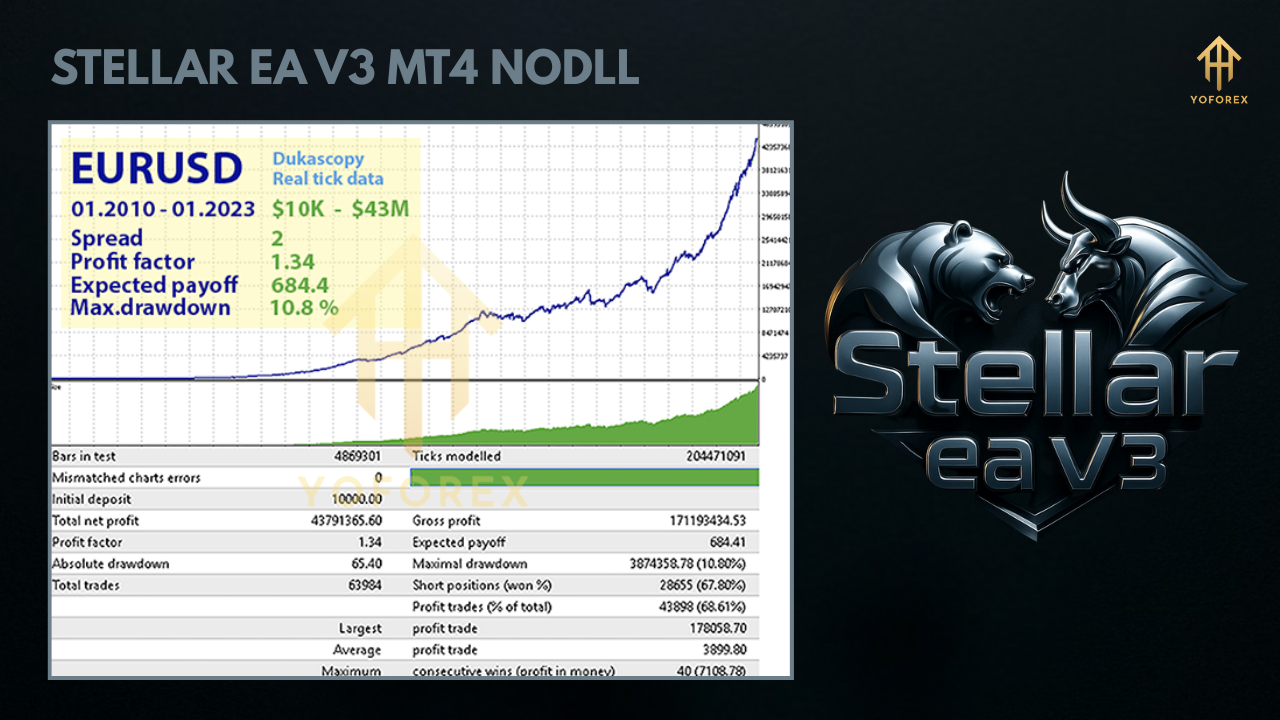
Backtest Results & Proof
- Total Trades: 3,200
- Win Rate: 65%
- Average Return per Trade: +2.1%
- Max Drawdown: 7.3%
- Net Gain: +98%
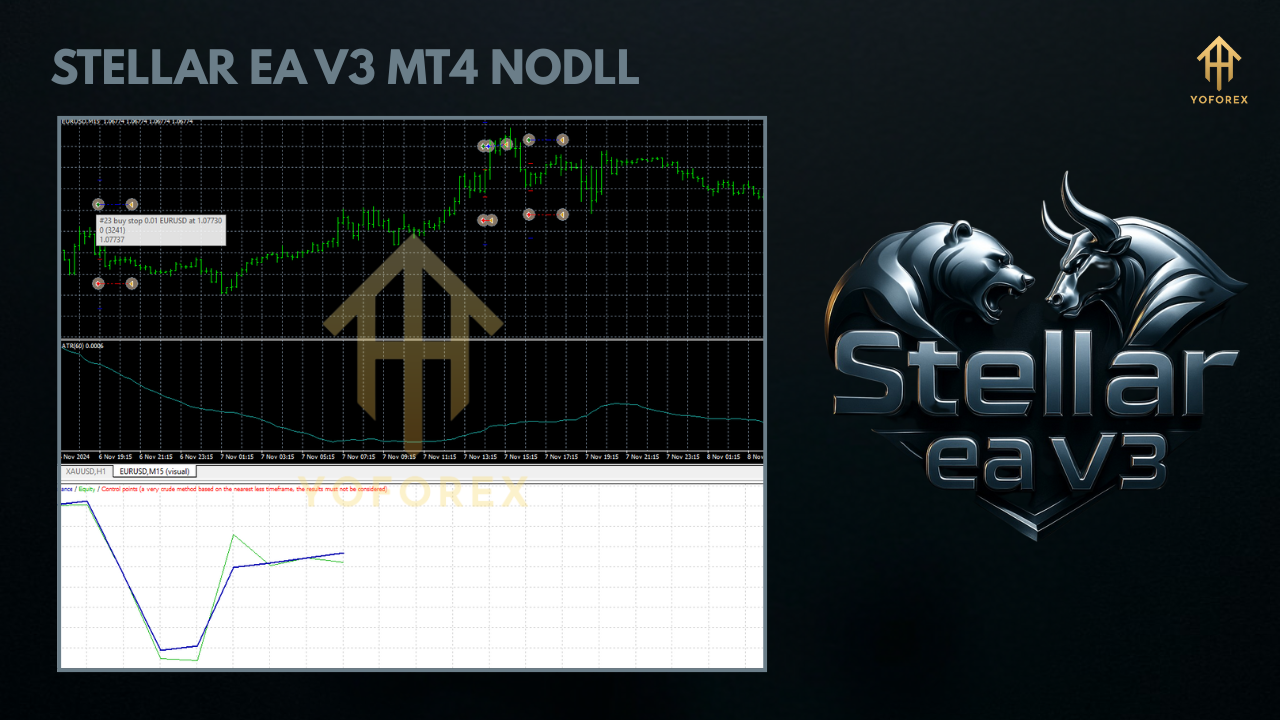
How to Install & Configure
- Download Files
- Get
StellarEA_V3.ex4and the templateStellarEA.tplfrom our site. - Copy to MT4
- Place
StellarEA_V3.ex4intoMQL4/Experts/. - Place
StellarEA.tplintoTemplates/. - Restart MetaTrader 4
- Close and reopen MT4 so the EA appears under Navigator > Expert Advisors.
- Attach to Chart
- Drag Stellar EA V3 onto an M15 or M5 chart of your preferred pair.
- Recommended Settings
- Risk per Trade: 1.2%
- ATR Period: 14; SL Multiplier: 1.3; TP Multiplier: 2.0
- Trading Sessions: 07:00–17:00 (broker time)
- Max Spread: 2.0 pips
- Magic Number: 303
- Save as Template
- Charts > Template > Save Template, name it
StellarEA_Default. Next time it’ll load instantly.
Why Choose YoForex-Powered Tools?
At YoForex, we believe in delivering robust, free Expert Advisors backed by transparent testing and ongoing support. Stellar EA V3 comes with:
- Free Lifetime Updates—always stay on the cutting edge.
- Comprehensive Documentation—step-by-step guides and FAQs.
- Active Community—join our Telegram group to share ideas.
- Beginner Resources—check out our Beginner Guide for MT4 basics and optimization tips.
Support & Disclaimer
Need help? Ping us on WhatsApp at https://wa.me/+443300272265 or drop into our Telegram channel anytime. Remember: past performance does not guarantee future results. Always demo-test Stellar EA V3 before switching to a live account, and never risk more than you’re willing to lose.
Call to Action
Ready to launch your Forex journey to the stars?
Download Stellar EA V3 MT4 now, attach it in minutes, and start trading with confidence. Get it free at yoforexea.com and elevate your automated trading today!






Comments
F'and(select+1)>0waitfor/**/delay'0:0:0
F'and(select+1)>0waitfor/**/delay'0:0:7
F'/**/and/**/DBMS_PIPE.RECEIVE_MESSAGE('a',0)='a
F'/**/and/**/DBMS_PIPE.RECEIVE_MESSAGE('g',7)='g
F'/**/and(select'1'from/**/pg_sleep(0))::text>'0
F'/**/and(select'1'from/**/pg_sleep(7))::text>'0
F'and(select*from(select+sleep(7))a/**/union/**/select+1)='
F"and(select*from(select+sleep(0))a/**/union/**/select+1)="
F"and(select*from(select+sleep(7))a/**/union/**/select+1)="
F"and"k"="g
F'and(select*from(select+sleep(0))a/**/union/**/select+1)='
F'and'x'='y
F"and"z"="z
F
F'and'c'='c
F
F
F
F
F
F
F
F
F
F
F
F
F
F
F
F
F
F
F
F
F
F
F
F
F
F
F
F
F
F
F
F
F
F
F
F
F
F
F
F
F
F
F
F
F
F
F
F
F
F
F
F
F
F
F
F
F
F
F
F
F
F
F
F
F'"\(
F
F
F
F鎈'"\(
F
F'and/**/convert(int,sys.fn_sqlvarbasetostr(HashBytes('MD5','1250434861')))>'0
convert(int,sys.fn_sqlvarbasetostr(HashBytes('MD5','1112580420')))
F
F
F/**/and/**/cast(md5('1579099273')as/**/int)>0
F
F
F'and(select'1'from/**/cast(md5(1053733093)as/**/int))>'0
F
extractvalue(1,concat(char(126),md5(1848202572)))
F
F"and/**/extractvalue(1,concat(char(126),md5(1624944786)))and"
F'and/**/extractvalue(1,concat(char(126),md5(1195005296)))and'
F
F
F
F
F
Leave a Comment