Grid trading has long been a favorite among forex traders seeking consistent profits in ranging markets. The traditional grid approach places orders at fixed intervals above and below a base price, capturing small gains as price oscillates. However, static grids can struggle during sudden volatility spikes or trending moves. Squid Grid AI EA V1.0 MT4 reinvents this concept by integrating artificial intelligence (AI) to dynamically adapt grid spacing, lot sizing, and portfolio weighting—helping you ride both calm and choppy market conditions effectively.
What Sets Squid Grid AI EA Apart
AI-Enhanced Parameter Adjustment
Rather than relying on pre-set grid levels, the EA’s AI engine analyzes real-time volatility, trend strength, and correlation across instruments. It then recalibrates grid intervals and position sizing to optimize risk-reward.
Multi-Instrument Diversification
Squid Grid AI EA can trade up to six uncorrelated symbols simultaneously—spreading risk across major forex pairs, commodities, and indices. This portfolio approach reduces drawdown during instrument-specific shocks.
Automated Stop Conditions
Traditional grid systems can accumulate large losing positions during strong trends. The AI layer monitors equity curves and volatility thresholds, closing all open orders when drawdown limits or extreme volatility are detected.
How Squid Grid AI EA Works
Signal Generation
The EA continuously ingests market data (price action, ATR, correlation metrics).
AI algorithms generate entry signals when price deviates from a calculated “fair value” envelope.
Grid Placement
A base order is placed at the signal price.
Subsequent grid orders are spaced dynamically: tighter when volatility is low, wider when volatility increases.
Position Management
Partial grid closures occur as price retraces toward the mean.
The AI engine adjusts lot multipliers based on recent win-loss ratios and drawdown statistics.
Exit Strategy
Orders close when cumulative profit targets are met or when price reverts through the base level.
All open positions are forcibly closed if a stop-loss threshold is breached.
Recommended Settings
Risk Profile:
Balanced (default for most accounts)
Conservative: 50% lot sizing, 1.5× ATR grid intervals
Aggressive: 150% lot sizing, 0.75× ATR grid intervals
Minimum Deposit: $1,000
Timeframes: M15 or H1 for optimal balance between trade frequency and signal reliability
Max Drawdown Limit: 8%–10% (adjustable via the EA’s input parameters)
Pro Tip: Begin with a demo account for 2–4 weeks to observe how the AI adapts to different volatility regimes before committing real capital.
Backtesting & Live Performance
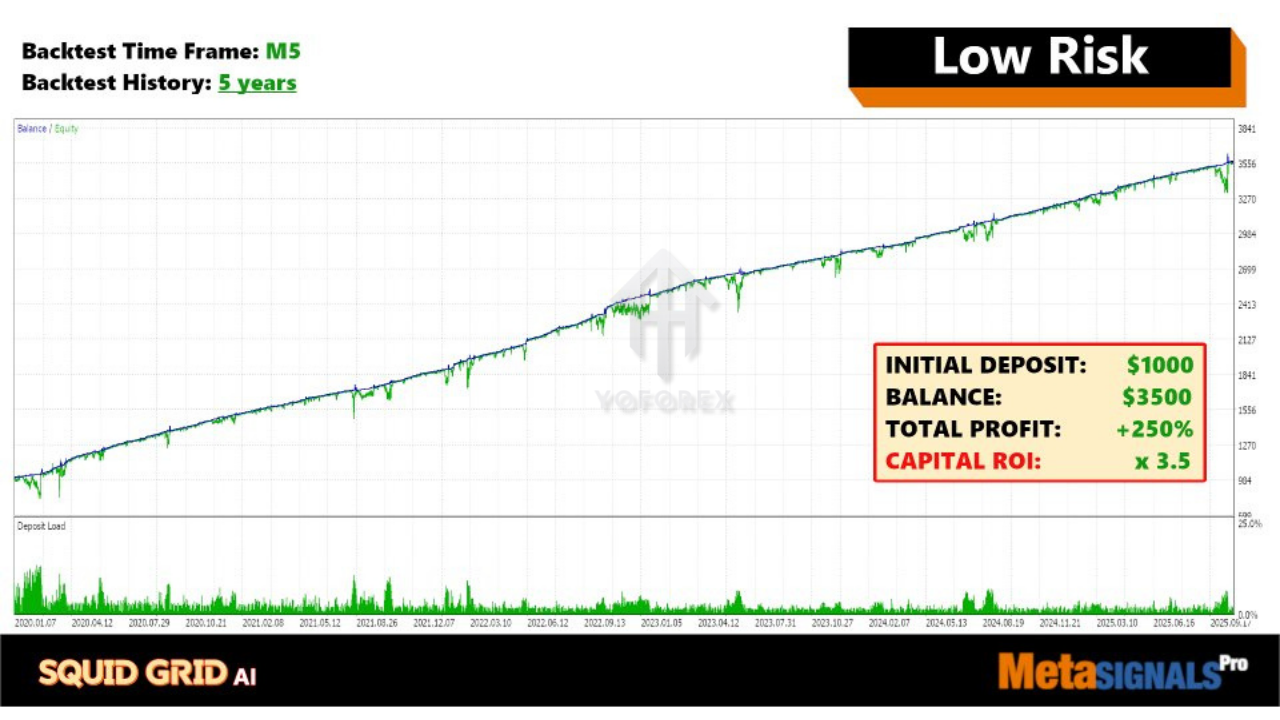
Although vendor-published backtests can vary in quality, early adopters report:
Average Monthly Return: 4%–7% in balanced mode
Max Drawdown: 6%–9%
Win Rate: 65%–78% across diversified instruments
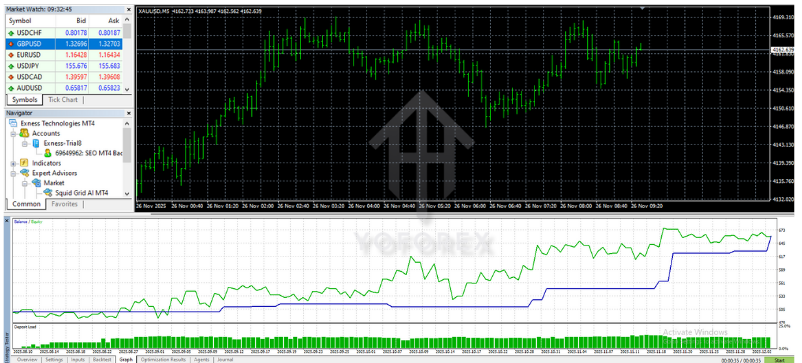
For the most reliable insights, download the EA’s built-in performance report and review your broker-specific backtest logs. Always calibrate your account size and risk settings to match these historical metrics.
Installation Guide
Download the EA File
Obtain
Squid_Grid_AI_EA.ex4from your MQL5 Market purchase page or from YoForexEA’s download portal.
Place in Indicators Folder
Copy the
.ex4file intoMQL4/Expertsunder your MT4 data directory.
Restart MetaTrader 4
Close and reopen MT4 to load the new EA.
Attach to Charts
Drag “Squid Grid AI EA V1.0” onto each chart of your chosen instruments.
Enter License Key & API Endpoint
Input the license key provided via email.
Enter the API URL if prompted (for live AI updates).
Configure Inputs
Select your risk profile, symbols list, and max drawdown limit.
Enable alerts and set your notification preferences.
Advantages & Disadvantages
Advantages
AI-driven adaptations to changing market conditions
Diversified grid exposure across multiple assets
Automated drawdown protection and stop conditions
User-friendly presets for different risk appetites
Disadvantages
Requires an active internet connection for AI data feeds
Slightly higher CPU usage due to AI computations
Learning curve for users new to grid strategies
WhatsApp: https://wa.me/+443300272265
Telegram Group: https://t.me/yoforexrobot






Comments
Leave a Comment