
If you’re tired of over-hyped robots that blow accounts, same! Soluna AI EA V6.27 for MT4 takes a calmer, engineering-first path: steady signals, strict risk rules, and clean execution you can actually monitor. It’s built for traders who want automation that respects capital, not chase moonshots. You get a structured strategy with adaptive filters, session awareness, and risk presets that make sense for both funded accounts and personal trading… coz consistency beats luck, every single week.
Soluna AI EA V6.27 is an algorithmic Expert Advisor for MetaTrader 4 designed to identify high-probability trend-continuation and mean-reversion entries during liquid sessions. The logic blends momentum detection, volatility envelopes, and multi-TF confirmations to reduce false starts. In plain english: it tries to avoid chop, time entries closer to the impulse, and step away when spreads or news risk jump. You still remain fully in control—lots, max risk, and equity protections are user-configurable, so you can tune it for prop rules or your own comfort level.
Why this EA stands out (quick take)
- Built for MT4 with lean code (fast ticks, low CPU)
- Session-adaptive entries (London/NY focus by default)
- Dynamic SL/TP sizing from live volatility
- Hard equity guard (drawdown cut-off)
- No martingale, no grid, no nonsense
- Optional news avoidance window
- Partial-close + break-even automation
- Smart trailing logic that won’t chew profits in chop
Overview
Soluna AI EA V6.27 MT4 is for traders who want robust, rules-driven automation without the stress of “what’s it doing now?” confusion. The EA evaluates price impulse with a momentum core, then cross-checks a higher timeframe bias filter (e.g., M15 entries with H1 bias). When the higher-TF bias aligns with fresh momentum and spreads are acceptable, it places a trade with volatility-aware stops and targets.
You can run it on popular majors (EURUSD, GBPUSD, USDJPY), gold (XAUUSD), and selected low-spread crosses. For first-time users we recommend starting with EURUSD and USDJPY on M15 or H1 and scaling out once you’re comfy. The algorithm’s default risk template targets conservative drawdown limits, aiming for a smooth equity curve rather than jackpot spikes. That’s deliberate. Capital protection is the alpha.
V6.27 refines the entry cadence and trailing logic from earlier builds: it smooths out “double-tapping” the same move and improves handling around session transitions. If you trade prop rules, you’ll appreciate built-in equity protections and the option to pause during high-impact events. And yes, it plays nicely with VPS environments and brokers that enforce strict FIFO/hedging rules—just pick the compliant preset.
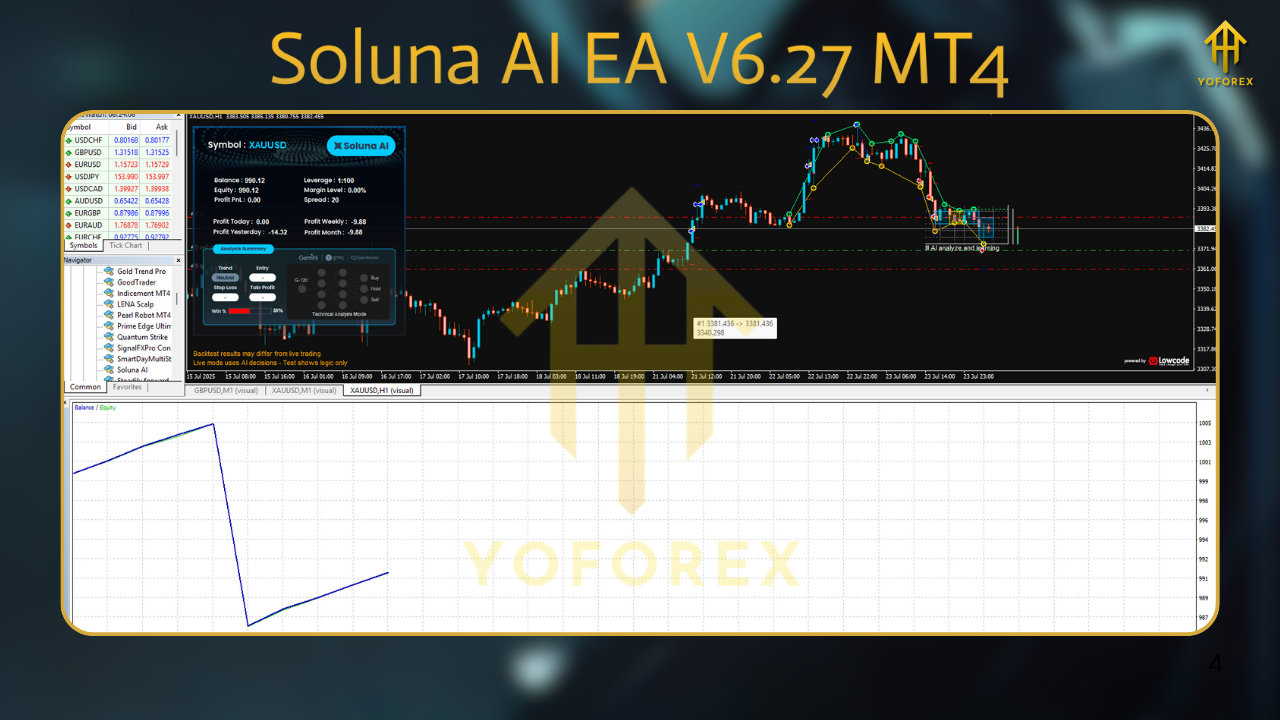
Key Features
- MT4 Expert Advisor (stable build) – Optimized for M1 tick flow; efficient on modest VPS.
- No martingale, no grid – Every position has a defined SL; risk scales from equity, not losses.
- Volatility-adaptive SL/TP – Uses ATR-like envelopes so stops aren’t too tight or silly wide.
- Session filters – Focus trading to London/NY; optional Asia-only mode for low-impact testing.
- Spread & slippage guard – Skips entries when market frictions spike.
- News window pause – Optional pre/post impact freeze to avoid whipsaws.
- Break-even & partial-close – Secure gains early, then let runners compound the edge.
- Smart trailing – Curves with volatility so it doesn’t smother winners.
- Equity protection – Daily and total drawdown caps; emergency flat-all switch.
- Multi-pair capable – Designed for majors first; XAUUSD supported on higher TFs.
- Prop-firm presets – Risk/DQ templates tailored for challenge accounts.
- Readable logs – Clear reason codes for entries/exits; easy to audit.
Strategy & Best-Use Scenarios
Core logic. The EA blends trend confirmation with pullback timing. If the higher timeframe indicates a trend leg and the lower timeframe prints renewed momentum after a shallow pullback, Soluna AI sets a pending/market order with a volatility-scaled stop. Targets are asymmetric (usually >1R), and a dynamic trail lets profits expand in strong trends.
Timeframes.
- M15–H1: Recommended balance of signal quality vs. trade frequency.
- M5: Possible on ultra-low spread brokers; more noise (not for beginners).
- H4: Calmest, lowest frequency; great for small VPS or busy traders.
Pairs. Start with EURUSD and USDJPY. Add GBPUSD once you’re comfortable with volatility. For XAUUSD, consider M30/H1 with lower risk per trade and a slightly wider news window.
Risk. Begin with 0.5% per trade (or lower for prop), daily max loss 2–3%, total drawdown cap 10–12%. These are starting points—tune for your plan. Don’t crank it on day one; sample a few weeks on demo or a tiny live account to learn the EA’s rhythm.
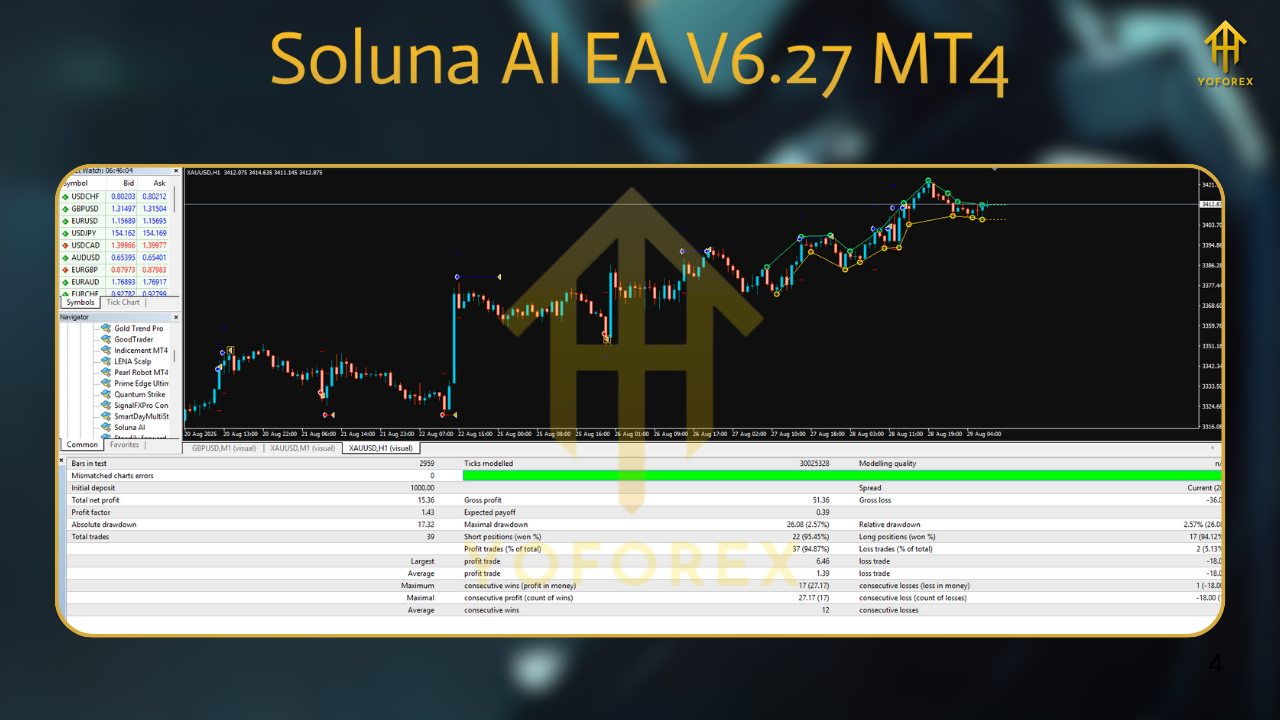
Backtest Results & Proof (what to look for)
We suggest running your own broker-matched backtests (99% tick quality if possible) across at least 2–3 years of data on EURUSD M15 and USDJPY M15/H1. What you typically want to see:
- Equity curve that trends up with modest volatility—small clusters of pullbacks are normal, long plateaus during quiet markets are also normal.
- Win rate often sitting between 48–58%, with average winner > average loser (thanks to asymmetric exits and runners).
- Max drawdown within your comfort zone (e.g., <15% for conservative profiles; often lower on H1).
- Stable monthly cadence: not every month green, but more greens than reds over the full sample.
Live-market sampling. Forward test for 4–8 weeks on a VPS, same broker, same settings as your intended live plan. Compare forward metrics to backtest: win rate, avg. R multiple, and drawdown behavior. If your forward fills look worse, check spreads, commissions, and slippage at your broker—execution matters.
How to Install & Configure (MT4)
Download & copy
Get the EA file (EX4) and place it in MT4 → File → Open Data Folder → MQL4 → Experts.
Restart MT4
Close and reopen MT4 so the EA loads under Navigator → Expert Advisors.
Attach to chart
Use M15 or H1 on EURUSD (first run), enable Algo Trading in MT4, and drag the EA to the chart.
- Inputs
- RiskPerTrade: start 0.25–0.5%
- MaxDailyLoss%: e.g., 2–3
- TotalDDCap%: e.g., 10–12
- SessionStart/End: London+NY by default
- NewsPauseMinutesBefore/After: 15/15 for majors; 30/30 for XAU
- SpreadMax: tune to your broker (e.g., 12–18 points on EURUSD)
- BE & Partial: enable; default thresholds are conservative
Enable auto-trading
Confirm the smiley face is happy. Keep Journal/Experts tabs open to monitor logs.
VPS
Run 24/5 on a reputable VPS close to your broker’s server to reduce slippage.
Optimization & Tuning Tips
- Don’t over-optimize. Focus on robust ranges: if RiskPerTrade 0.25–0.75% all work well historically, you’ve got a resilient setup.
- Stagger pairs. Start with one pair, then add the next after 2–3 weeks. This limits correlated drawdowns.
- Session discipline. If your workday aligns with NY session, consider NY-only to simplify monitoring—tho the EA can run unattended.
- News discipline. Keep the pause around CPI, NFP, rate decisions—especially for gold.
- Prop-friendly. Use lower daily caps (e.g., 1.5–2%) and wider news windows. The goal is survival + steady growth.
Why Choose This EA for MT4?
- Capital-first design. Every feature is there to protect equity and let gains breathe.
- Transparent logic. Clean entries with reason codes in logs—great for journaling.
- Scales with you. Start tiny, then layer pairs/timeframes as confidence builds.
- Simple maintenance. No exotic dependencies; runs on standard MT4 with modest VPS specs.
Support & Disclaimer
If you need help with installation, presets, or broker nuances, just ping our team. We’ll guide you step-by-step on setting up M15/H1, risk caps, and session filters so you avoid rookie pitfalls. And if you hit any bug, reach out—we’re here to help, genuinely.
Important: Trading involves risk. Past performance does not guarantee future results. Always test on demo first, trade responsibly, and never risk money you can’t afford to lose. If you’re pursuing funded-account challenges, use the stricter presets and respect daily loss limits.
Call to Action
Ready to try it? Download Soluna AI EA V6.27 MT4, install on a demo, and give it 2–4 weeks to learn its rhythm. Then scale thoughtfully. If you’ve got questions about pairs, risk, or prop settings, we’re just a message away. Let’s make automation calmer—and smarter.






Comments
Leave a Comment