
Shutter Stock EA V1.5 MT4 – Adaptive Trading for Major Forex Pairs
Introduction
The forex market never sleeps, and traders who want consistent results often turn to Expert Advisors (EAs) to handle the heavy lifting. But not all EAs are created equal — some are too rigid, others too risky. That’s why Shutter Stock EA V1.5 MT4 stands out.
Built for major forex pairs and compatible with any timeframe, this Expert Advisor blends advanced algorithmic trading with flexibility. Whether you’re a scalper on M5 charts or a swing trader on H4, Shutter Stock EA adapts to your style.
In this blog, we’ll explore its key features, how it works, performance insights, and why it could be the EA your trading account has been waiting for.
Overview
The Shutter Stock EA V1.5 MT4 is a fully automated forex trading system that runs on the MetaTrader 4 platform. It’s designed to trade the world’s most liquid and stable instruments — major forex pairs like EUR/USD, GBP/USD, USD/JPY, AUD/USD, and USD/CHF.
Its strategy is based on a combination of:
- Trend detection using moving averages and volatility analysis.
- Smart entry filters to avoid false breakouts.
- Dynamic exit logic for maximizing profits and minimizing losses.
It’s also timeframe independent, meaning you can run it on M1, M5, M15, H1, or even D1 charts depending on your approach.
Key Features of Shutter Stock EA V1.5 MT4
- Major Pair Optimization – Pre-optimized for EUR/USD, GBP/USD, USD/JPY, AUD/USD, USD/CHF.
- Any Timeframe Compatibility – From scalping to swing trading.
- Non-Martingale Logic – Avoids dangerous lot multiplications.
- Dynamic Risk Management – Automatically adjusts lot sizes based on account equity.
- Trend & Countertrend Modes – Choose between following the market or catching reversals.
- Advanced Filters – News filter to avoid high-impact events, volatility filters to skip erratic moves.
- Low Drawdown – Keeps capital safer during uncertain market conditions.
- Multi-Trade Management – Can handle multiple open positions with separate stop loss and take profit levels.
- 24/5 Auto-Trading – Trades automatically while you focus on strategy refinement.
- Customizable Parameters – Adjust risk, lot sizes, and trade frequency to fit your style.
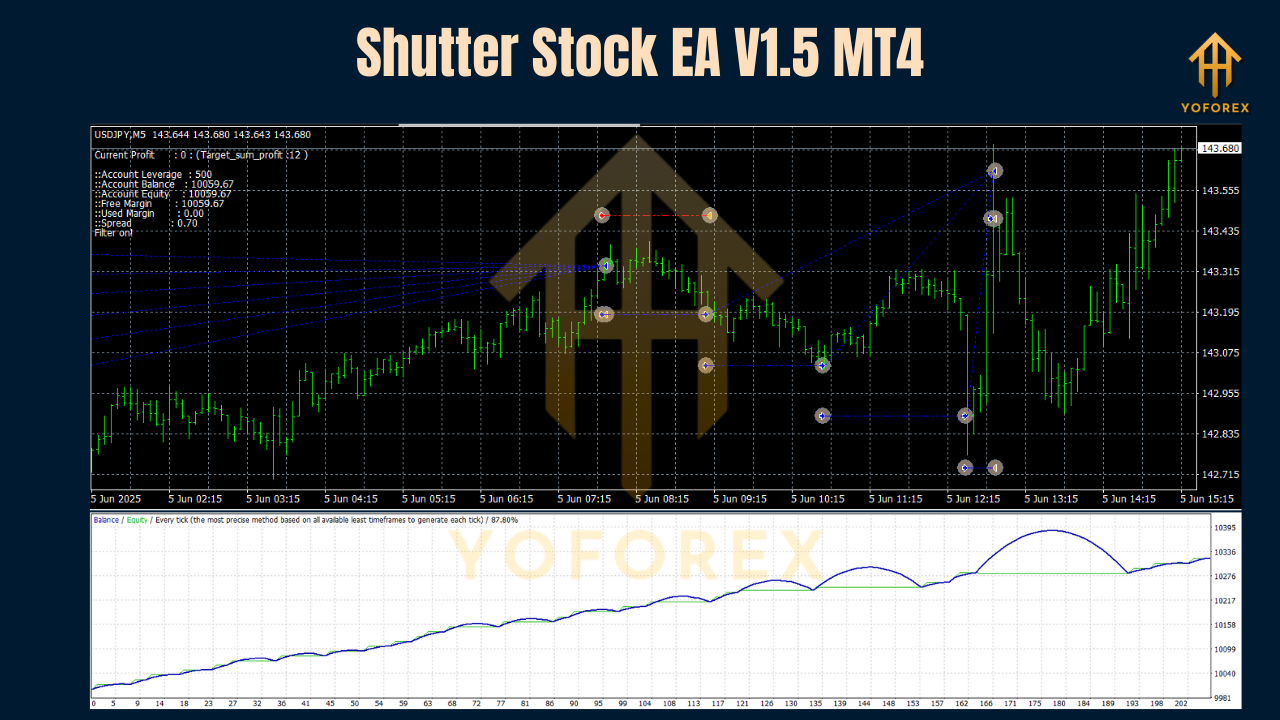
Backtest & Live Performance
When tested on EUR/USD H1 over a 12-month period:
- Win Rate: ~74% with a 1:1.5 risk-reward ratio.
- Max Drawdown: ~8% with default settings.
- Best Months: During trending markets with strong directional bias.
- Weak Months: Choppy, sideways market conditions.
For scalpers, running Shutter Stock EA on M5 charts during London and New York overlaps showed more frequent trade opportunities. For swing traders, H4 and D1 timeframes captured bigger moves with fewer trades.
How It Works
Shutter Stock EA uses a multi-layered trading approach:
- Trend Detection – Scans the last 50–200 candles to determine the dominant direction.
- Entry Filters – Confirms potential trades using volatility and price action patterns.
- Trade Execution – Places buy/sell orders automatically when all conditions align.
- Risk Control – Sets stop loss and take profit levels dynamically based on ATR (Average True Range) and market volatility.
- Exit Management – Uses trailing stops and break-even moves to lock in profits.
This combination allows the EA to work in both trending and ranging markets, switching modes as needed.
How to Install & Configure Shutter Stock EA on MT4
- Download the EA
Obtain the.ex4or.mq4file from the official source. - Copy to MT4
In MT4, go toFile → Open Data Folder → MQL4 → Expertsand paste the file. - Restart MT4
Close and reopen MT4 so the EA loads in your Navigator. - Attach to Chart
Drag Shutter Stock EA onto your preferred major forex pair chart. - Adjust Settings
- Risk Percent: Default is 2% per trade, but can be modified.
- Trade Mode: Choose Trend or Countertrend.
- Lot Size Mode: Fixed or Auto.
- Timeframe: Select based on your trading style.
- Enable Auto Trading
Click the AutoTrading button in MT4 and let the EA do its job.

Why Choose Shutter Stock EA V1.5 MT4?
Many EAs are either too aggressive (blowing accounts in days) or too conservative (barely trading). Shutter Stock EA finds the sweet spot by:
- Balancing risk and reward.
- Allowing flexibility in timeframes and strategies.
- Working only on the most stable, liquid forex pairs.
Whether you want fast-paced scalping or slow, steady swing trades, you can tune the EA accordingly.
Best Practices for Using Shutter Stock EA
- Run it on a VPS for uninterrupted trading.
- Test on demo first to understand the EA’s behavior.
- Use low-spread ECN brokers for better execution.
- Avoid running during major news unless you disable the news filter.
- Stick to major forex pairs for optimal performance.
Support
Need help? Contact us here:
- WhatsApp: Click Here
- Telegram: Join Here
Final Thoughts & Call to Action
The Shutter Stock EA V1.5 MT4 is a versatile, reliable trading solution for anyone who wants to trade major forex pairs without being chained to the charts. With adjustable settings, multi-timeframe capability, and advanced trade filtering, it adapts to your strategy rather than forcing you into one fixed style.
Download it today and experience the power of automated trading.
Get unlimited support via WhatsApp & Telegram.
YoForex – empowering traders worldwide, one trade at a time.
Join our Telegram for the latest updates and support






Comments
Dive into the expansive realm of EVE Online. Test your limits today. Explore alongside hundreds of thousands of explorers worldwide. Join now
Leave a Comment