Scipio EA V1.0 MT4 – Precision Trading with Just One Trade at a Time
In a world of hyper-aggressive trading bots and risky strategies like grid, martingale, or averaging down, the Scipio EA V1.0 for MetaTrader 4 comes as a breath of fresh air. This Expert Advisor takes a laser-focused approach to trading—one trade at a time, backed by artificial intelligence and a strict stop loss from the get-go. No noise. No chaos. Just controlled, intelligent trading designed for EURUSD.
If you're someone who’s sick of bots blowing up your account with 10+ trades running at once… or if you just want a more disciplined, minimal-risk approach to automation—Scipio EA might just be your next favorite tool.
Let’s dive deep into what makes this EA tick, and why it might be perfect for you.
Overview: What Is Scipio EA V1.0?
Scipio EA V1.0 is a lightweight yet smart automated trading bot designed exclusively for EURUSD on MT4. Unlike traditional EAs that might open multiple positions and complicate your exposure, this one keeps things ridiculously simple.
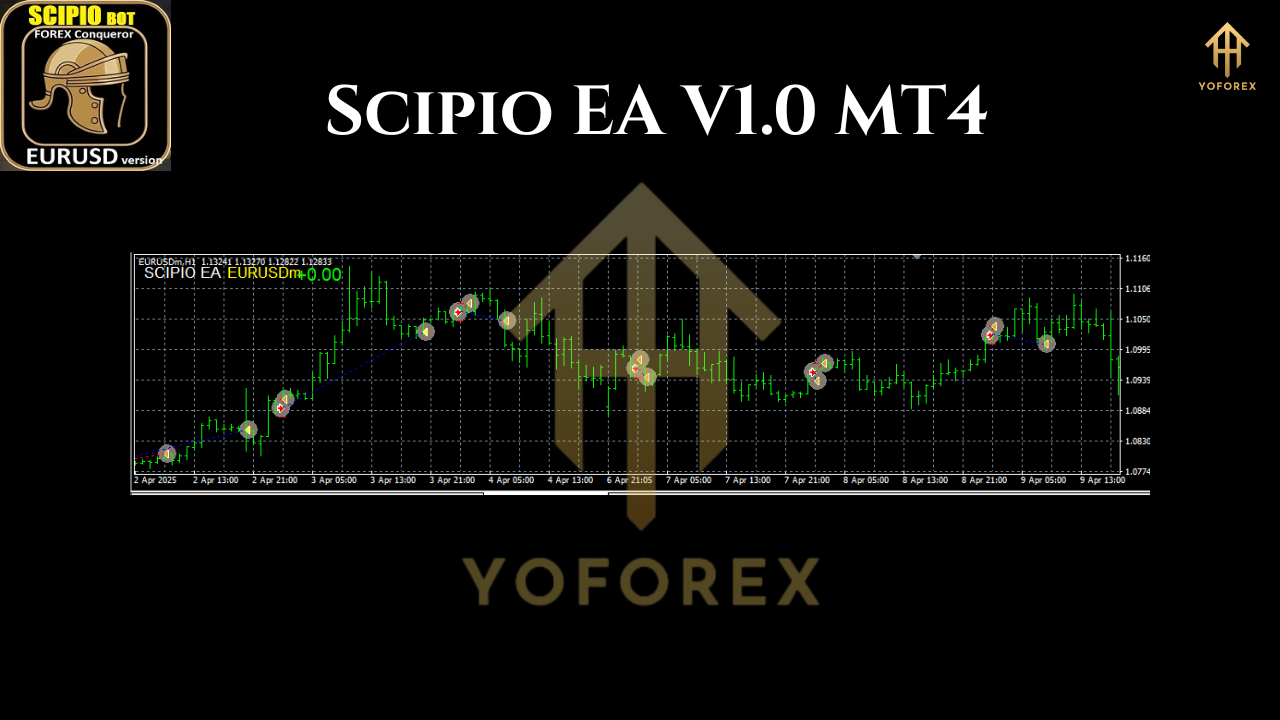
One trade at a time.
That’s right. No grid. No martingale. Just a single, carefully calculated trade based on the behavioral patterns of the market over the past few days, thanks to built-in AI-driven analysis.
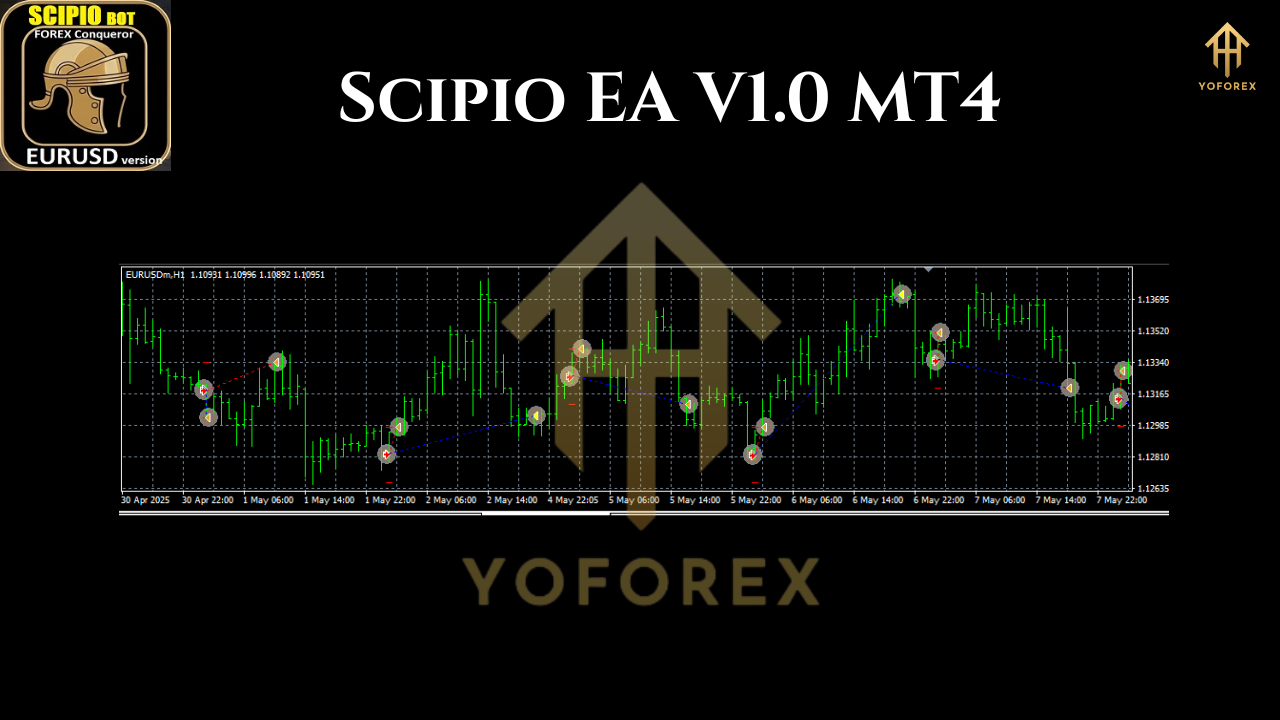
Each trade is protected by a tight stop loss, so even if it goes the wrong way, your losses are minimized. The EA doesn’t chase losses or overtrade—it just quietly waits for the best opportunity, acts on it, and then waits again. It’s the “sniper” mentality of trading, automated.
Key Features of Scipio EA
Here’s a breakdown of what you can expect from Scipio EA:
- Only One Trade at a Time – Keeps exposure minimal and avoids compounding risk.
- No Grid, No Martingale – Completely avoids risky compounding strategies.
- AI-Powered Entry Logic – Uses machine learning to analyze recent market behavior.
- Tight Stop Loss – Instantly applied on every trade to cap potential losses.
- EURUSD Exclusive – Highly optimized for one asset for best performance.
- Timeframe Agnostic – Works the same across all MT4 timeframes.
- Auto-Optimizing – Learns and adapts to the market on each cycle; no need to tweak settings.
- Simple Setup – Drag onto chart, enable AutoTrading—done!
- Lot Size Control – Only one configurable setting: your lot size.
- Manual Close Friendly – You can close trades manually, and the EA won’t immediately open another.
- Low Resource Usage – Perfect for running on a VPS or background chart.
- Works 00:00 to Evening (London Time) – Best results if left running throughout the trading day.
Why It’s Built This Way
There’s method to the simplicity. Most EAs get caught up trying to trade every little movement. But more often than not, that ends up in a big drawdown.
Scipio EA is inspired by the “less is more” philosophy. Instead of trying to win big in one go or throwing multiple trades into the market, it focuses on waiting patiently for that one solid setup—much like a professional human trader would.
It only trades when its AI logic sees a statistically favorable window. This gives the EA a much better risk-adjusted performance than most over-engineered systems.
How to Install and Use Scipio EA
Getting started with Scipio EA is super simple—even for beginners.
- Download the EA from your trusted source.
- Open MT4, go to
File > Open Data Folder. - Inside, navigate to
MQL4 > Expertsand paste the.ex4or.mq4file. - Restart MT4 or refresh the Navigator panel.
- Drag Scipio EA onto your EURUSD chart (any timeframe).
- Check "Allow live trading" and make sure AutoTrading is ON.
- Adjust lot size in the input settings based on your account balance.
That’s it. Everything else is auto-optimized in real-time by the EA’s AI logic. No need to mess with complicated configs or strategy tuning.
Best Practices
- Run Scipio EA on a dedicated VPS or keep your computer on during London hours (00:00 to evening).
- Use it only on EURUSD—don’t experiment with other pairs.
- Be patient—this EA is designed for medium-term consistency, not high-frequency trading.
- Avoid overleveraging. Pick a lot size that makes sense for your account balance. 0.01 per $100–$200 is a good rule of thumb.
- Always start with a demo account to test it under your broker’s conditions.
Who Should Use Scipio EA?
This EA is ideal for:
- Traders who hate aggressive grid/martingale systems.
- Those looking for a low-maintenance, “set-and-forget” trading tool.
- Beginners who want to avoid overcomplicated setups.
- Pros who want a backup sniper system running quietly on EURUSD.
- Anyone who values risk control above aggressive profits.
Limitations & Considerations
No system is perfect—and neither is Scipio EA. A few things to note:
- It only works on EURUSD. If you're a multi-pair trader, this EA won’t be enough on its own.
- You won’t get daily trades. Sometimes, the EA may sit idle for hours waiting for the right moment.
- Performance depends on market conditions. During flat or unpredictable news-heavy periods, results might vary.
That said, the AI-powered logic does a solid job filtering out bad setups and sticking to statistically strong signals.
Final Thoughts
Scipio EA V1.0 MT4 is a breath of fresh air in a sea of over-engineered, high-risk trading bots. With just one trade at a time, tight stop-losses, and a strong AI decision-making core—it brings back the human essence of trading without the manual labor.
If you want something calm, disciplined, and intelligently timed, Scipio EA deserves a spot in your trading arsenal.
Join our Telegram for the latest updates and support






Comments
Leave a Comment