RSI Strategy EA V1.31 MT5 — Precision Entries From Classic Overbought/Oversold Logic
If you’ve ever watched price tag-team between “overbought” and “oversold” zones and wished you could automate the smart bits (and skip the emotional ones), the RSI Strategy EA V1.31 for MetaTrader 5 was made for you. It turns the time-tested Relative Strength Index (RSI) into a disciplined engine for entries, exits, and even reverse plays when market conditions favor mean-reversion. Lightweight on your machine, heavy on rule-based logic—this EA helps you stick to a plan, trade after trade, without second-guessing yourself at 2 a.m.
What is RSI Strategy EA V1.31 MT5?
RSI Strategy EA MT5 is an automated trading system that reads RSI in real time to trigger trades at key momentum extremes. Instead of you eyeballing every spike, it formalizes three pillars:
- Signal Detection: It watches for price moving into classic RSI thresholds (e.g., 70/30, or your custom levels).
- Adaptive Execution: It can enter with the trend on momentum continuation or flip into a reverse trading setup (fade the extreme) when markets show range-bound behavior.
- Structured Exits: Flexible exit rules—fixed SL/TP, ATR-based stops, trailing stops, or RSI-based exit signals—let you dial in risk and lock in profits.
Under the hood, V1.31 has been extensively back-tested across multiple market regimes to refine triggers, minimize whipsaws, and keep CPU footprint minimal (so you can run it on a modest VPS without hiccups). It’s not flashy… on purpose. Robust beats flashy on the long run.
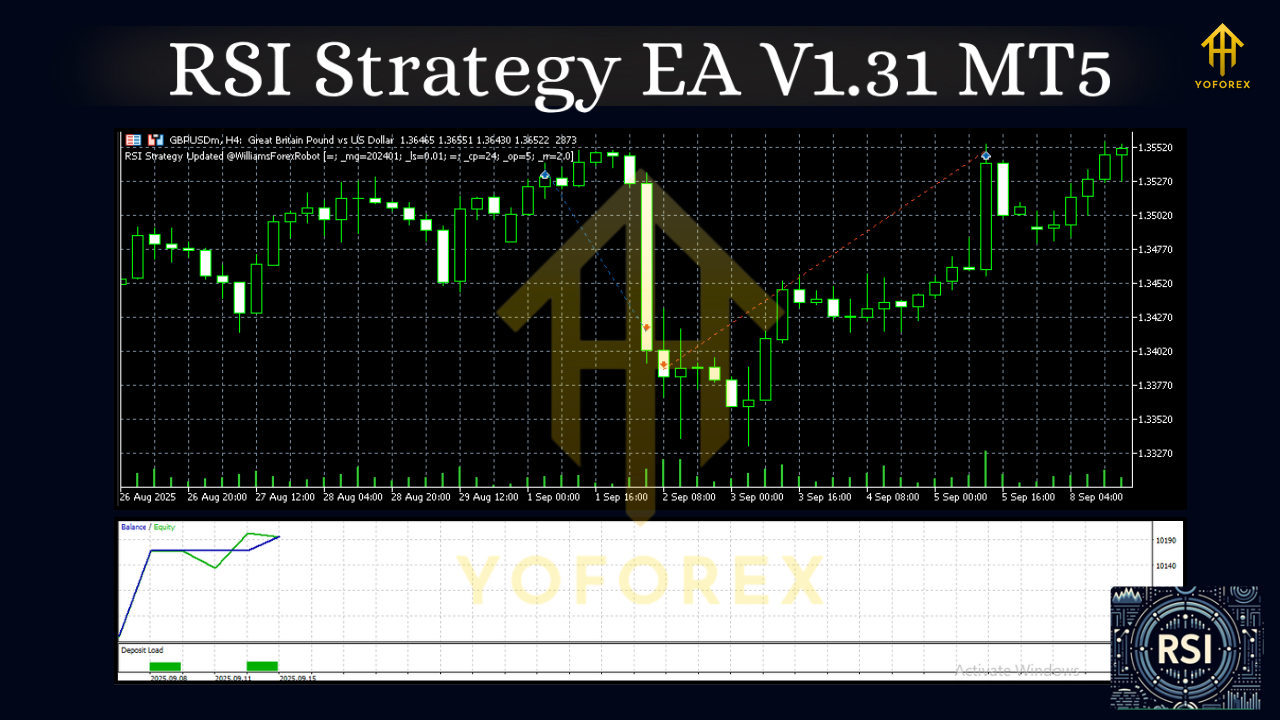
Why RSI Still Works (and how this EA leverages it)
RSI tracks the speed and magnitude of recent price changes. In practice, extremes tend to act like elastic bands—stretched markets often snap back, while strong trend pushes can keep running for a bit. The “secret sauce” here is not RSI itself (everyone has it) but how and when the EA chooses to:
- Fade the extreme (reverse mode) when the market is ranging, or
- Follow momentum when a breakout is underway.
V1.31 lets you select one or both behaviors, fine-tune thresholds, and combine with filters (MA trend filter, session filter, spread guard) to reduce low-quality signals.
Key Features at a Glance
- RSI-Driven Entries: Automates buys in oversold and sells in overbought zones with configurable thresholds (e.g., 80/20, 70/30, 60/40).
- Reverse Trading Mode: Optional mean-reversion logic for range days—fade extremes back toward the midline.
- Trend-Follow Mode: Momentum continuation entries when RSI exits an extreme with trend confirmation.
- Flexible Exits: Choose fixed SL/TP, ATR-based dynamic stops, time-based exits, trailing stops, or counter-signal exits.
- Multi-Symbol Friendly: Works across major FX pairs, metals, and indices where RSI behavior is consistent (backtest before going live, ofc).
- Session & News Filters: Trade only during your preferred sessions; pause during high-impact events (manual news awareness recommended).
- Spread & Slippage Guards: Skip entries when trading conditions look poor (widened spreads, volatile spikes).
- Lot-Sizing Options: Fixed lot or balance/percent-risk based (e.g., 0.5% per trade).
- Anti-Overtrading Controls: Cooldown after losses, max trades per day, and filter consecutive same-direction entries.
- Lightweight & Efficient: Minimal resource consumption; designed to run smoothly on VPS environments.
- Readable Dashboard: On-chart panel for quick glance: RSI level, signal direction, active filters, last trade result.
- Comprehensive Alerts: Pop-ups, sound, and push notifications so you can monitor from anywhere.
How It Decides: A Simple Flow
- Scan RSI: Is RSI beyond your threshold (e.g., >70 or <30)?
- Check Market Context: Trend filter (e.g., MA slope) or volatility filter (ATR) gates the signal.
- Select Mode: Reverse (fade) or Trend-follow (continue). You can enable both with priorities.
- Risk & Execution: Calculate lot size from your risk rules, apply stop & target logic, and place the order.
- Manage & Exit: Track trailing stop, partials (optional), or exit on counter-signal/time.
This may sound like a lot, but once you’ve set it up, the EA just executes… quietly and consistently.
Recommended Starting Settings (tweak to taste)
- RSI Period: 14 (classic)
- Overbought/Oversold: 70/30 to start; tighten to 80/20 for stronger extremes in choppy markets
- Mode: Enable both Reverse and Trend-Follow, with Reverse priority on range days
- Trend Filter: 50-period EMA slope > 0 for longs, < 0 for shorts (when trend mode is active)
- Stop-Loss: ATR(14) × 1.5–2.5 (dynamic), or a fixed 1–2× your average stop distance
- Take-Profit: 1–2× SL for balanced R:R; use trailing when volatility expands
- Risk per Trade: 0.25%–0.75% for prop-style risk discipline (avoid compounding drawdown)
- Max Trades/Day: 2–5 depending on timeframe and pair volatility
- Timeframes: M15–H1 are popular for RSI logic; H4/D1 for swing traders with fewer signals
Pro tip: In strong trends, consider disabling reverse mode or raising thresholds (e.g., 85/15) to reduce premature fades.
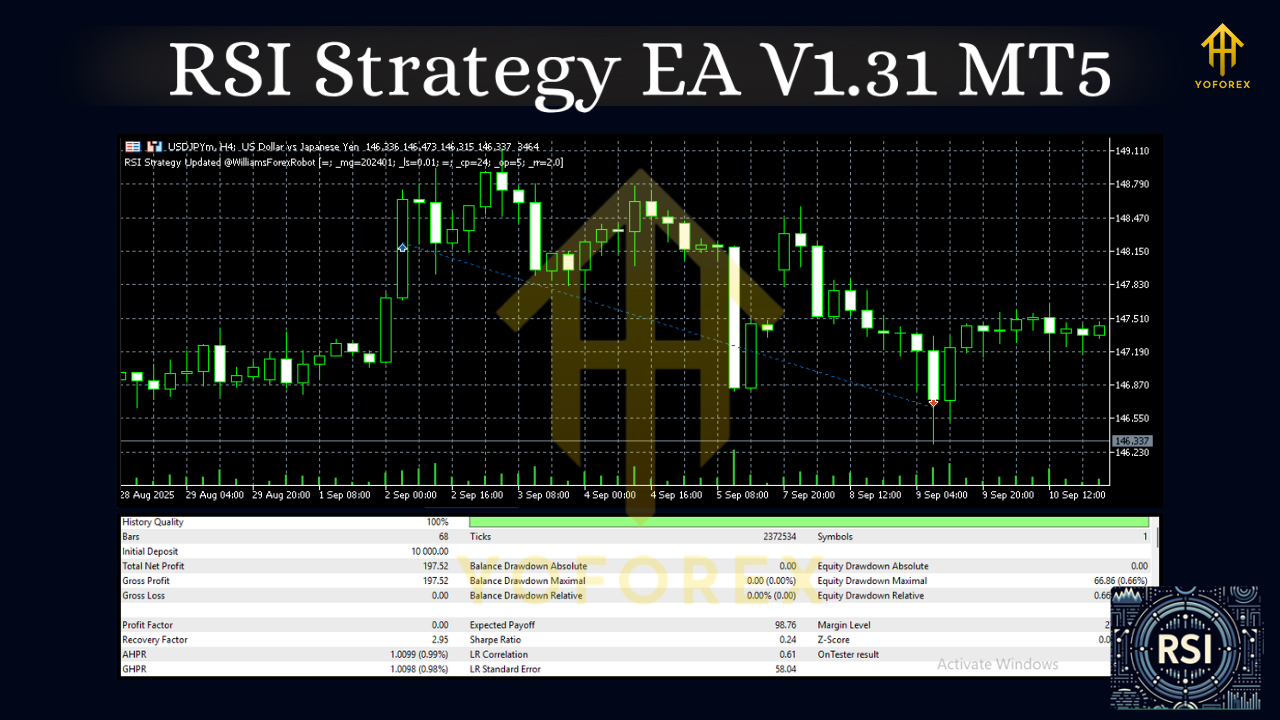
Backtest Approach (and what to look for)
We recommend you run symbol-by-symbol backtests across at least 3–5 years with changing market regimes. Focus on:
- Equity Curve Smoothness: Are pullbacks controlled? Is recovery quick?
- Drawdown vs. Return: Keep max DD in line with your personal pain threshold (e.g., 8–12% for moderate risk settings).
- Win Rate vs. R:R: RSI reversals may show slightly lower win rates with bigger winners, or higher win rate with tighter targets—both can work.
- Trade Frequency: Enough trades to be meaningful, but not so many that slippage/fees chew profits.
- Sensitivity Tests: Nudge thresholds (e.g., 70→72), RSI period (14→12/16), and ATR multipliers. Robust strategies survive small tweaks.
Backtest results are not guarantees (no EA can promise that), but a well-run test shows how the strategy behaves—vital for trusting it in live markets.
Installation & Setup (MT5)
- Copy the EA: Place the .ex5 or .mq5 file into
MQL5/Experts/inside your MT5 data folder. - Restart MT5: Or right-click Experts and click Refresh in the Navigator.
- Attach to Chart: Open your desired symbol/timeframe, drag the EA onto the chart.
- Enable Algo Trading: Make sure the “Algo Trading” button is green; allow DLLs if used.
- Configure Inputs: Set RSI period, levels, mode (reverse/trend), risk %, SL/TP method, session windows, and filters.
- Run on Demo First: Trade at least 2–4 weeks in demo to verify broker conditions, slippage, and your risk settings.
- Go Live Carefully: Start with conservative risk; scale only after stable performance.
Risk Management & Best Practices
- Keep Leverage Sensible: The EA is not a license to over-risk. Small, repeatable edges win.
- One Change at a Time: If you tweak thresholds or filters, test the change in isolation.
- Broker Choice Matters: Tight spreads, solid execution, and minimal slippage amplify edge.
- Avoid News Landmines: Consider pausing around red-folder events or widening thresholds.
- Journal Everything: Track symbol, settings, and outcomes—you’ll find your sweet spot faster.
Who is it for?
- Discretionary traders who want to systematize the RSI tactics they already love.
- Prop-firm aspirants needing rule consistency and tight risk.
- Swing or intraday traders who like momentum continuation and mean-reversion options, without babysitting charts.
If you want an EA that’s simple to understand, flexible enough to shape around your style, and disciplined in execution, RSI Strategy EA V1.31 MT5 hits that balance nicely.
Final Take
Markets won’t stop flipping between range and trend (human nature hasn’t changed much), and RSI remains a reliable way to measure those tides. The power of RSI Strategy EA V1.31 MT5 is how neatly it packages that signal into clear, testable rules—plus the freedom to flip between reverse and trend-follow logic without rewriting your whole playbook. Set it once, monitor sensibly, refine over time; let the bot do the boring stuff while you focus on the big calls.






Comments
Leave a Comment