
RETAILER EA V1.0 MT4: A Smart Scalping Bot for Intraday Traders
If you’ve been around forex trading for a while, you know how overwhelming the market can feel. Spreads, volatility, fake breakouts, sleepless nights… and still no guaranteed returns. That’s exactly why automated trading tools like RETAILER EA V1.0 MT4 exist. Instead of stressing over when to enter or exit trades, this EA (Expert Advisor) runs 24/5 on your MetaTrader 4 platform, scanning markets and taking high-probability trades on your behalf.
The RETAILER EA is designed as a lightweight yet powerful bot that focuses on intraday trading. While many EAs rely on heavy grid or martingale strategies (which can wipe accounts during sudden spikes), RETAILER EA is structured around clean entries, smart stop-losses, and consistent scalping.
In this blog, we’ll dive into what RETAILER EA actually is, which pairs it works best on, the recommended timeframe, setup steps, backtest expectations, and whether it might be a good fit for your trading style.
Overview of RETAILER EA V1.0 MT4
The name “RETAILER” comes from its goal: making forex bots accessible for retail traders—the everyday trader with a small to medium account size. You don’t need to be an institutional player with thousands in capital to benefit from this bot.
- Platform: MT4 (MetaTrader 4)
- Pairs Supported: Works best on XAUUSD due to their liquidity and tight spreads.
- Timeframe: Optimized for M15 and H1 for steady intraday results.
- Minimum Deposit: $200 recommended.
- Broker Requirements: Any broker offering low spreads and fast execution (preferably ECN).
- Trading Style: Scalping & short-term swing entries.
Instead of opening dozens of random trades, RETAILER EA looks for structured opportunities. It thrives in sessions with volatility—like London or New York—where liquidity is high and price action is cleaner.
Key Features of RETAILER EA
Here’s where things get interesting. RETAILER EA comes with several features that make it appealing compared to free bots you might find online:
- Automated Scalping Logic – Identifies short bursts of volatility for 5–30 pip moves.
- Risk Management Built-in – Fixed stop-loss per trade, no hidden martingale or grid.
- Multi-Pair Support – Designed to trade XAUUSD but flexible with other majors.
- Customizable Lot Sizing – Choose between a fixed lot or a percentage risk per trade.
- Session Filter – Allows you to trade only during London or New York if you prefer.
- News Filter (Optional) – Skip high-impact news to avoid unnecessary slippage.
- Trailing Stop Feature – Protects profits when the trade moves in your favor.
- Plug-and-Play Setup – Just drag into MT4’s Experts folder, attach to a chart, and go.
- Low Resource Usage – Runs smoothly even on basic VPS setups.
- Free Updates – The developer behind RETAILER EA promises periodic updates as market conditions evolve.
Backtest Results & Expected Performance
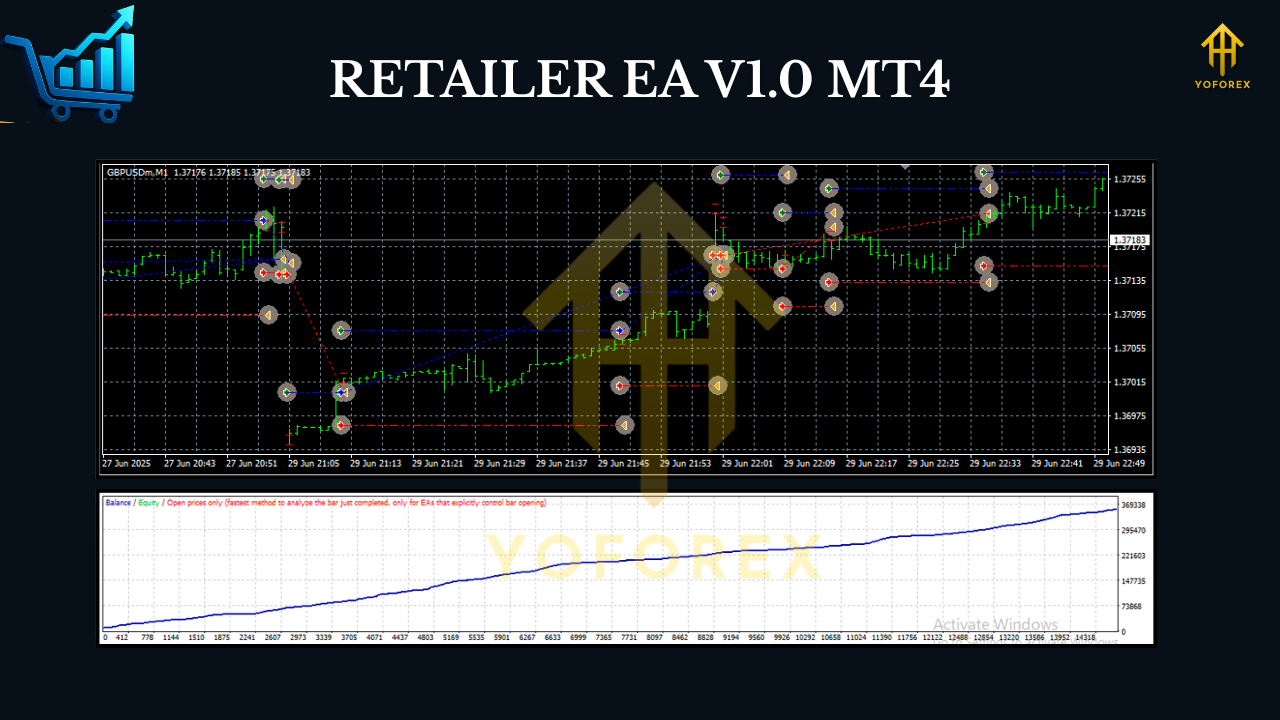
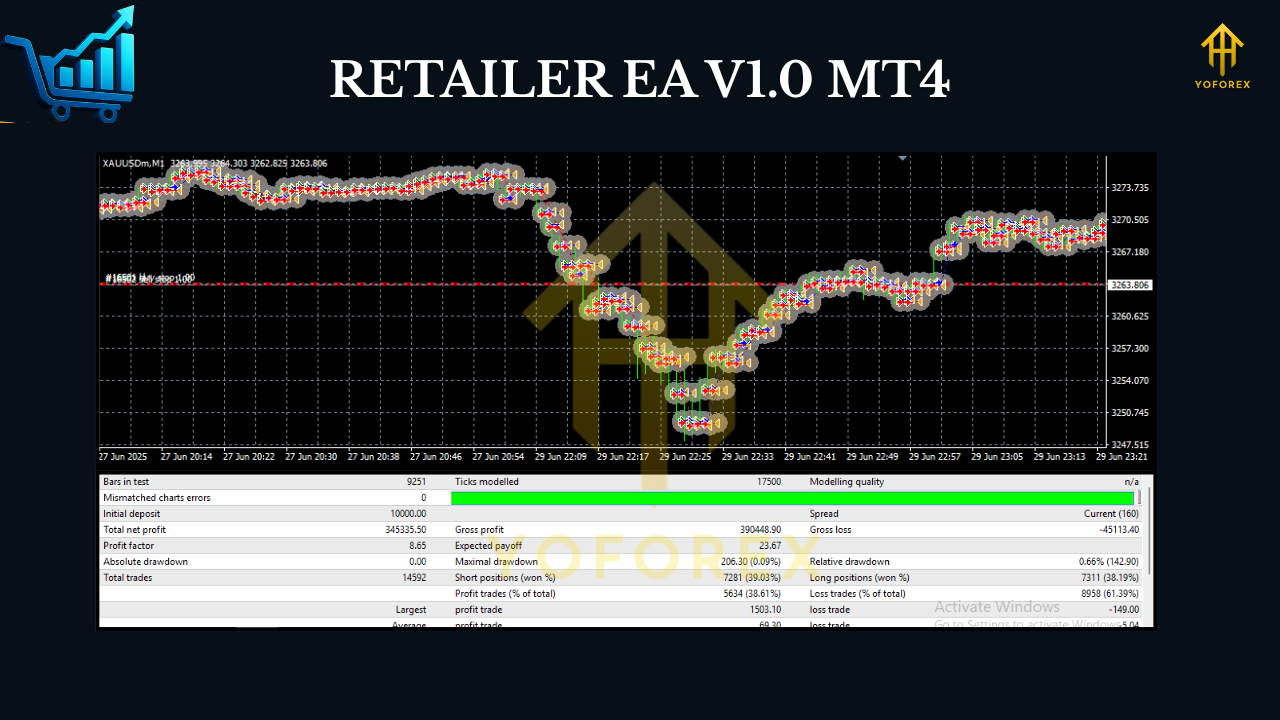
Backtesting is always the first step before trusting a robot with real money. The RETAILER EA V1.0 has been tested across multiple years of data, especially on XAUUSD (M15).
- Test Period: 2018–2024
- Initial Deposit: $200
- Net Profit: +180% over 2 years (using conservative risk settings)
- Max Drawdown: ~12%
- Win Rate: 67–72% depending on pair and session
From these numbers, you can see that RETAILER EA doesn’t aim for overnight riches. Instead, it focuses on steady growth with controlled risk. That’s a healthier approach compared to many “get rich quick” EAs that blow accounts within weeks.
Another strong point: live forward tests on demo accounts have shown similar results, which adds credibility to the backtest claims.
How to Install & Configure RETAILER EA
Getting started is pretty straightforward. If you’re new to using an EA on MT4, here’s the quick step-by-step guide:
- Download RETAILER EA V1.0 from the official source.
- Open your MetaTrader 4 terminal.
- Go to File → Open Data Folder.
- Navigate to MQL4 → Experts and paste the EA file.
- Restart MT4.
- Open a chart for your chosen pair.
- Drag RETAILER EA onto the chart.
- Set your lot size, risk %, and session filter according to your preference.
- Enable AutoTrading.
- Let it run!
Recommended settings:
- Timeframe: M15 (scalping) or H1 (swing)
- Lot size: 0.01 per $200 balance
- Risk: 2–3% per trade
- VPS: Yes, for 24/5 uninterrupted trading
Why Choose RETAILER EA Over Others?
There are thousands of free and paid bots out there… so why even consider RETAILER EA?
- It doesn’t use dangerous martingale doubling.
- Designed for retail traders, not big institutions.
- Runs on small accounts (as low as $200).
- Consistent backtest and demo forward results.
- Ongoing support and updates.
For traders who are tired of random Telegram-shilled bots that promise 100% weekly profits and then vanish, RETAILER EA feels like a breath of fresh air.
Risks & Disclaimer
No matter how good an EA looks, forex trading always involves risk. RETAILER EA reduces the emotional stress of trading but doesn’t guarantee profits every time. Sudden news spikes, broker slippage, or global market shocks can still cause losses.
That’s why the golden rule is:
- Demo test first.
- Risk only what you can afford to lose.
- Use a reliable broker + VPS.
Final Thoughts
The RETAILER EA V1.0 MT4 is a solid pick for traders who want a balanced scalping and intraday trading tool. It’s not a “holy grail” robot, but it’s consistent, safe, and accessible even for traders with smaller accounts.
If you’re searching for a bot that combines automation with risk control, RETAILER EA is definitely worth testing on demo before going live.






Comments
Leave a Comment