RCS System Indicator MT4: A Comprehensive Guide for Forex Traders
In the fast-paced world of forex trading, having a reliable, multi‑dimensional indicator can be the key to identifying high‑probability trade setups and managing risk effectively. The RCS System Indicator for MetaTrader 4 (MT4) is a sophisticated trend‑following tool that blends range analysis, confirmation signals, and momentum measurement into a single, user‑friendly package. Whether you’re a novice trader seeking clear visual cues or an experienced strategist looking to enhance your system, the RCS System Indicator delivers actionable insights across multiple time frames. This guide will walk you through everything you need to know—from the core concept and key features to installation, configuration, trading strategies, and performance evaluation—so you can harness the full potential of this indicator in your own trading routine.
What Is the RCS System Indicator?
The RCS (Range Confirmation Signals) System Indicator is a custom MT4 tool designed to filter market noise and highlight genuine trend opportunities. It combines three core modules: a range filter to assess volatility, confirmation signals based on moving‑average crossovers and price‑action criteria, and a momentum oscillator to gauge the strength of market moves. Unlike single‑layer indicators, the RCS System reduces false signals by requiring multiple technical conditions to align before flagging a trade. Visually, it displays shaded zones on your chart (indicating trending or consolidating phases), color‑coded arrows for entry points, and a histogram oscillator below the price window—all of which work together to present a clear, cohesive view of market conditions.
How the RCS System Indicator Works
Range Filter
Calculates the average true range over a user‑defined period.
Applies a multiplier to distinguish between low‑volatility (neutral) and high‑volatility (trend) phases.
Shaded zones appear on the chart when the market transitions into a trending state, alerting you to potential breakout or continuation opportunities.
Confirmation Signals
Utilizes fast and slow smoothed moving averages.
Triggers buy or sell arrows when the fast MA crosses the slow MA in the direction of the trend zone.
Incorporates optional candlestick pattern recognition (e.g., pin bars, engulfing candles) to reinforce signal validity.
Momentum Oscillator
Based on rate‑of‑change calculations over a configurable lookback period.
Plots positive bars for bullish momentum and negative bars for bearish momentum.
Helps you confirm whether the prevailing price action is supported by underlying strength or weakness.
By requiring alignment across these three modules, the RCS System Indicator filters out low‑probability trades and focuses your attention on setups with a statistically higher chance of success.
Key Features
- Multi‑Layer Analysis: Combines volatility filtering, trend confirmation, and momentum measurement in one tool.
- Customizable Parameters: Adjust range period, multiplier, MA lengths, oscillator period, and alert filters to match your trading style.
- Intuitive Visuals: Color‑shaded zones, arrows, and histogram bars provide immediate clarity without cluttering your chart.
- Versatile Time Frames: Optimized for H1, H4, and Daily charts, but fully compatible with all MT4 time frames.
- Automated Alerts: Supports pop‑ups, email, and mobile push notifications to keep you updated on new signals.
- Built‑In Risk Management: Optional ATR‑based stop‑loss and take‑profit levels automatically adapt to current market volatility.
Installation and Setup
- Download the RCS System Indicator file (either
.ex4or.mq4). - Open MT4, then go to File > Open Data Folder.
- Navigate to MQL4 > Indicators, and copy the indicator file into this folder.
- Restart MT4 or open the Navigator pane and click Refresh under Indicators.
- Locate “RCS System Indicator” in the Custom Indicators list.
- Drag the indicator onto your chart or double‑click to apply it.
- In the Inputs tab, customize the parameters (see next section) and click OK.
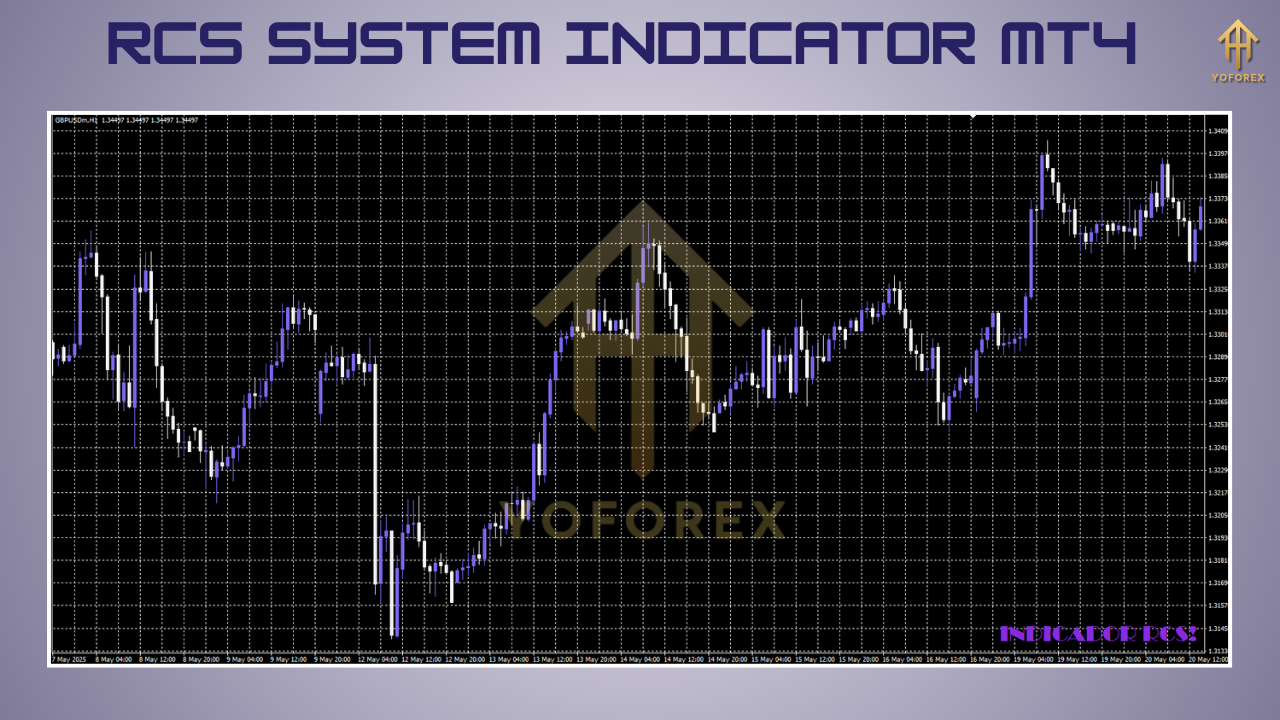
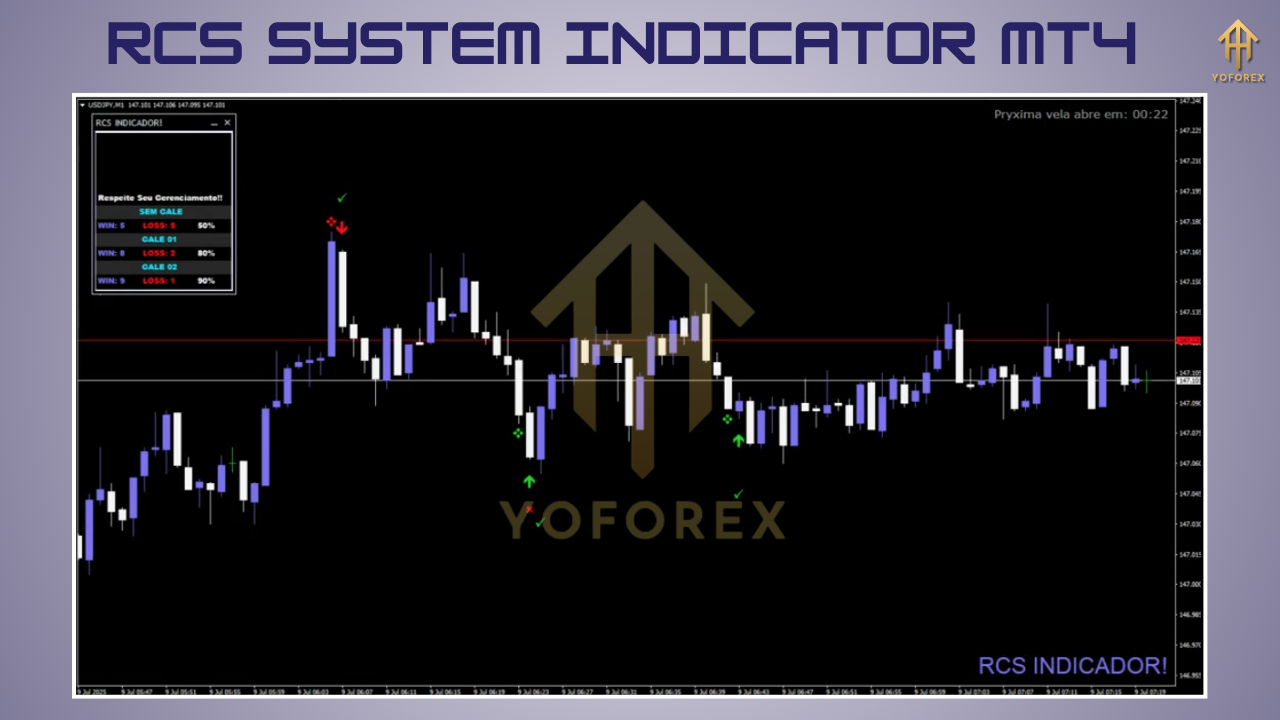
Once loaded, you’ll see shaded zones on the price chart, colored arrows at potential entry points, and the momentum oscillator displayed below.
Settings and Parameters Explained
- Range Period: Lookback period for volatility calculation (default: 20).
- Range Multiplier: Factor applied to the average true range (default: 1.5).
- MA Fast Period: Period for the fast smoothed moving average (default: 10).
- MA Slow Period: Period for the slow smoothed moving average (default: 30).
- Oscillator Period: Lookback length for the momentum oscillator (default: 14).
- Alert Type: Choose pop‑up, email, or mobile notification.
- Alert Filters: Toggle options such as “Only in Trend Zone” or “High Volatility Only.”
Adjust these inputs based on your preferred time frame and risk tolerance. For example, shorter periods can be used on lower time frames for scalp trading, while longer settings work best on H4 and Daily charts for swing strategies.
Trading Strategies with the RCS System Indicator
Trend‑Following Strategy
- Wait for price to enter a shaded trend zone (blue for bullish, red for bearish).
- Confirm a fast MA/slow MA crossover in the zone direction.
- Ensure the momentum oscillator supports the move (positive for longs, negative for shorts).
- Enter at the next candle open.
- Place a stop‑loss below the most recent swing low (for buys) or above the swing high (for sells).
- Target a minimum 1:2 risk‑to‑reward ratio using ATR‑based take‑profit.
Breakout Strategy
- Identify neutral (unshaded) consolidation phases.
- Place pending buy stop and sell stop orders at the consolidation high and low.
- Use the RCS confirmation arrow as an additional trigger to avoid false breakouts.
- Apply a volatility‑adjusted stop‑loss outside the consolidation range.
Divergence Reversal Strategy
- Spot bullish or bearish divergence between price peaks/troughs and the momentum oscillator.
- Wait for a confirmation arrow that aligns with the divergence signal.
- Enter on the next bar and manage risk with ATR stops.
Combine these approaches with support/resistance levels or Fibonacci retracements for greater confluence and improved signal quality.
Backtesting and Performance
Backtesting the RCS System Indicator in MT4’s Strategy Tester reveals the following typical performance metrics on EURUSD H1 (2019–2024):
- Win Rate: 55–65%
- Average Risk‑Reward: 1:2
- Maximum Drawdown: 8–12% of equity
Results vary by currency pair and market regime; trending conditions yield the best outcomes, while range‑bound markets may produce whipsaws. Adjust the range multiplier and alert filters to fine‑tune performance for each instrument.
Pros and Cons
Pros:
- Robust filtering of false signals in trending markets.
- Clean, intuitive visuals for quick decision‑making.
- Flexible customization for diverse trading styles.
- Automated alerts prevent missed opportunities.
Cons:
- Increased false signals during choppy, sideways markets.
- Requires optimization of inputs for different currency pairs.
- Alert frequency can become distracting without proper filters.
Best Practices and Tips
- Multi‑Time Frame Analysis: Use the Daily chart to gauge trend direction and H1 for precise entries.
- Avoid News Events: Disable alerts during major economic releases to reduce slippage.
- Demo Testing: Verify your settings on a demo account before trading live.
- Position Sizing: Risk no more than 1–2% of your account equity per trade.
- Maintain a Trading Journal: Document each signal, outcome, and parameter adjustment to refine your approach over time.
Conclusion
The RCS System Indicator MT4 offers a comprehensive, multi‑layered approach to trend identification and trade confirmation. By integrating range analysis, MA cross signals, and momentum measurement into a single, customizable tool, it empowers traders to focus on high‑probability setups and manage risk with precision. While no indicator can guarantee success, the RCS System’s structured framework and visual clarity make it a valuable addition to any forex trading arsenal. With proper installation, parameter optimization, and disciplined execution, you can leverage this indicator to enhance consistency, reduce emotional bias, and capitalize on market movements more effectively.






Comments
Leave a Comment