
Range Liquidity Indicator V1.0 MT5 – Precision Trading for Every Market Condition
In the fast-paced world of forex and CFD trading, liquidity and market range are key factors that influence trade success. Many traders struggle to pinpoint zones where price is likely to react — either pausing, reversing, or breaking out. That’s where the Range Liquidity Indicator V1.0 MT5 comes in. Designed for MetaTrader 5, this advanced indicator detects critical liquidity zones and price ranges, giving traders actionable insights to make confident, data-backed decisions.
Whether you’re a scalper looking for short-term volatility or a swing trader aiming for higher timeframes, this tool can help you avoid false breakouts and catch high-probability trades.
Overview of Range Liquidity Indicator V1.0 MT5
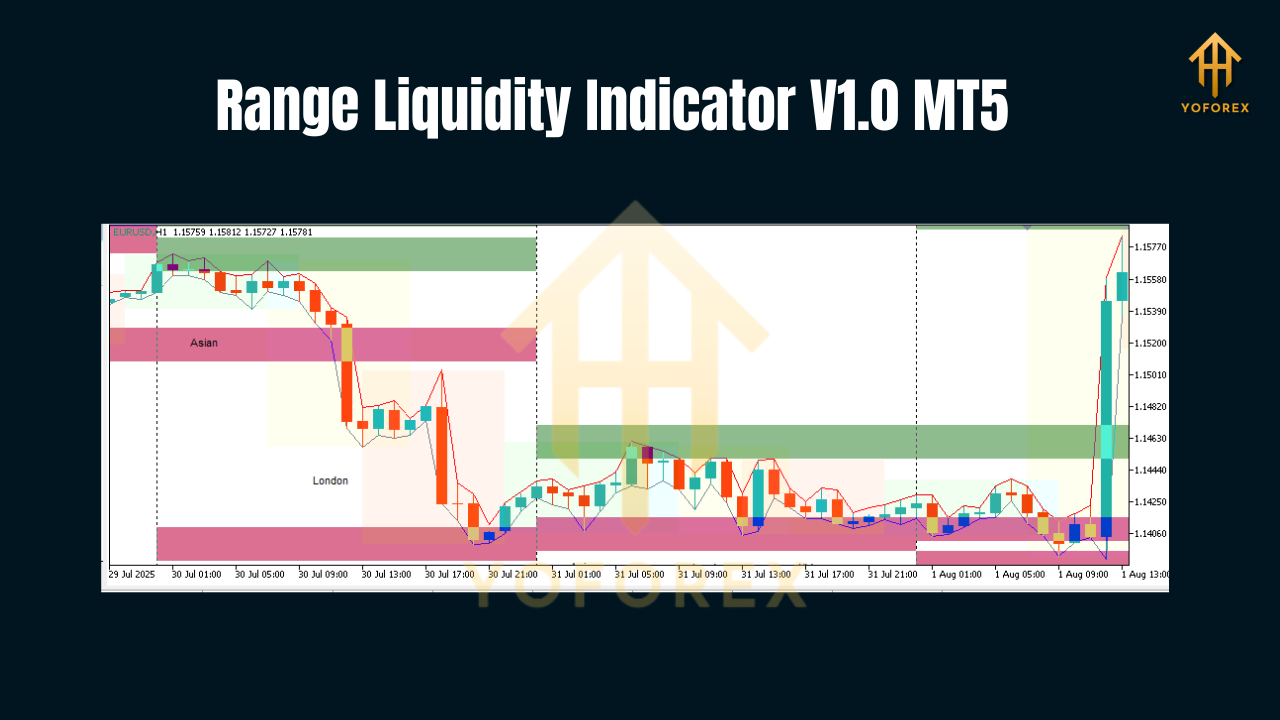
The Range Liquidity Indicator is built to map out real-time liquidity pockets in the market. It does this by analyzing historical price movement, identifying consolidation ranges, and marking potential breakout or reversal points.
Liquidity levels are vital in understanding where major buy/sell orders are likely sitting. These areas act as magnets for price, often triggering rapid moves when tested. The Range Liquidity Indicator V1.0 MT5 automates the detection of these areas, saving traders hours of manual chart analysis.
Main Purpose
- Identify high-probability trade zones before they happen.
- Highlight price ranges that historically attract strong liquidity.
- Provide breakout and reversal insights for all trading styles.
Platform Compatibility
- Platform: MetaTrader 5 (MT5)
- Pairs: Works with Forex, Indices, Commodities, and Crypto
- Timeframes: Suitable for M1 to MN1
- Trading Style Support: Scalping, Day Trading, Swing Trading
Key Features of Range Liquidity Indicator V1.0 MT5
Here’s why traders are calling it a game-changer:
- Automatic Liquidity Zone Detection – No need for manual plotting; the indicator detects real liquidity areas in real time.
- Range Mapping – Shows horizontal price ranges where price historically consolidates before a move.
- Multi-Timeframe Support – Analyze liquidity zones across different timeframes without switching charts.
- Breakout Alerts – Receive notifications when price is about to break key liquidity levels.
- Customizable Visuals – Change colors, line styles, and alerts to suit your chart style.
- Low Resource Usage – Runs smoothly even on slower systems and multiple charts.
- No Repainting – Signals remain fixed after they appear, ensuring reliability.
- Supports All Assets – Works on Forex, metals, stocks, indices, and crypto pairs.
- Beginner-Friendly Interface – Clear visual mapping for easy understanding.
- Advanced Filtering – Ignore minor liquidity zones and focus only on strong ones.
How It Works
- Historical Scan – The indicator scans past price data to find areas of repeated liquidity interest.
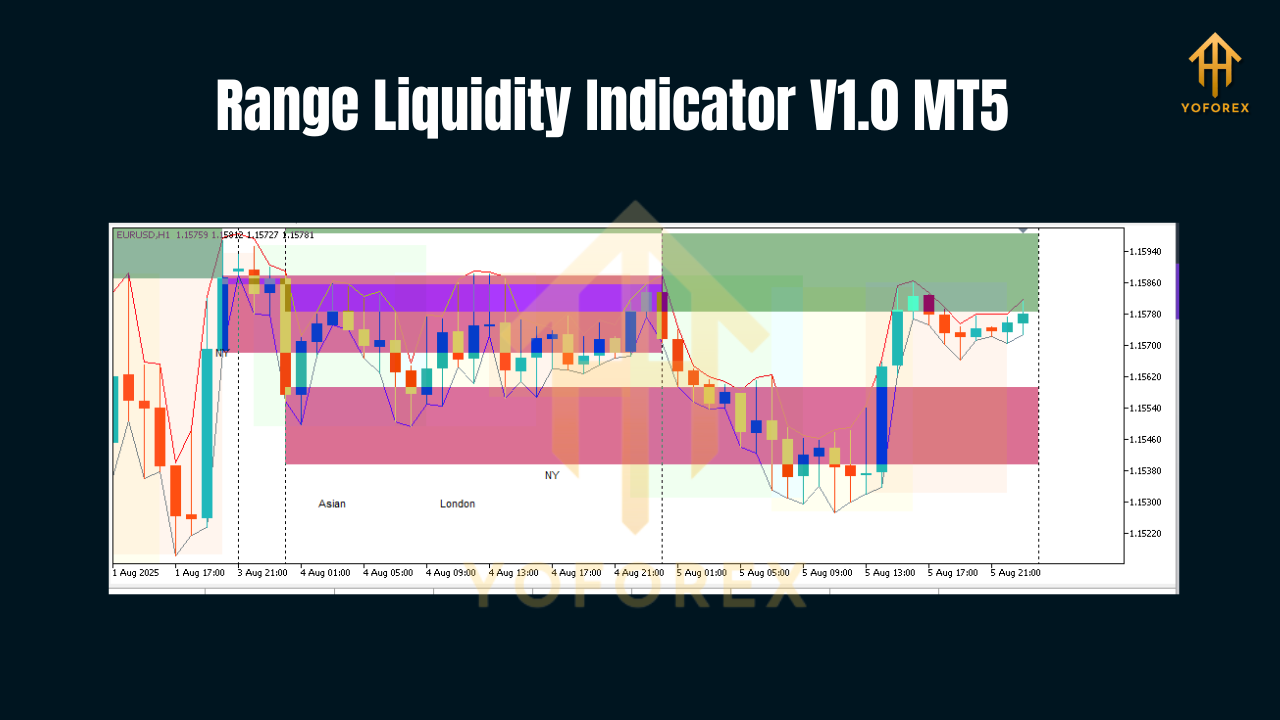
- Zone Marking – It plots horizontal lines or shaded zones where market orders have historically stacked.
- Breakout/Reaction Alerts – When price approaches these zones, you get alerts for potential trades.
- Confirmation – Combine with other MT5 tools or price action strategies for increased accuracy.
Benefits of Using Range Liquidity Indicator
- Avoids Fake Breakouts – Helps you stay away from market traps caused by stop hunts.
- Improves Entry Accuracy – Trade directly at or near liquidity pools.
- Enhances Risk Management – Place stop-losses outside key liquidity zones.
- Works in All Market Conditions – Whether trending or ranging, liquidity plays a role.
- Saves Analysis Time – Focus more on execution and less on manual plotting.
Trading Strategies with Range Liquidity Indicator
Here are some ways traders are using it:
- Liquidity Sweep Entries – Enter when price sweeps liquidity before reversing.
- Breakout Trades – Go long/short when price breaks a liquidity level with volume confirmation.
- Range Trading – Trade within well-defined liquidity ranges in sideways markets.
- Scalping in Volatile Sessions – Catch quick moves around liquidity zones in London or New York sessions.
Installation & Setup
Installing Range Liquidity Indicator V1.0 MT5 is simple:
- Download the Indicator file.
- Open MetaTrader 5 → Go to File → Open Data Folder.
- Navigate to MQL5 → Indicators and paste the file.
- Restart MT5 and attach the indicator to your chart.
- Adjust settings such as zone strength, colors, and alert preferences.
Tip: Use it with volume-based indicators or order flow analysis for maximum accuracy.
Pro Tips for Best Results
- Always confirm liquidity signals with price action or candlestick patterns.
- Test on a demo account before live trading.
- Use higher timeframe liquidity zones as strong bias levels for lower timeframe entries.
Why Choose Range Liquidity Indicator Over Others?
Most liquidity tools in the market are either too complex or repaint signals, making them unreliable. This indicator from YoForex-approved developers ensures accurate, non-repainting liquidity mapping that traders can trust.
Final Thoughts
If you’ve been struggling with poor trade entries, missed breakouts, or false reversals, the Range Liquidity Indicator V1.0 MT5 could be the missing link in your strategy. By highlighting exactly where the market’s money is sitting, you’ll have a powerful edge over traders relying solely on lagging indicators.
Join our Telegram for the latest updates and support






Comments
Leave a Comment