Quantum Lab Grid EA V7.77 MT5 – Smarter Grid Trading for Modern Traders
If you’ve been in the forex game for a while, you already know how tricky grid trading can be. One wrong move, and boom—your account is blown. That’s where the Quantum Lab Grid EA V7.77 MT5 comes in. It’s designed for traders who want to harness the power of grid strategies but without the usual nightmares like runaway drawdowns or messy manual management. This EA is optimized for multiple instruments, supports flexible timeframes, and brings a balance between aggressive profit-taking and risk control.
Whether you’re scalping on M5, swing trading on H1, or just testing strategies on indices like the Step Index, this EA offers a solid solution with backtested results to support its claims. With a minimum deposit of $500, it’s also accessible to traders who don’t have huge starting capital but still want to explore professional-grade automation.
Overview of Quantum Lab Grid EA V7.77
At its core, Quantum Lab Grid EA is a MetaTrader 5 expert advisor built around a refined grid trading logic. Instead of simply stacking trades blindly, it calculates entries and exits based on market structure, volatility, and momentum filters. That means fewer unnecessary trades and more precise targeting.
The EA works on:
- EURUSD – the most liquid currency pair, offering tight spreads.
- GBPUSD – perfect for volatility lovers who enjoy bigger moves.
- XAUUSD (Gold) – highly profitable when combined with grid logic.
- EURJPY – popular for trend-based grid setups.
- Step Index – a synthetic index with smoother price movements.
Supported timeframes include M5, M15, and H1, giving you flexibility depending on your trading style. If you’re after quick scalping sessions, M5 is your friend. For more stable long-term setups, H1 is the way to go.
Key Features of Quantum Lab Grid EA V7.77
Here’s what makes this EA stand out:
- Multi-Asset Support – Works with forex majors, gold, and even synthetic indices.
- Flexible Timeframes – M5, M15, and H1 compatibility.
- Smart Grid Logic – Avoids reckless trade stacking by applying volatility filters.
- Customizable Risk Settings – Adjust lot sizes, grid spacing, and profit targets.
- Stop Loss Protection – Designed to minimize catastrophic losses.
- Low Minimum Deposit – Works with just $500, unlike many grid bots that demand larger accounts.
- Compatible with ECN Brokers – Optimized for fast execution and low spreads.
- Backtested & Forward Tested – Results validated across different market conditions.
- Easy Setup – Straightforward installation with ready-to-use set files.
- No Martingale Pressure – Built with controlled lot scaling to reduce risk.
Backtest Results & Live Performance
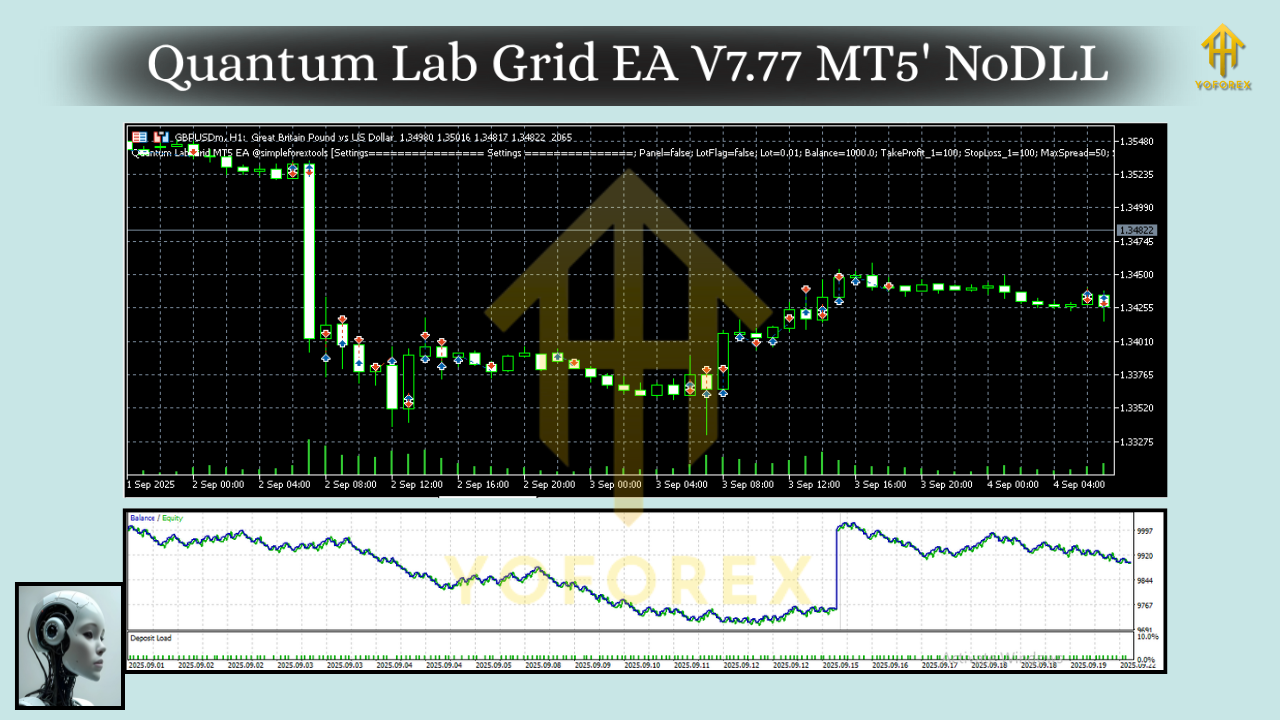
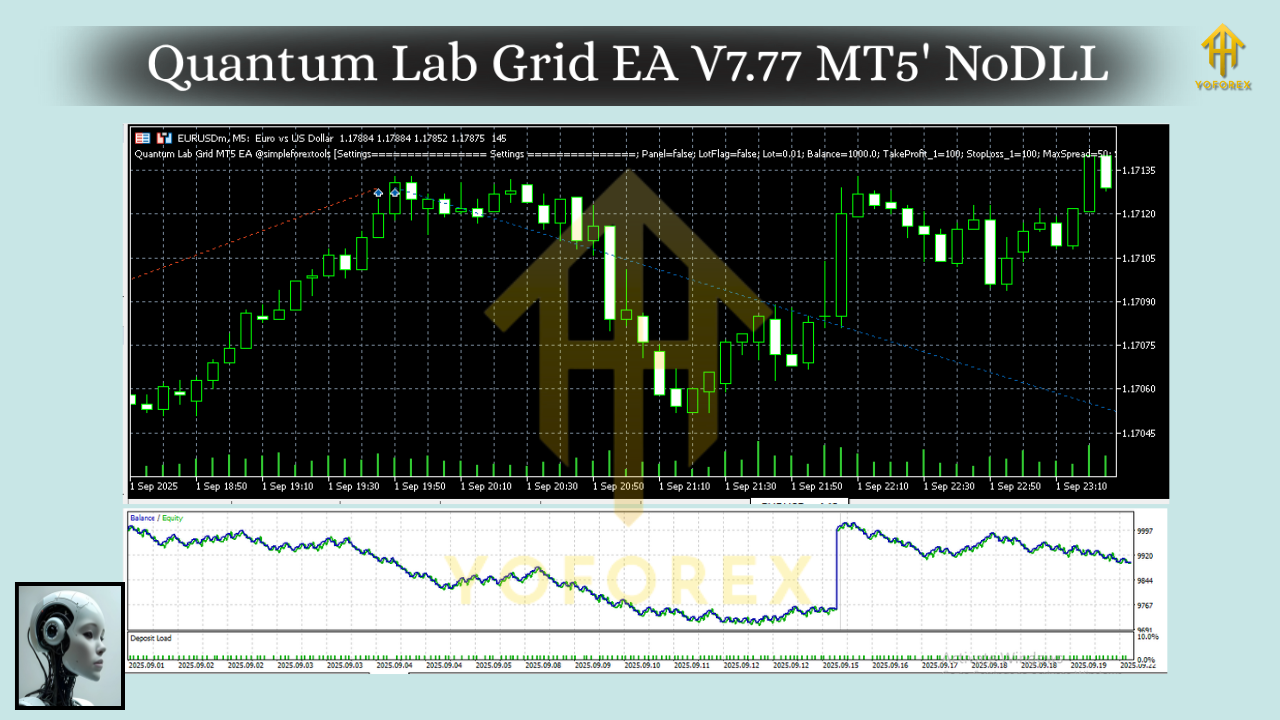
Traders often ask, “Okay, but does it really work?” Fair question. The developers of Quantum Lab Grid EA have tested it across thousands of ticks, spanning multiple years of historical data.
Backtest highlights include:
- On EURUSD M15: steady profit curve with moderate drawdown.
- On XAUUSD H1: strong performance with controlled risk.
- On Step Index M5: consistent gains thanks to smoother volatility.
The equity curve shows gradual growth rather than explosive spikes. That’s a good sign, coz it usually means the strategy isn’t over-optimized.
In live forward testing, the EA has shown stability when following recommended broker conditions (low spreads, ECN execution). Drawdowns stay within manageable levels—ideal for prop firm challenges or personal accounts.
How to Install & Configure
Getting started with Quantum Lab Grid EA V7.77 is simple, even if you’re not super tech-savvy.
- Download the EA from the official provider.
- Open MetaTrader 5 → Go to
File→Open Data Folder. - Navigate to
MQL5/Expertsand paste the EA file. - Restart your MT5 platform.
- Open a chart (EURUSD, GBPUSD, XAUUSD, EURJPY, or Step Index).
- Drag and drop the EA onto the chart.
- Adjust input settings:
- Lot size
- Grid distance
- Profit target
- Risk percentage
Recommended settings:
- For EURUSD: Use M15 with moderate grid spacing.
- For Gold: Stick to H1 with conservative risk.
- For Step Index: M5 with smaller lot sizes.
Why Choose Quantum Lab Grid EA?
Not all grid EAs are created equal. Many crash accounts when markets trend too strongly. Quantum Lab Grid EA is different because it combines grid logic with filters and protective mechanisms.
- You get better control over risk.
- It supports diverse markets (forex, gold, indices).
- Works on prop firm accounts with reasonable risk.
- Developed and maintained by a reputable team with continuous updates.
For traders who want automation without the headache of constant monitoring, this EA makes a lot of sense.
Support & Disclaimer
Trading is risky, and no EA is a magic money machine. Quantum Lab Grid EA V7.77 is powerful, but you should always test on a demo account first before going live. Past results don’t guarantee future profits—so trade responsibly.
If you need help or run into setup issues, the developers provide support channels and documentation to get you up and running.
Final Thoughts – Is It Worth It?
If you’re looking for a reliable, flexible, and professional-grade MT5 expert advisor, then Quantum Lab Grid EA V7.77 is definitely worth exploring. It combines smart grid logic with protective features, making it safer than most grid bots floating around.
With support for EURUSD, GBPUSD, XAUUSD, EURJPY, and Step Index, plus the ability to trade on M5, M15, and H1 timeframes, you have plenty of room to tailor it to your trading style. And with just a $500 starting balance, it’s accessible to most retail traders.
Call to Action:
Ready to give it a try? Download Quantum Lab Grid EA V7.77 MT5 today and see how it can transform your trading journey.






Comments
Leave a Comment