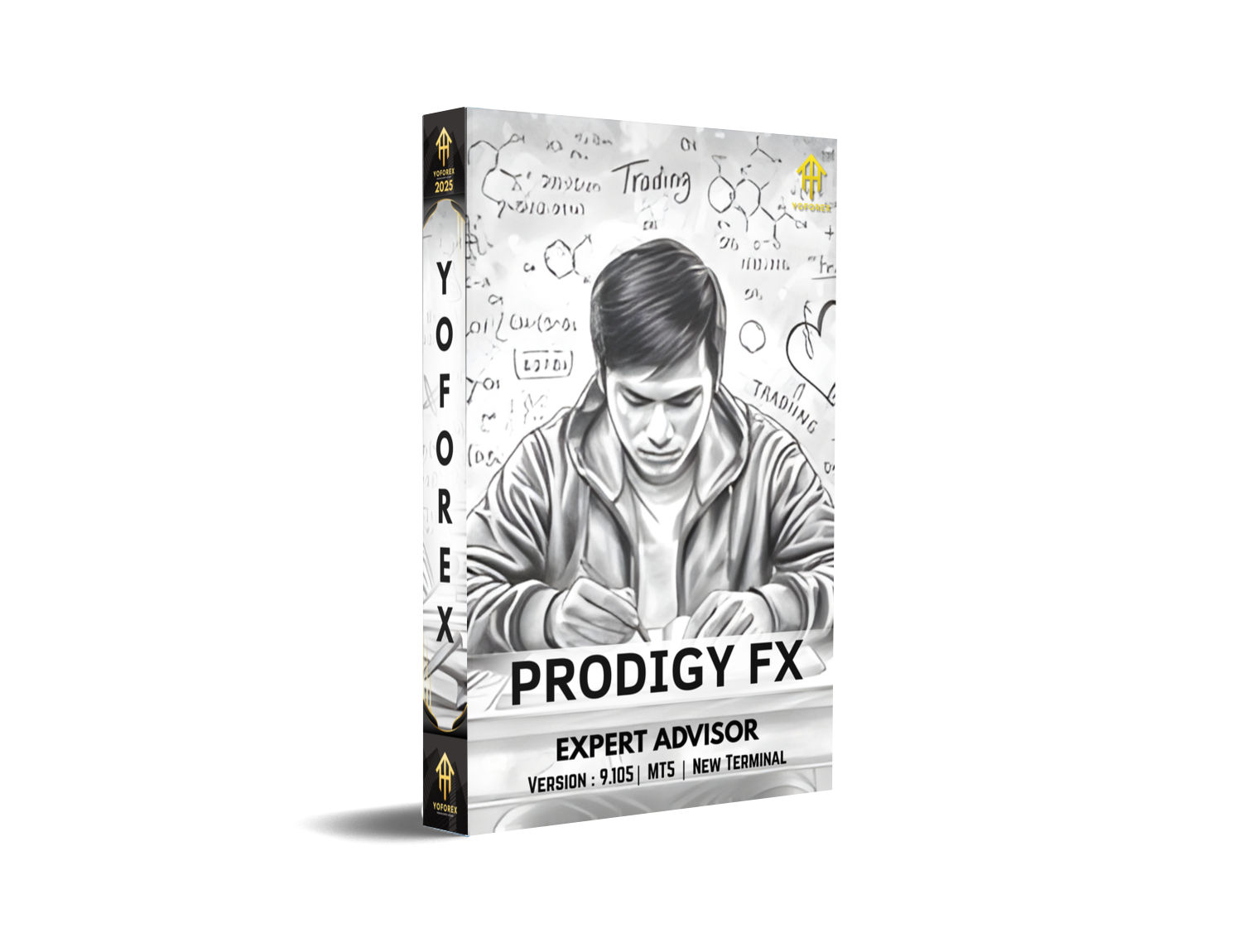
Prodigy FX EA V9.105 (MT5) is a purpose-built Expert Advisor engineered exclusively for CAD/CHF. Instead of trying to trade “everything,” it concentrates on one cross and a single, disciplined methodology: an averaging approach guided by Bollinger Bands, wrapped with adaptive take-profit and stop-loss per position. According to the product page, the EA is currently version 9.105, priced at $299, and was tuned on six years of historical data (2020–2025) using a Standard (no-commission) account environment, with clear setup recommendations for traders.
What the EA Actually Does
At its core, Prodigy FX looks for mean-reversion opportunities using Bollinger Bands to identify stretched conditions, then scales into trades methodically when price deviates from its recent “normal.” The averaging component aims to improve the blended entry price as the market oscillates, while adaptive TP/SL tailors exit targets and protection to the evolving context of each position rather than relying on static values. The vendor explicitly states these elements in the product overview, highlighting the role of Bollinger Bands and position-specific risk parameters.
Why CADCHF? As a cross with frequent range-like phases, CAD/CHF can reward measured mean-reversion logic when volatility remains contained. Bollinger Bands—by definition—expand and contract with volatility, which is why they’re a natural fit for strategies that exploit reversion toward the mean. (If you’re new to Bollinger Bands, they’re built around a moving average with upper/lower bands derived from standard deviation, so the bands adapt to market conditions.)
Key Facts from the Listing
The vendor provides a concise set of specifications and recommendations that are important to replicate if you want performance that resembles their context:
- Pair: CADCHF
- Version: 9.105
- Price: $299 (with planned price increments after sales thresholds)
- Published: 7 October 2025
- Strategy: Averaging guided by Bollinger Bands; adaptive TP/SL per position
- Optimisation Window: 2020–2025 on a Standard account
- Account Type: Hedging
- Timeframe: “Any” (internally handled by EA)
- Preferred Account: Standard (no commission); Raw is possible but not optimal
- Minimum Deposit: $200
- Distribution: Limited copies (~200–300) with staged price increases
These details are stated in the product page’s Overview.
Setup & Installation (MT5)
- Add to MT5: After purchase or demo, place the EA in your Experts directory and restart MT5.
- Attach to CADCHF: Open a CAD/CHF chart and attach the EA. Timeframe is flexible because the EA uses its own internal logic; you don’t need to chase a specific TF.
- Account Environment: If possible, match a Standard, no-commission environment; the vendor’s tuning and cost assumptions expect that profile. Raw can work, but the page notes it’s not the optimal fit.
- Enable Algo Trading: Verify algo trading permissions and inputs.
- Use Sensible Risk: Start with conservative lots and cap the number of averaging layers while you evaluate behaviour.
Why the “Standard” Environment Matters
When you average into a position, transaction costs compound. A Standard account with spread-only pricing keeps the math simple and mirrors the developer’s testbed. If you run a Raw account, commissions plus spread can subtly shift breakeven levels and skew the profitability of small take-profit targets—one reason the vendor flags Raw as “possible, but not optimal.”
Strengths You Can Leverage
- Single-Pair Specialisation: Focusing on CADCHF allows tighter calibration than “multi-everything” robots. Less scope creep often means fewer edge cases and simpler monitoring.
- Bollinger-Guided Entries: Bands naturally adapt to volatility; that adaptivity pairs well with mean-reversion logic and supports context-aware exits.
- Adaptive TP/SL per Position: Dynamic profit targets and stop placements can reduce the “all or nothing” behaviour of fixed exits.
- Transparent Commercial Model: Versioning, price, publication date, and a limited sales structure are clearly disclosed.
Limitations You Must Respect
- Averaging = Path-Dependency: If CAD/CHF trends hard (e.g., unusual CHF strength on risk-off or CAD moves on oil/BoC surprises), scaling can compound exposure. Adaptive stops help—but they don’t eliminate tail risk.
- Broker Context: Your fills, spreads, and weekend gaps may differ from the vendor’s environment, which can shift results.
- Regime Changes: Mean-reversion edges are sensitive to volatility regimes; a cross that ranges for months can suddenly trend.
- Risk Controls & A Practical Playbook
To make an averaging EA sustainable, put the guardrails in writing: - Max Layers / Exposure: Decide the maximum number of entries and maximum net exposure. Do not leave this open-ended.
- Daily Loss & Equity Guards: Define daily loss and drawdown levels that pause trading.
- Event Filters: CAD/CHF can react to BoC, SNB, CPI, and risk sentiment. During these events, reduce risk or stand aside.
- Session Awareness: Spreads can widen during rollover or off-hours. If your broker widens aggressively, consider time-of-day filters.
- VPS/Hosting: If you run 24/5, use a stable VPS or MT5 virtual hosting to avoid disconnects. (MQL5 explicitly supports virtual hosting for EAs.)
Backtesting, Walk-Forward, and Validation
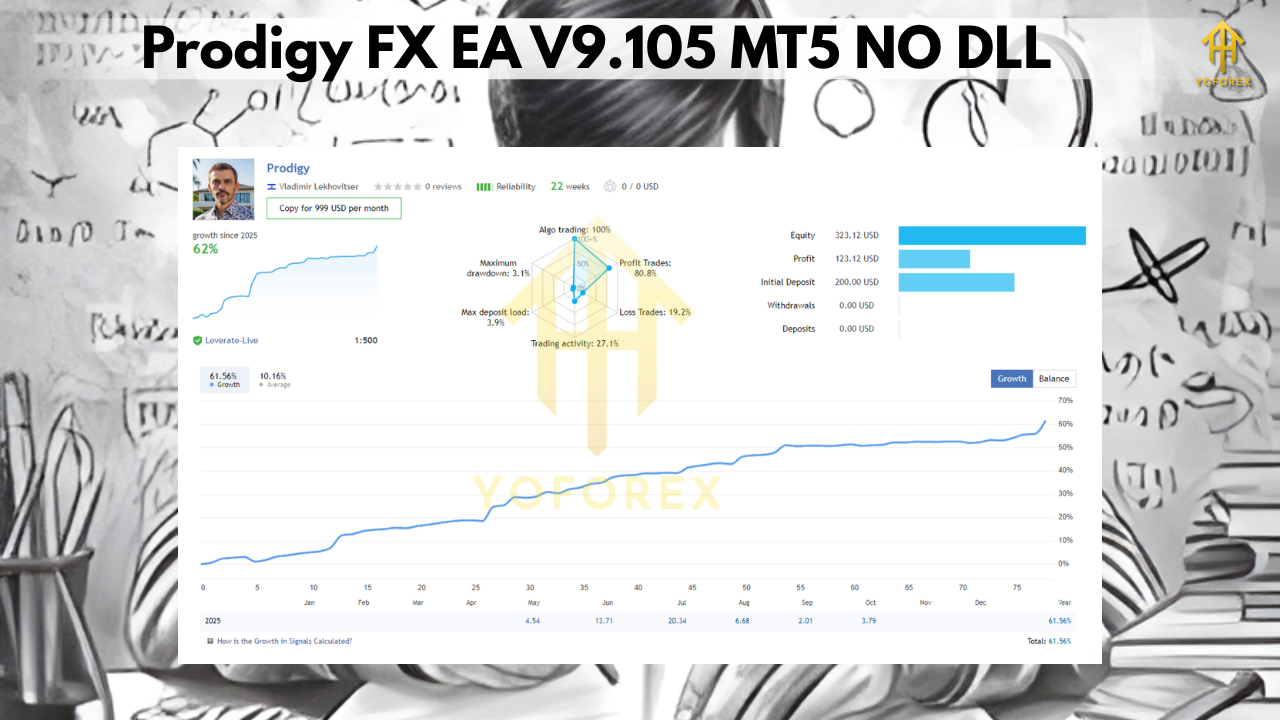
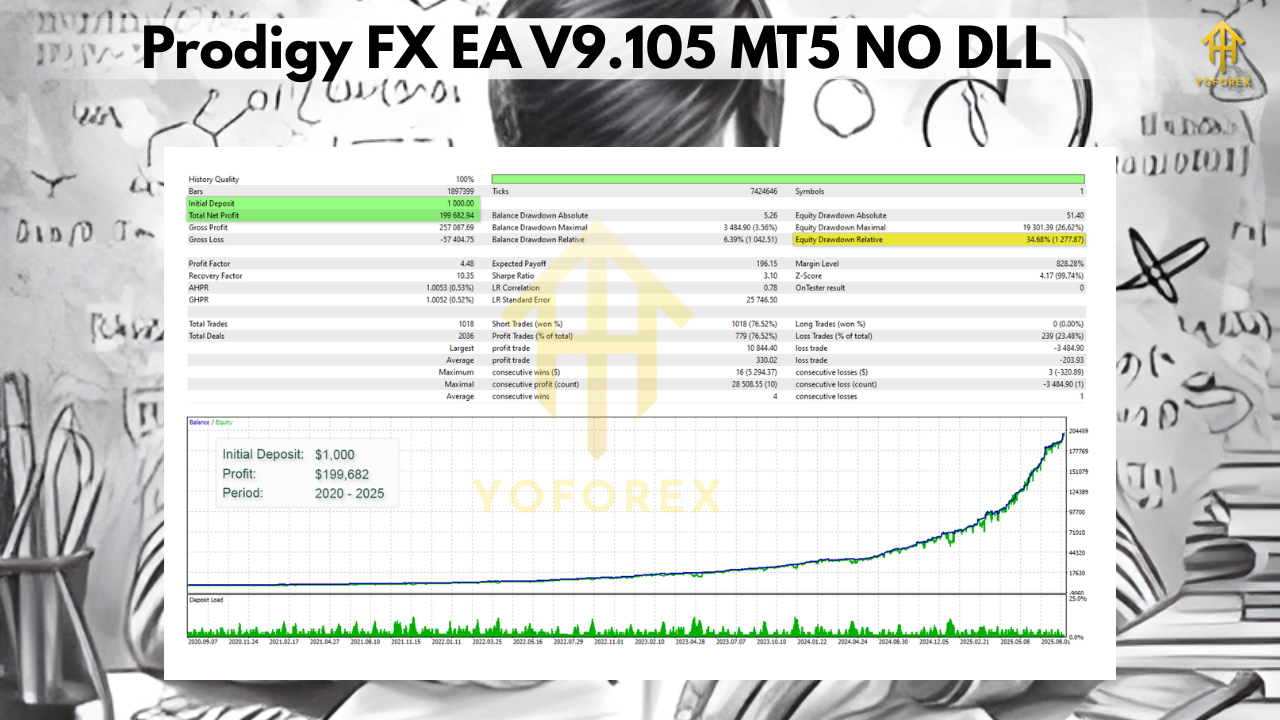
The listing states the EA was fine-tuned on 2020–2025 data in a Standard environment. You should replicate that context before any live deployment, then stress-test beyond it:
- Replicate Vendor Conditions: Use CAD/CHF, realistic costs matching a Standard account, and high-quality tick data.
- Walk-Forward: Test in rolling windows to observe stability without constantly re-optimising.
- Monte Carlo: Shuffle trades and volatility to gauge path sensitivity.
- Forward Test: Demo or micro-live for several weeks. Keep lot sizes small; increase only after confirming fill quality and slippage patterns.
- Compare KPIs: Monitor profit factor, average trade duration, MAE/MFE, and exposure time per layer.
Frequently Asked Questions
Does Prodigy FX need a specific timeframe?
No. The listing notes “Timeframe: Any” because the EA manages its own internal logic. Attach it to CAD/CHF and let it run.
What’s the recommended deposit?
The page mentions $200 minimum. Treat that as a platform baseline—not a license to max leverage. If you allow multiple entries, more capital buffer is prudent. a
Which account type is best?
The vendor recommends a Standard (no-commission) account and flags Raw as workable but “not optimal.” Matching the testbed improves the odds of similar outcomes.
Is this a martingale?
It’s averaging, which increases position size or layers entries to improve the blended price. Regardless of terminology, exposure can rise as a move extends—so your max-layers and daily loss controls matter more than labels.
How is Bollinger logic used?
Bollinger Bands quantify how far the price has deviated from its recent average using standard deviation. Strategies often look for reversion after extremes or use band behavior as a volatility filter. That adaptive property is why bands are common in mean-reversion systems. behaviour
Editorial Verdict
For traders who prefer focused, rules-driven mean-reversion on a single cross, Prodigy FX EA V9.105 provides a coherent package: Bollinger-based entries, adaptive exits, and a setup cadence that is easy to replicate if you follow the vendor’s environment notes. The limited-distribution and staged-pricing policy is also clearly stated, which some traders appreciate for scarcity and support reasons. As with any averaging system, your results will hinge on disciplined risk management—especially the maximum number of layers, equity guards, and event filters you enforce. If you’re willing to operate with that structure, Prodigy FX can be a pragmatic way to allocate a slice of your MT5 portfolio to CAD/CHF mean-reversion without micromanaging entries.






Comments
Leave a Comment