
PortfoliosPro BREAKOUT EA V1.0 MT4 – Smart, Disciplined Breakout Trading on EURUSD, GBPUSD & Gold
If your charts look like chaos and every volatile candle tempts you into impulsive trades, you’re not alone. Breakouts can be awesome—but only when they’re filtered, timed, and risk-managed properly. PortfoliosPro BREAKOUT EA V1.0 for MetaTrader 4 (MT4) aims to do exactly that: structure your breakout approach on EURUSD, GBPUSD, and XAUUSD (Gold) with clear rules on M15 and H1 timeframes. Minimum deposit? Just $200—so you can start small, learn the rhythm, and scale up as you gain confidence.
What Is PortfoliosPro BREAKOUT EA?
PortfoliosPro BREAKOUT EA V1.0 is an automated trading robot built to identify and trade breakouts from meaningful market structures—think session highs/lows, pre-defined boxes, or consolidation ranges—while staying conservative on risk. Rather than throwing orders around every spike, it waits for confirmation and then executes with a plan. This is the kind of EA you run when you want discipline, not drama.
Core idea in one line: find structure → wait for the break → confirm momentum → enter with predefined risk → manage the position intelligently.
Designed instruments
- EURUSD: tight spreads, frequent technical breaks
- GBPUSD: stronger impulse moves, needs sensible stops
- XAUUSD (Gold): high volatility, great for breakout momentum when filtered
Supported timeframes: M15 and H1
Minimum deposit: $200
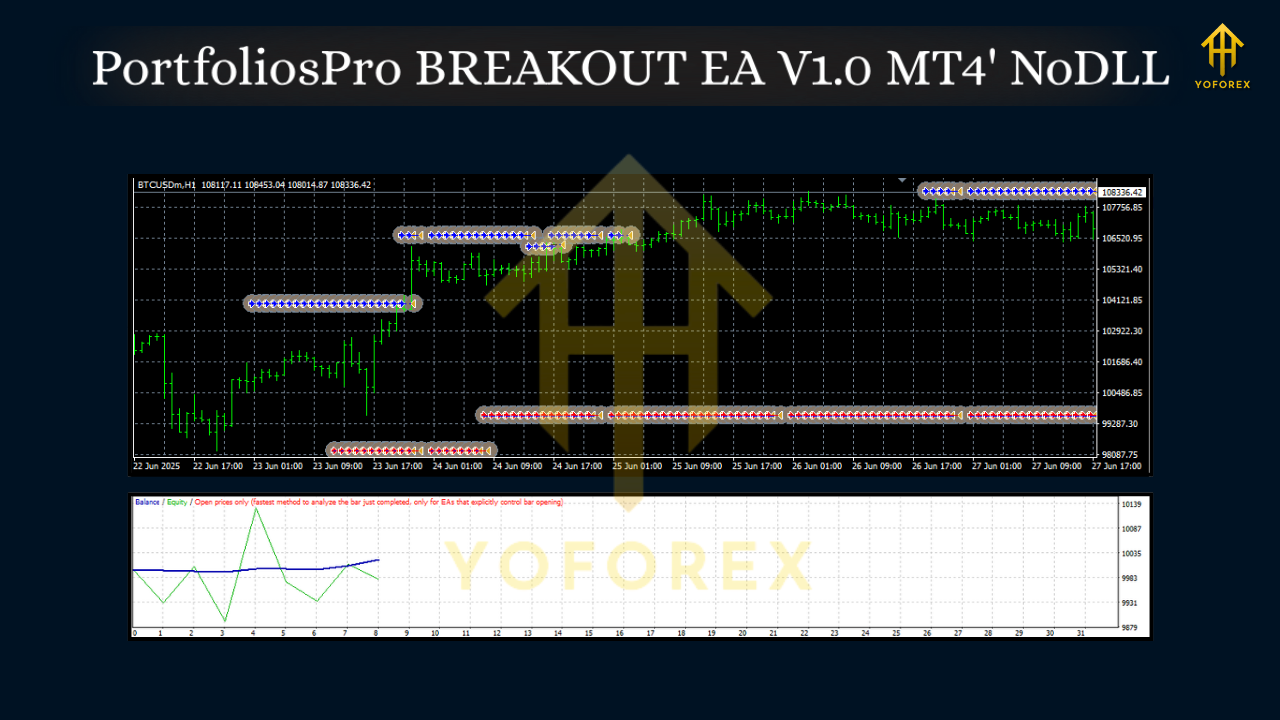
Why Breakout Trading—And Why This EA?
Breakouts are among the most straightforward price behaviors to capture: price compresses, then expands. The catch is most traders enter too soon, too late, or without a protective playbook. PortfoliosPro BREAKOUT EA addresses these pain points by:
- Defining where a breakout truly matters (e.g., tight ranges or session boundaries)
- Enforcing when to act (time filters to avoid random spikes)
- Applying how much to risk on each attempt (position sizing, hard stops, optional trail)
The result is a routine that reduces decision fatigue and helps you avoid FOMO entries. You’ll still need realistic expectations—it’s trading, not magic—but you get a system that keeps you within a rule-based lane.
Key Features
- Structured Breakout Logic: Trades only when price breaks pre-defined zones or recent consolidation ranges.
- Time Filters: Option to limit trades to certain sessions or hours to avoid low-quality setups.
- M15/H1 Compatibility: Intraday capture on M15; higher-timeframe confirmation and fewer signals on H1.
- Multi-Pair Ready: Optimized for EURUSD, GBPUSD, and XAUUSD (Gold).
- Risk-First Design: Hard stop-loss on every trade; no reckless averaging down.
- Flexible Position Sizing: Fixed lots or risk-percent per trade—start tiny and scale later.
- Optional Trailing & Break-Even: Lock in gains once momentum runs; reduce exposure quickly if needed.
- Spread & Slippage Guardrails: Helps avoid bad fills during news spikes or thin liquidity.
- News-Time Caution: Configurable trade-pause window around major events (useful for Gold and Cable).
- Clean Parameters: Human-readable settings so you can configure without guesswork.
- Non-Martingale, Non-Grid: Keeps trade logic simple and account risk transparent.
- Robust Logging: Clear journal messages to understand entries, exits, and filters.
How It Trades: The Flow
- Range Detection
The EA identifies recent consolidation or uses session highs/lows as its breakout box. On M15, the box is tighter (intraday focus). On H1, the box is broader (fewer, stronger breaks). - Trigger & Confirmation
A break above/below the defined boundary prompts the EA to prepare an order. Lightweight momentum checks (such as candle close beyond the boundary or minimum pip expansion) add confidence. - Entry & Stop Placement
The EA places a market or stop order with a hard stop-loss just beyond the structure. No averaging down, no chasing entries. - Trade Management
Optional break-even logic kicks in after a defined profit buffer. Trailing stop can follow momentum if you prefer to ride trends. If momentum stalls, the EA exits cleanly.
Recommended Use per Instrument
- EURUSD (M15/H1)
Good for steady, frequent breakouts. Consider smaller targets with modest trails on M15. On H1, wider stops and bigger profit targets are more sensible. - GBPUSD (M15/H1)
Stronger surges—but watch volatility. Use slightly wider stops or a conservative risk percent. Tight spread windows help. - XAUUSD / Gold (M15/H1)
Powerful runs but sharp reversals. For newer users, begin on H1 with conservative risk. Enable a break-even step to protect gains after initial push.
Installation & Setup (MT4)
- Copy the EA
Open MT4 → File → Open Data Folder →MQL4/Experts→ paste the EA file. - Enable Algo Trading
Restart MT4. In the toolbar, toggle AutoTrading on (green). - Attach to Chart
Open EURUSD, GBPUSD, or XAUUSD on M15 or H1.
Right-click → Expert Advisors → Attach to a chart. - Load/Adjust Settings
- Choose Fixed Lot (e.g., 0.01) or Risk % (e.g., 0.5%–1% per trade).
- Set Trading Hours (avoid illiquid times if you like).
- Configure Break-Even and Trailing preferences.
- If your broker allows, reduce max slippage for precision.
5. Confirm Journal Messages
Use the Experts tab to ensure the EA is active and reading market conditions correctly.
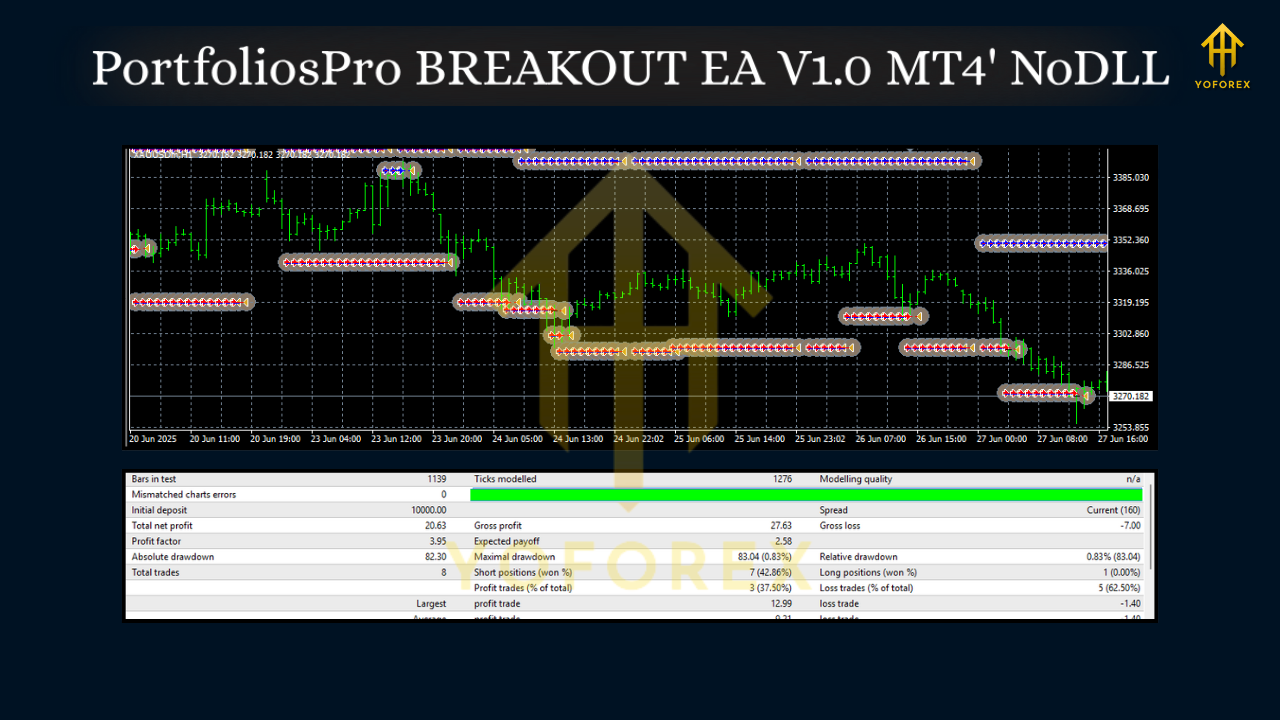
Suggested Settings to Start
- Account Size: $200 minimum to test; scale risk as capital grows.
- Lot Size (Fixed): 0.01 per $200–$300 balance on EURUSD/GBPUSD; Gold can be heavier, so keep it light.
- Risk %: 0.5%–1% per trade while you learn the EA’s rhythm.
- Break-Even: After +1R (risk unit) or a small pip buffer, whichever you prefer.
- Trailing: Consider a modest ATR-based trail; let strong moves breathe.
- Trading Hours: Focus on liquid sessions (London/NY overlap is popular).
- News Pause: Optional; avoid entries 10–15 minutes before/after major releases.
These are starting points—refine with your own backtests and forward observation.
Backtesting & Forward Testing Tips
- Data Quality: Use high-quality tick data for more realistic fills.
- Timeframes: Run both M15 and H1 to compare frequency vs. quality.
- Sample Size: Backtest a broad period (at least 6–12 months) to include various volatility regimes.
- Walk-Forward: After optimizing parameters, validate them on out-of-sample data.
- Forward Demo: Run on a demo account for at least 2–4 weeks. Watch execution, slippage, and spreads during busy times.
- Gradual Live Move: Start with the smallest live risk. Evaluate weekly, not trade-by-trade.
Who Will Like This EA?
- Rule-based traders who want less screen time and fewer emotional decisions.
- Intraday and swing traders who prefer structured breakouts over indicator spaghetti.
- Small account starters who want to learn systematically with $200+ and micro-risk.
- Prop-firm hopefuls (check your firm’s rules first): daily loss controls and news filters can help maintain discipline.
Good Practices & Risk Notes
- No EA wins all the time. Expect streaks—both good and bad.
- Use hard stops always. That’s non-negotiable.
- Keep risk consistent. Avoid doubling after losses.
- Track equity curve over at least 30–50 trades before judging tweaks.
- News spikes on GBPUSD and XAUUSD can be brutal—if in doubt, pause.
Final Thoughts
PortfoliosPro BREAKOUT EA V1.0 MT4 gives you a tidy blueprint for trading breakouts on EURUSD, GBPUSD, and Gold without the usual chaos. It’s not about predicting every candle; it’s about repeating a robust process—range, break, confirm, manage. Start small, follow the plan, and iterate with data. If you’ve been wanting a breakout system that respects risk and your time, this might just fit your toolkit.






Comments
Leave a Comment