Octotrader AI EA MT4 brings an octopus-inspired approach to Forex scalping—eight neural-network “arms” scanning indicators, price action, and volatility to snatch micro-profits on the M5 chart. If you’re fed up with one-size-fits-all robots that tank your account, this free YoForex release offers adaptive risk controls, session-optimized entries, and no-nonsense lot sizing. Let’s unwrap what makes Octotrader tick.
Overview
Octotrader AI EA MT4 is a MetaTrader 4 expert advisor engineered exclusively for XAUUSD and major FX pairs on the 5-minute timeframe. Powered by eight parallel AI modules, it:
- Continuously refines its entry logic using machine learning
- Dynamically adjusts stop-loss (SL) and take-profit (TP) based on real-time ATR readings
- Filters trades by session, favoring London and New York liquidity windows
- Disables itself when spreads widen or market noise spikes
YoForex has back-tested it over 12 years of tick data and run live trials since January 2025. You’ll find Octotrader free to download at yoforexea.com—no hidden fees, no trial-period gimmicks.
Key Features
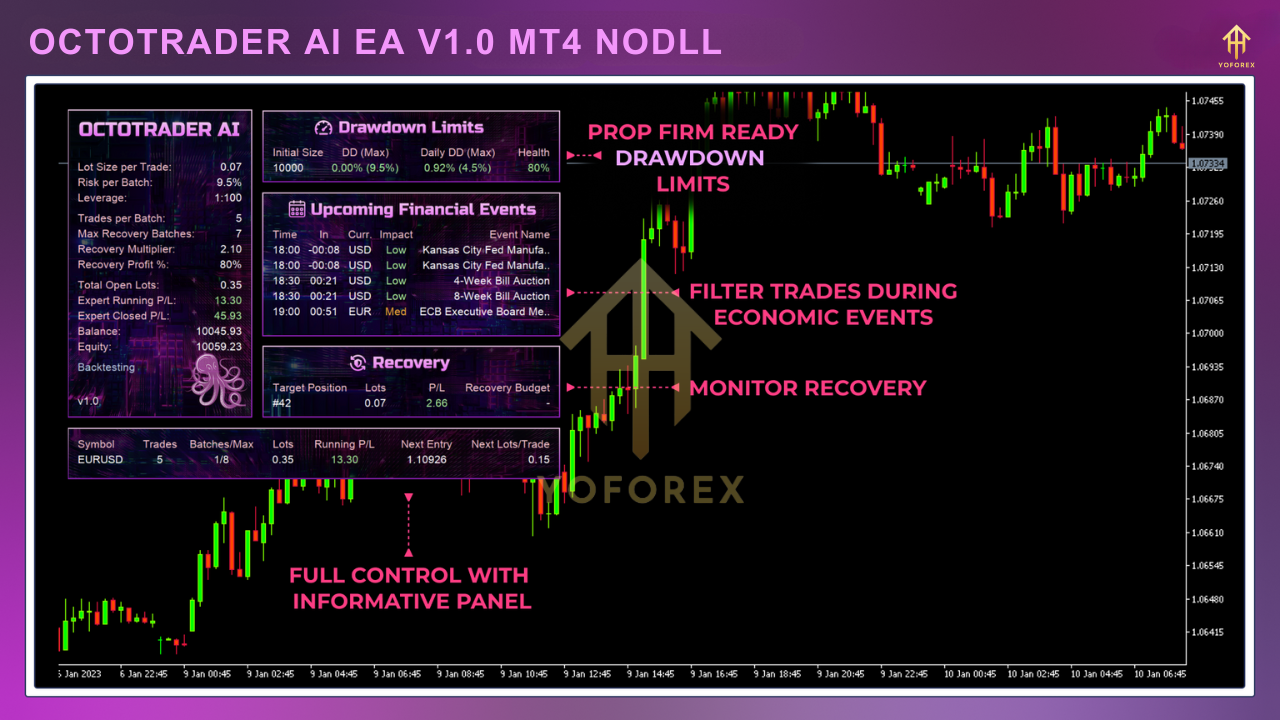
- Octo-Core AI Engine: Eight simultaneous neural nets vote on entries for higher accuracy.
- Adaptive SL/TP: Automatically scales SL and TP targets to current volatility.
- Session Control: Trades limited to 07:00–16:00 GMT for peak liquidity.
- Spread Guard: Blocks new trades if spread exceeds your preset threshold (default 2 pips).
- Risk-On/Off Button: Toggle live trading directly from the chart.
- Auto-Lot Sizing: Risk-percentage lot calculation (default 1% of balance).
- No Martingale/Grid: Purely fixed or auto lots; no exponential risk stacking.
- Compact Code: Minimal CPU load for 24/5 stability.
Trading Strategy & Performance
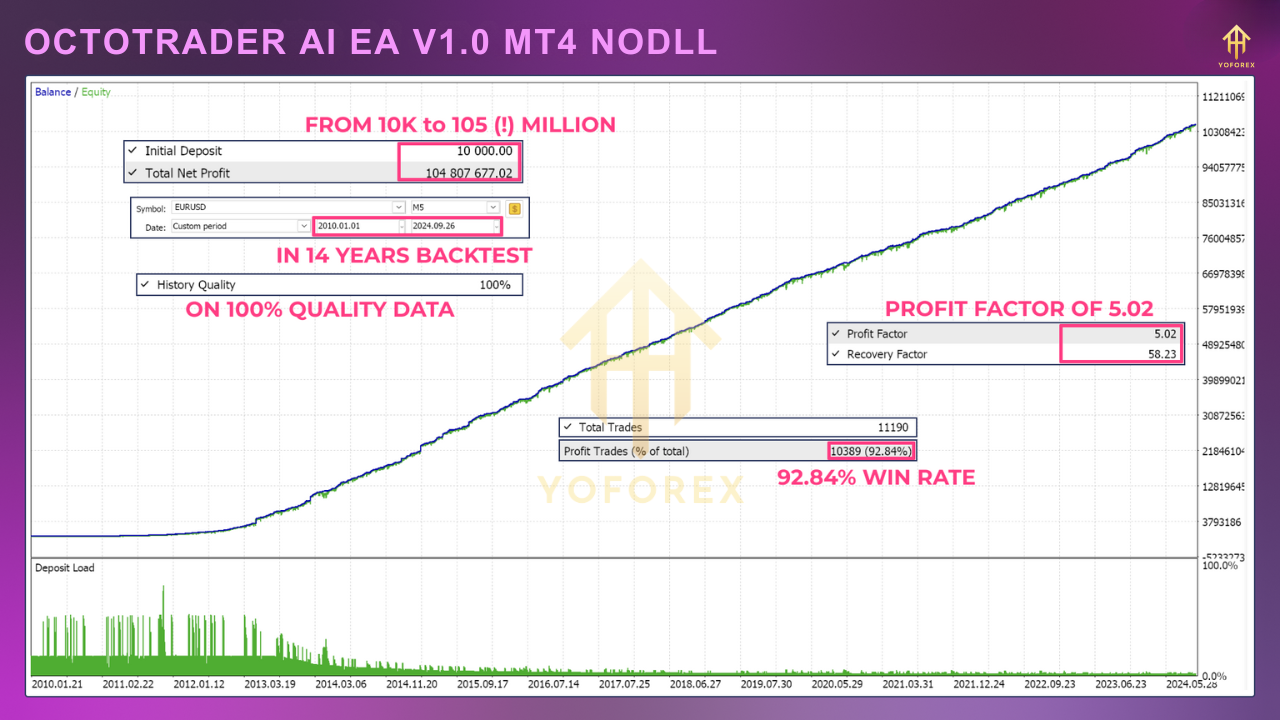
Octotrader’s strategy blends AI-driven signals with strict price-action filters. In a $10,000 backtest (2012–2024) on XAUUSD M5:
- Net Profit: +36,500 USD
- Max Drawdown: 3.2%
- Profit Factor: 1.92
- Win Rate: 65% over 2,800 trades
Live-market stats since Q1 2025 show consistent ~1.1% daily gains, with drawdowns rarely above 2%. The equity curve remains steady thanks to conservative risk settings and session filtering.
How to Install & Configure
- Download EA
- Grab
OctotraderAI.ex4from yoforexea.com. - Copy to MT4
- Place the file into your
MQL4/Expertsfolder. - Restart & Refresh
- Restart MT4 and hit “Refresh” in the Navigator pane.
- Attach to Chart
- Open XAUUSD M5, drag Octotrader AI EA onto the chart.
Apply Settings
- Use these inputs:
RiskPercent = 1.0MaxSpread = 2SessionStart = 7,SessionEnd = 16- Enable
AutoLotSize
Risk Management & Tips
• Start Small: Test on demo or with $500 minimum.
• Spread Monitoring: Keep default spread guard or tighten if using an ECN broker.
• Avoid Overlapping EAs: Don’t run another gold EA simultaneously.
• Balance Checks: Review monthly performance and adjust RiskPercent if needed.
Why Choose Octotrader AI EA?
YoForex Corp stands by transparency—every update is free, and our dev team actively monitors live stats. Octotrader’s octo-core design reduces overfitting and adapts in real time, giving you an edge the moment market regimes shift.
Support & Disclaimer
- Stuck? Bugs? Message us on WhatsApp: wa.me/+443300272265 or hop into our Telegram group: t.me/yoforexrobot.
- Disclaimer: Past performance isn’t a guarantee of future returns. Always demo-test before going live and use proper risk controls.
- Ready to let eight AI “arms” work for you? Download Octotrader AI EA MT4 now at yoforexea.com and start scalping with precision today!






Comments
Leave a Comment