The New York session is where a lot of the real action happens—U.S. data drops, equities open, liquidity expands, and FX pairs finally pick a lane. NySession EA V2 for MT4 is built specifically to ride that window without turning your account into a stress test. It’s a session-aware, volatility-gated strategy that looks for trend + pullback + confirmation during NY hours, with strict spread/slippage caps and zero martingale. When conditions are noisy, it just… waits. No FOMO.
Below is your complete, trader-first guide: how the EA thinks, what’s new in V2, ideal pairs/timeframes, install steps, recommended settings, testing tips, a risk playbook you can actually follow, FAQs, and ready-to-paste meta data for your CMS.
What Is NySession EA V2?
NySession EA V2 is a MetaTrader 4 Expert Advisor optimized for New York trading hours (roughly 13:00–22:00 UTC, depending on DST). It combines:
- Directional bias (trade with the flow, not against it)
- ATR-aware volatility gate (skips trades when stops would be silly-wide or unrealistically tiny)
- Micro-structure confirmation (break–retest or decisive close)
- Execution guardrails (strict spread/slippage caps; optional news window)
- Best for: Traders who like intraday moves on liquid pairs and want no martingale, clear rules, and a clean audit trail.
Primary markets & TFs
- EURUSD, GBPUSD, USDJPY on M5–M15
- XAUUSD (Gold) optional on M15–M30 (only if your broker’s costs are decent)
What’s New in V2
- Sharper session engine — defaults to NY window with optional London overlap prefilter
- Improved ATR gate — better skip logic when implied SL is outside your risk band
- Refined micro-triggers — better break vs. pullback classification; fewer premature entries
- Partial-TP & trailing polish — trail activates only after +1R with saner step logic
- Faster spread/slippage veto — instant “nope” if execution turns hostile
- Equity guard upgrades — smoother auto-pause/resume after daily/floating DD thresholds
- Logging clarity — human-readable “why” for entries, exits, vetoes (gold for tuning)
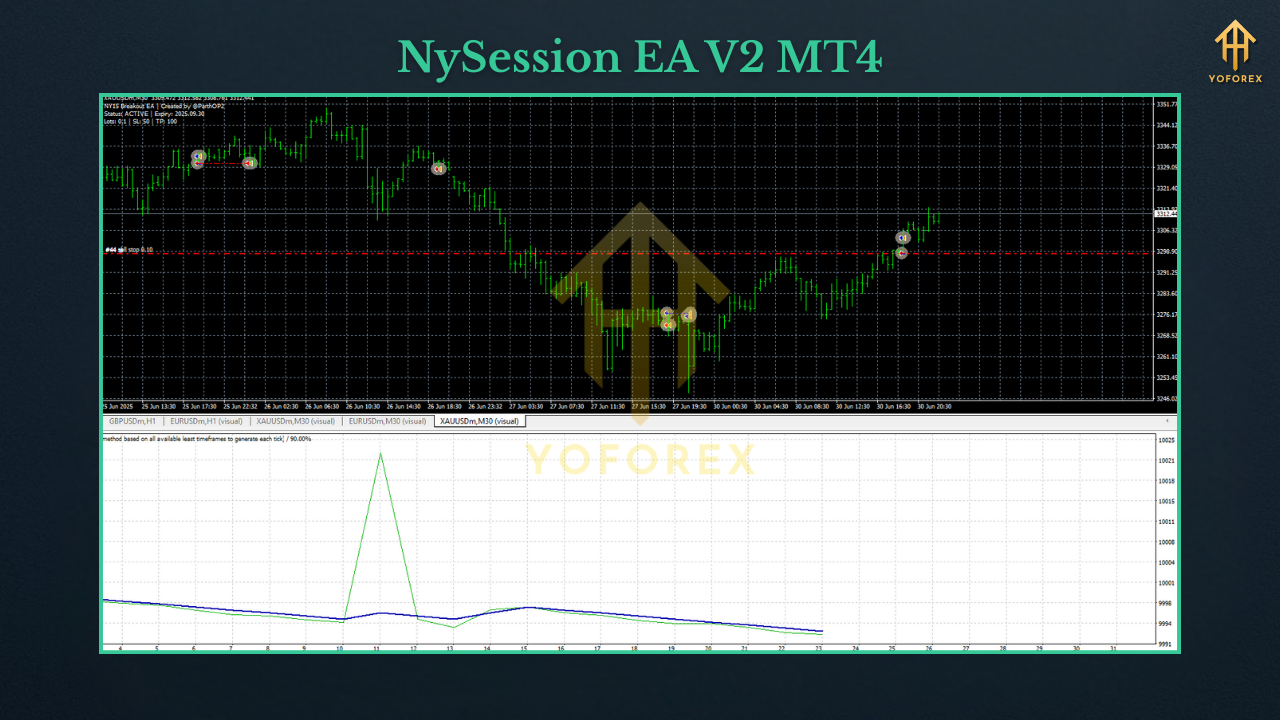
Key Features (At a Glance)
- Session-aware trading (NY hours focus)
- Confluence engine: Directional bias → ATR gate → structure confirmation
Two entry modes:
- Breakout scalp (decisive close through a micro-level)
- Pullback snap (rejection into trend, strong follow-through)
- No martingale, no grid — ever
- ATR-aware SL/TP — dynamic stops (typ. 1.3×–2.0× ATR for scalps)
- Partial take-profit at +1R; trailing on remainder
- Spread/slippage caps with instant veto logic
- Equity guard & daily stop to pause after a rough patch
- Readable logs so you can actually audit decisions
How the Strategy Works (Under the Hood)
1) Direction First
A medium/slow MA baseline (optionally confirmed by a higher TF) defines whether longs or shorts are even allowed. Fighting the tide in NY hour momentum is… not fun.
2) Volatility Gate (ATR)
The EA sizes a realistic stop using ATR. If implied SL is too wide (edge diluted) or too tiny (likely noise), the setup is skipped. You aren’t forced into bad math coz the clock says “NY open.”
3) Structure Confirmation
- Breakout mode: Close through a minor level with follow-through and acceptable spread snapshot.
- Pullback mode: Rejection into a trend zone followed by a decisive close in trend direction.
4) Lifecycle & Risk
- Position size = % of equity (not random lots)
- Partial close near +1R, then trail behind ATR/swing
- Optional light add-on to winners on fresh confirmation (within exposure caps). No averaging down.
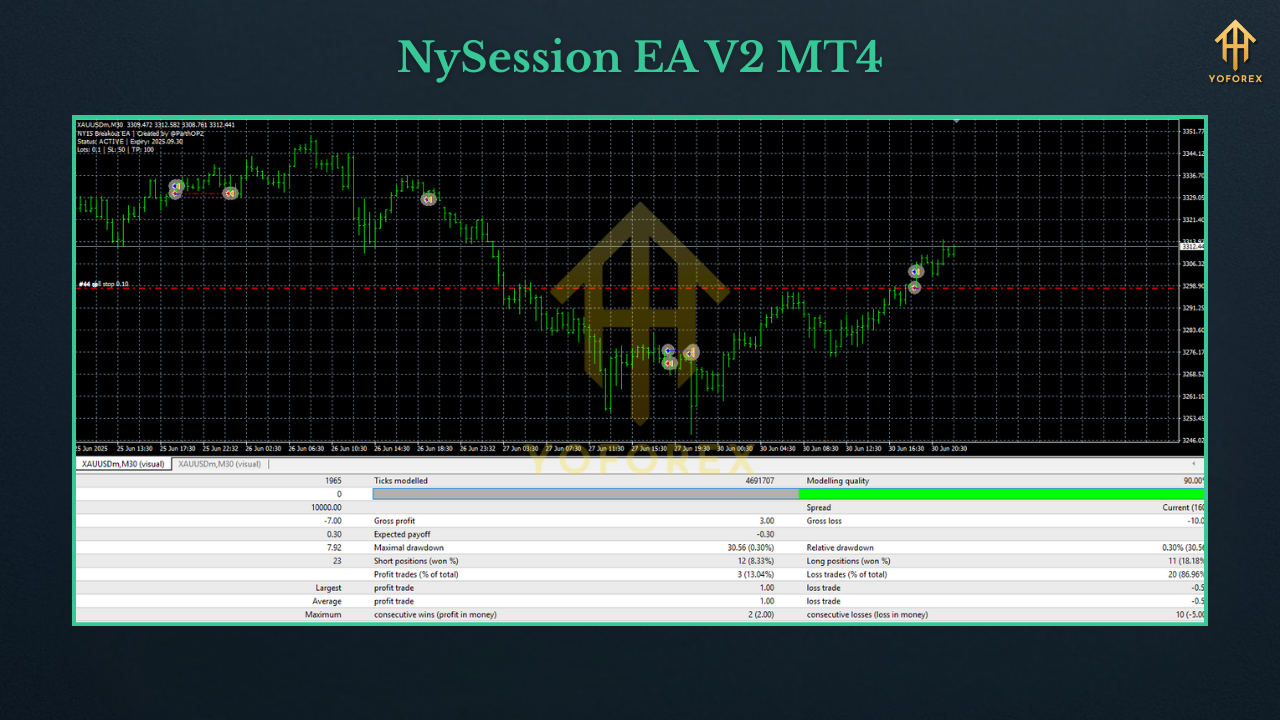
Recommended Settings (Starter Template)
Environment
- Broker: ECN/Raw-spread with consistent liquidity
- VPS: Yes (latency matters around the NY open)
- Leverage: 1:200–1:500 (leverage ≠ edge; sizing is)
Symbols & Timeframes
- EURUSD / GBPUSD / USDJPY: M5–M15 (M5 more active; M15 cleaner)
- XAUUSD: M15–M30 (go slower if spreads/slippage are chunky)
Session Window (UTC)
- Default: 13:00–22:00 (adjust ±1h for DST shifts as needed)
- Optional London-NY overlap bias: enable a prefilter near 12:00–15:00 UTC for momentum handoff
Risk Controls
- Risk per trade: 0.25%–0.75% (start 0.3%–0.5%)
- Max concurrent positions: 3–4 across all charts
- Daily loss stop: 2%–3% (auto-pause until next session)
- Equity guard (floating DD): 5%–6% (pause new entries)
Execution Filters (caps vary by broker)
- EURUSD: spread ≤ 10–15 points; slippage ≤ 1–2
- GBPUSD: spread ≤ 20–25; slippage ≤ 1–2
- USDJPY: spread ≤ 15–20; slippage ≤ 1–2
- XAUUSD: spread ≤ 35–50; slippage ≤ 1–3
- News block: 5–10 min before/after high-impact U.S. releases (CPI, NFP, FOMC, ISM)
Stops & Targets
- SL: 1.3×–2.0× ATR (scalper range) or just beyond last micro swing
- TP: 1.2R–1.8R baseline; partial at +1R, then trail
Quick-Start Profiles
A) M15 Conservative (great first week)
- Risk 0.3% | SL 1.8× ATR | TP 1.5R | partial at +1R | ATR trail
- Session: 13:30–20:30 UTC, news block ON
B) M5 Standard (balanced)
- Risk 0.4% | SL 1.6× ATR | TP 1.4R | partial at +1R | ATR trail
- Tighter spread/slippage caps; pullback + breakout both ON
C) XAUUSD M30 (cost-aware)
- Risk 0.4% | SL 2.0× ATR | TP 1.5R | partial at +1R | swing-based trail
- Spread cap on the stricter side; extend news block to 15–20 min
Installation & Setup (MT4)
- Copy
NySession_EA_V2.ex4toMQL4/Experts/(File → Open Data Folder). - Restart MT4 → confirm under Navigator → Experts.
- Enable AutoTrading (toolbar).
- Attach the EA to each symbol chart (one symbol per chart).
- Inputs: Select a Quick-Start profile or apply the Starter Template.
- Permissions: Allow DLL imports only if using a calendar/news module.
- Forward-test on demo for 7–14 days across NY hours to validate spreads, slippage, and your broker’s quirks.
Backtesting & Forward Testing
- Use tick-quality data with variable spread (fixed spreads make scalpers look unrealistically smooth).
- Include U.S. event timestamps in your review—even if you block them live—to gauge slippage risk.
- Test multiple weeks (volatile vs. quiet) to learn where the EA thrives or stands down.
- Forward test on a VPS to mirror real latency/fills. Track net edge after costs (spread + commission + average slippage). If costs eat >35–45% of gross R, step up a timeframe or tighten filters.
Risk Management Playbook (Pin This)
- Small, constant risk (0.25%–0.5%) beats hot-and-cold sizing—always.
- Respect circuit breakers (daily stop + equity guard). Bad days happen; pausing is a superpower.
- Cost discipline: If spreads/slippage creep, reduce risk or pause that session.
- Avoid curve-fit fever: Light tuning > “perfect” params that break next week.
- Withdraw periodically (if live) so effective risk stays sane as equity grows.
FAQs
Does NySession EA V2 use martingale or a recovery grid?
No. It may lightly add to winners on fresh confirmation within exposure caps; it never averages down losers.
Will it trade every NY session?
Not guaranteed. It’s designed to skip poor windows (pre-news chop, post-spike noise), which is part of the edge.
Minimum deposit?
Demo any size. For live, many start $500–$1,000 with 0.3%–0.5% risk and a VPS, then scale slowly.
Best pair to begin?
EURUSD M15 is a calm start. If your costs are tight and fills reliable, try GBPUSD/USDJPY M5 next.
Disclaimer
Trading Forex/CFDs involves risk. Past performance is not indicative of future results. Always forward-test on demo, size conservatively, and never trade capital you can’t afford to lose.
Call to Action
Want to turn NY session momentum into a structured, low-drama plan? Install NySession EA V2 on MT4, start with the M15 Conservative profile on demo, and watch it over a few sessions. When execution looks solid, go live gradually—tight risk, tight rules, and let the confluence engine do the heavy lifting.






Comments
Leave a Comment