Nexus EA V9.20 MT5: a simple-math, multi-pair robot built for choppy markets
If you’ve ever felt indicators are late to the party—or just noisy in a range—Nexus EA V9.20 MT5 takes a different route. Instead of stacking oscillators, it leans on simple mathematical calculations to read order flow and micro-structure. That gives it a cool edge in sideways, non-directional markets, where a lot of bots get chopped up. It’s marketed as low-risk, high-reward, starts from as little as $20 (tho $100 is recommended), and ships with nine distinct strategies you can mix and match per pair. Multi-currency, highly configurable, beginner friendly…but still flexible enough for pros who want to tinker. Sounds nice, right?
Below, I’ll walk you through what Nexus EA does, who it’s for, how to set it up on MetaTrader 5 (MT5), and practical tips for risk management so you’re not flying blind. No hype—just the good stuff.
What is Nexus EA V9.20 MT5?
Nexus EA V9.20 is an automated trading robot for the MT5 platform. Unlike classic indicator-driven EAs, it relies on price-based math—think distance, velocity, dispersion, mean deviation—rather than “if RSI < 30 then buy.” That approach can help in ranging or mixed conditions, where indicator lag leads to whipsaws.
- Market focus: Choppy/range periods across multiple currency pairs
- Capital: $20 minimum, $100+ recommended for practical headroom
- Audience: From beginners looking for simplicity to advanced users who want granular control
- Core idea: Let price talk; keep logic simple and measurable
Who is it for?
- New traders who want a straightforward MT5 EA that doesn’t demand weeks of indicator study.
- Busy swing or intraday traders who prefer a “set-and-supervise” bot.
- System tweakers who enjoy optimizing strategies per pair and per session.
- Small-account traders (coz the barrier to entry is low), yet it scales fine when you add more capital and pairs.
Key features at a glance
- Nine built-in strategies you can enable per symbol to diversify entries and exits.
- Simple-math logic: focuses on price movement and dispersion rather than indicator stacks.
- Multi-pair capable: run it on several major/minor FX pairs; diversify exposure.
- Configurable risk: fixed lots or dynamic position sizing; cap daily loss/wins.
- Range savvy: designed to find edges in non-directional conditions.
- Low starting balance: begins from $20; $100 recommended for real testing.
- Beginner friendly: default templates to start; room to tune once you’re comfy.
- Session filters: optionally confine trading to London/New York/Asia windows.
- Spread & slippage guard: skip bad fills when liquidity is thin.
- News pause (optional): reduce activity around high-impact releases if you choose.
- Magic Numbers per pair/strategy for clean order management.
- Equity protection: daily stop, max drawdown halt, safety net for volatility spikes.
The nine strategies (overview)
You can think of the nine Nexus “micro-models” as different mathematical lenses on price. You don’t have to use all nine; in fact, starting with 2–4 per symbol keeps behavior predictable. A typical bundle might include:
- Mean-revert micro-swings – looks for short-term overextensions to fade.
- Micro-break containment – captures small range breaks then manages quick take-profits.
- Volatility compression – trades breakouts after a measurable squeeze.
- Pullback continuation – enters on measured dips toward a moving mean; no MA required.
- Session pulse – focuses on time-of-day volatility bursts.
- Range edge taps – works the edges of recent dispersion; tight stops.
- Liquidity pockets – attempts entries where slippage risk is lower.
- Quick-flip scalps – very short holding time; best with tight spreads.
- Fail-break recycler – fades failed breakouts back into the range.
Tip: Pair a mean-revert mode with a compression/breakout mode so you’re not one-sided across regimes.
Risk & money management (read this twice)
Robots don’t eliminate risk. They organize it. A few ground rules that play nicely with Nexus:
- Start small: Use 0.01 lots or the smallest position size your broker allows until you see live behavior.
- One change at a time: If you adjust a parameter (e.g., TP/SL distance or a strategy filter), keep everything else constant for a few days.
- Daily stop & cool-off: Enable a daily equity stop and a “pause after X losses” rule. You’ll thank yourself later.
- Pair filters: If a pair consistently underperforms, disable it. No pair is mandatory.
- Avoid over-stacking: Fewer strategies with sane risk beats nine strategies all firing at once on a $100 account.
- Broker hygiene: Tight spreads, fast execution, and a true ECN style account help any scalpy logic.
How to install and get Nexus running on MT5
- Download & copy the EA
Save the.ex5file and copy it into MQL5 → Experts inside your MT5 data folder. Restart MT5. - Allow algo trading
In MT5, enable AutoTrading globally. Then, in the EA’s Inputs, tick “Allow live trading.” - Attach to chart(s)
Open a clean chart for your first symbol (e.g., EURUSD), any timeframe you want to begin with (M15–H1 are sensible starting points), then drag the EA onto the chart. - Choose your strategies
In Inputs, enable 2–4 strategies to begin. Set unique Magic Numbers if you’ll run multiple symbols. - Set risk parameters
Pick fixed lot or risk-based sizing. Define max spread, slippage, and daily equity stop. - Session control (optional)
If you prefer to avoid the dead zone, restrict trading to London + early NY. - Forward test on demo
Let it run for 1–2 weeks. Observe trade logic, average hold time, and drawdown before going live.
Backtesting & forward validation
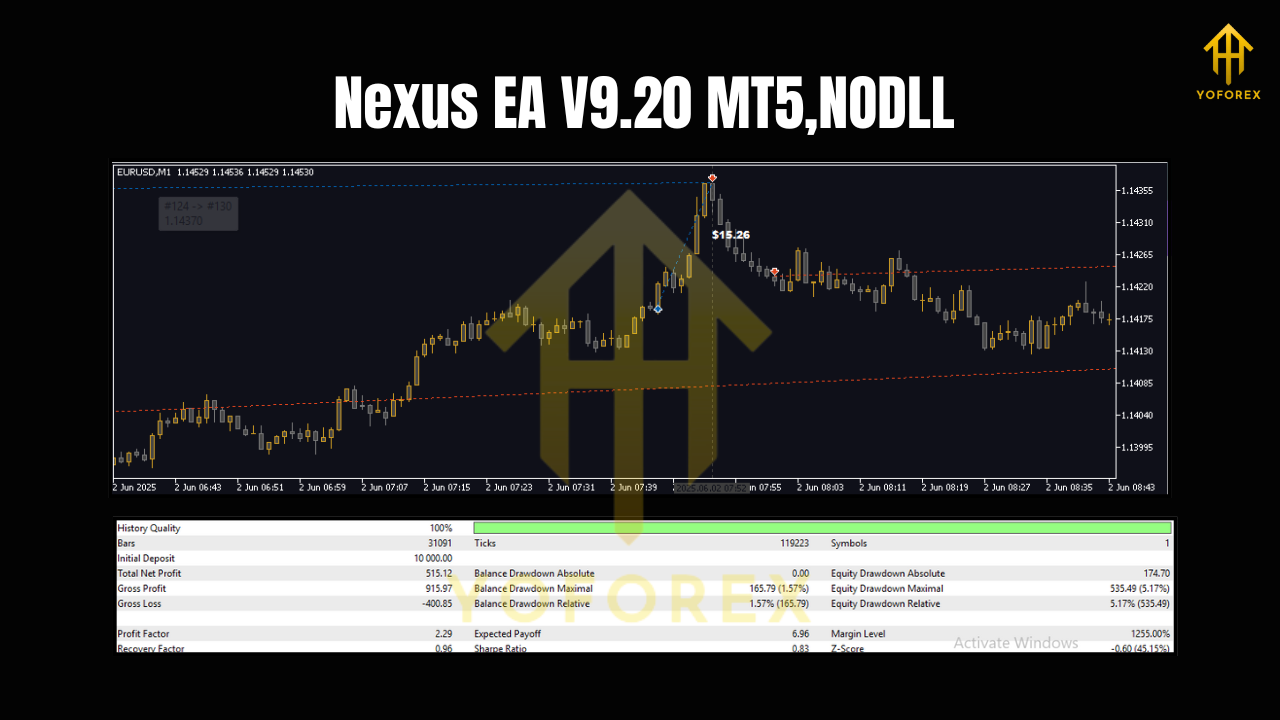
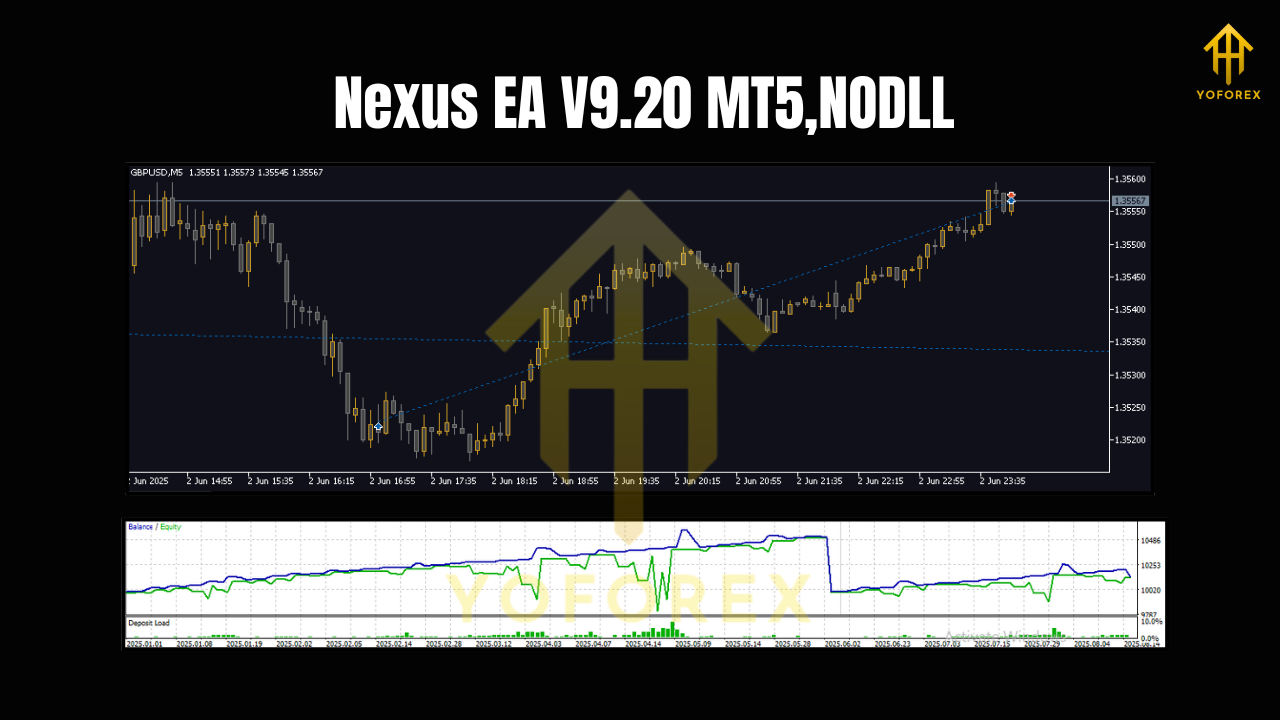
Because Nexus uses simple math rather than indicator history, it tends to backtest cleanly on MT5. Even so:
- Use tick-by-tick data where possible, with variable spread.
- Test at least 1–2 years per pair to see full market cycles.
- Walk-forward: Split your period (e.g., optimize on Year 1, validate on Year 2).
- Mirror your live settings in the test for apples-to-apples results.
- Always follow backtests with a demo forward test—real-time behavior is the final judge.
Practical presets to start (you can tweak later)
- Pairs: EURUSD, GBPUSD, USDJPY to start; add AUDUSD or USDCAD after two weeks.
- Timeframes: Try M15 for more signals; H1 for calmer pace.
- Strategies: Pick one mean-revert + one compression/breakout to keep it balanced.
- Stops/TPs: Keep stops modest; let TP be slightly wider than SL to maintain a positive expectancy.
- Equity guard: Daily stop at 1–2% of equity for small accounts.
Pros & cons
Pros
- Works without indicator stacks, reducing lag.
- Flexible: nine strategies, multi-pair, session filters.
- Low capital entry; realistic for beginners.
- Good in range/chop, which is where many EAs struggle.
Cons
- Requires discipline: you must prune bad pairs/strategies.
- Over-optimization trap is real—resist the urge to tune 50 knobs at once.
- Needs a decent broker setup (tight spreads, fast fills) for best results.
Final word
Nexus EA V9.20 MT5 is refreshing in its simplicity. By focusing on price math and letting you combine nine micro-strategies, it gives both new and experienced traders a sensible framework to tackle choppy markets without drowning in indicator settings. Keep risk tight, add pairs gradually, and let data guide your tweaks. Do that, and you’ll have a robust, low-maintenance ally on MT5.
Join our Telegram for the latest updates and support






Comments
Leave a Comment