
Nasa Profit Indicator V1.0 MT4 – The Ultimate Trading Tool for Any Pair or Timeframe
In the ever-evolving world of forex trading, having a reliable and efficient tool can be the key to consistent profitability. That’s where the Nasa Profit Indicator V1.0 for MT4 comes into play. This powerful MetaTrader 4 (MT4) indicator is designed to help both beginner and professional traders make smarter trading decisions by delivering accurate and timely buy/sell signals across any currency pair and any timeframe.
Let’s take a closer look at what makes the Nasa Profit Indicator V1.0 such a powerful addition to your trading toolkit and how you can use it to improve your results in the forex market.
What Is Nasa Profit Indicator V1.0 for MT4?
The Nasa Profit Indicator V1.0 is a custom-built technical analysis tool designed for the popular MetaTrader 4 (MT4) trading platform. It works by analyzing historical and real-time market data to identify profitable trading opportunities. Once it detects a high-probability setup, it triggers a clear buy or sell signal directly on your chart.
What sets this indicator apart is its versatility — it’s compatible with any currency pair and can be used on any timeframe, from M1 (1-minute) to MN (monthly). This makes it perfect for all trading styles, including scalping, day trading, swing trading, and even long-term investing.
Key Features of Nasa Profit Indicator V1.0
Here are the standout features that make Nasa Profit Indicator V1.0 one of the best MT4 indicators available:
- Multi-Pair Compatibility – Works seamlessly with all forex pairs, including majors, minors, and exotics.
- Multi-Timeframe Support – Analyze markets from short-term to long-term timeframes.
- Accurate Buy/Sell Signals – Reduces market noise and gives clear entry and exit signals.
- Non-Repainting – Signals do not change after the candle closes, ensuring reliable analysis.
- User-Friendly Interface – Easy to install and use, even for beginners.
- Real-Time Alerts – Get instant alerts via pop-up, sound, or email when a trading signal is generated.
- Visual Arrows and Text Notifications – Clearly displays trading signals on the chart for quick decision-making.
How Does It Work?
The Nasa Profit Indicator V1.0 uses a combination of price action, trend analysis, and momentum-based algorithms to evaluate market conditions. It filters out false signals and highlights only the setups with the highest probability of success.
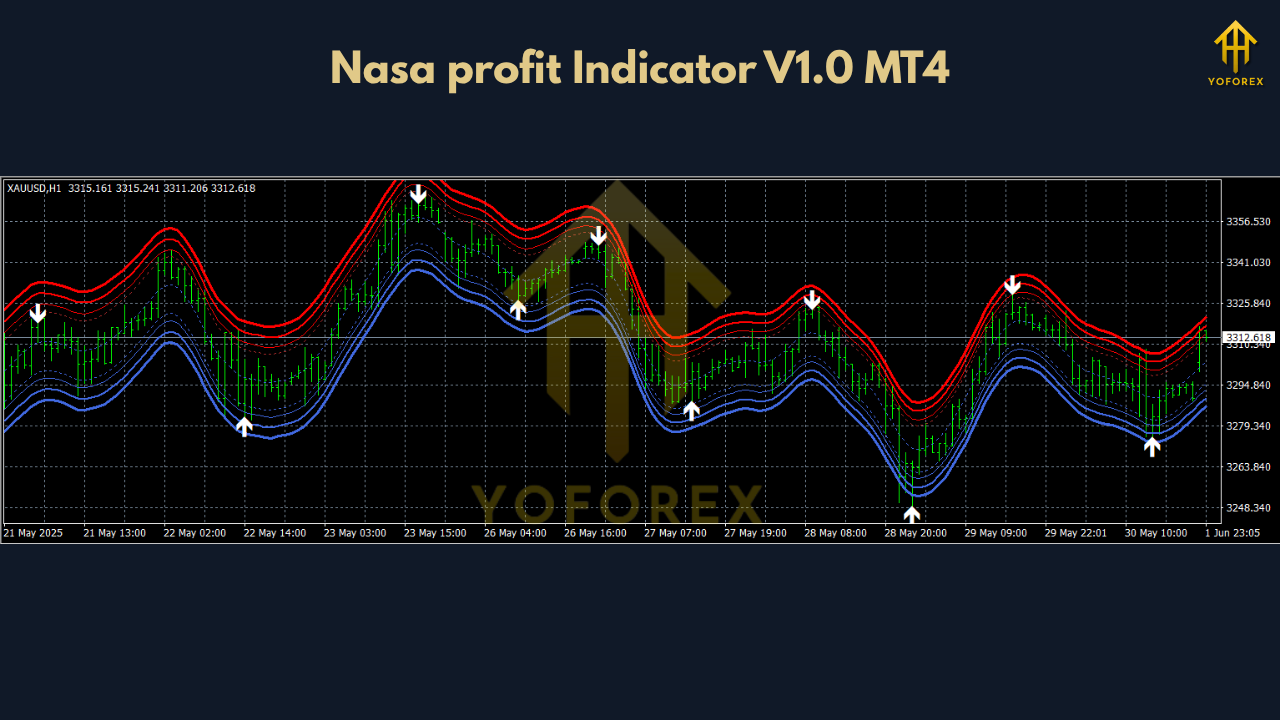
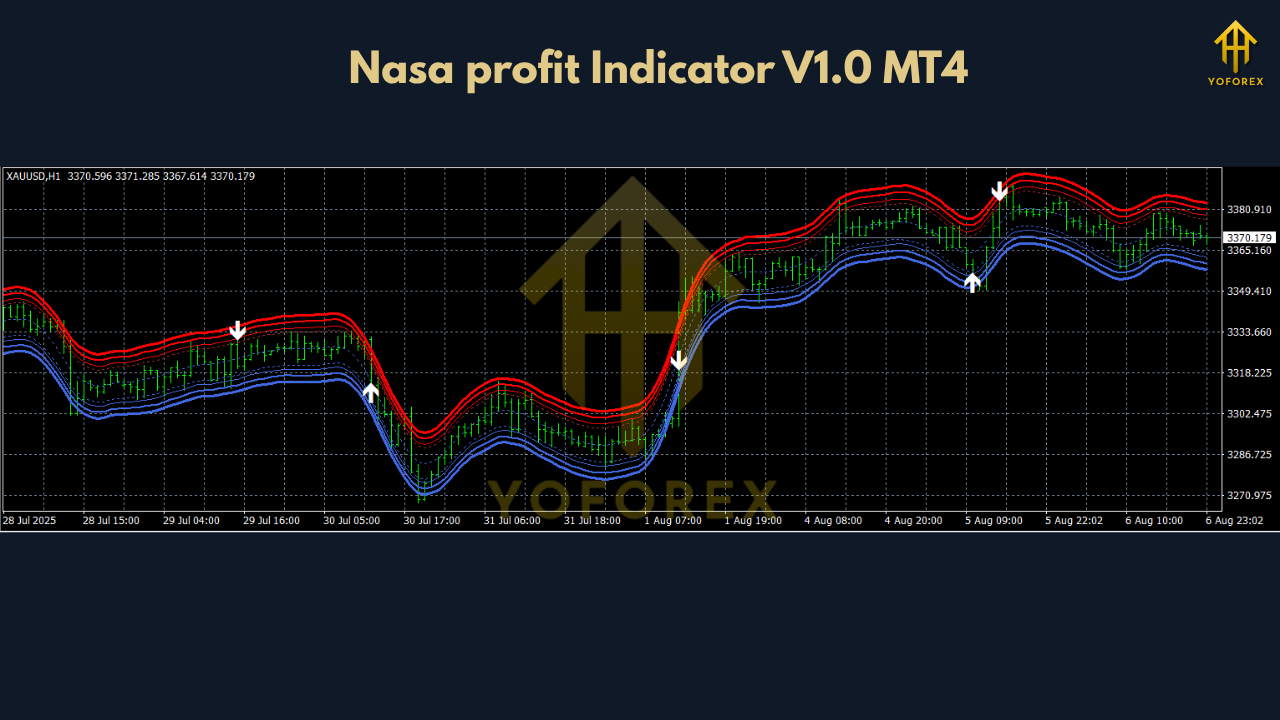
Once a signal is identified, the indicator displays an arrow (buy or sell) on the chart along with a suggested take profit and stop loss level, helping you manage your trades more efficiently.
For example:
- A blue upward arrow indicates a buy signal.
- A red downward arrow suggests a sell signal.
These signals are based on a convergence of technical indicators and historical price patterns, ensuring you’re trading with the trend and not against it.
Why Use Nasa Profit Indicator V1.0?
Increased Accuracy
The indicator reduces emotional trading by providing you with objective signals based on data, not guesswork.
Time-Saving
No need to analyze dozens of charts manually. The Nasa Profit Indicator does the heavy lifting and alerts you when a potential trade is available.
Beginner-Friendly
Even if you’re new to forex, the simple interface and clear signal system make it easy to get started right away.
Scalable for All Strategies
Whether you're scalping on the 5-minute chart or swing trading on the 4-hour, the indicator adapts to your trading style.
Tips for Using Nasa Profit Indicator V1.0 Effectively
To get the most out of the indicator, consider these tips:
- Use With a Solid Risk Management Plan – No indicator is 100% accurate. Always use stop-loss and manage your lot size.
- Combine With Price Action Analysis – For even better results, use the indicator alongside basic support/resistance or candlestick patterns.
- Avoid Overtrading – Wait for high-quality setups. Patience pays.
- Backtest Before Live Trading – Test the indicator on demo accounts to understand its behavior under different market conditions.
How to Install Nasa Profit Indicator V1.0 on MT4
- Download the
.ex4or.mq4indicator file. - Open your MetaTrader 4 platform.
- Go to File > Open Data Folder > MQL4 > Indicators.
- Copy the indicator file into the Indicators folder.
- Restart MT4.
- Drag and drop the “Nasa Profit Indicator V1.0” onto your desired chart.
Within seconds, you’ll start seeing trade signals directly on your MT4 chart.
Who Can Benefit From This Indicator?
- New traders looking for an easy way to enter the forex market.
- Day traders and scalpers who need quick and accurate signals.
- Swing traders who prefer higher timeframes with less noise.
- Full-time traders managing multiple charts and pairs.
- Part-time traders seeking automation and precision.
Whether you’re trading as a hobby or for income, the Nasa Profit Indicator V1.0 fits seamlessly into your strategy.
Conclusion: Should You Use Nasa Profit Indicator V1.0?
If you're searching for a powerful, reliable, and easy-to-use MT4 indicator that can help you identify profitable trading opportunities across any pair and timeframe, then the Nasa Profit Indicator V1.0 is worth considering.
It’s not just another flashy tool—it’s a smart, data-driven system built for real-world trading. Whether you're a beginner learning the ropes or a seasoned trader refining your edge, this indicator can become a valuable asset in your trading journey.
Boost your confidence.
Trade smarter.
Make better decisions.
Join our Telegram for the latest updates and support






Comments
Leave a Comment