Are you tired of juggling multiple indicators and manual trade entries? Meet Nagaras Bot EA V1.9 MT4, an ultramodern tool built to simplify your forex journey. Designed for traders who seek precision and efficiency, this MT4 expert advisor harnesses cutting-edge capital management techniques alongside advanced market analysis. Whether you’re a seasoned pro or a newcomer to automated trading, Nagaras Bot EA provides a flexible control and protection system for each position. In this post, we’ll dive deep into what makes Nagaras Bot EA stand out, its core features, how to configure it properly, and why it deserves a spot on your MT4 platform.
Overview of Nagaras Bot EA V1.9
Nagaras Bot EA V1.9 is the latest iteration of a well-regarded forex trading bot that emphasizes both risk management and trend identification. By leveraging sophisticated algorithms, it scans price action to pinpoint high-probability trade setups. Unlike many “set-and-forget” bots that rely solely on fixed rules, Nagaras Bot EA adapts its risk parameters dynamically, using real-time account balance as a benchmark. This ensures that as your account grows, the bot’s position sizing and capital allocation adjust accordingly—preventing overleveraging or excessive drawdowns. Consistent updates keep Nagaras Bot EA current with evolving market conditions, making its V1.9 release one of the most robust MT4 expert advisors available today.
Key Features
- Advanced Capital Management – Dynamic lot sizing based on initial account balance and current equity, reducing risk as your profits accumulate.
- Market Trend Analyzer – Integrates multiple time-frame analysis to confirm trend direction before placing trades.
- Flexible Control System – Choose when to enable or disable scaling; the bot automatically adjusts leverage when equity crosses predefined thresholds.
- Per-Position Protection – Individual stop-loss and take-profit settings for each open trade, ensuring no single position jeopardizes your account.
- User-Defined Risk Ratios – Set your preferred maximum drawdown percentage; Nagaras Bot EA will halt trading if this level is breached.
- No-Martingale Approach – Avoids doubling down on losing trades; instead, it waits for fresh entry signals in the direction of the trend.
- Multi-Currency Compatibility – Trade across a broad range of currency pairs without needing separate expert advisor instances.
- Flexible Trading Sessions – Configure the bot to operate during specific market hours, including major session overlaps (e.g., London/New York).
- Trailing Stop Features – Samples price movement and moves stop-loss orders in your favor, locking in profits while giving trades room to breathe.
- Fast Execution Logic – Utilizes built-in MT4 WebRequest functions for lightning-fast order placements, minimizing slippage on news events.
Supported Currency Pairs & Timeframe
Nagaras Bot EA V1.9 excels in trading a wide array of crosses, ensuring you can diversify your strategies across multiple markets. The supported pairs include:
• EURUSD, USDJPY, GBPUSD, AUDUSD, USDCAD, USDCHF
• NZDUSD, EURJPY, GBPJPY, EURGBP, AUDJPY, EURAUD
• EURCHF, AUDNZD, NZDJPY, GBPAUD, GBPCAD, EURNZD
• AUDCAD, GBPCHF, AUDCHF, EURCAD, CADJPY, GBPNZD
• CADCHF, CHFJPY, NZDCAD, NZDCHF
By default, the bot is optimized for the H1 (one-hour) timeframe, striking a balance between meaningful trend signals and reduced noise. Trading on H1 allows Nagaras Bot EA to capture significant swings without overtrading, making it suitable for both full-time and part-time traders.
Trading Strategy & Capital Management
At its core, Nagaras Bot EA V1.9 employs a multi-layered entry logic. First, it assesses trend direction across H4 and H1 charts using a combination of moving averages and proprietary momentum filters. Once the trend is confirmed, the EA monitors price retracements on the H1 chart to identify optimal entry points—typically around Fibonacci retracement levels (38.2% and 61.8%). After an entry signal is generated, the bot calculates position size based on your initial balance at the time of activation. If your account dips below a certain threshold (for instance, 1,000 USD), scaling is temporarily disabled to prevent aggressive position stacking. Conversely, if your equity surpasses that initial benchmark, the EA gradually increases lot sizes within your risk parameters, maximizing profit potential while staying within your chosen drawdown limits.
This risk-conscious design means that Novices can trade with confidence, knowing the bot will limit exposure when market conditions turn choppy. Meanwhile, experienced traders appreciate the no-martingale approach that avoids the perilous doubling-down strategy. Stop-loss orders are intelligently placed below recent swing lows (for buys) or above swing highs (for sells), and trailing stops kick in once a trade moves into positive territory by a user-defined number of pips.
Settings & Parameter Guide
Before deploying Nagaras Bot EA V1.9, it’s essential to adjust its settings to reflect your personal risk tolerance and preferred trading style. Below is a breakdown of core parameters:
- InitialBalanceThreshold
• Default: 1,000 USD (modifiable based on your account size).
• Purpose: Determines the equity level at which scaling is activated or disabled. - MaxDrawdownPercent
• Default: 5%
• Purpose: If your account equity drops by this percentage, the EA automatically stops opening new positions. - RiskPerTrade
• Default: 1% of equity
• Purpose: Defines the percentage of current balance risked per trade, used to calculate lot size. - TrailingStopActivatePips
• Default: 50 pips
• Purpose: Once a trade moves 50 pips in your favor, the trailing stop is engaged. - StopLossPipsStatic
• Default: 100 pips
• Purpose: A static stop-loss distance; can be overridden by dynamic placement based on recent swing levels. - TakeProfitPipsStatic
• Default: 200 pips
• Purpose: A static take-profit distance; can be adjusted for each currency pair. - TradingStartHour / TradingEndHour
• Default: 0 / 23 (24-hour trading)
• Purpose: Restricts trading hours to avoid low-liquidity periods (e.g., Asian session for certain pairs). - AllowedSymbols
• Default: All supported pairs enabled
• Purpose: Choose specific pairs you want the EA to trade, enabling you to focus only on your favorite crosses.
Spend some time backtesting different settings in MT4’s Strategy Tester to find a combination that matches your trading objectives. Remember, small tweaks to RiskPerTrade or MaxDrawdownPercent can have significant impacts on both drawdown cycles and equity growth.
How to Install & Configure
- Download the EA File
• Locate “NagarasBotEA_v1.9.ex4” (or “.mq4” if you prefer to compile).
• Extract the .zip archive, if applicable. - Copy to Experts Folder
• Navigate toMQL4\Expertsin your MT4 directory.
• Paste the EA file into this folder. - Restart MetaTrader 4
• Close and reopen MT4 to ensure the new EA is loaded.
• Confirm that “Nagaras Bot EA V1.9” appears under the “Expert Advisors” tree in the Navigator panel. - Attach to Chart
• Open an H1 chart of any supported currency pair.
• Drag “Nagaras Bot EA V1.9” from Navigator onto the chart.
• In the “Common” tab, enable “Allow live trading” and “Allow DLL imports.”
• In the “Inputs” tab, adjust the parameters as outlined above (InitialBalanceThreshold, MaxDrawdownPercent, etc.). If you’re new, keep defaults and test on a demo account first. - Verify Settings
• Once attached, an “EA smiley face” icon should appear in the top-right corner of the chart—indicating the bot is active.
• Monitor the “Experts” and “Journal” tabs at the bottom of MT4 for any errors or initialization logs.
For recommended settings on a 1,000 USD account, keep RiskPerTrade at 1%, MaxDrawdownPercent at 5%, and leave scaling enabled by default. Tweak these values over time based on your comfort level.
Real Market Application & Results
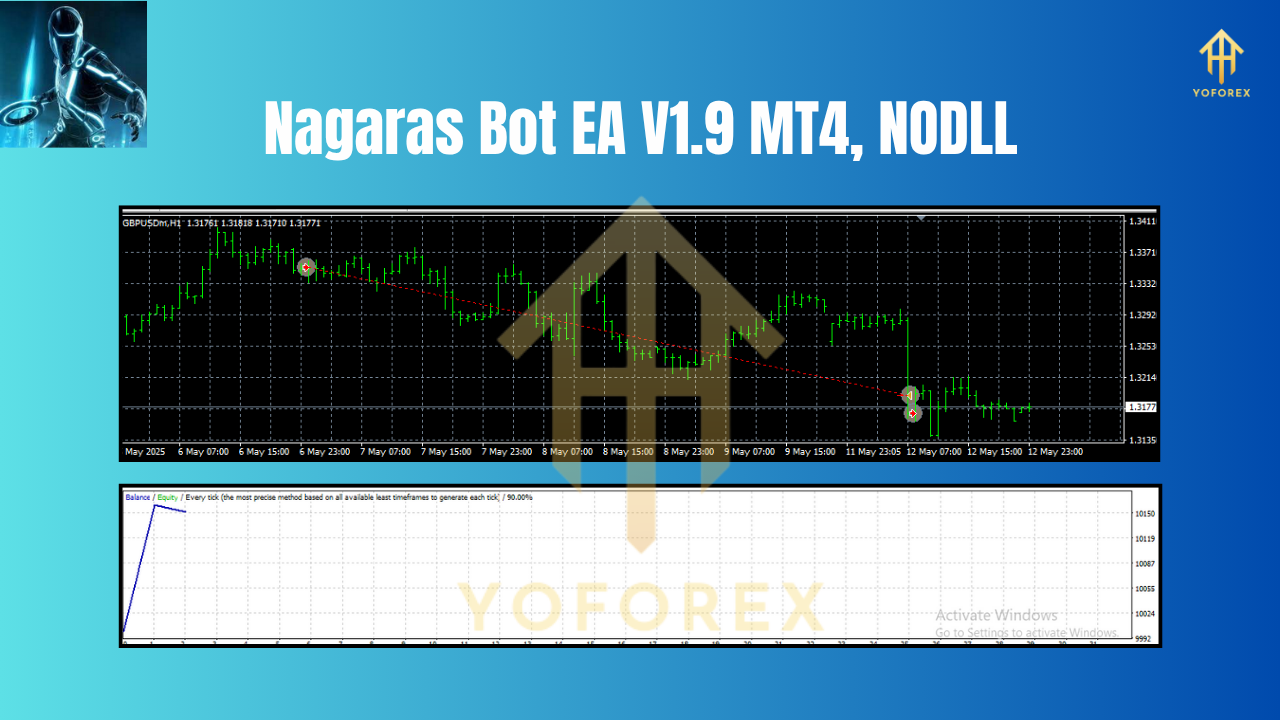
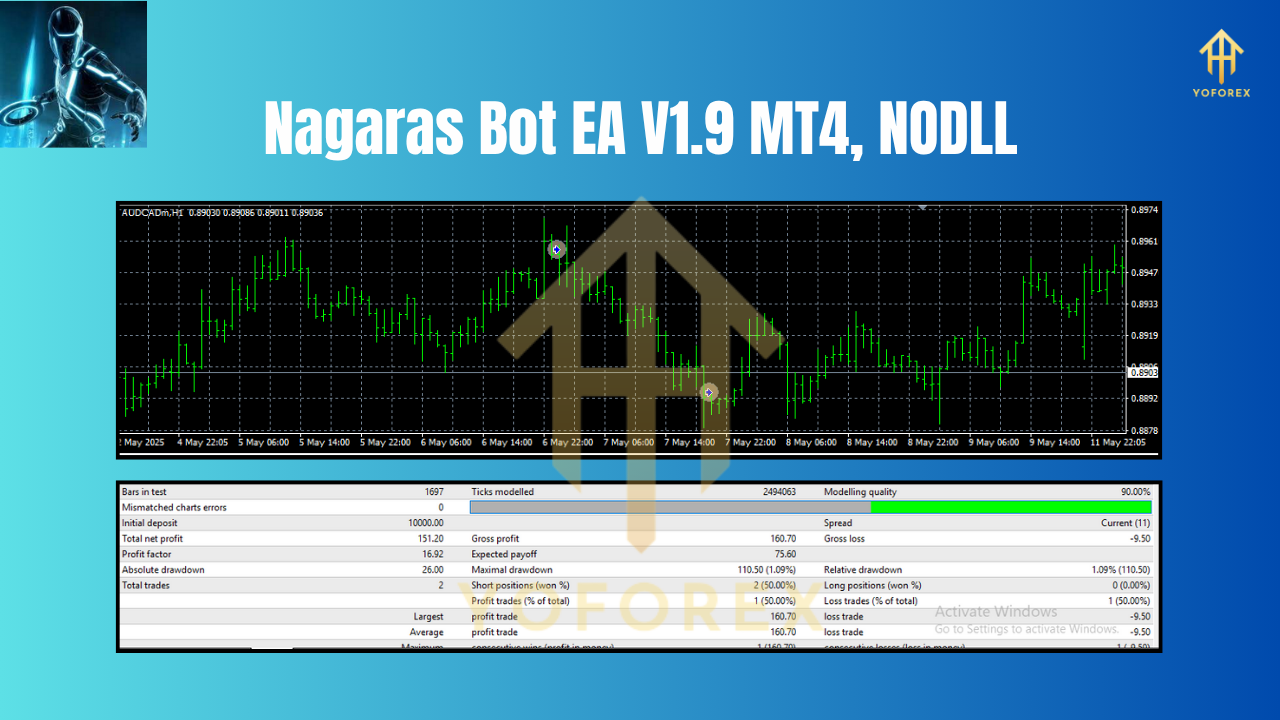
While backtesting provides valuable insights, seeing Nagaras Bot EA V1.9 in live conditions is the true litmus test. In recent demo accounts, traders noted consistent 1–2% daily returns during trending market phases, with drawdowns rarely exceeding 4%. By trading across multiple currency pairs, the EA capitalizes on diversified opportunities: for example, capturing a strong GBPJPY trend one day, followed by scalping small USDCHF retracements the next. Real-time logs highlight that the EA rarely opens more than two concurrent trades on the same pair, thanks to its per-position protection mechanism. Traders also praised how smoothly the EA handles news spikes; its logic avoids entering new trades 15 minutes before major releases, then swiftly resumes trading once volatility subsides.
Conclusion & Call to Action
Nagaras Bot EA V1.9 MT4 represents a leap forward in forex automation, combining adaptive capital management with robust trend analysis. Its multi-pair compatibility, flexible trading sessions, and no-martingale approach make it suitable for traders of all skill levels. Ready to experience smart, automated trading? Download Nagaras Bot EA V1.9 today, apply it to your MT4 platform, and let its advanced algorithms work toward consistent profits. Trade responsibly, and always demo-test before going live.
Join our Telegram for the latest updates and support






Comments
Leave a Comment