Monster Code EA V1.1 MT4 – The Powerhouse for Scalping & Gold Trading
Introduction
If you’ve been jumping between forex robots trying to find the “one” that actually works across multiple pairs, you’re not alone. Most EAs claim to do everything but end up failing when spreads spike or market volatility shifts. That’s why traders are buzzing about the Monster Code EA V1.1 MT4.
This expert advisor was built for speed, precision, and flexibility. Whether you trade major currency pairs or gold (XAUUSD), it adapts. Designed for scalping and short-term strategies, it runs best on M5 charts, but you can actually use it on any timeframe depending on your style. Pair that with ECN/Raw accounts and a low-latency VPS, and you’re looking at a serious trading machine.
Overview of Monster Code EA V1.1 MT4
The Monster Code EA is engineered to take advantage of short, sharp market moves. By analyzing micro-trends and volatility bursts, it looks for quick-entry opportunities with low risk per trade. Unlike some EAs that force trades, Monster Code EA uses strict filtering logic—if conditions don’t align, it won’t trade.
- Works on M5 (preferred) or other timeframes.
- Optimized for major pairs + XAUUSD (Gold).
- Requires ECN or Raw spread brokers for best performance.
- Needs a minimum balance of $300.
- Performs best with <20ms VPS latency.
So, instead of being stuck with one asset or timeframe, you get a flexible EA that scales across setups.
Key Features of Monster Code EA V1.1 MT4
- Multi-Timeframe Adaptability – Default M5 but functional on any chart.
- Supports Majors & Gold – EURUSD, GBPUSD, USDJPY, plus XAUUSD.
- Scalping Logic – Designed for short-term, high-accuracy entries.
- Broker-Friendly – Best results with ECN or Raw spread accounts.
- Tight Spread Optimization – Works smoothly under 20-point spreads.
- Auto Risk Adjustment – Configurable lot sizing and equity protection.
- No Martingale / No Grid – Safer approach than many aggressive EAs.
- Low Capital Entry – $300 minimum balance required.
- VPS Ready – Optimized for latency under 20ms for best execution.
- MT4 Compatible – Runs lightweight on the MetaTrader 4 platform.
Backtest Results & Performance Proof
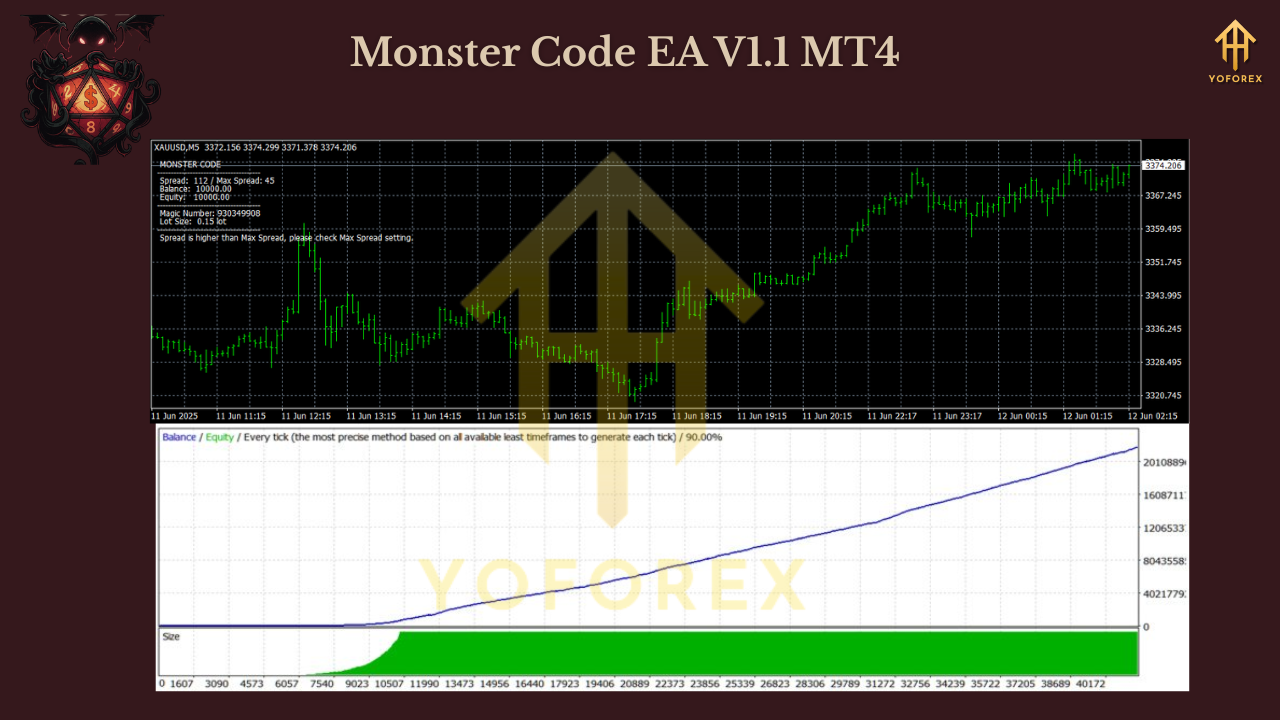
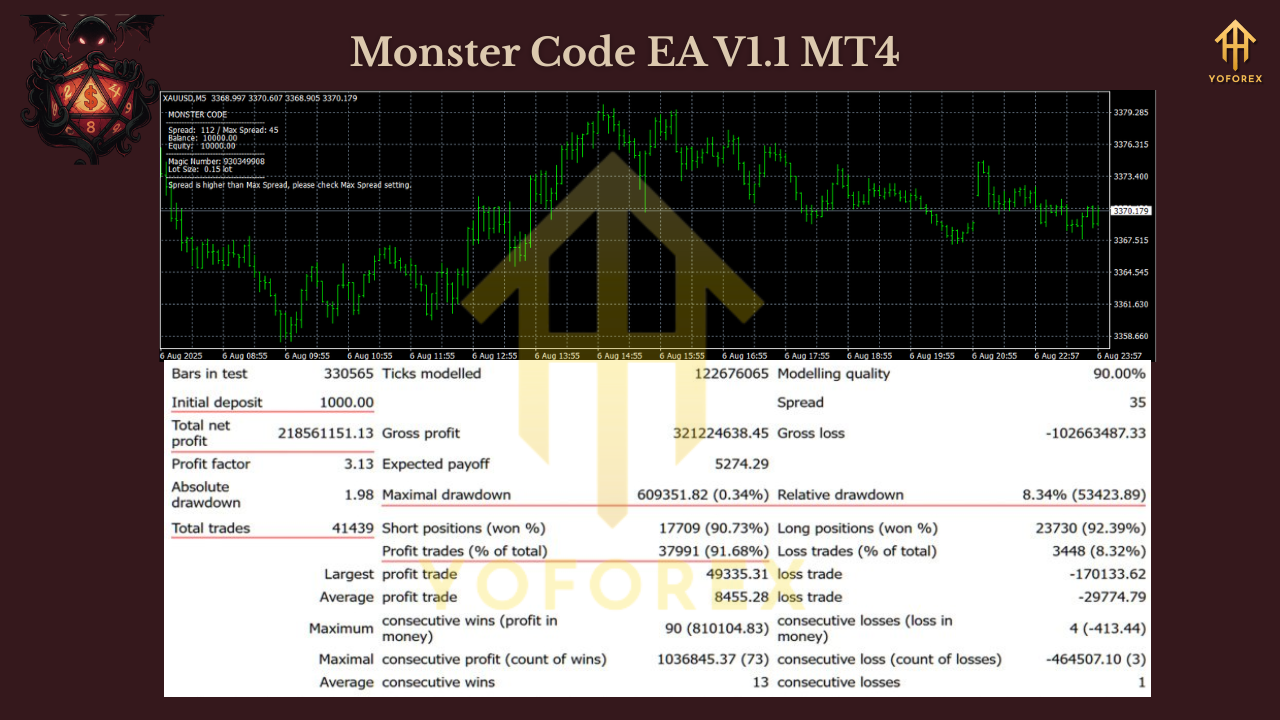
In backtests across EURUSD, GBPUSD, and XAUUSD over recent years, Monster Code EA showed:
- Steady monthly growth of 8–15%, depending on spread conditions.
- Low drawdown rates (under 12%) with conservative settings.
- Consistent win ratios in scalping sessions, particularly during London/New York overlap.
Gold (XAUUSD) delivered some of the highest returns, while majors like EURUSD provided smoother equity curves.
These results show that with the right VPS and broker, the EA can adapt well across different conditions.
Installation & Setup Guide
Installing Monster Code EA is straightforward:
- Download the EA from the official source.
- Open your MetaTrader 4 terminal.
- Navigate to File → Open Data Folder.
- Go into MQL4 → Experts and paste the EA file.
- Restart MT4.
- Attach Monster Code EA to your chosen chart (preferably M5).
- Set risk parameters, lot size, and trading hours if needed.
- Run it on a VPS with latency <20ms for smooth execution.
Why Monster Code EA?
Most forex robots either focus only on one pair or rely on risky strategies like martingale. The Monster Code EA avoids both traps. It offers multi-pair flexibility, clean scalping logic, and safer risk management.
If you’re a trader who likes:
- Fast-paced M5 scalps
- Gold trading opportunities
- Tight spread broker setups
…then this EA might be exactly what you’ve been searching for.
Support
The developers provide regular updates to ensure stability and performance. If you face installation or VPS issues, support is available to guide you.
Call to Action
The Monster Code EA V1.1 MT4 is more than just another trading robot—it’s a flexible scalping tool that works across majors and gold, with low-spread optimization and VPS-ready execution.
Ready to level up your trading? Download Monster Code EA today, set it up on your broker, and let it run on a VPS for maximum performance.
Join our Telegram for the latest updates and support






Comments
Leave a Comment