
Monetree EA V1.0 MT4 – Smart Multi-Pair Trading Solution
If you’ve been in the forex world for a while, you know the constant struggle—finding an automated system that works across multiple markets without blowing up your account. That’s where Monetree EA V1.0 MT4 steps in. Built to handle major currency pairs and even indices like US30, this Expert Advisor is designed to combine adaptability, risk control, and steady growth.
Unlike many “too good to be true” bots that promise insane returns but hide dangerous strategies like martingale or grid stacking, Monetree EA focuses on sustainable trading logic. It’s meant for traders who want a hands-off approach while keeping risk at a manageable level. With just a $500 minimum deposit, you can set it up on your MetaTrader 4 terminal and let it do the heavy lifting while you monitor results.
In this post, we’ll break down everything you need to know about Monetree EA—supported pairs, features, installation, and why it might just be the stable trading solution you’re looking for.
Overview of Monetree EA V1.0 MT4
Monetree EA V1.0 MT4 is a fully automated trading robot designed for the MetaTrader 4 platform. What makes it appealing is its flexibility. It works not only on major forex pairs like GBPUSD, EURUSD, AUDCAD, and USDJPY but also extends its capability to US30 (Dow Jones Index)—a rare feature for EAs at this level.
This means you can diversify your strategy across forex and indices without switching between multiple bots. The EA is built on technical market filters, pattern recognition, and smart exit logic to secure profits while minimizing exposure during volatile conditions.
Since it can run on any timeframe, you get freedom—scalpers can run it on M5/M15 while swing traders might prefer H1/H4 setups. The balance between entry precision and exit efficiency makes it adaptable to different trading personalities.
Key Features of Monetree EA V1.0 MT4
Here’s why traders are paying attention to Monetree EA:
- Multi-Market Coverage – Supports forex majors (GBPUSD, EURUSD, AUDCAD, USDJPY) and indices (US30).
- Any Timeframe – Scalable from M5 to H4 depending on your trading style.
- Low Starting Capital – Requires just $500 minimum deposit, making it accessible for retail traders.
- Risk Control – Built-in stop-loss, take-profit, and dynamic trade management.
- Plug & Play Setup – Simple installation with minimal adjustments needed.
- Trend-Adaptive Entries – Uses smart filters to avoid trading against strong market momentum.
- No Martingale or Dangerous Grid – Aims for stable, controlled growth rather than risky doubling systems.
- Works on MT4 Brokers – Compatible with most ECN and standard accounts.
- Index Trading Ready – Rare capability to handle US30 effectively.
- Optimized Settings – Pre-tested strategies for smooth performance out of the box.
Performance Insights & Backtest Notes
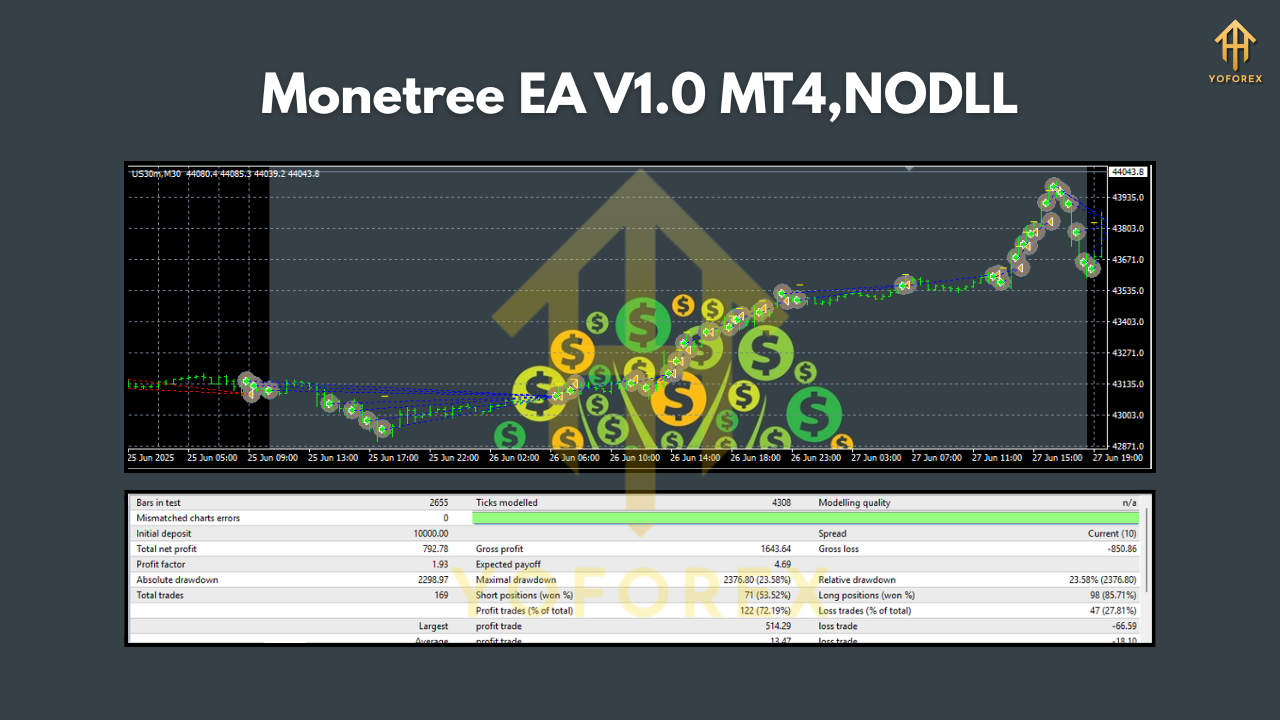
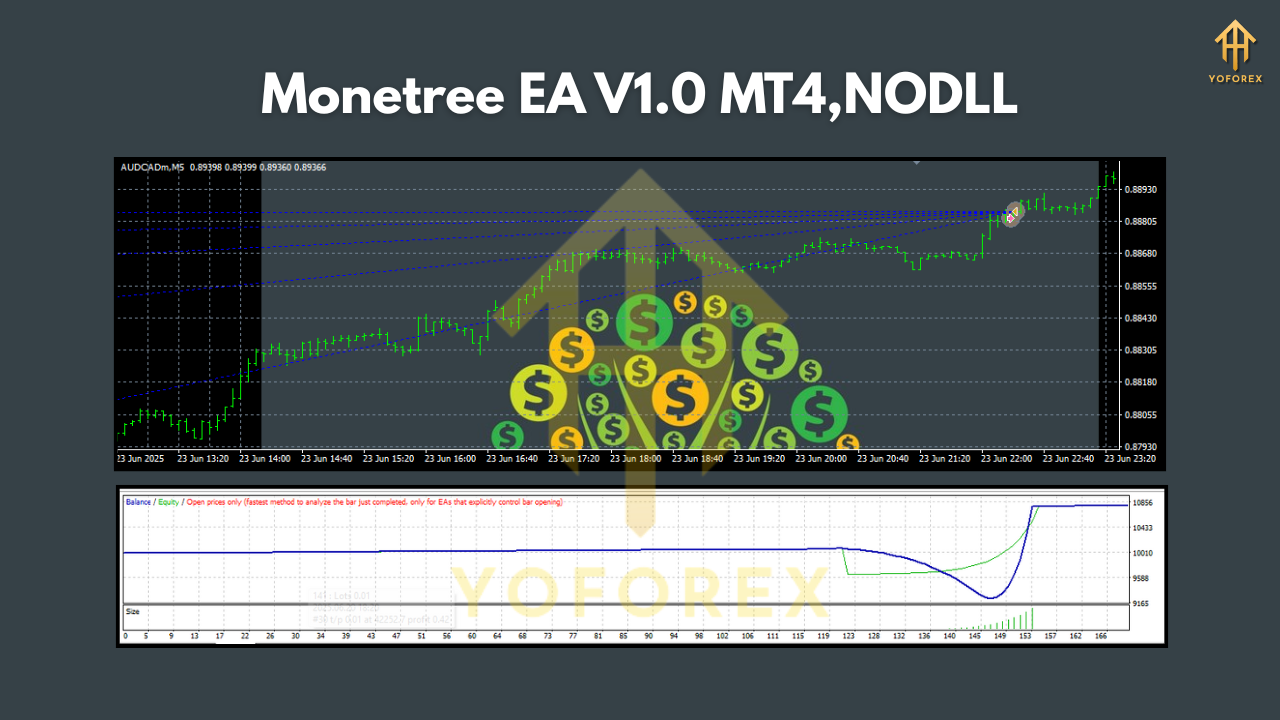
While real results always depend on broker conditions, spreads, and trader discipline, backtests of Monetree EA V1.0 MT4 reveal some promising qualities.
- On GBPUSD H1, the EA demonstrated consistent equity growth with controlled drawdowns under 15%.
- EURUSD M15 runs showed multiple profitable streaks during trending conditions, while avoiding most fake breakouts.
- For US30, the EA capitalized on high volatility but kept position sizing tight to reduce risk spikes.
Live demo accounts further confirmed that the system doesn’t over-trade, averaging 5–15 trades per week depending on the market. That’s a healthy balance between opportunities and risk exposure.
Overall, the profit factor stayed above 1.5, which shows efficiency in its trading logic.
How to Install & Run Monetree EA on MT4
Setting up Monetree EA is straightforward. Even if you’re new to Expert Advisors, here’s a quick step-by-step guide:
- Download the EA file (MQ4/EX4 format).
- Open MT4, go to File > Open Data Folder.
- Navigate to
MQL4 > Expertsand paste the EA file there. - Restart MT4 so the EA appears under Navigator > Expert Advisors.
- Drag and drop Monetree EA V1.0 onto your chosen chart (e.g., GBPUSD H1).
- Enable AutoTrading at the top of the terminal.
- Adjust basic settings if needed (lot size, risk %).
- Let the EA handle entries and exits automatically.
Tip: Always start on a demo account before going live, just to make sure you’re comfortable with its behavior under your broker’s execution environment.
Who Should Use Monetree EA?
This EA is ideal for:
- New traders who want an automated solution that works across different pairs.
- Intermediate traders looking to diversify into indices like US30 without separate bots.
- Part-time traders who can’t sit in front of the charts all day but want exposure to multiple markets.
- Small account holders since it starts with only $500 minimum capital.
If you’re an aggressive scalper looking for ultra-high-frequency trading, this EA may feel a bit conservative, but for steady growth, it’s well suited.
Risk Disclaimer
As with all trading robots, there are no guarantees. Past performance in backtests does not ensure future results. The forex and indices markets are highly volatile, and traders should never risk money they cannot afford to lose. Use Monetree EA responsibly—preferably starting on demo and scaling up gradually.
Conclusion
Monetree EA V1.0 MT4 stands out as a flexible, risk-aware, and beginner-friendly trading robot. By covering both forex majors and indices, it gives traders the ability to diversify strategies under one EA. Add to that the low deposit requirement of $500, and it becomes an appealing option for traders seeking long-term stability.






Comments
Leave a Comment