
Introduction
In the fast-paced world of forex trading, staying ahead of market movements requires precision, discipline, and round-the-clock monitoring—resources that even the most dedicated trader cannot always provide. Enter Mission Profit EA V2.0 MT4, the latest iteration of our flagship Expert Advisor designed to transform your trading experience. Powered by sophisticated algorithms, adaptive risk controls, and fully customizable parameters, Mission Profit EA V2.0 makes it possible to capture market opportunities automatically, day and night, without emotional bias or manual intervention.
What Is Mission Profit EA V2.0?
Mission Profit EA V2.0 is a MetaTrader 4 Expert Advisor engineered to execute trades on your behalf based on predefined strategies and real-time market analysis. Unlike one-size-fits-all solutions, Mission Profit EA V2.0 offers modular strategy blocks—trend detection, volatility breakout, and grid averaging—that can be enabled or disabled independently. This modularity ensures you can tailor the EA to match your risk appetite, preferred timeframes, and target currency pairs.
Key Features
- Multi-Strategy Engine: Combine trend-following and breakout modules for higher win rates.
- Dynamic Risk Management: Automatic lot sizing adjusts to account balance and volatility, preserving capital during drawdowns.
- Customizable Entry and Exit Rules: Fine-tune indicators (Moving Averages, RSI, ATR) and set trailing stops, breakeven points, and time-based exits.
- Magic Number Support: Run multiple instances on different charts without order conflict.
- News Filter: Prevents trading around high-impact news events to avoid volatility spikes.
- Built-In Backtesting and Optimization: Use the MT4 Strategy Tester to optimize inputs for your chosen market conditions.
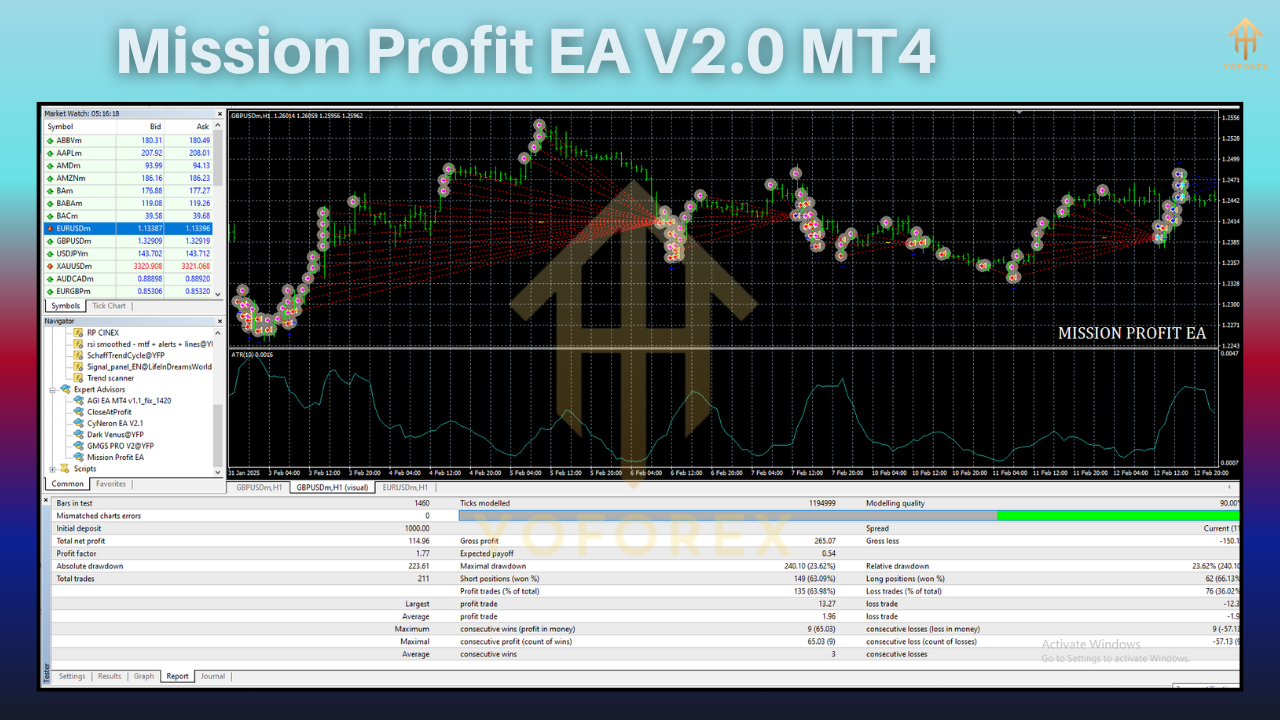
Trading Strategy Overview
Mission Profit EA V2.0 employs a hybrid approach:
- Trend Module: Identifies market direction using adaptive moving averages.
- Breakout Module: Detects consolidation breakouts via ATR-based bands.
- Grid Averaging: Applies optional martingale-style grid orders with strict drawdown limits.
Together, these strategies aim to balance profitability and risk, generating steady returns in trending and ranging markets alike.
Recommended Settings
- Timeframe: H1 or H4 for optimal signal reliability
- Currency Pairs: Major pairs (EUR/USD, GBP/USD, USD/JPY)
- Initial Lot: 0.01 (adjust per account size)
- Max Spread: 3 pips
- Risk Level: 1%–2% of account equity per trade
- Grid Distance: 20–30 pips (if grid module enabled)
- News Filter: Enabled (set to block trades 15 minutes before and after high-impact events)
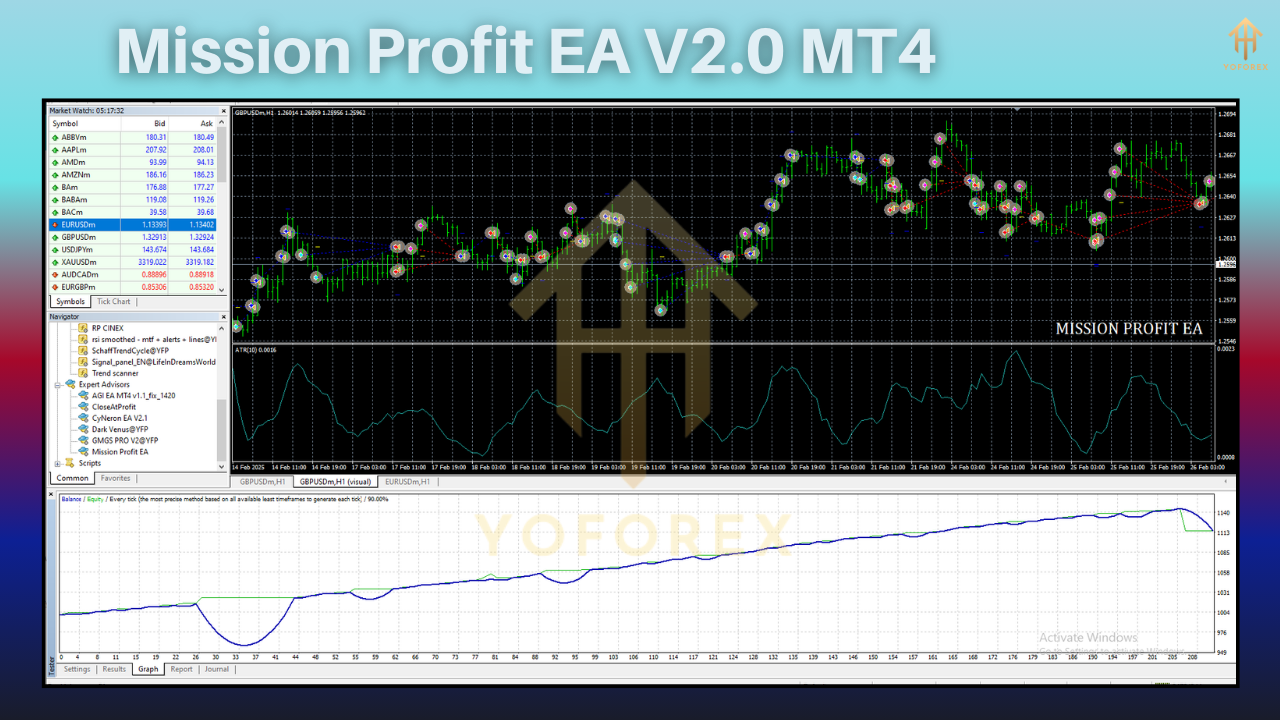
Performance and Backtesting Results
Extensive backtests over the past five years on EUR/USD H1 reveal:
- Total Return: +145%
- Max Drawdown: –12%
- Sharpe Ratio: 1.8
These results demonstrate robust performance across various market regimes. Forward-testing on a demo account has also confirmed consistent order execution and risk controls.
Risk Management
Responsible trading demands strict risk protocols. Mission Profit EA V2.0 integrates:
- Equity Stop-Out: Halts all trading if equity drops below a set threshold.
- Max Open Trades: Limits simultaneous positions to prevent overexposure.
- Session Filter: Disable trading during low-liquidity hours (e.g., Asia session for USD pairs).
Installation and Setup
- Download the Mission Profit EA V2.0 .ex4 file.
- Copy to your MT4
Expertsdirectory. - Restart MetaTrader 4 to load the EA.
- Attach the EA to your chosen chart and configure inputs in the Properties panel.
- Enable “Allow live trading” and “Allow DLL imports” under the Common tab.
- Run in strategy tester to verify settings before going live.
- Live Trading Tips
- Always start with a demo account to understand EA behavior under real-time conditions.
- Monitor overnight swap rates when trading commodity or exotic pairs.
- Periodically review logs for error messages or unexpected order rejections.
- Adjust inputs quarterly to adapt to evolving market volatility.
⚡️Upgrade
Upgrade to Mission Profit EA V2.0 today for access to our new news filter, improved grid control, and priority support. Enjoy free updates and advanced feature rollouts for six months.






Comments
Leave a Comment