
Mercurial Arrows Indicator V1.10 MT5 – Precision Buy & Sell Signals for Smarter Trading
In the fast-paced world of forex and commodities trading, timing is everything. One of the biggest challenges traders face is knowing exactly when to enter or exit the market. That’s where the Mercurial Arrows Indicator V1.10 MT5 comes in. This advanced MetaTrader 5 indicator takes the guesswork out of trading by plotting clear buy and sell arrows directly on your chart.
Whether you’re a beginner looking for guidance or an experienced trader aiming to fine-tune your entries and exits, this tool offers straightforward, visually intuitive signals to help you make smarter decisions. By combining technical precision with user-friendly design, it ensures you don’t miss potential opportunities.
Overview of the Mercurial Arrows Indicator V1.10 MT5
The Mercurial Arrows Indicator is specifically built for the MetaTrader 5 platform and works across multiple asset classes – forex, commodities, indices, and even cryptocurrencies. Its primary role is to detect high-probability trade setups using pre-configured market conditions and then present them visually as upward or downward arrows on your chart.
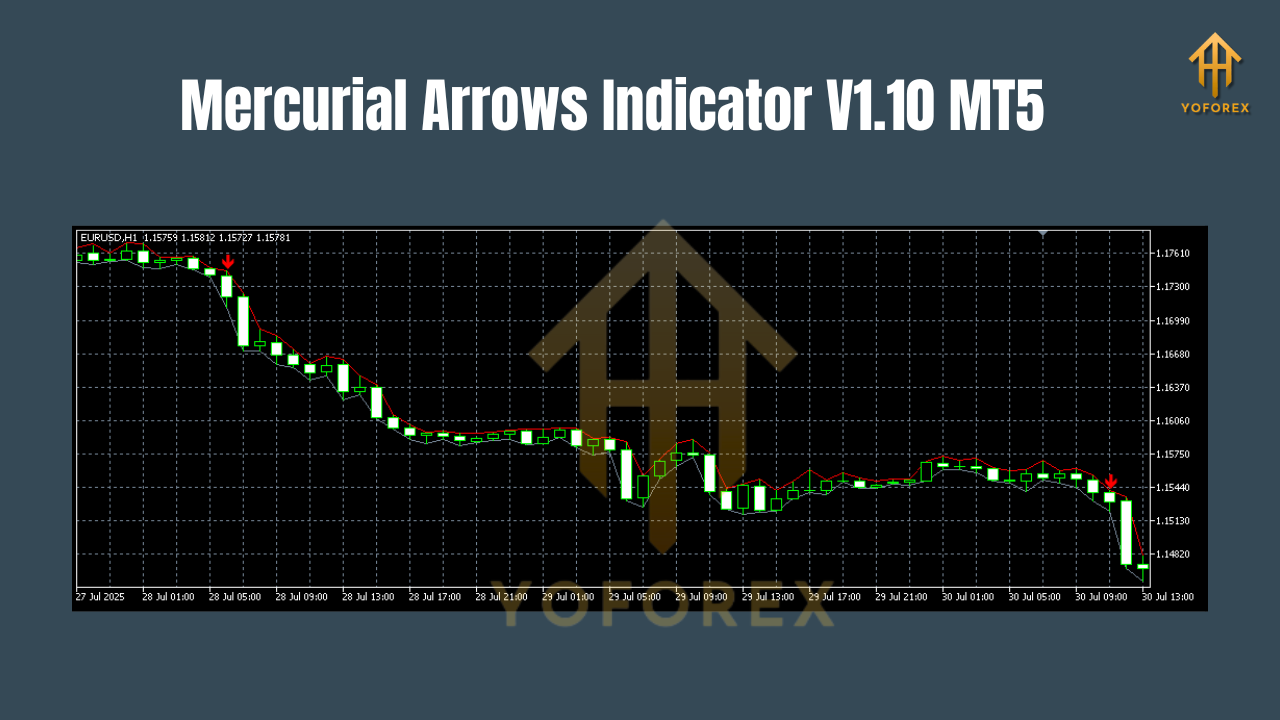
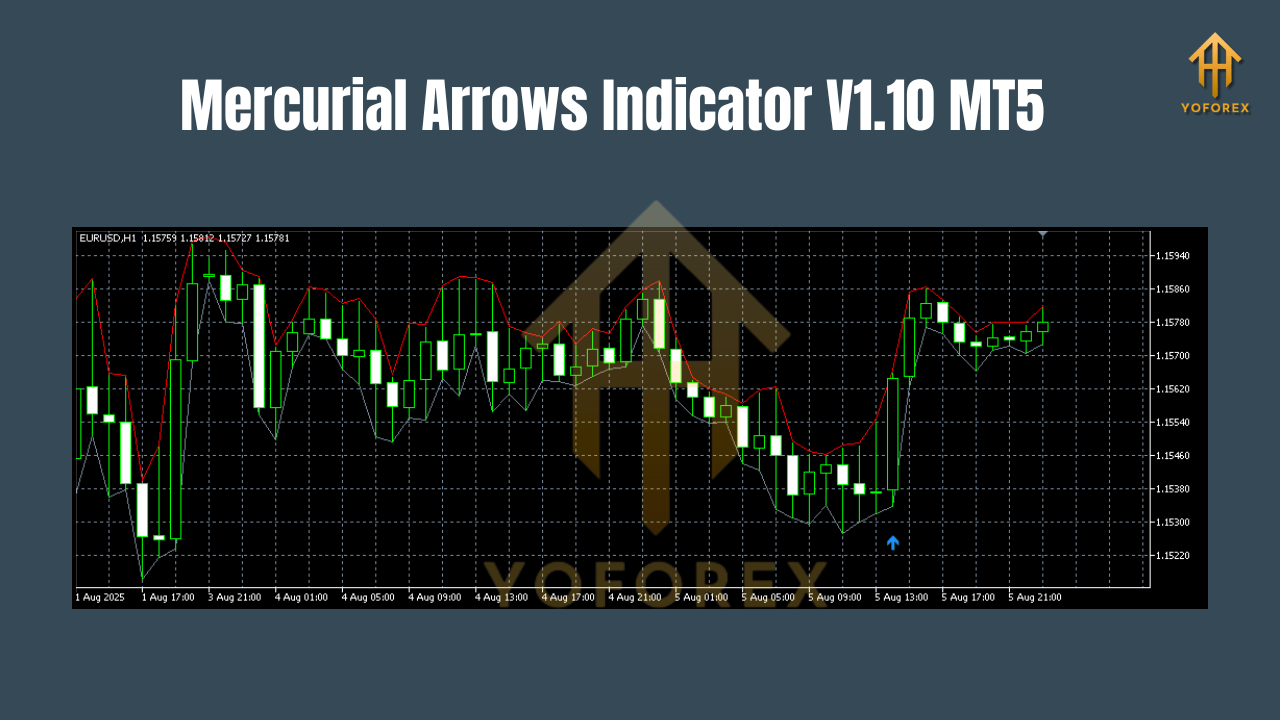
- Buy Arrow (Up Arrow) – Indicates a potential upward price movement and an ideal entry point for a long trade.
- Sell Arrow (Down Arrow) – Suggests a possible price decline, signaling the right moment to open a short position.
This indicator works seamlessly with other trading strategies and can be combined with trend filters, moving averages, or oscillators for enhanced confirmation.
Key Features
- Clear Buy/Sell Arrows – Visually intuitive signals make it easy to spot opportunities.
- Multi-Timeframe Support – Use it on M1 for scalping or H4/D1 for swing trading.
- Customizable Settings – Adjust sensitivity, arrow size, and colors to suit your style.
- Non-Repainting Signals – Once an arrow is printed, it stays on the chart, ensuring historical accuracy.
- Works on All Assets – Compatible with forex, gold, oil, stocks, indices, and crypto.
- Trend & Volatility Filtering – Reduces false signals by avoiding choppy market conditions.
- Sound & Push Notifications – Get alerted instantly when a new signal forms.
- Lightweight & Fast – Minimal CPU usage, perfect for multiple charts at once.
How It Works
The Mercurial Arrows Indicator V1.10 uses a blend of price action, volatility detection, and momentum analysis. It scans the market in real time, applying its built-in algorithm to identify shifts in price momentum.
When specific conditions are met:
- Bullish Scenario – The indicator detects an upward momentum surge combined with supportive market conditions and prints a green/up arrow.
- Bearish Scenario – The system identifies a potential reversal to the downside and places a red/down arrow on the chart.
These visual cues help traders react quickly without spending hours scanning multiple charts.
Trading Strategies with the Mercurial Arrows Indicator
Here are a few proven ways to use this tool effectively:
1. Trend Following
Combine the indicator with a moving average (e.g., 50 EMA).
- Buy when the up arrow appears above the moving average.
- Sell when the down arrow appears below the moving average.
2. Scalping on M5 or M15
Use the indicator in combination with the RSI or stochastic oscillator to confirm entries.
- Only take signals aligned with oversold/overbought reversals.
3. Swing Trading
Apply the indicator on H4 or D1 charts for fewer but higher-probability trades.
- Place stop loss at the previous swing high/low for risk management.
Advantages of Using Mercurial Arrows Indicator
- Saves Time – No need to manually analyze every candle.
- Beginner Friendly – Clear signals mean less confusion for new traders.
- Increases Accuracy – Helps reduce emotional trading decisions.
- Adaptable – Works for scalpers, day traders, and swing traders.
Installation Guide for MT5
- Download the Mercurial Arrows Indicator V1.10 MT5 file.
- Open your MetaTrader 5 platform.
- Go to File → Open Data Folder.
- Navigate to MQL5 → Indicators.
- Copy the downloaded file into the Indicators folder.
- Restart MT5 and find the indicator in the Navigator panel.
- Drag it onto your preferred chart and adjust settings as desired.
Best Practices for Maximum Profitability
- Always combine with a risk management plan (2% rule).
- Use confirmation from another indicator or price action pattern.
- Avoid trading during major news events unless specifically designed for volatility.
- Backtest the indicator on historical data to understand its behavior.
Conclusion
The Mercurial Arrows Indicator V1.10 MT5 is a powerful yet easy-to-use tool for traders who value clarity and efficiency. By providing instant buy and sell visual signals, it streamlines decision-making and reduces the emotional burden of trading. Whether you’re scalping in volatile sessions or swing trading in calmer markets, this indicator can be a valuable addition to your MT5 toolkit.
Join our Telegram for the latest updates and support






Comments
https://leverageedu.com/ I am in fact grateful to the holder of this web page who has shared this impressive piece of writing at here.https://leverageedu.com/
https://Jutebag.Co.uk/ Hey there! Someone in my Myspace group shared this site with us so I came to take a look. I'm definitely enjoying the information. I'm book-marking and will be tweeting this to my followers! Excellent blog and fantastic design and style.https://Jutebag.Co.uk/
https://www.Gadgetreview.com/ Admiring the time and effort you put into your site and in depth information you present. It's great to come across a blog every once in a while that isn't the same outdated rehashed material. Wonderful read! I've saved your site and I'm adding your RSS feeds to my Google account.https://www.Gadgetreview.com/
Leave a Comment